Foodstamp
This setting allows you to mark a product as eligible for EBT payment.
MENU > PRODUCT > Select an item > DETAIL > BASIC
On the main screen, click on MENU and go to PRODUCT.

On the products screen, click on DETAIL for the selected item.

In the BASIC tab, you will find the foodstamp dropdown menu with three available options.
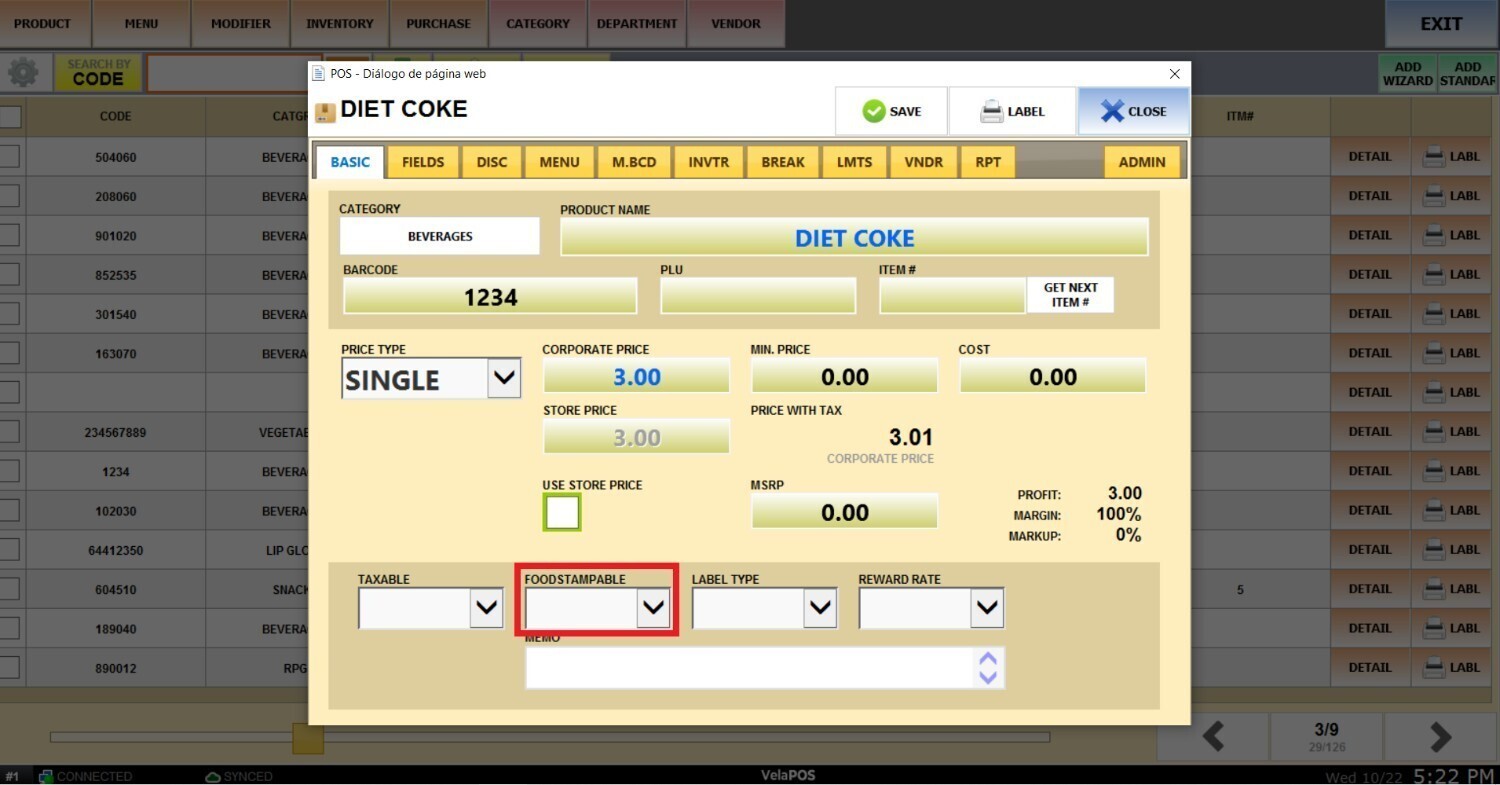
BLANK: The product follows the category’s setting regarding EBT eligibility. Selecting YES or NO will override the category setting.
To set the foodstampable option for the whole category, refer to Category Details guide.
YES: The product can be purchased using EBT.
NO: The product cannot be purchased using EBT.
Result:
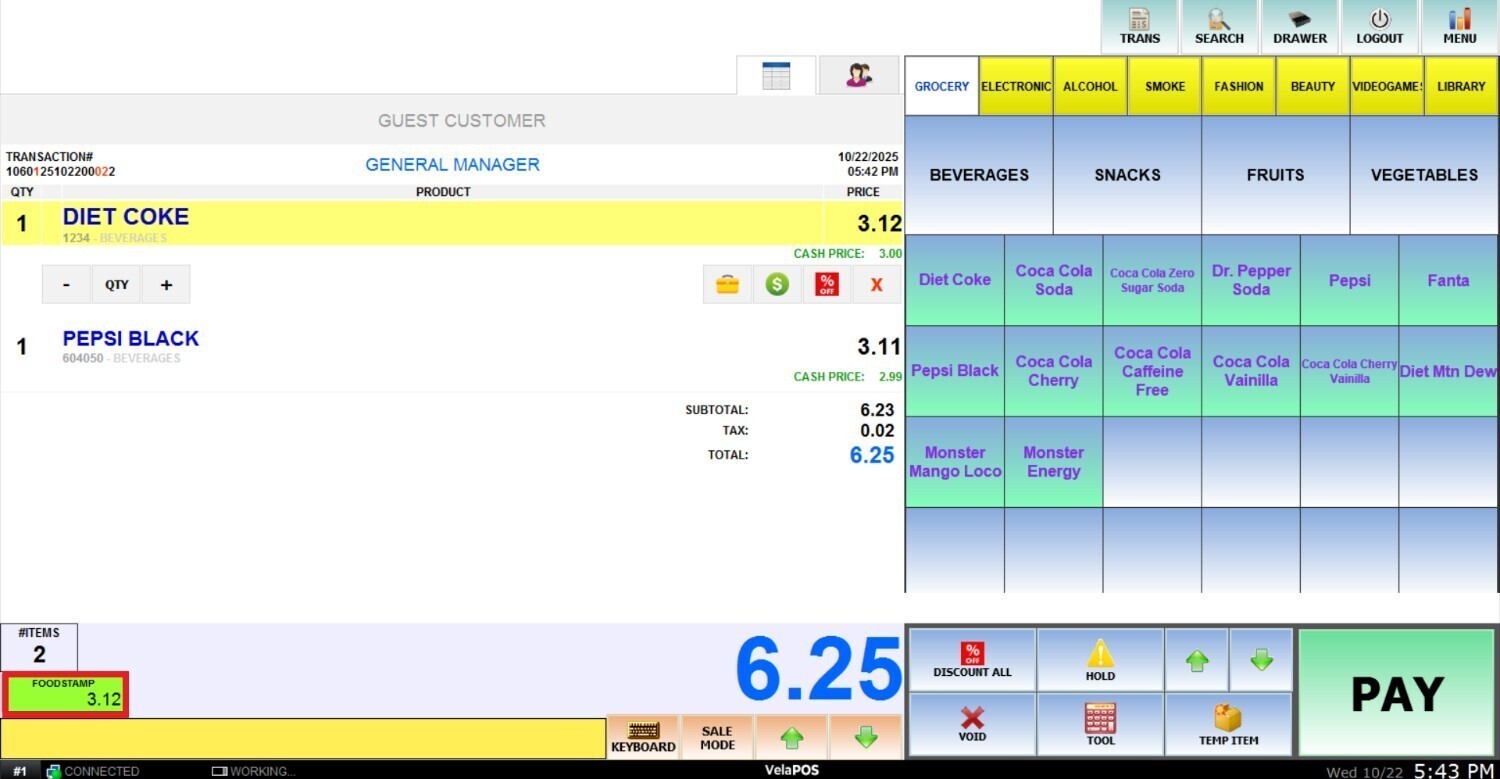
When a product is marked as foodstamp eligible, the sales screen will display the portion of the total amount that can be covered with EBT.