No Price Action
This setting defines how the system behaves when an item does not have a price configured at the store level.
The No Price Action setting only applies when the Location Price Type is configured as STORE PRICE ONLY or LOCATION PRICE SELECTION
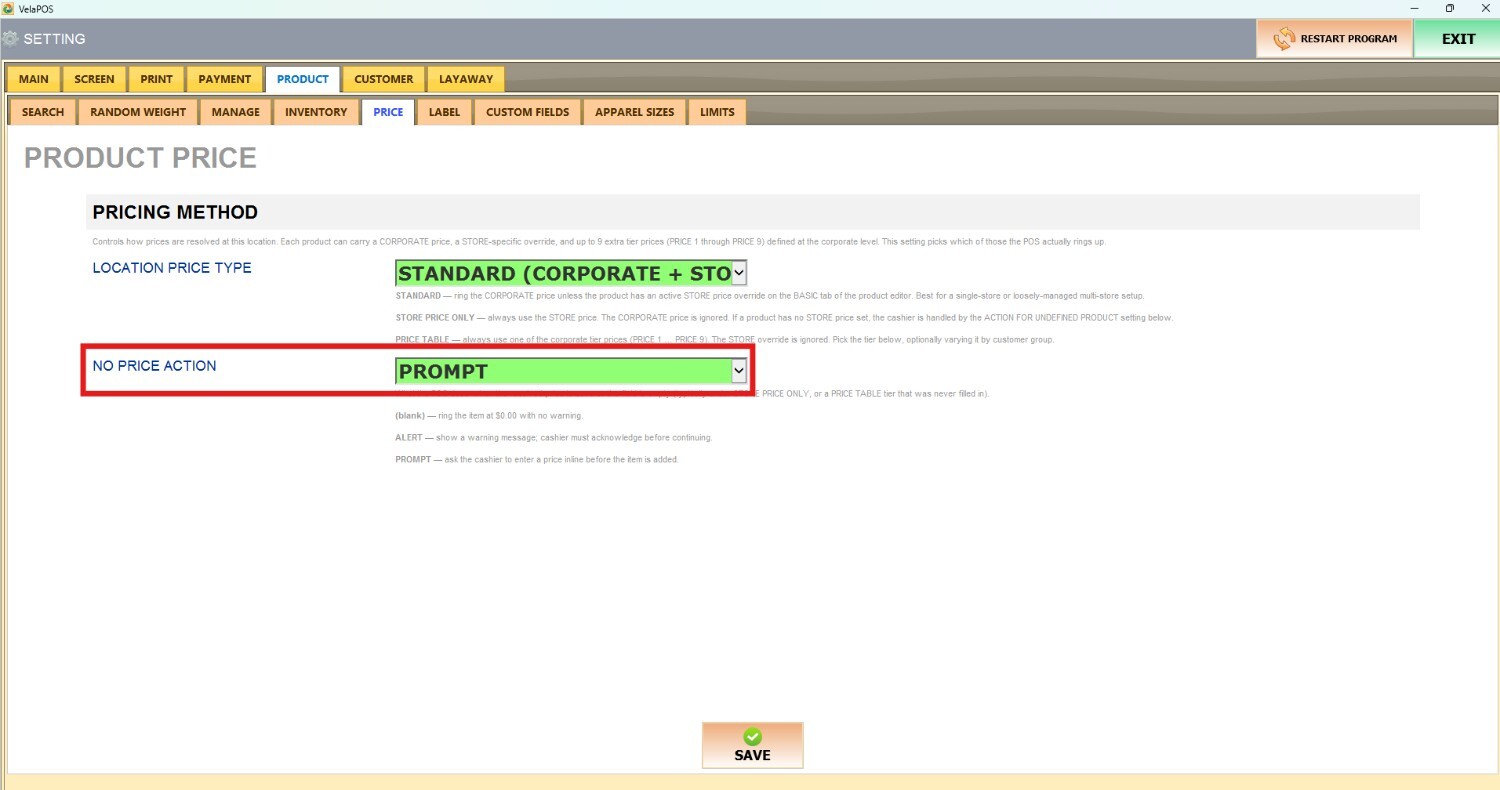
Main Screen > MENU > SETTINGS > PRODUCT > PRICE
Go to MENU, then SETTINGS.

Go to PRODUCT then PRICE

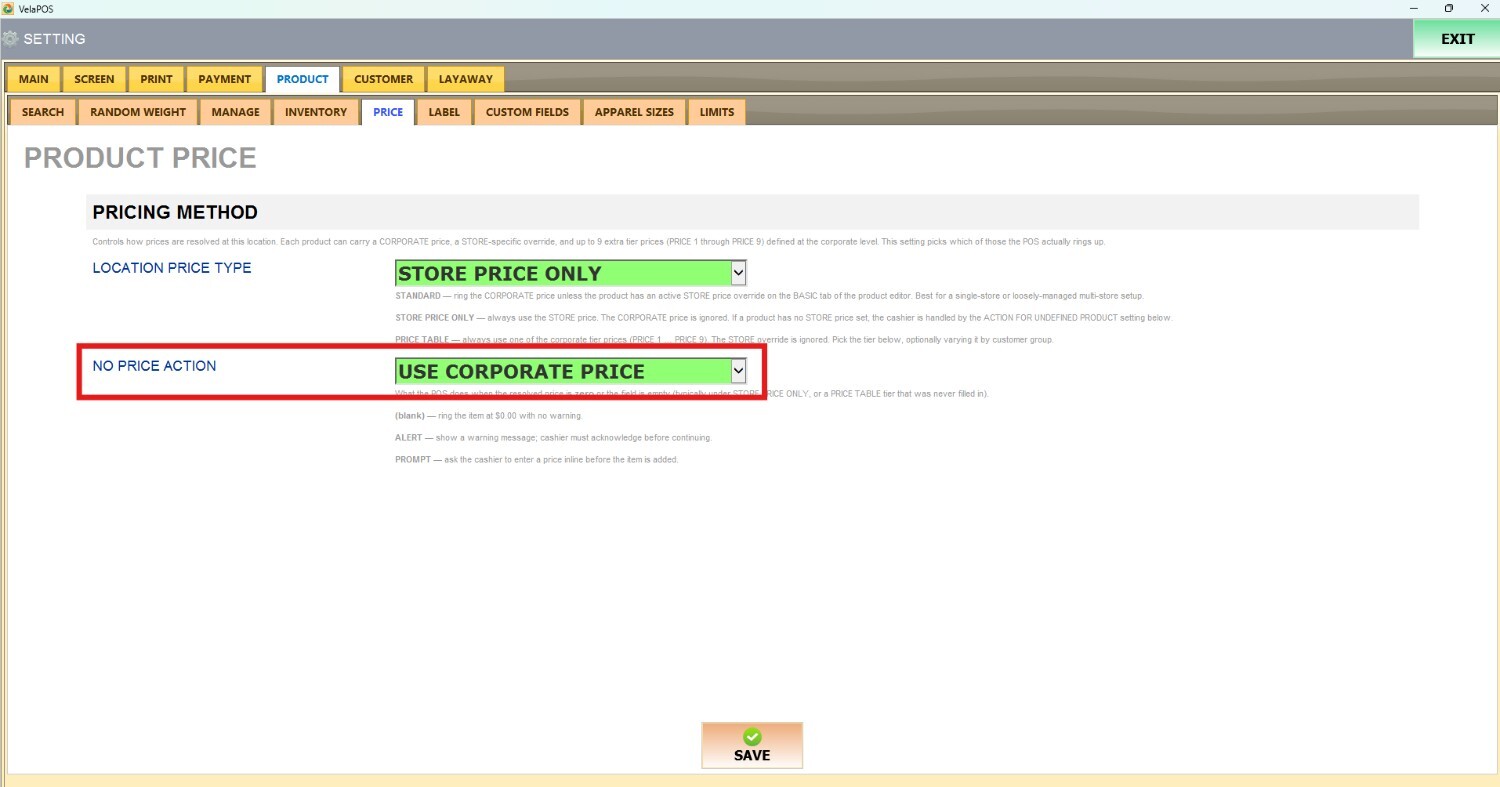
On NO PRICE ACTION, there are 4 options to choose from:

1. USE CORPORATE PRICE
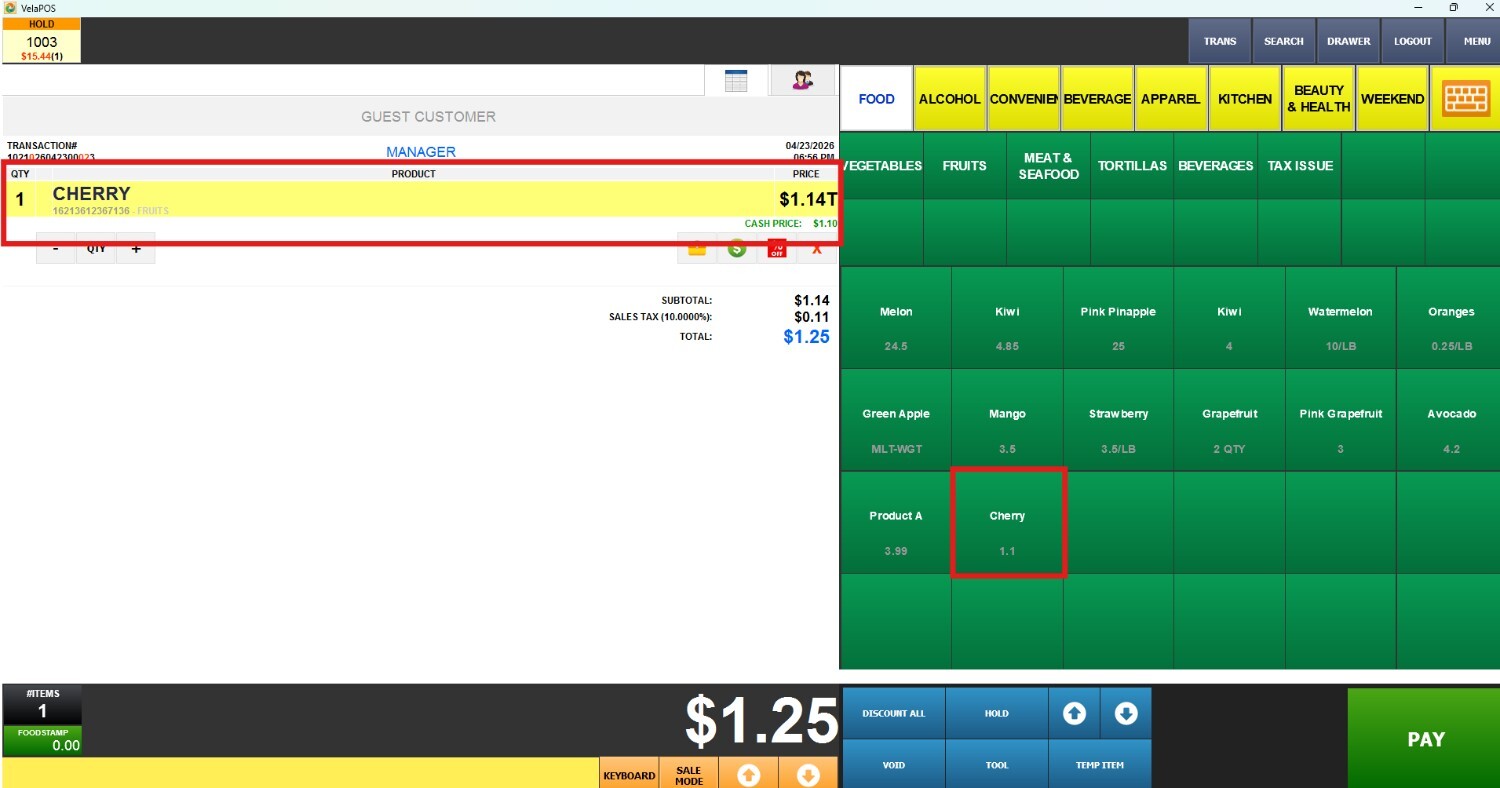
The system will automatically apply the corporate price if the store price is not set.
Result:
2. ALERT
A warning message (prompt) will appear on the screen.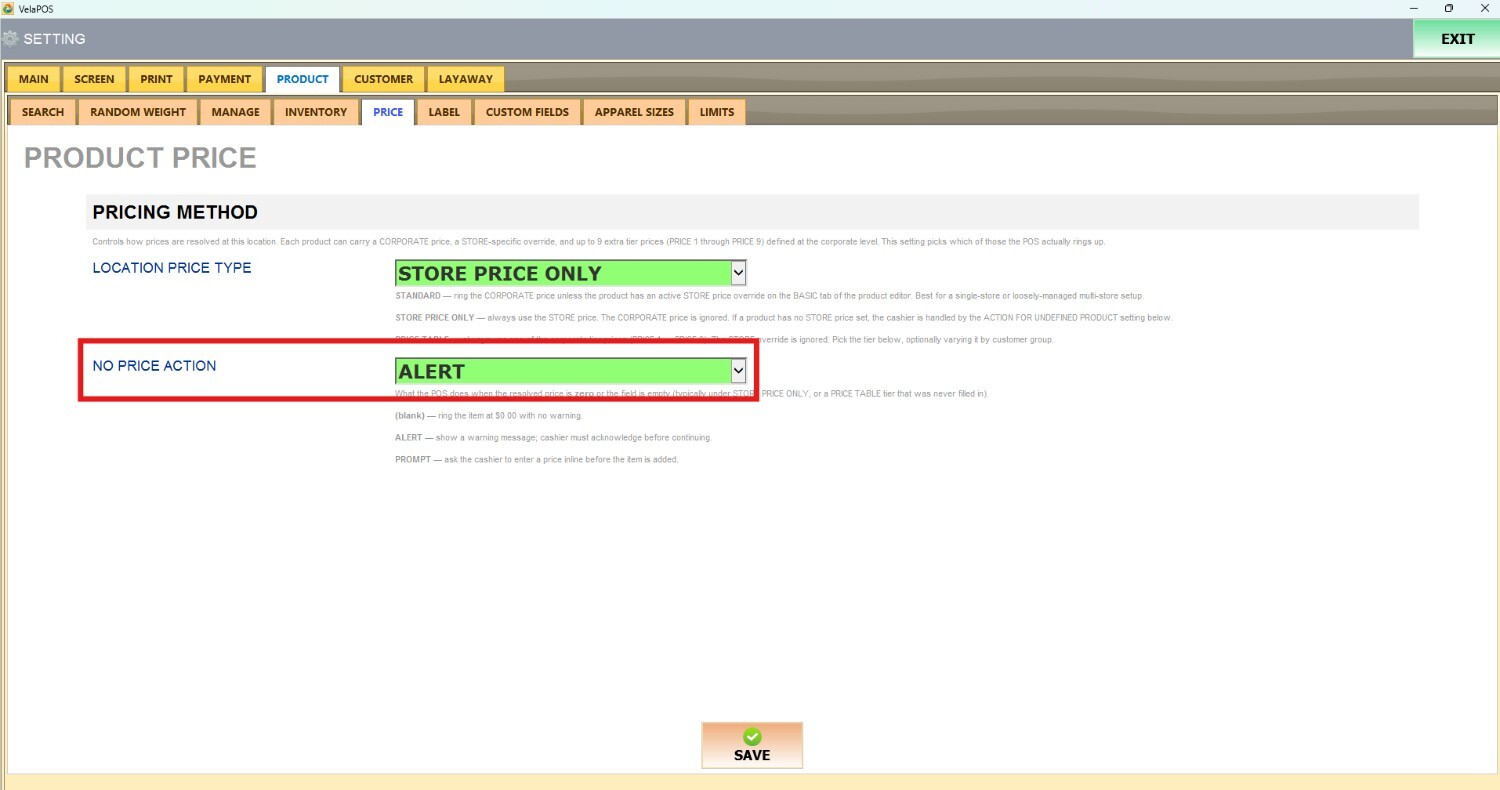
Result: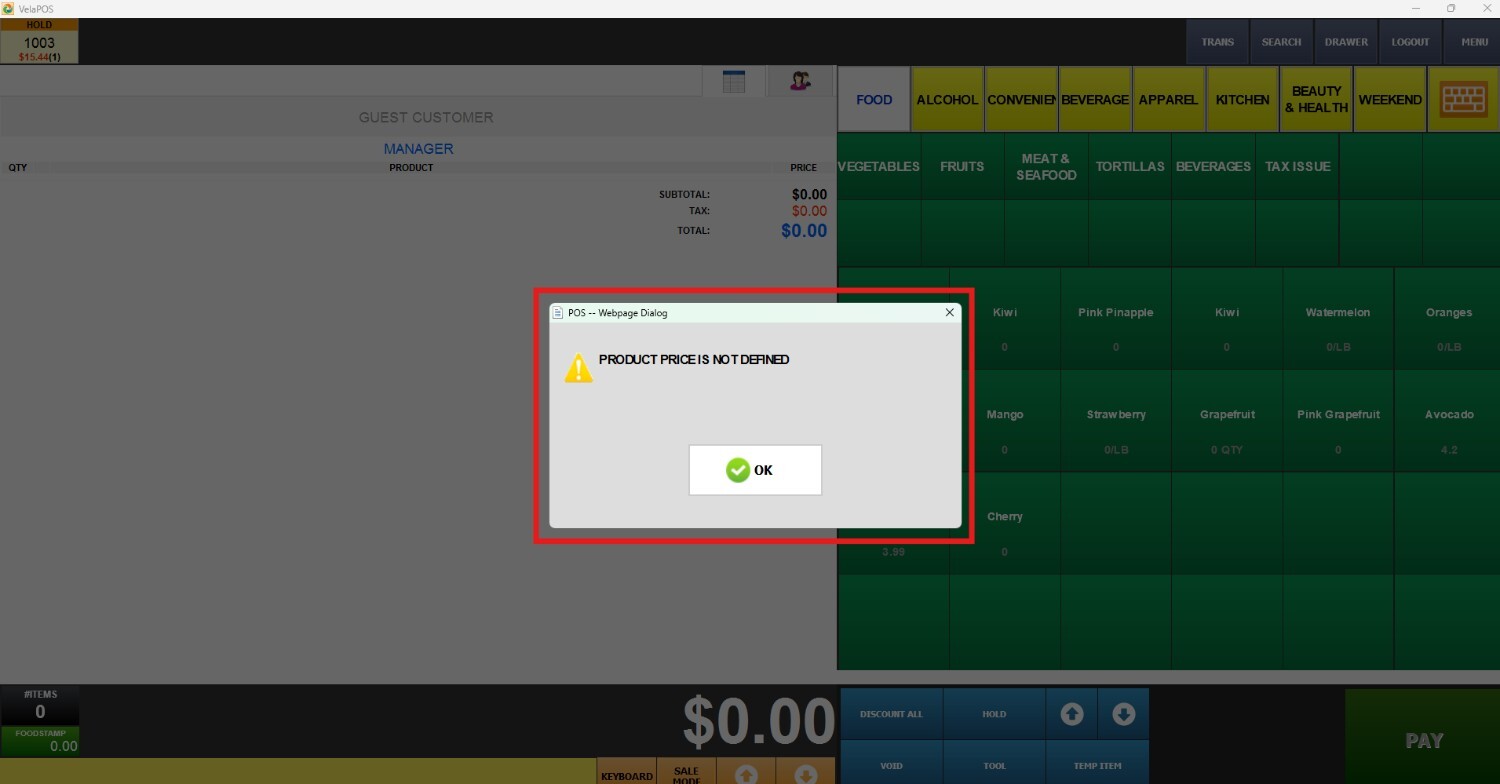
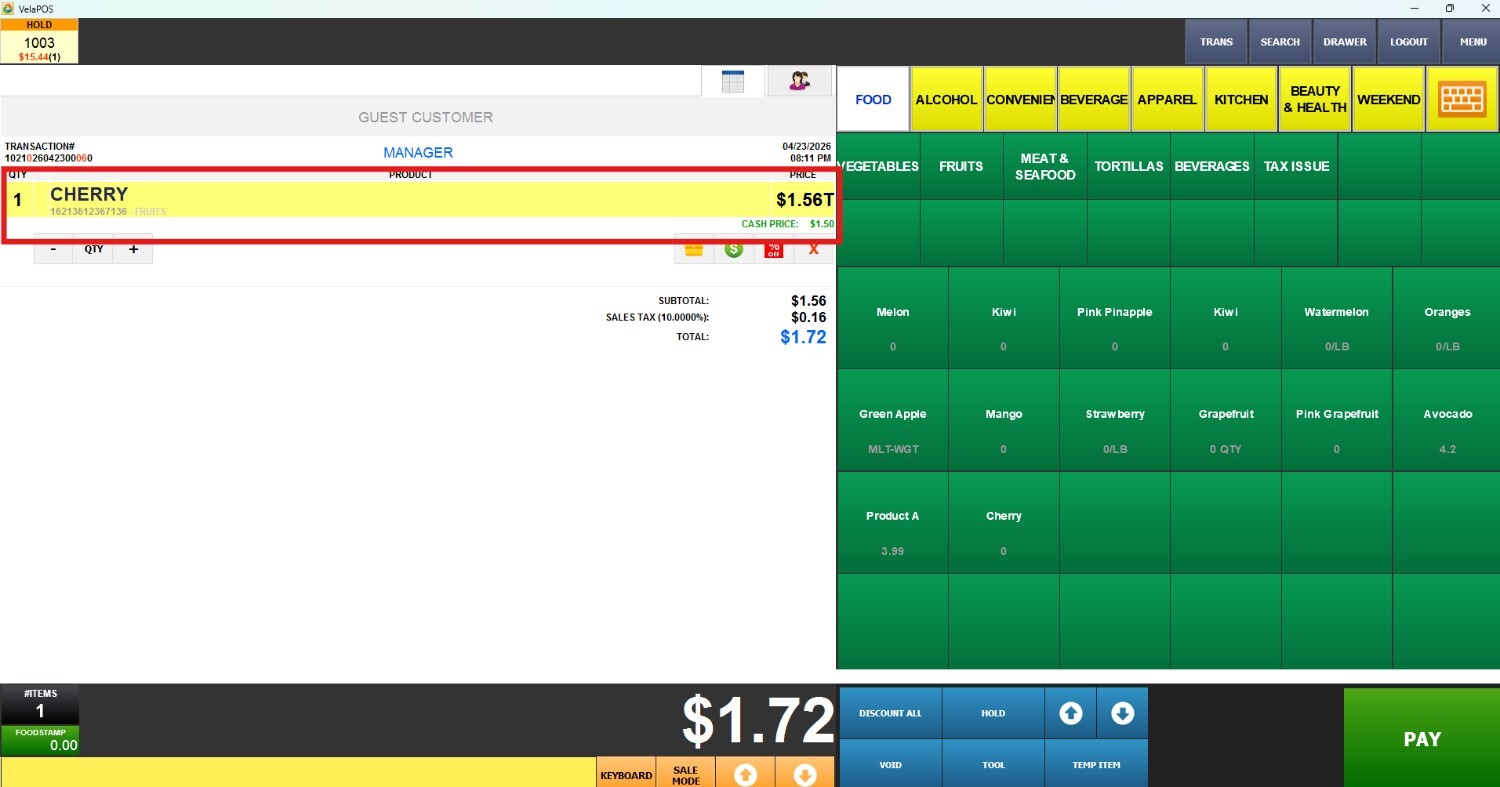
3. PROMPT
The system will require the cashier to manually enter a price before the item is added to the transaction.
Result: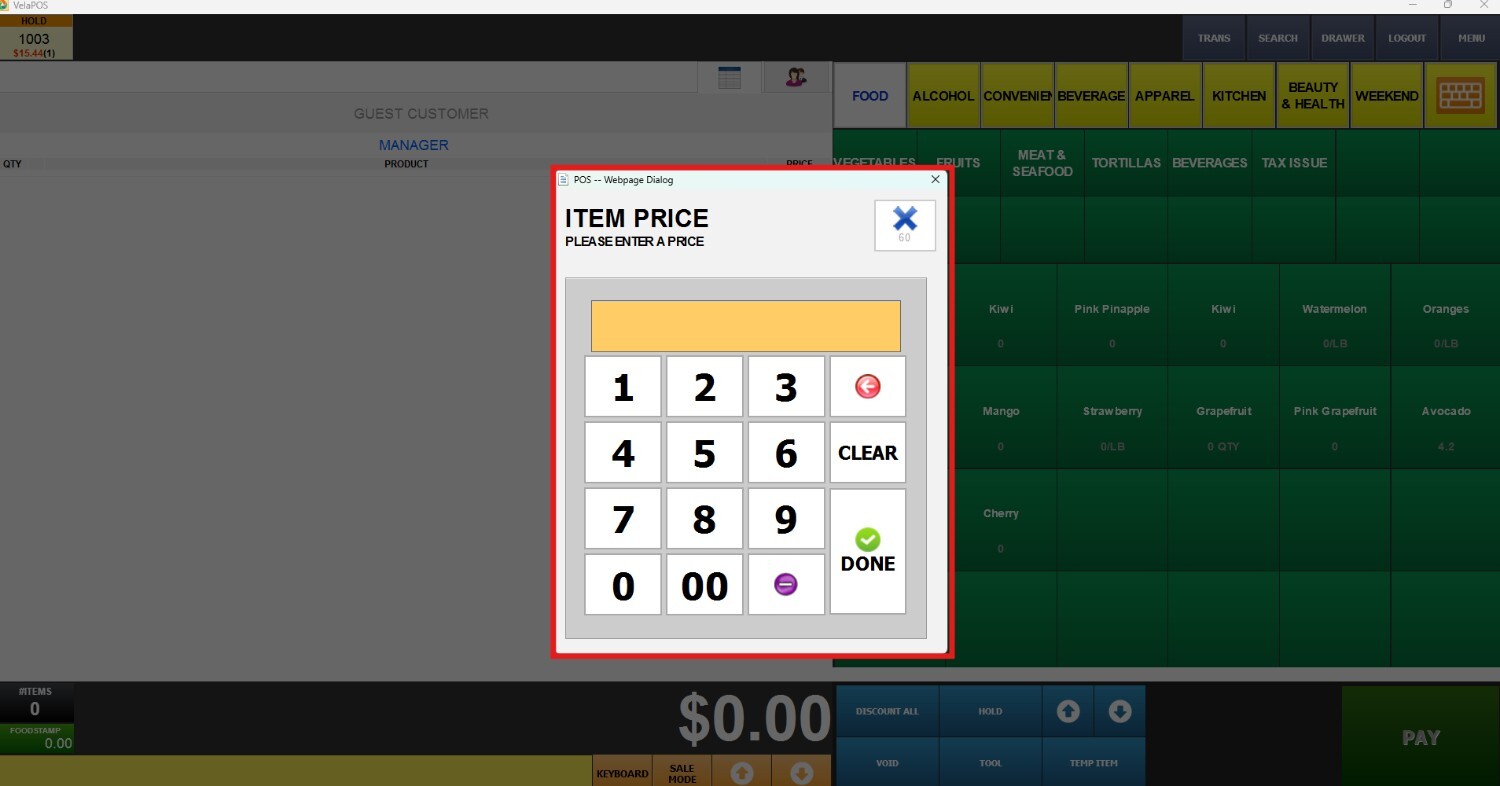
4. USE ZERO VALUE
The item will be added to the transaction with a price of $0.00.
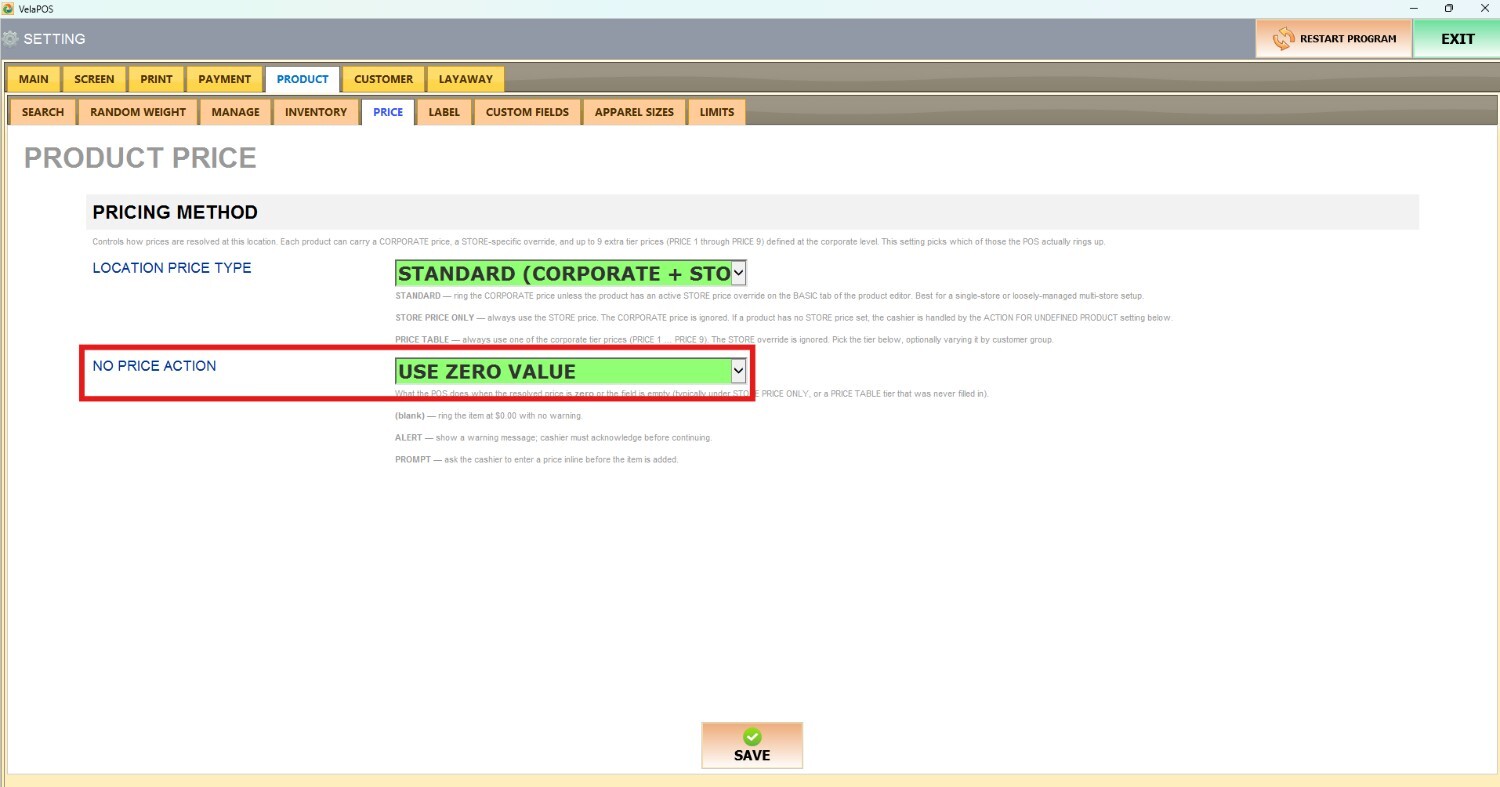
Result:
