Price Information
This section allows you to define and manage the pricing structure for each item. These settings determine how prices are set, displayed, and applied across all stores.
Menu > Products > Select an item > Detail > Basic
Click on MENU, then select PRODUCTS.
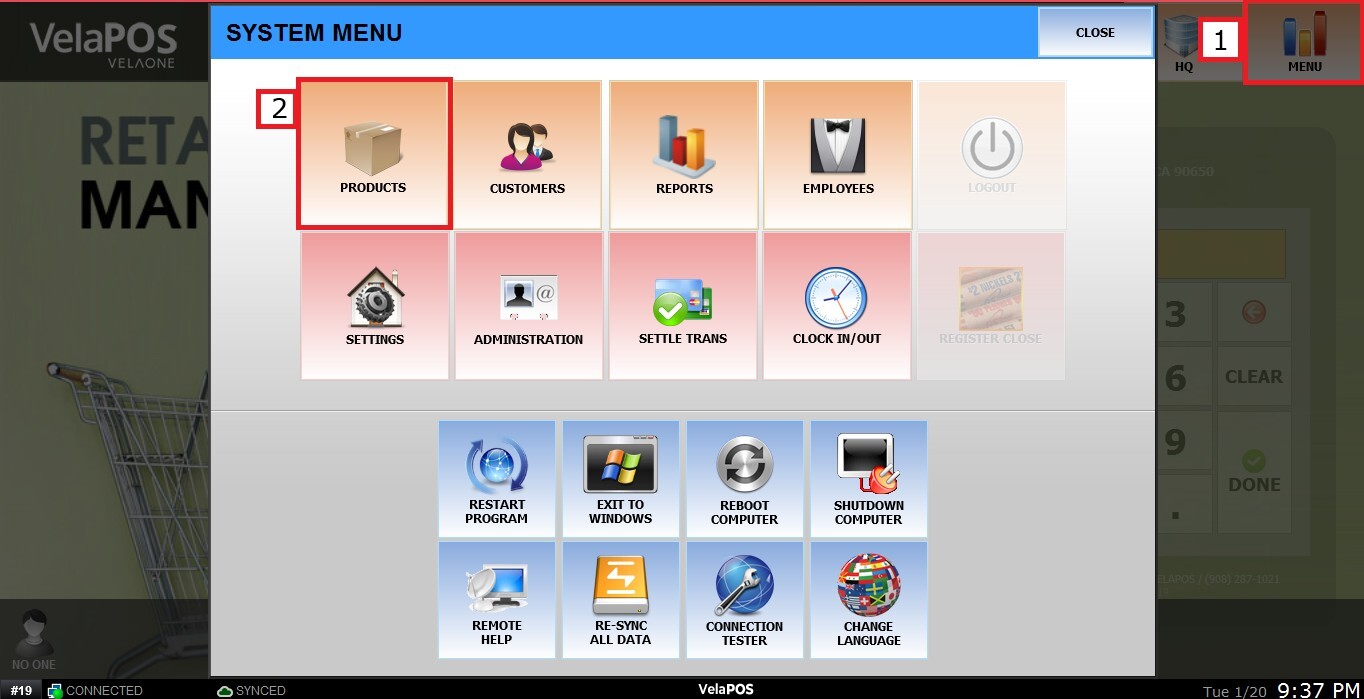
Choose a product and click on DETAIL.

Click on BASIC. In the section next to PRICE TYPE, you can configure the following fields:
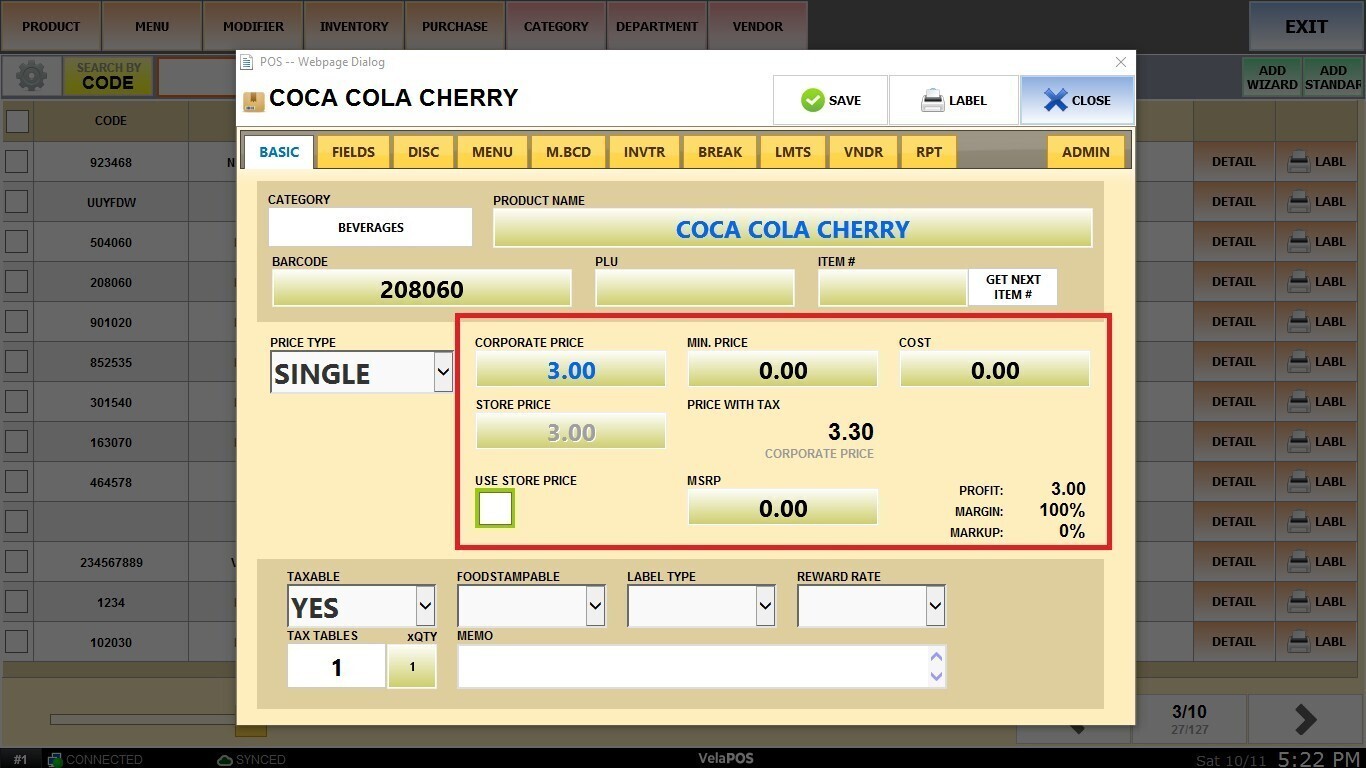
Corporate Price:
This is the base price set at the corporate level and shared across all locations. It serves as the standard reference price for the item.

Store Price:
This is the final selling price to the customer at a specific store. It may differ from the corporate price to reflect local strategies or promotions.

By enabling USE STORE PRICE, the price will be applied only at the store level.

Min. Price:
This is the lowest allowed price for the item, used to prevent discounts or adjustments from reducing the price below a defined limit.

MSRP (Manufacturer’s Suggested Retail Price):
This is the price recommended by the manufacturer for retail sale, commonly used as a reference for discounts or promotions.

Cost:
This is the amount paid by the business to acquire the item. This value is essential for calculating profit margins and generating accurate financial reports.
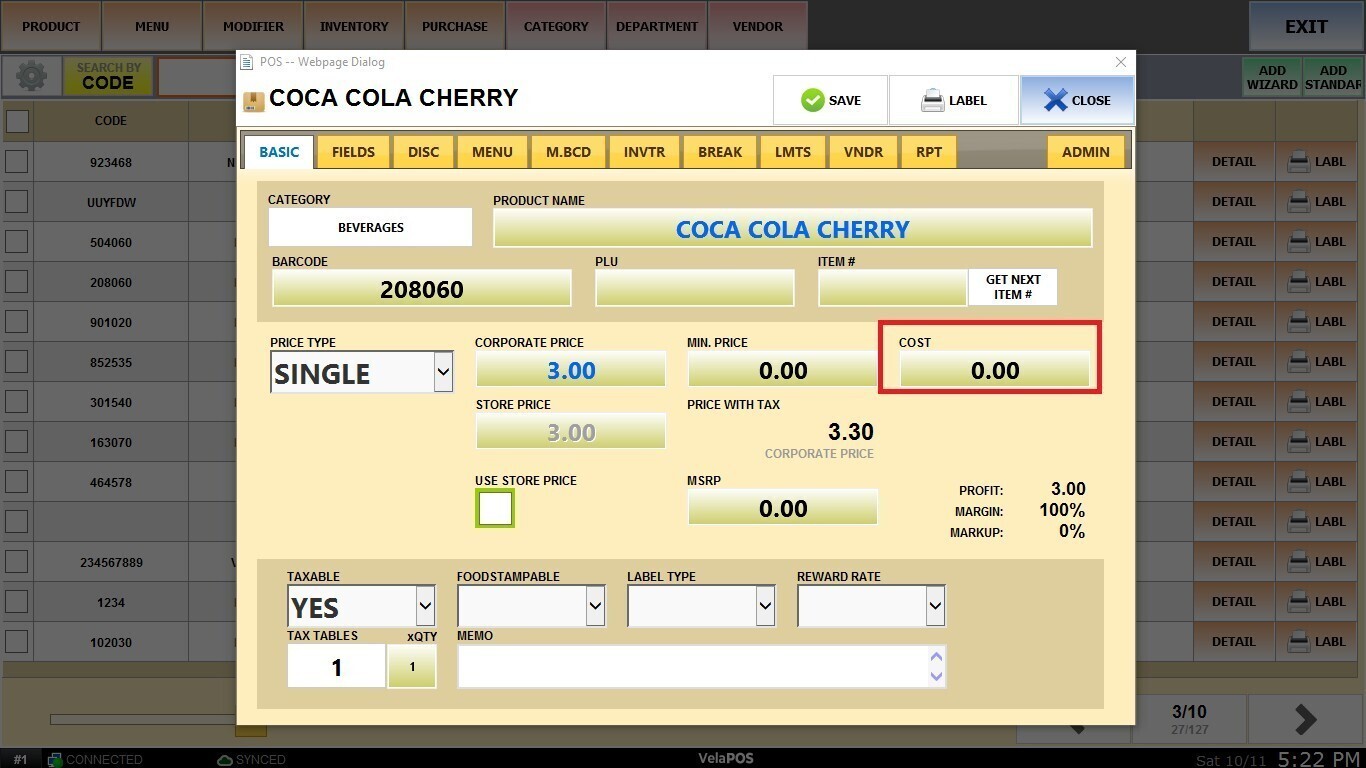
Once finished, click SAVE to apply the changes.
