Break
This inventory tool helps manage products that are sold both individually and in cases. It automatically breaks down a case or package into individual units and updates inventory levels instantly.
Main Screen > MENU > PRODUCTS > Select an item > DETAIL > BREAK.
Click on MENU and select PRODUCTS.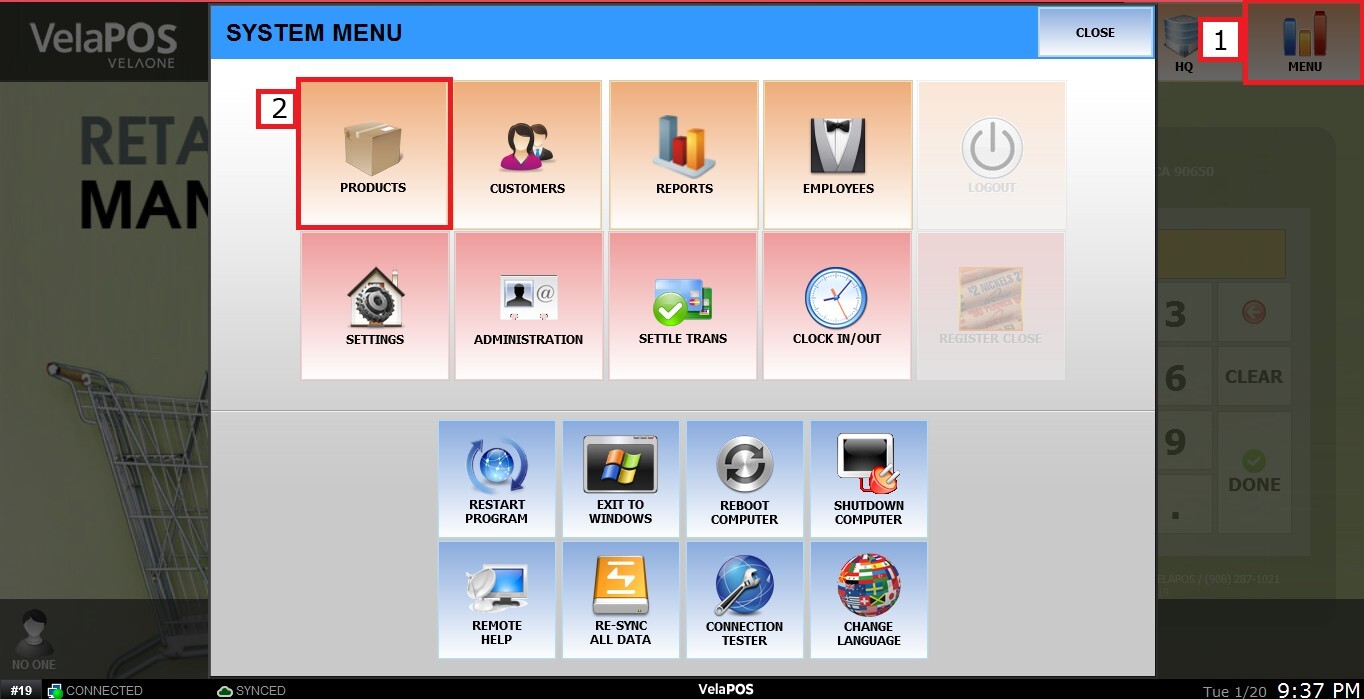
Locate the product for which you want to set the breakdown rule. (It must be the item that comes in a case or package, for example, "Soda Can - 24 pack").
Click on DETAIL.
Go to the BREAK tab.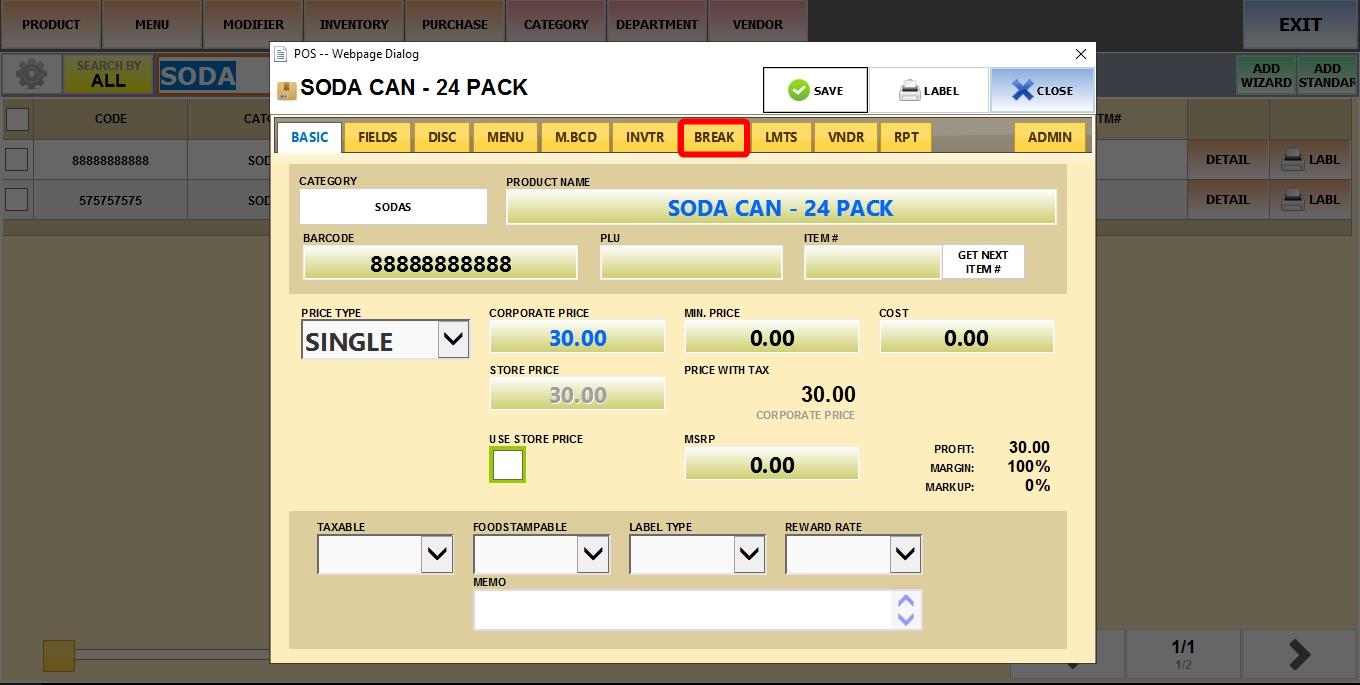
You will have several rows available to configure different case or package sizes (e.g., 12-pack, 24-pack, etc.).
QUANTITY (QTY)
Enter the number of individual units contained within the case or package (e.g., 24).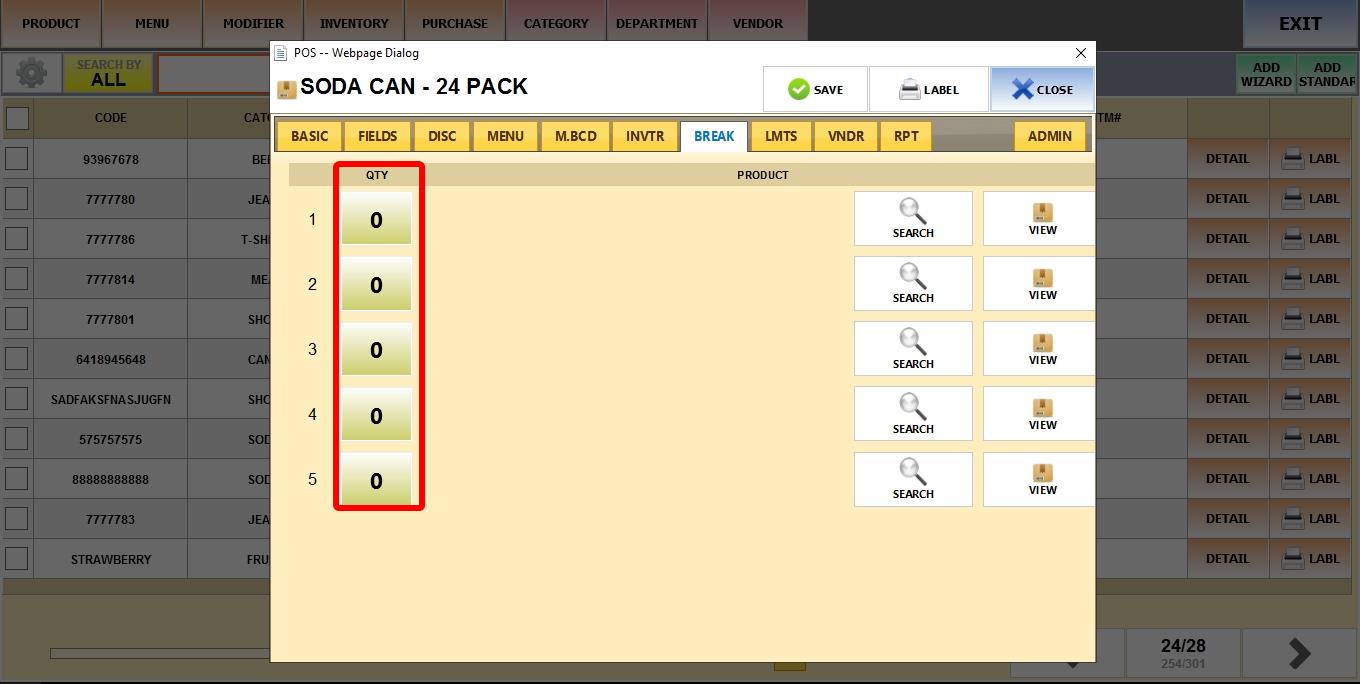
SEARCH
Click the button to search your product list and select the individual product (e.g., "Soda Can").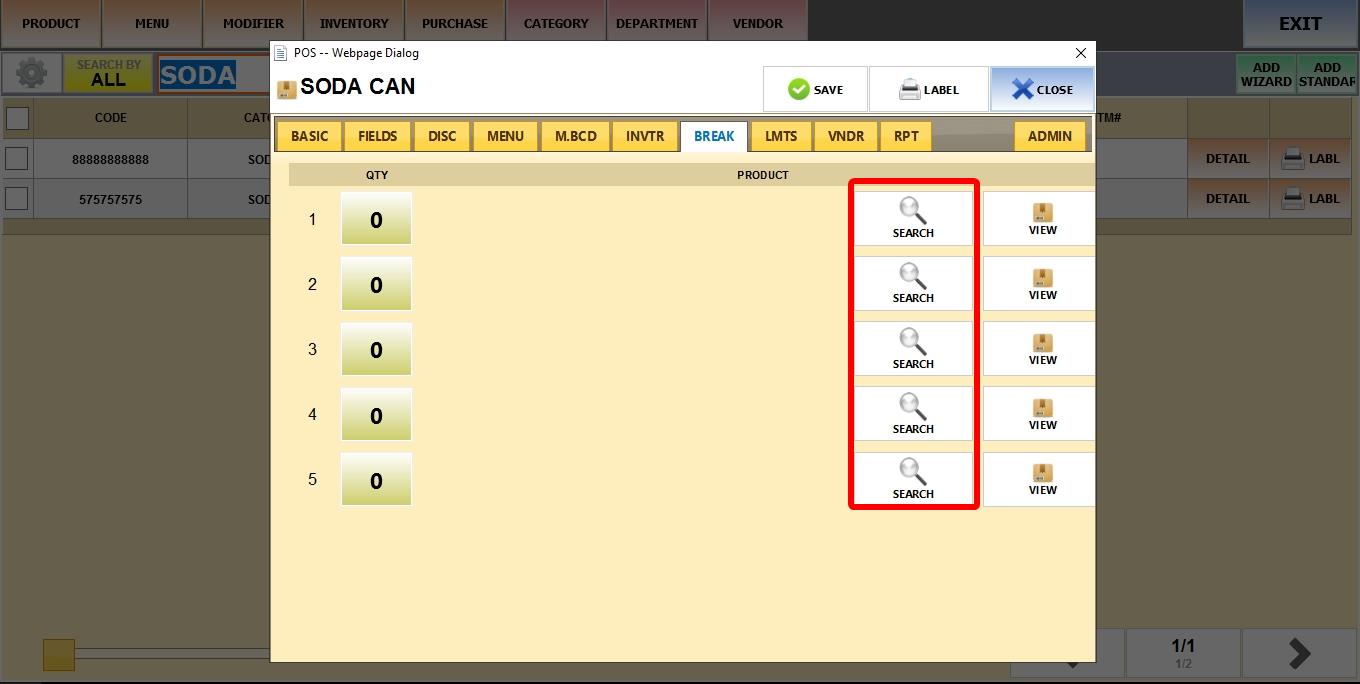
Click SELECT on the product.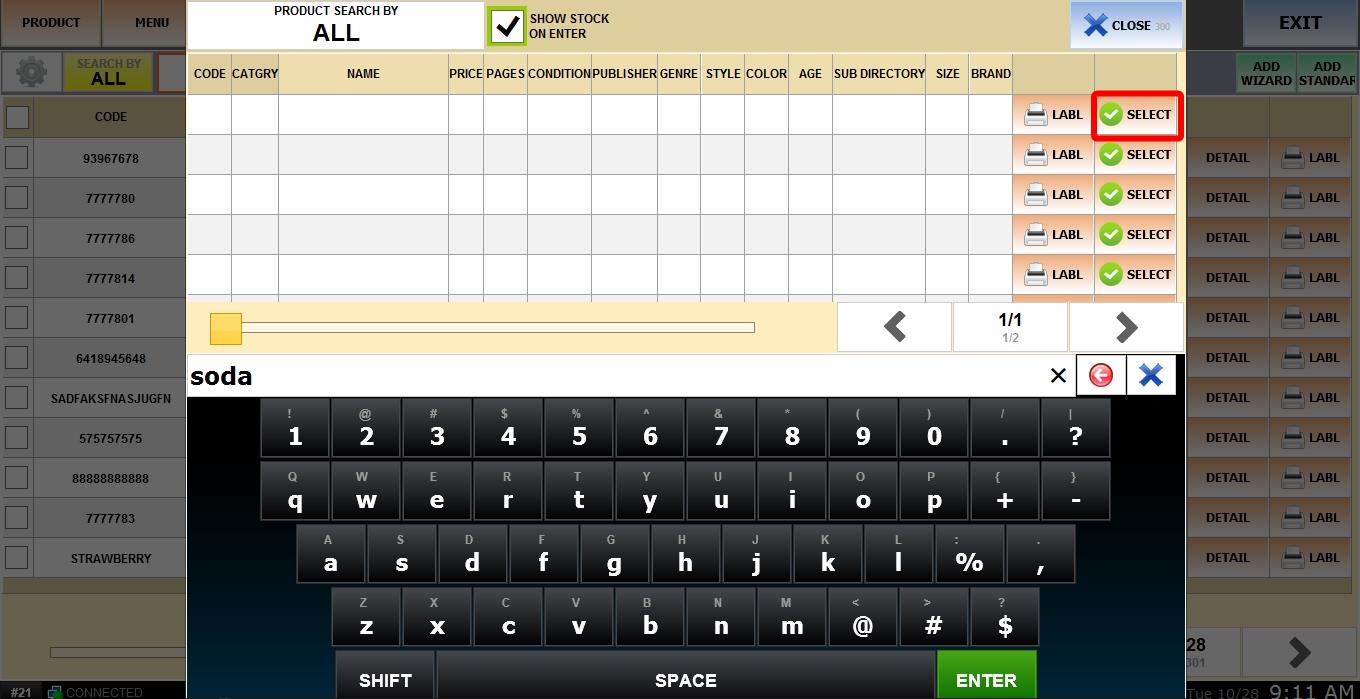
VIEW
Click to view the details of the individual product (e.g., stock) that you just selected.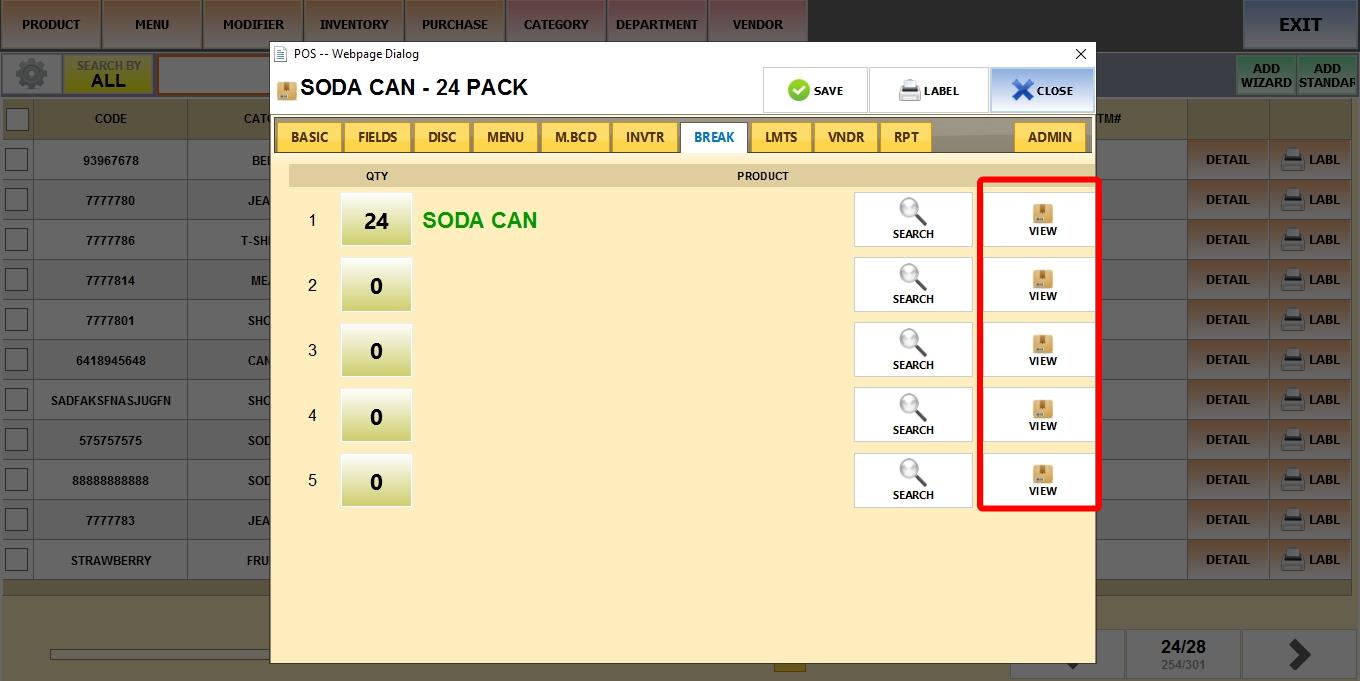
Next, go to the sales screen to perform the breakdown operation using the Case Breakdown Tool to transfer inventory from cases to individual units.