Modifiers
This option allows you to add predefined options to an item, quickly adding additional details without the need for separate items for each variation.
Main Screen > MENU > PRODUCTS > Product DETAIL > MENU Tab > Modifiers
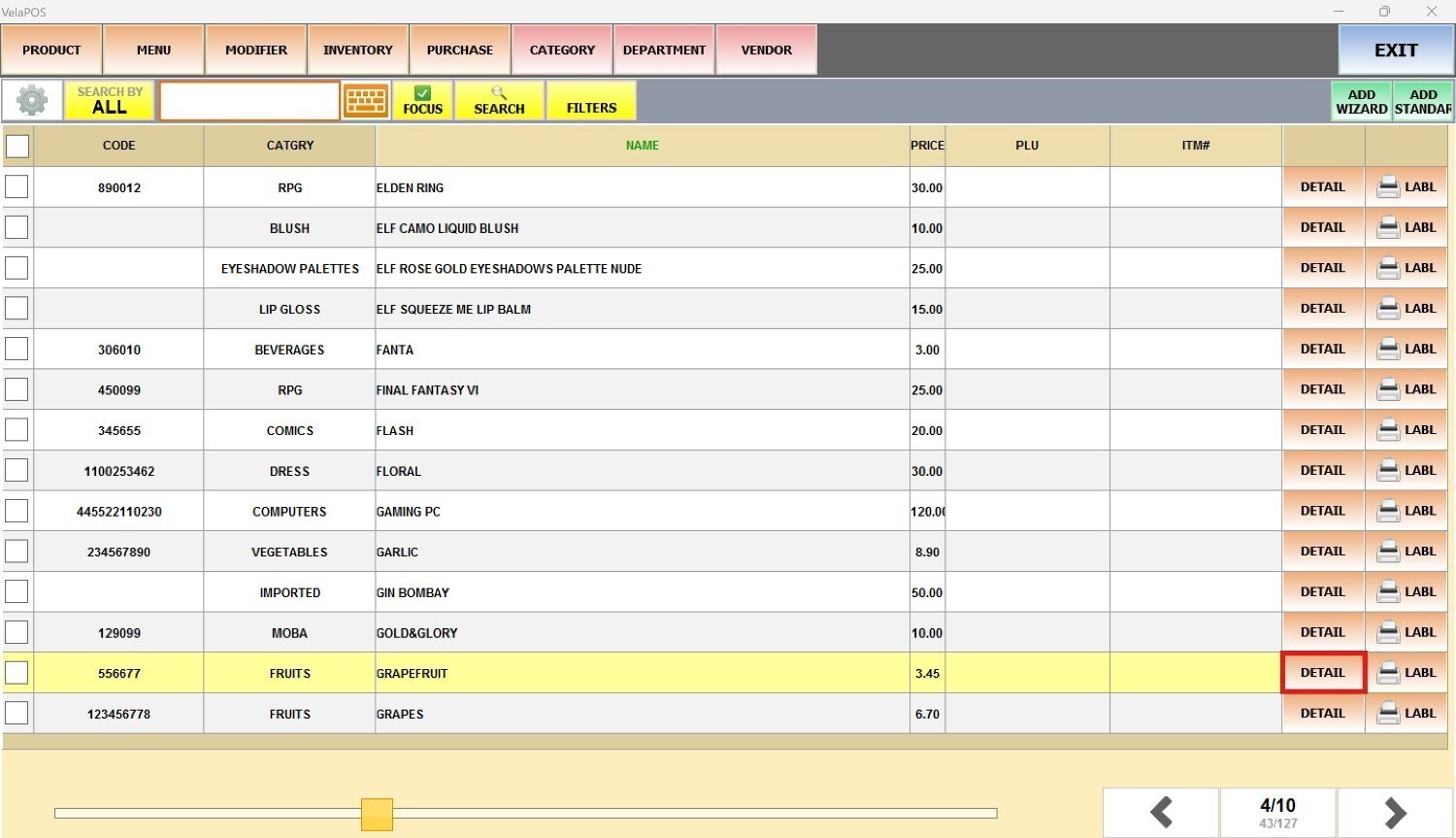
Go to MENU, then select PRODUCTS.

Select a product, click on DETAIL.
In the item detail, go to the MENU tab.
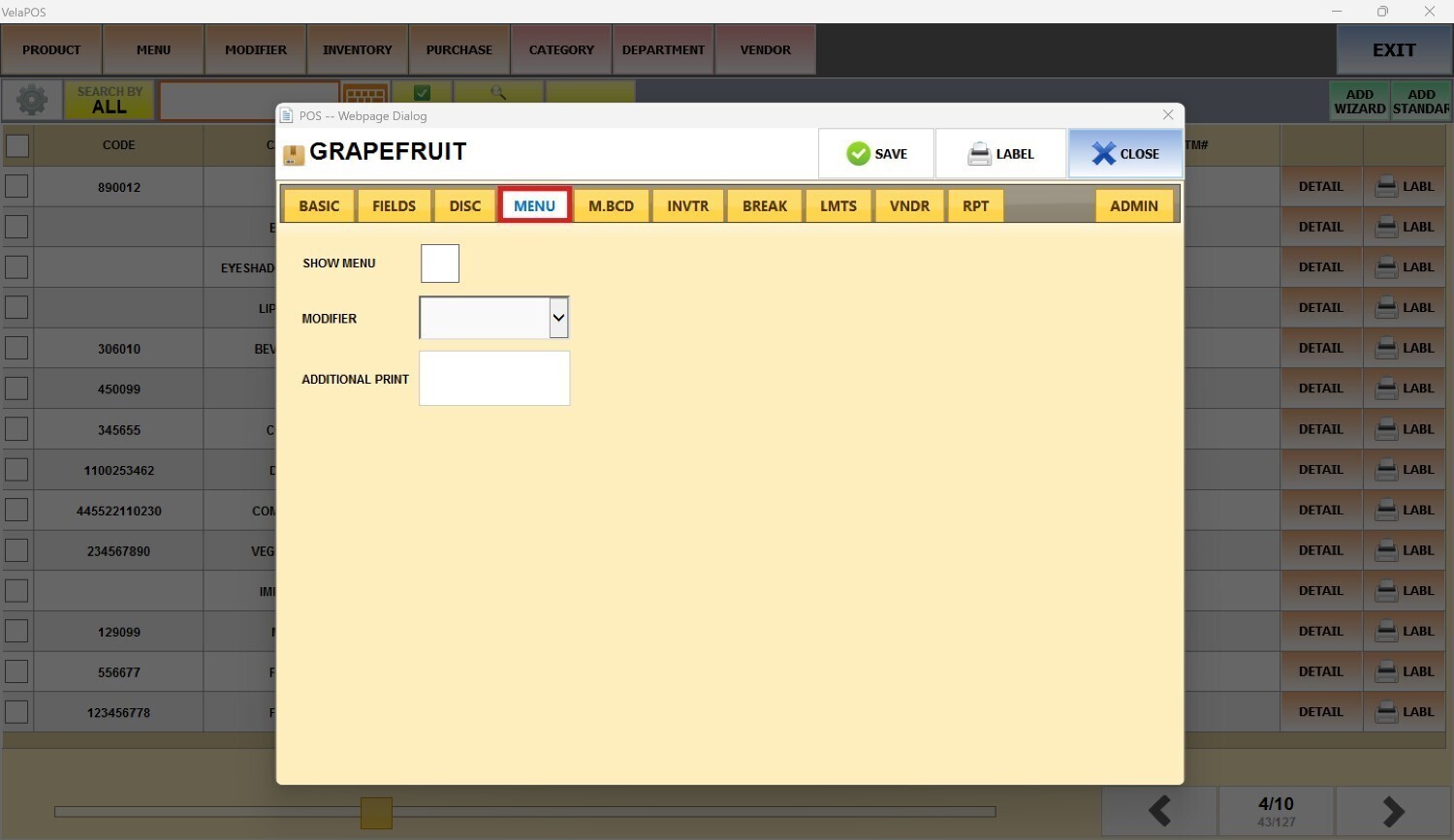
Click on the MODIFIER field and select the group you want.

Note: If you do not have any options in the MODIFIERS dropdown menu, refer to Modifiers for instructions on how to set them up.
Click on SAVE.

Result:
Select the item on the sales screen.
The modifiers screen will appear, showing the options linked to the modifier group selected in the product details.
Select the modifier you want and press DONE.
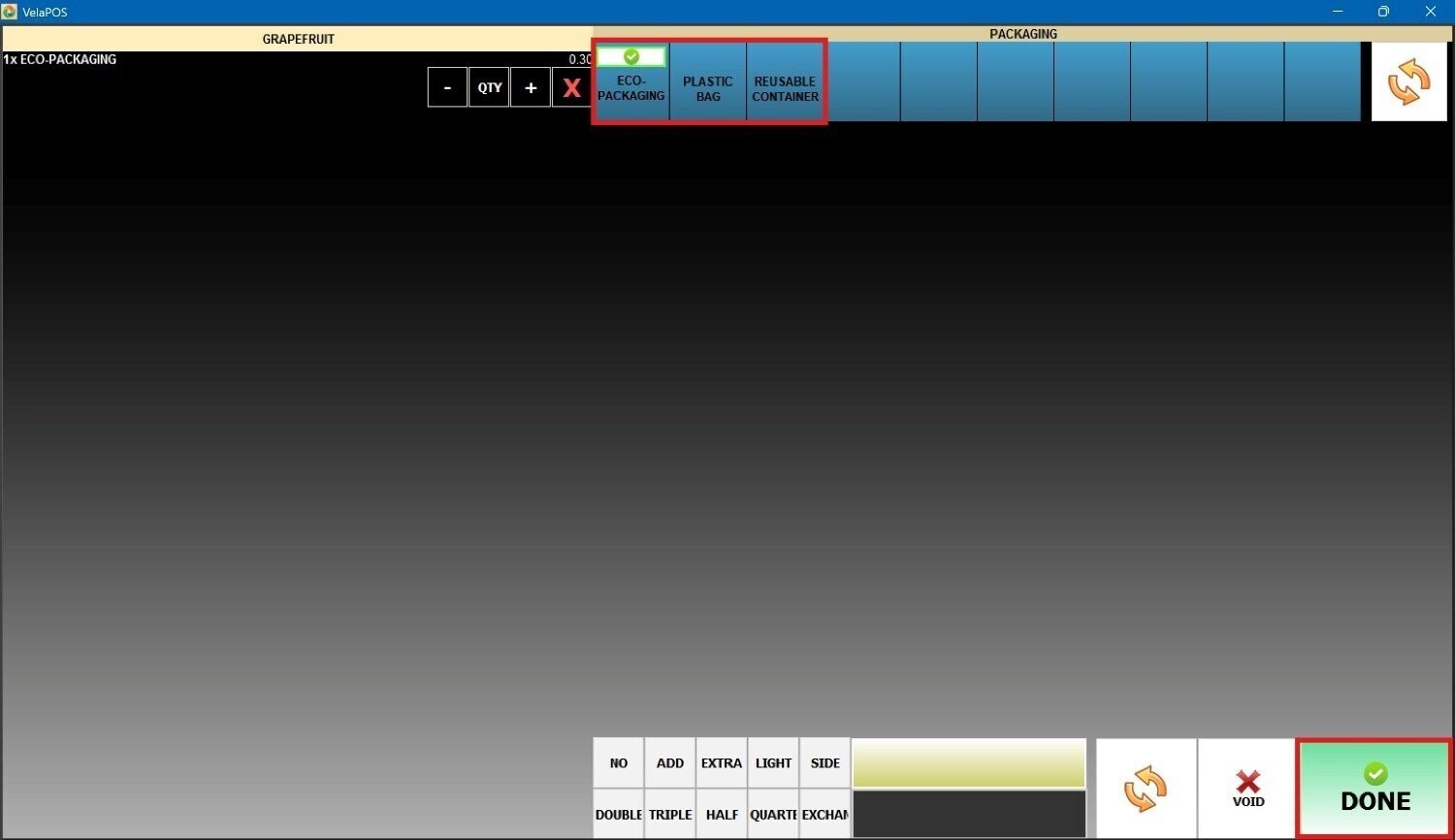
The selected modifier will be displayed under the item, as shown in the following image.

Modifier shown on the customer receipt:
