Taxable
This function allows you to assign tax rates to individual items.
Main Screen > MENU > PRODUCTS > DETAIL > BASIC Tab
Go to MENU and click on PRODUCTS.
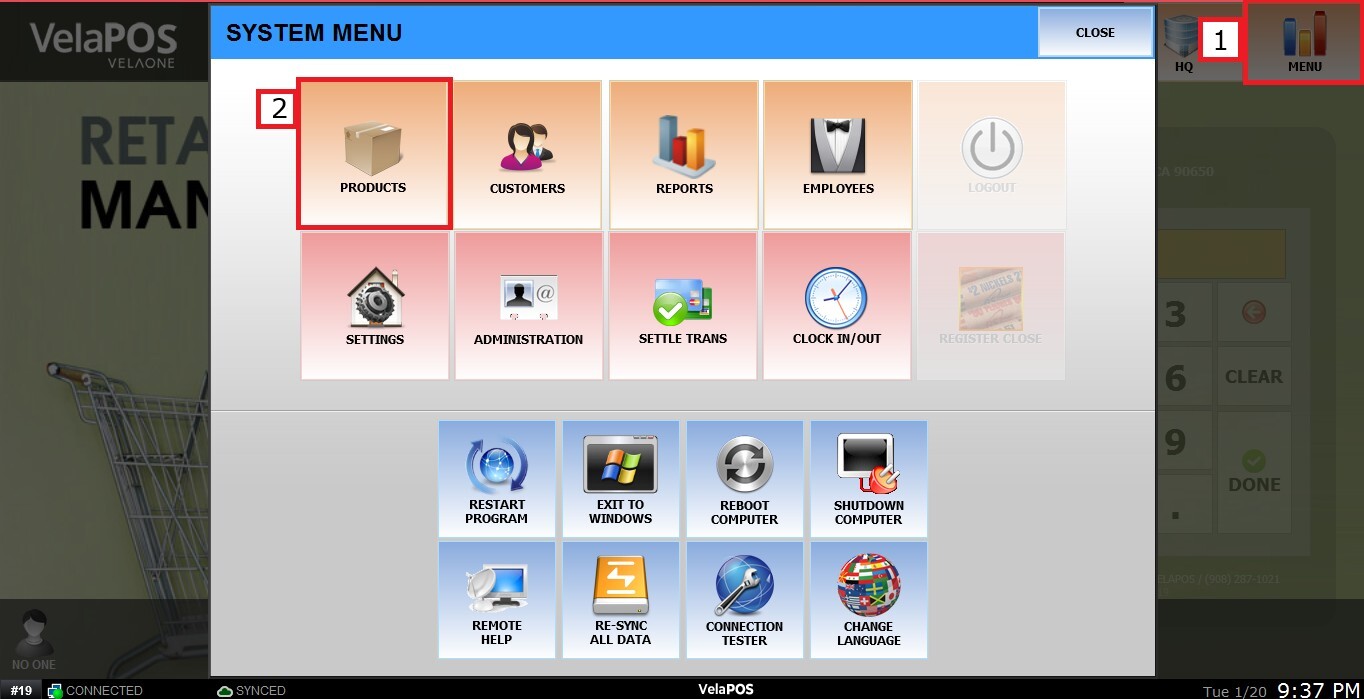
In the PRODUCTS section, click on the product’s DETAIL.
In TAXABLE, you have three possible settings:
1. BLANK: The blank option will follow the product category setting.
2. YES: Enables tax options, allowing you to override the category selection and apply specific taxes to this product.
3. NO: Disables taxes for this product, overriding the category setting.

Once the TAX TABLE is enabled, click on the blank field to open a list of available tax rates.
Select the appropriate one and press OK to continue.
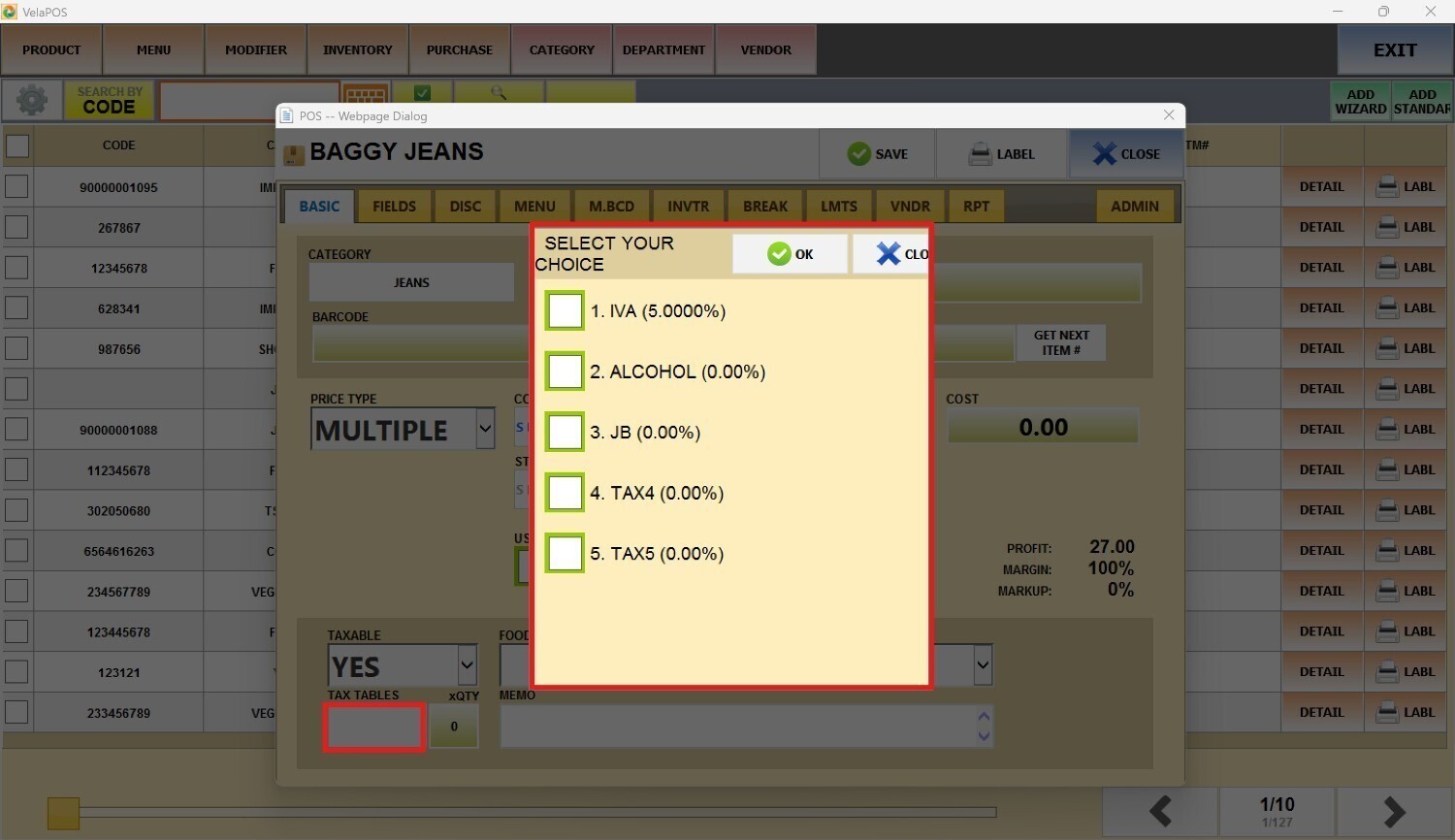
Note: If you do not see the tax list, refer to Tax Table to configure them.
Use the QTY box, next to the TAX TABLE field, to define how many times the previously selected fixed-amount taxes will be applied when the product is rung up.
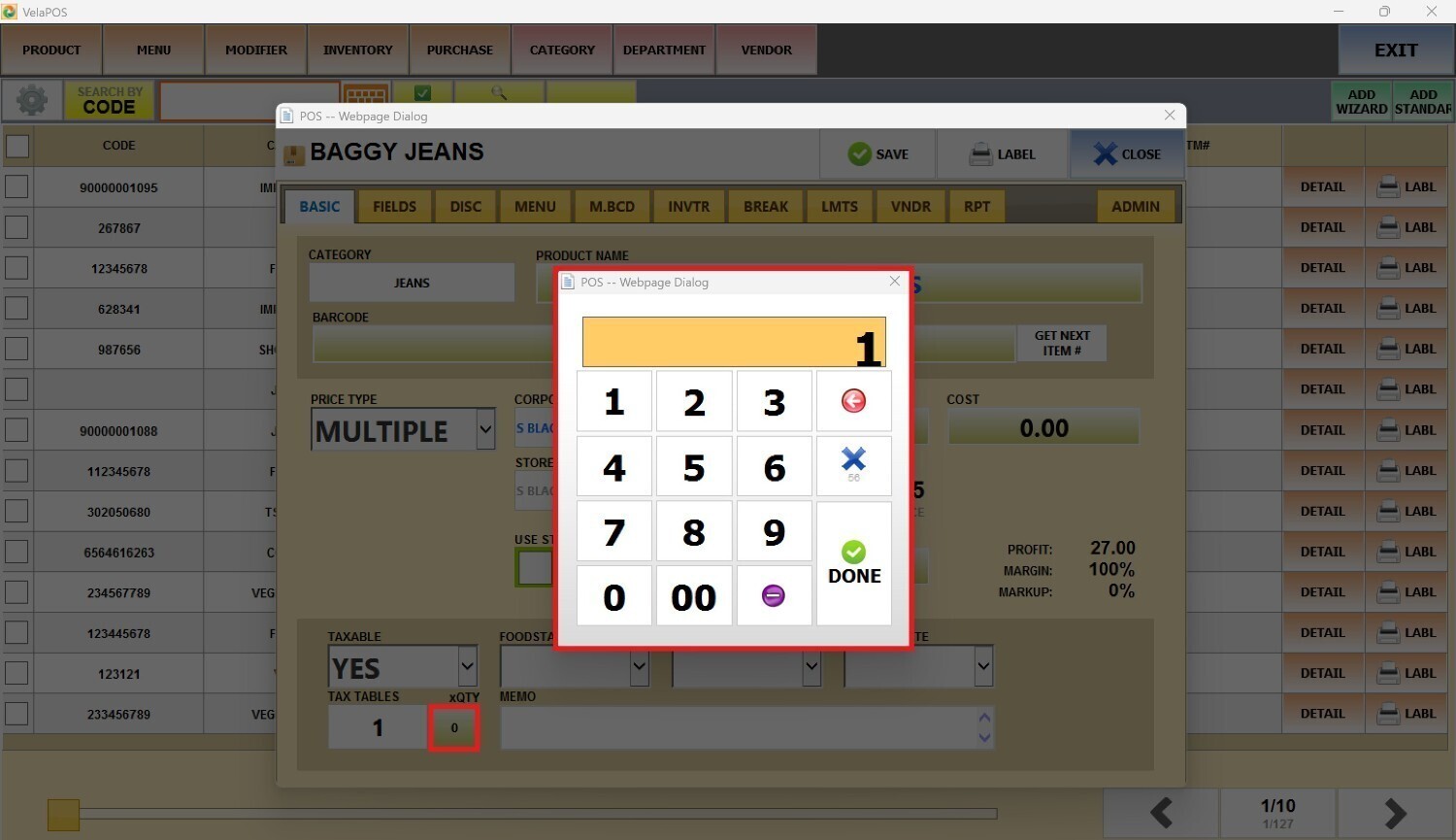
After selecting the appropriate taxes and quantity, click on SAVE to confirm and apply the changes.
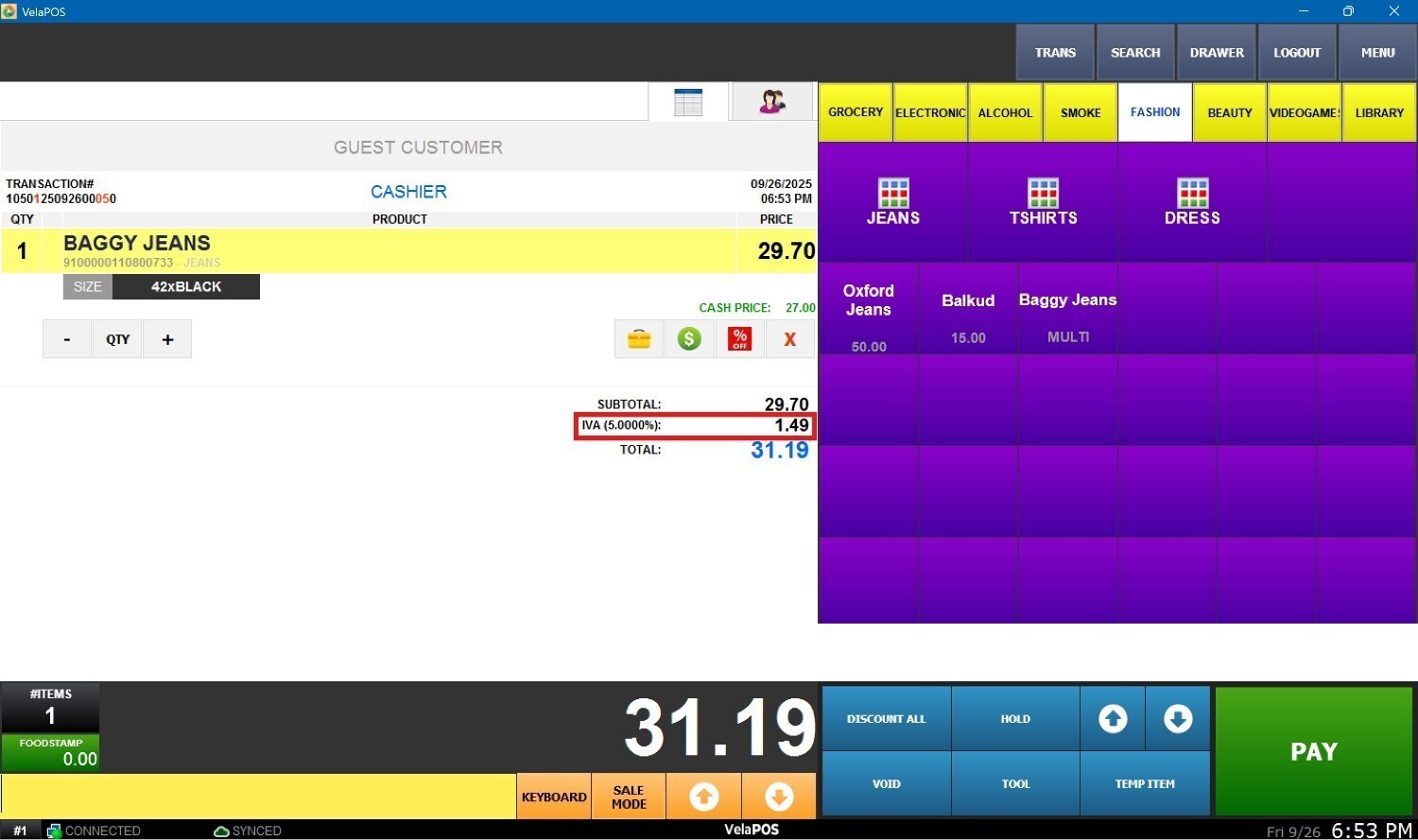
Result:
The tax is applied to the product when it is processed on the sales screen.
Note: To configure taxes for an entire category, refer to Category Basic.