HQ Overview
Headquarters is a centralized management solution designed for upper management and multi-location businesses. It provides a single point of access to manage and monitor multiple stores within a corporation, allowing users to perform key operational tasks without accessing each store individually.
Store Selection
The Store List on the left side of the screen displays the stores associated with the corporation. Selecting a store loads the information and management options associated with that location.
Note: Store selection is available for store-specific functions. Shared corporate functions, such as Inventory, may not display the Store List.
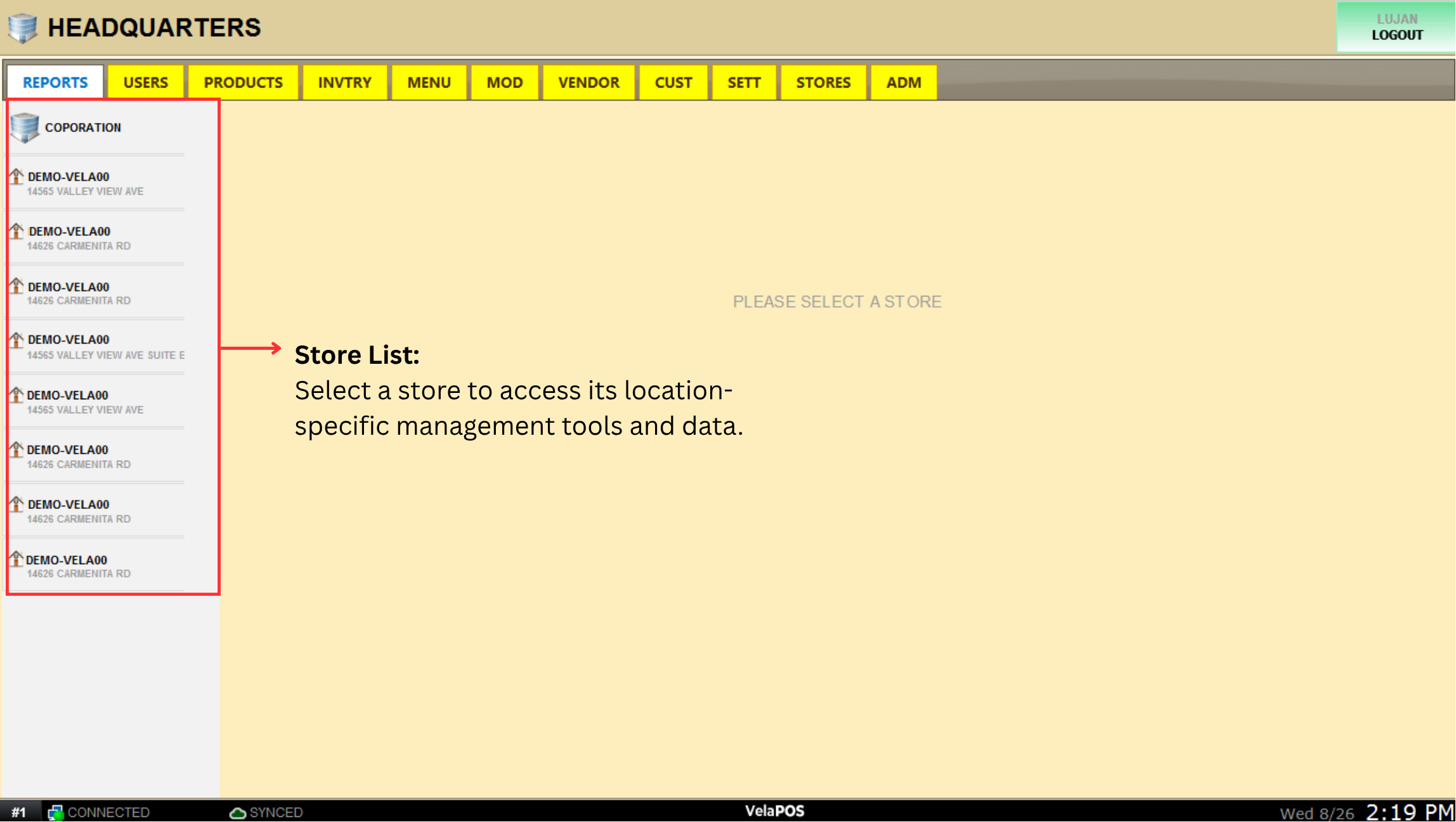
HeadQuarters Interface
Headquarters brings the key management functions of your entire corporation into one centralized interface. From a single platform, upper management can monitor store performance, manage employees and permissions, maintain products and menus, control inventory, manage vendors and customers, configure store settings, and oversee administrator accounts across multiple locations.
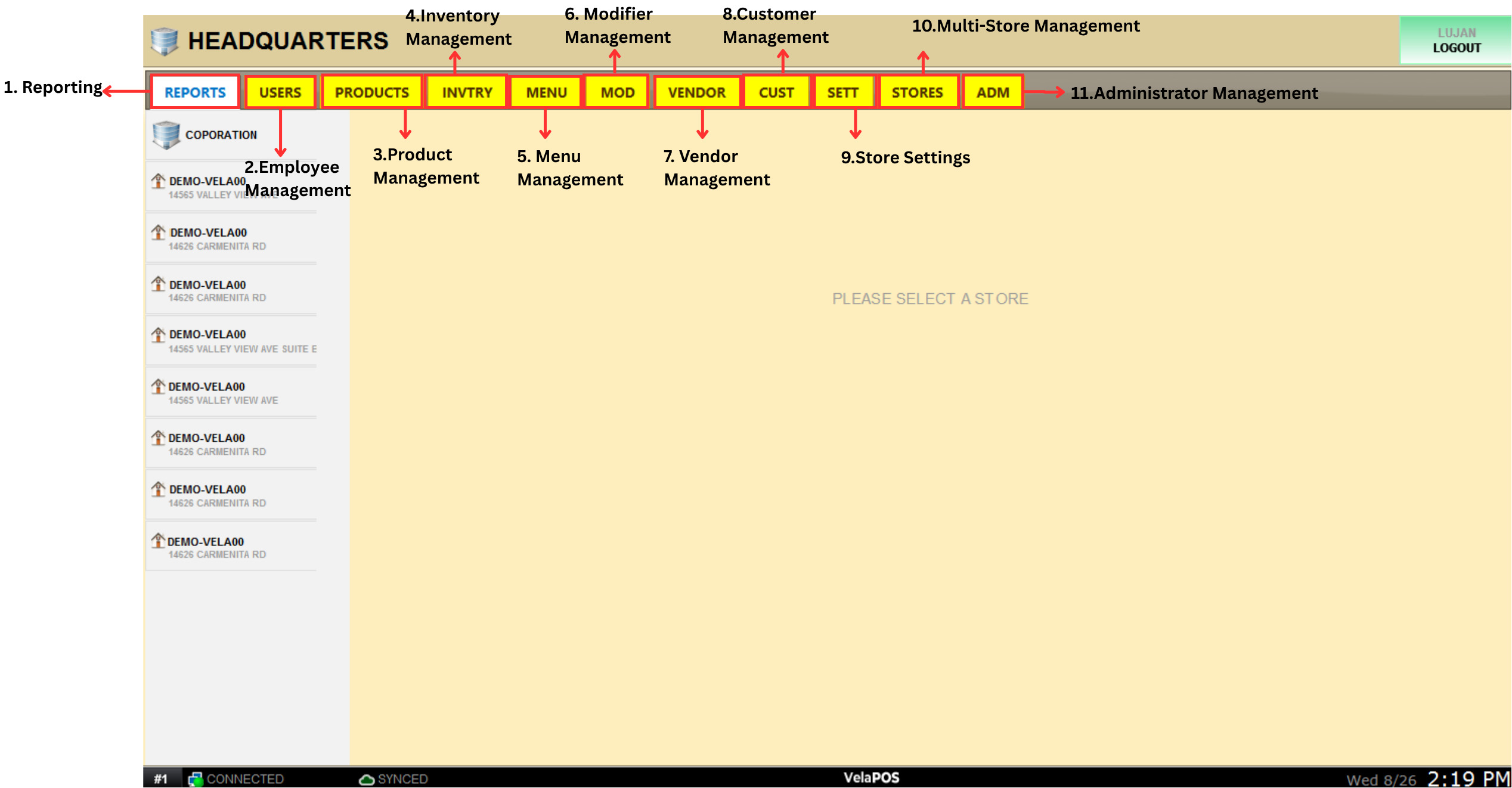
The main navigation bar provides access to the different management areas available for the selected store or corporation.
1. REPORTS: Provides access to reports for the selected store, allowing management to review sales and operational performance.
See Reports to learn how to use them.
2. USERS: Provides access to employee management for the selected store. Users can review the employee list, manage employee accounts and permissions, and access employee Time Clock information, including clock-in and clock-out records.
See Employee for detailed instructions.
3. PRODUCTS: Provides access to the corporation's shared product inventory, allowing users to manage products across locations.
See Product Management for detailed instructions.
4. INVTRY: Provides inventory management tools, including Purchase Orders, Inventory Transfers, and Stock Control.
See Inventory for detailed instructions.
5. MENU: Provides access to the shared menu used on the sales screen, allowing management to maintain menu information from a centralized location.
See Standard Structure for more information.
6. MOD: Provides access to Modifier management, allowing users to create and maintain modifiers used with items.
See Modifiers for detailed instructions.
7. VENDOR: Provides access to vendor management, including reviewing existing vendors and adding new vendors.
See Vendor List for detailed instructions.
8. CUST: Provides access to customer management. Users can review and add customers and manage customer-related information and appointments.
See Customer for more information.
9. SETT: Provides access to settings for the selected store, allowing users to configure store-specific behavior and preferences.
See Settings for more information.
10. STORES: Provides centralized visibility into inventory levels across store locations and the corporation. Users can monitor and manage inventory for individual stores as well as review general and apparel inventories.
See Store Orders for detailed instructions.
11. ADMIN: Provides access to administrator account management across the stores, allowing authorized users to manage Headquarters administrator accounts.
See Creating an Admin Account for detailed instructions.