SKU's
A SKU (Stock Keeping Unit) is an internal code used to track a product. In this guide, you’ll learn about the SKUs supported by VelaPOS.
MAIN SCREEN> MENU > PRODUCTS > DETAIL > BASIC
Click on MENU, then select PRODUCTS.
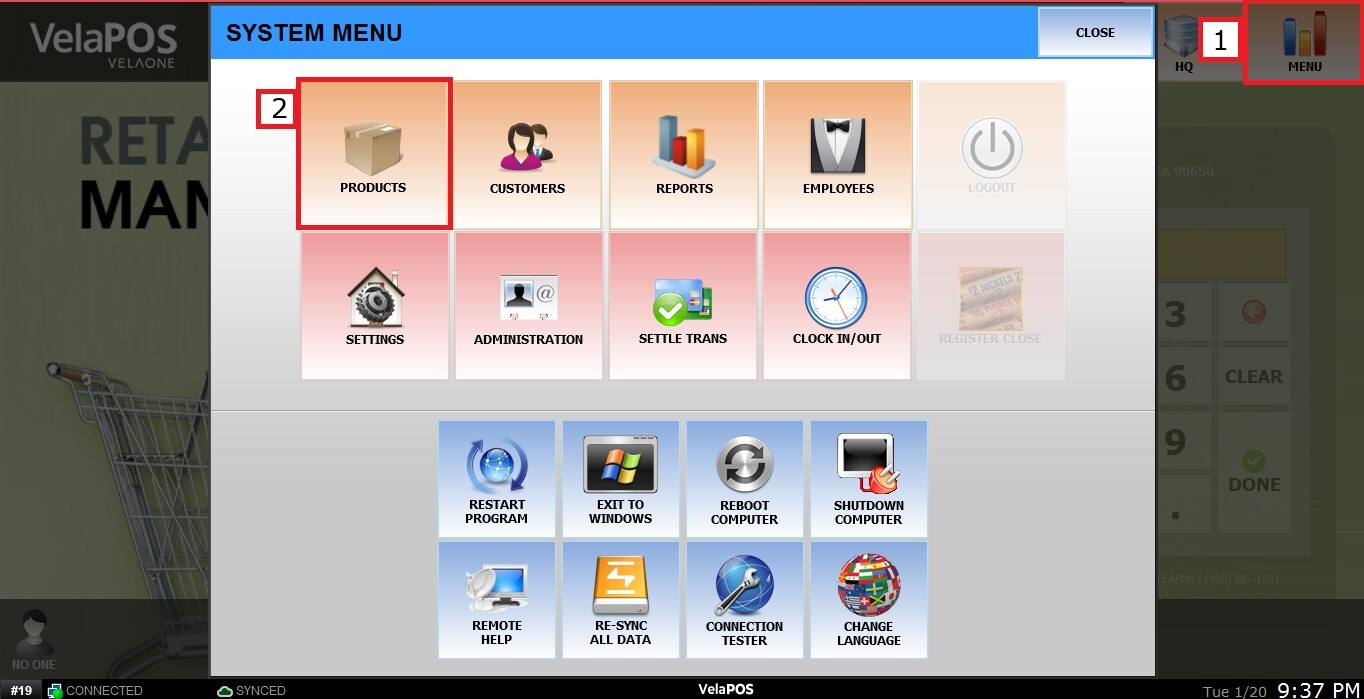
Choose an item and click on DETAIL.

 Barcode
This can be used to scan the physical product on the Sales Screen to ring it up. The barcode format for an entire category is set through the Category Detail tab.
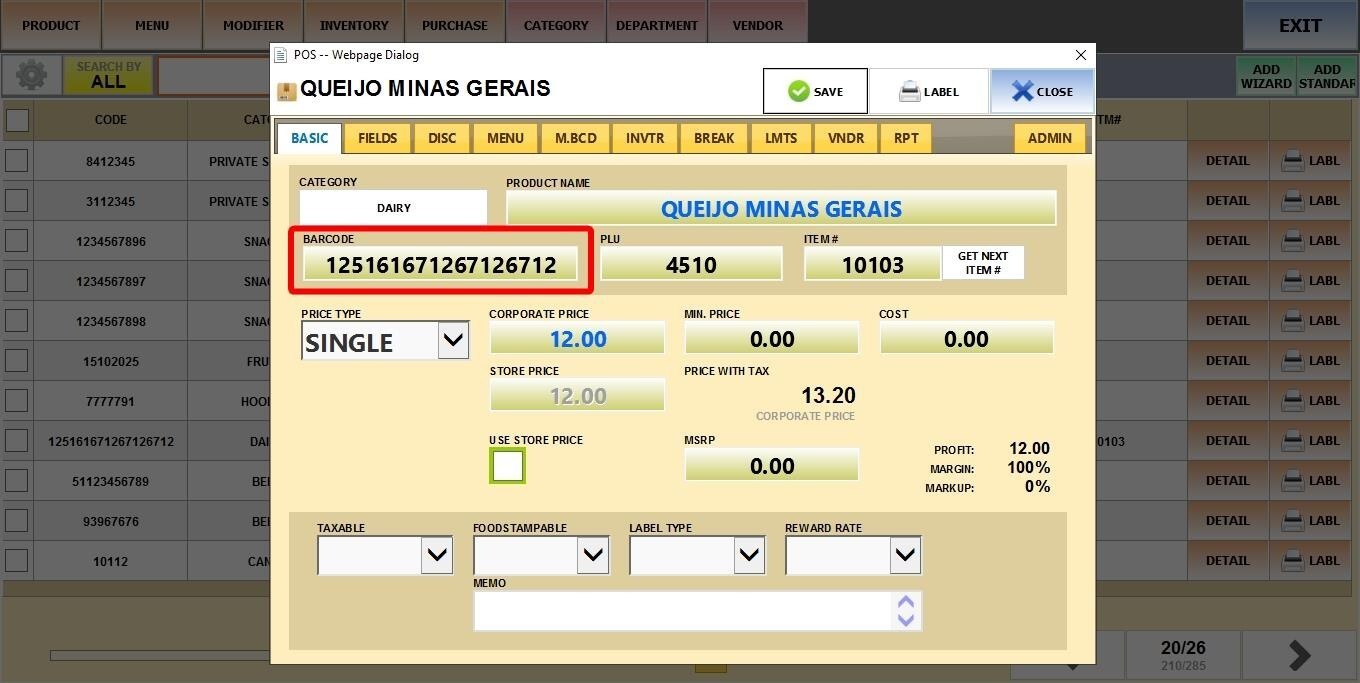
Note: A single product can use multiple barcodes if needed.
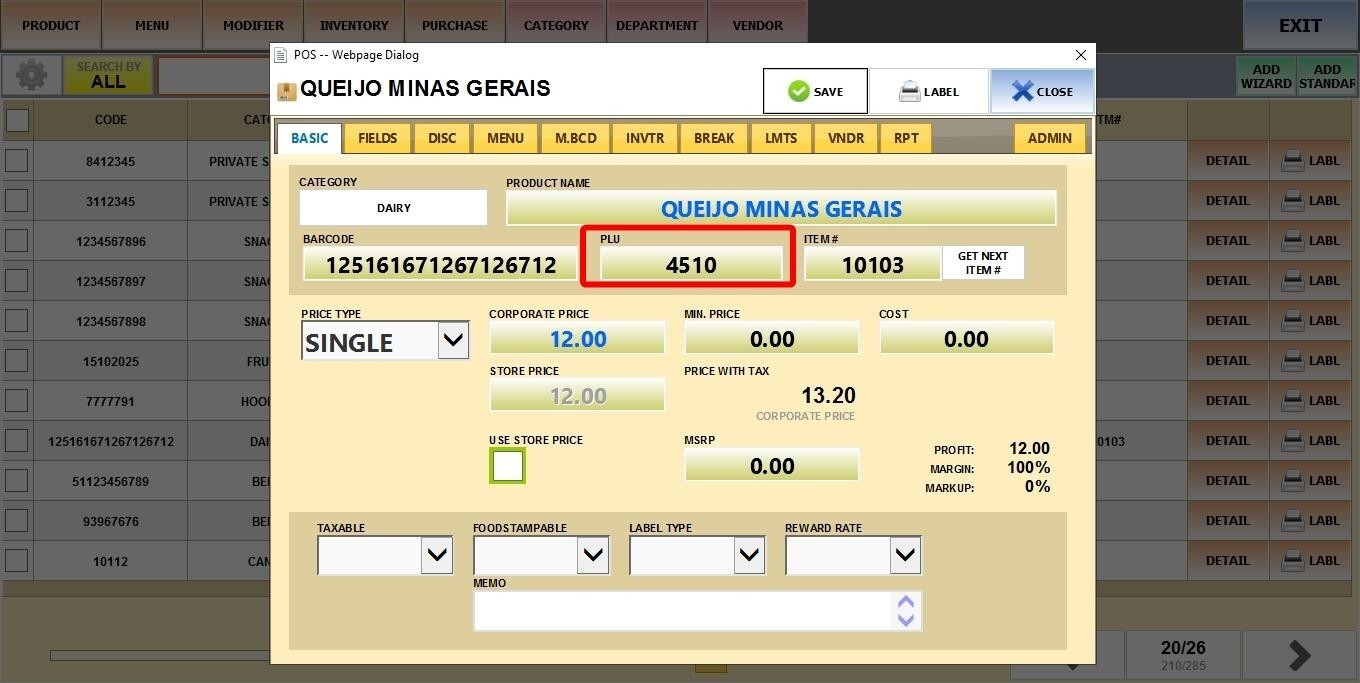
PLU (Price Look-Up)
A short, unique code often used for quick entry of non-scannable items (such as fruits, vegetables, or bulk products).
Item #
This is a simple internal numeric code. You can enter any number manually or click on GET NEXT ITEM # to automatically assign the next available sequential number (for example, if you have 100 products, it will become 101).
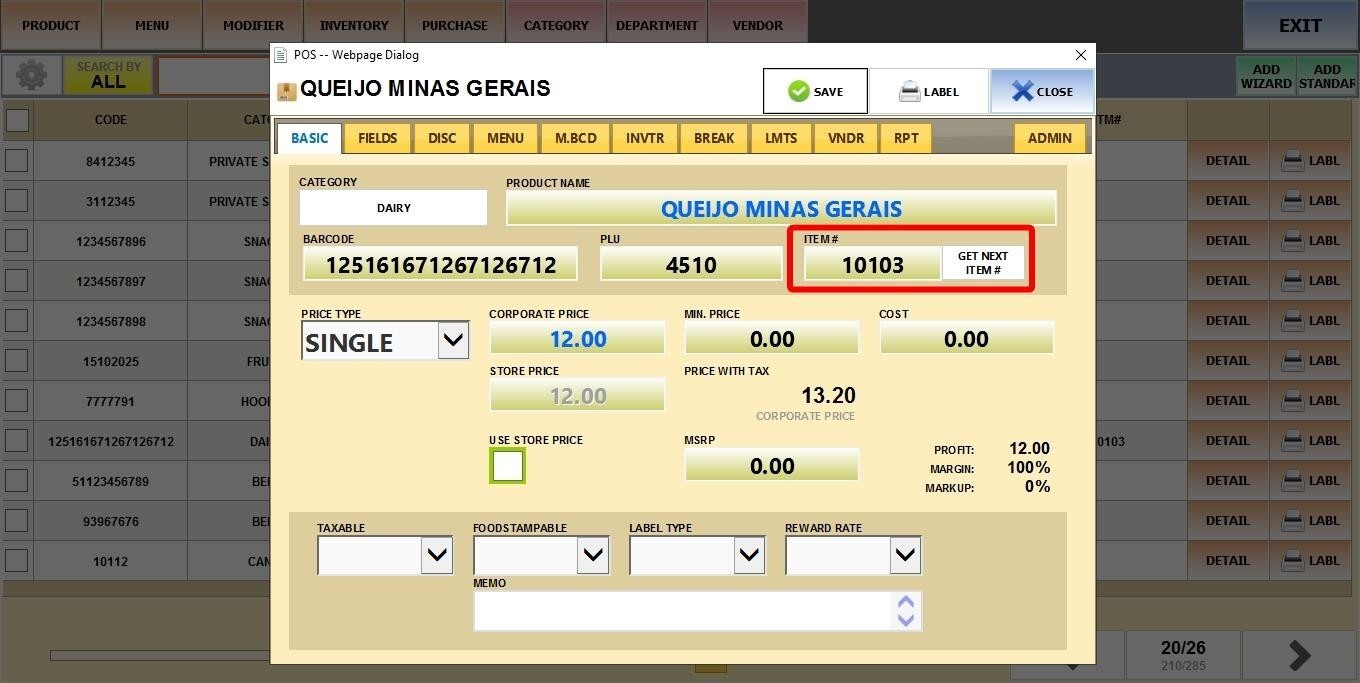
After adding or editing any SKU, click SAVE.

All three identifiers can be scanned or manually entered on the Sales Screen to ring up a product.
If one of the identifiers is not displayed in your product details, refer to Product Search to enable it.