Labels
This field allows you to select the format and design of the product label that will be printed for each item.
MENU > PRODUCTS > Select an Item > DETAIL > BASIC > LABEL TYPE
Click on MENU and then on PRODUCTS.
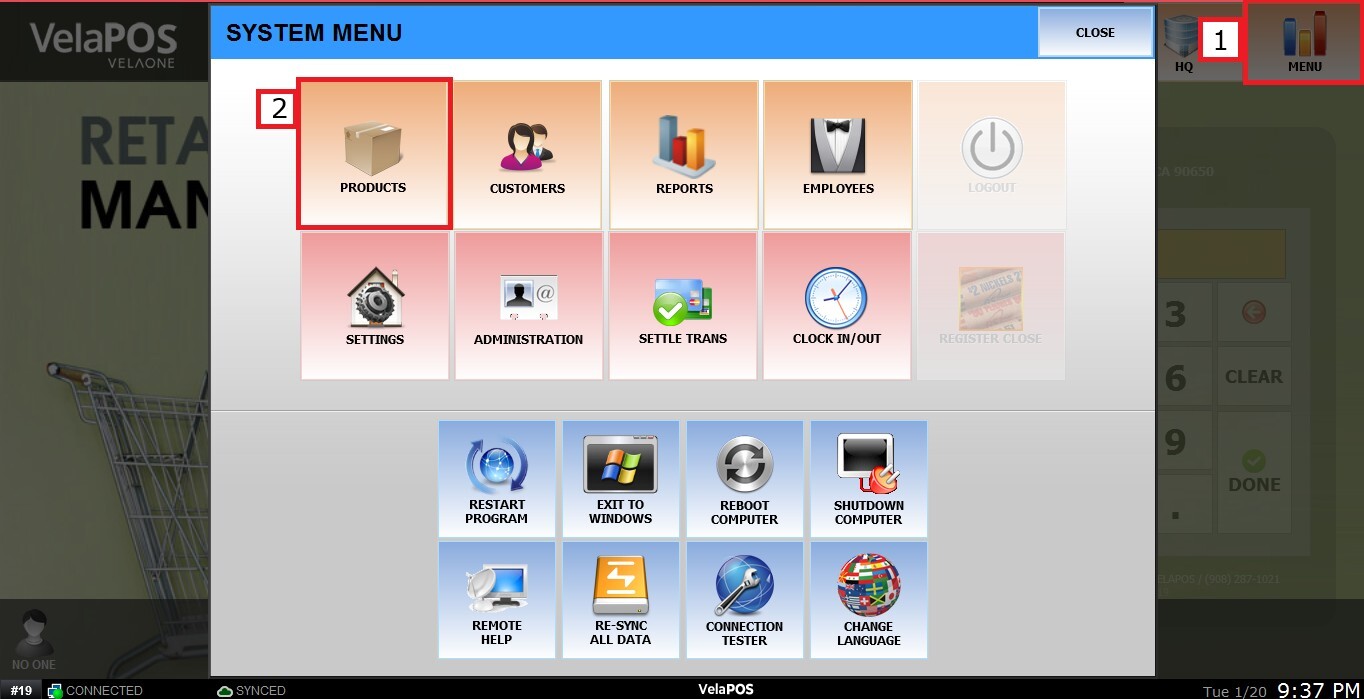
Select a product and click on DETAIL.

Click on BASIC, then open the LABEL TYPE menu to configure the desired option.
Each option in the dropdown menu corresponds to a predefined label template, which determines the label size, its content, and the information that will be displayed (such as product name, price, barcode, or item number).

Common label options:
A1-A4 CUSTOM: Customizable labels where you can create your own design and size. To create one, refer to Custom Labels.
NAME: Prints only the product name.
NAME + PRICE: Displays the product name along with its price.
NAME + PRICE + ITEM#: Includes the product name, price, and item number.
PRODUCT LABEL: Standard product label format with key details (name, barcode, and price).
PRODUCT LABEL [QR]: Version of the label with a QR code for scanning or digital reference.
JEWELRY TAG: Compact format designed for small items, such as jewelry.
APPAREL LABEL / TAG: Labels suitable for clothing items, displaying name, price, and size.
Each label type (for example, 1x1, 1x2, 1.5x0.5) represents the physical size of the label in inches, allowing you to choose the appropriate design based on your printing needs.
Once the desired option is selected, click on SAVE.

To print, click on LABEL at the top right.

Or click on the LABL option located next to DETAIL.
