Store Orders
In this section, users can monitor and manage inventory levels for each store location and across the entire corporation, providing access to both general and apparel inventories.
Main Screen> HQ> STORES> ORDERS
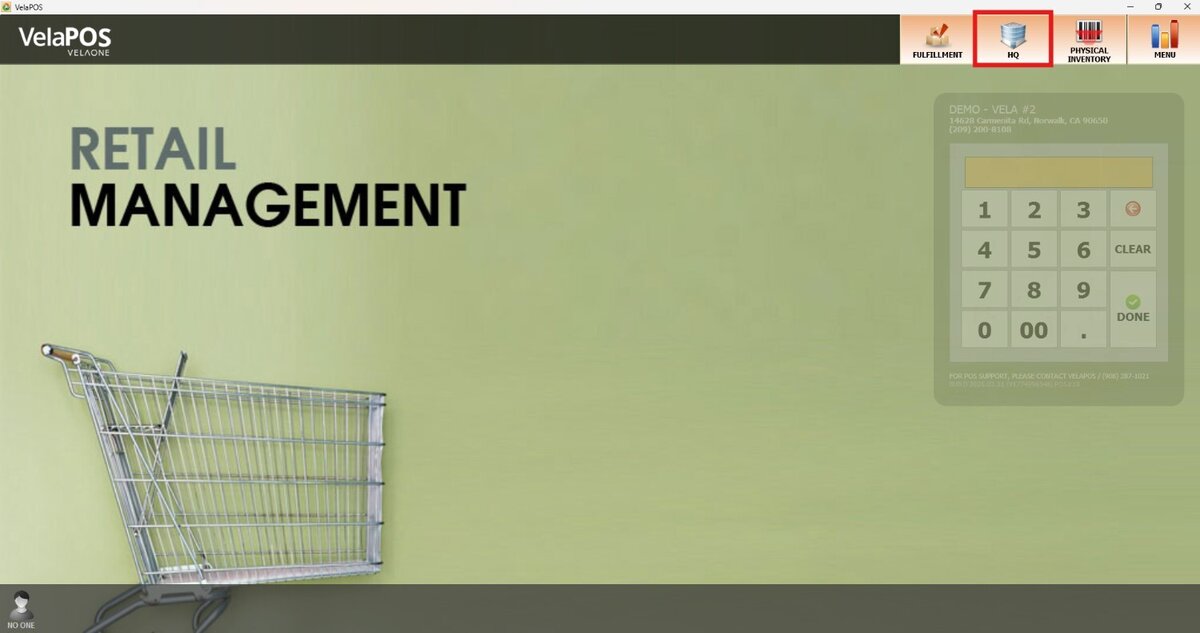
On the Main Screen, press on HQ.
Access with your administration credentials (ID and Password)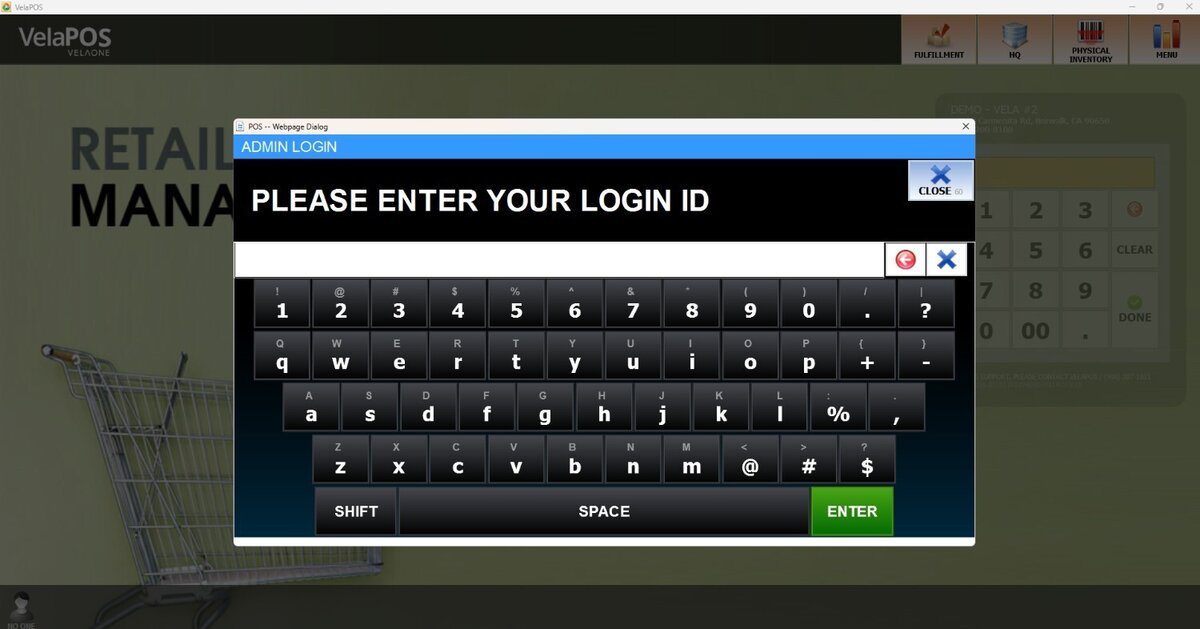
Hint: If administrator credentials haven't been created, refer to Creating an Admin Account.
In the STORES section, the Store Orders table is structured so that the very first row represents the corporate account, and beneath are listed the individual stores. They are organized into multiple accounts:
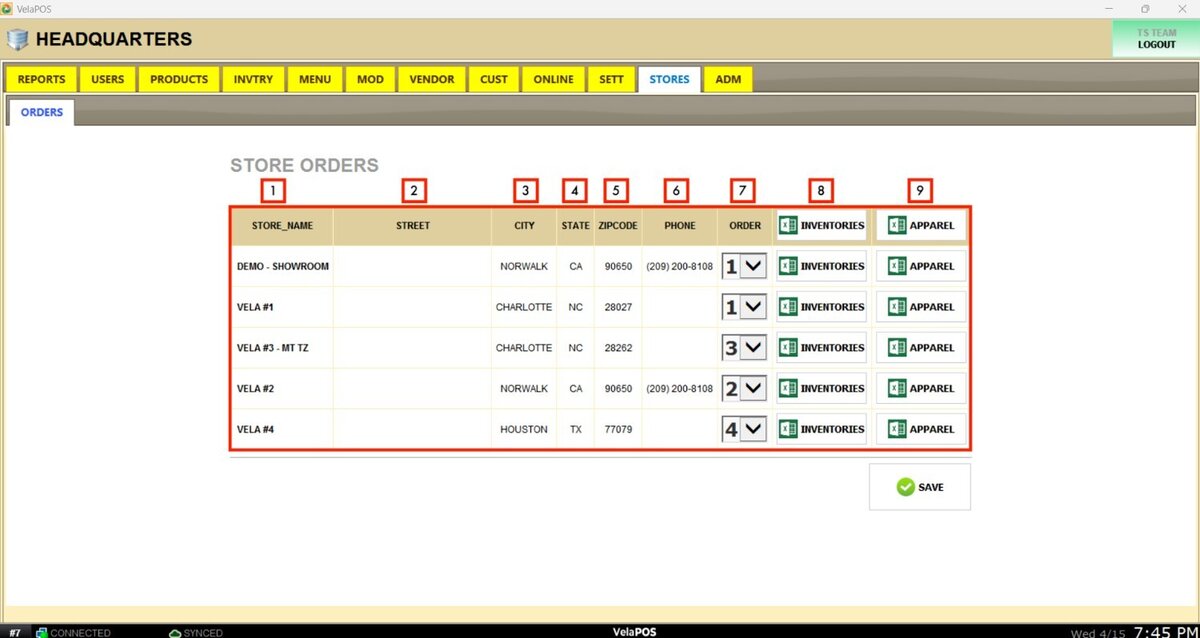
1. STORE NAME: Identifies the store name
2. STREET: Shows the street address of the store.
3. CITY: Indicates the city where the store is located.
4. STATE: Displays the state abbreviation.
5. ZIPCODE: Provides the postal code for the store's location
6. PHONE: Lists the store's contact number.
7. ORDER: Shows the order reference number associated with the store.
8. INVENTORIES: Button to download an Excel file with the store’s general inventory.
Corporate Inventory
Select the INVENTORIES button in the top row to open the Excel file containing all corporate product details.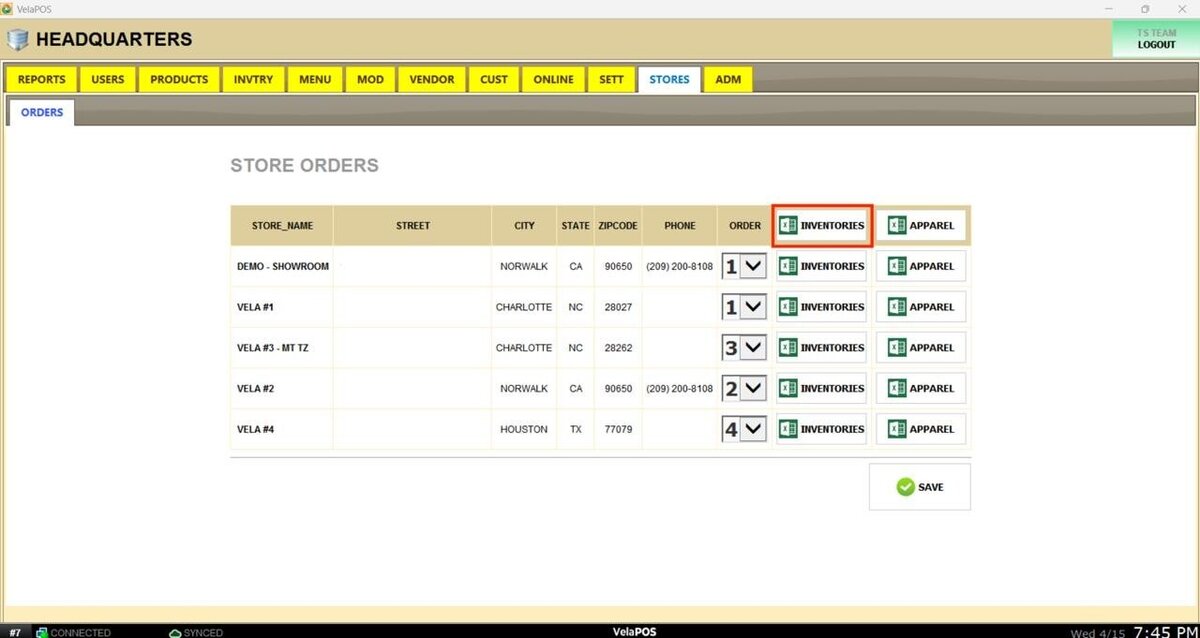
Result:
Within the STORE column, identify the store associated with each product’s details.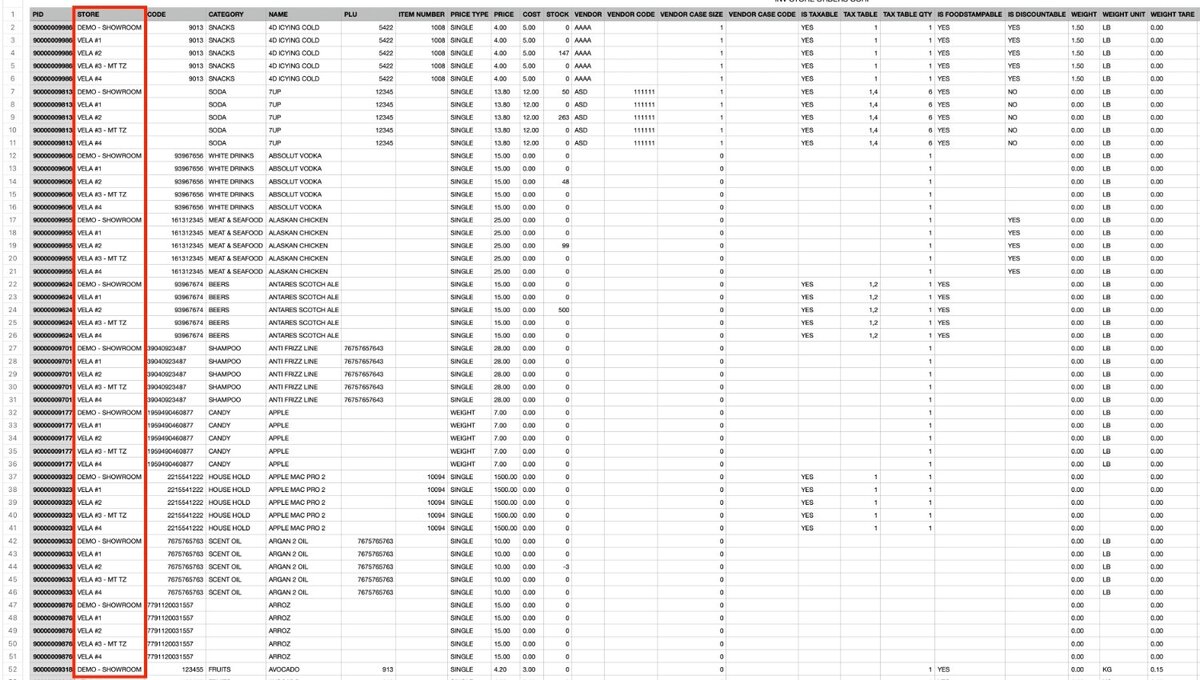
Store Inventory
Select the INVENTORIES button next to any of the listed stores to open the Excel file containing store-level product details.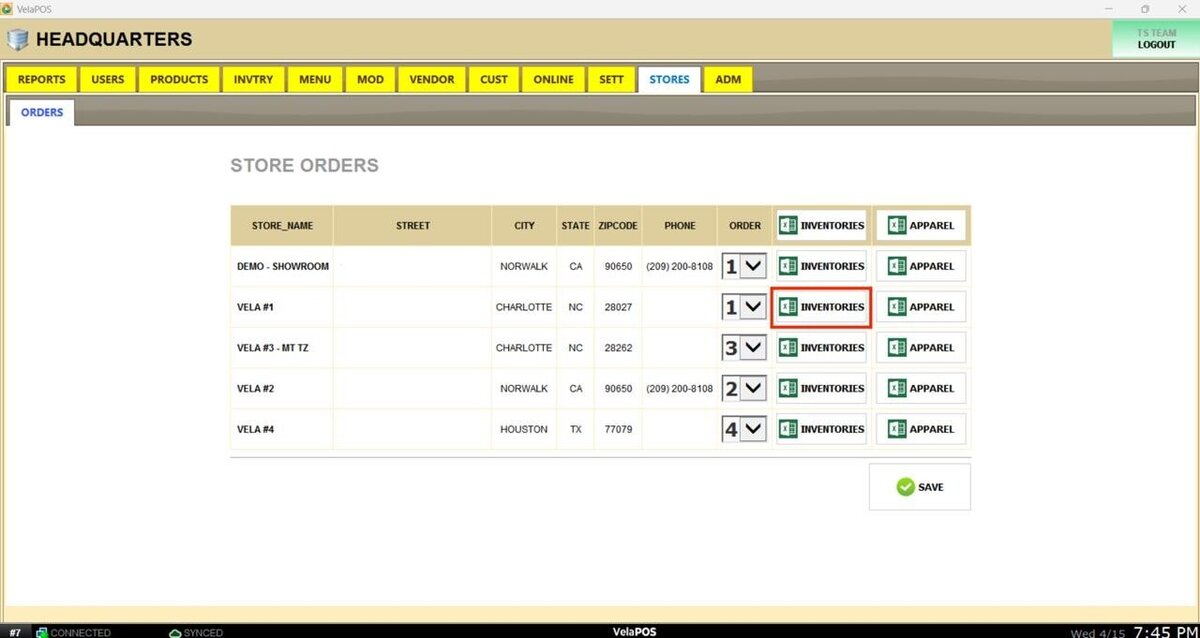
Result:
The STORE column displays the name of the selected store, showing the corresponding product details.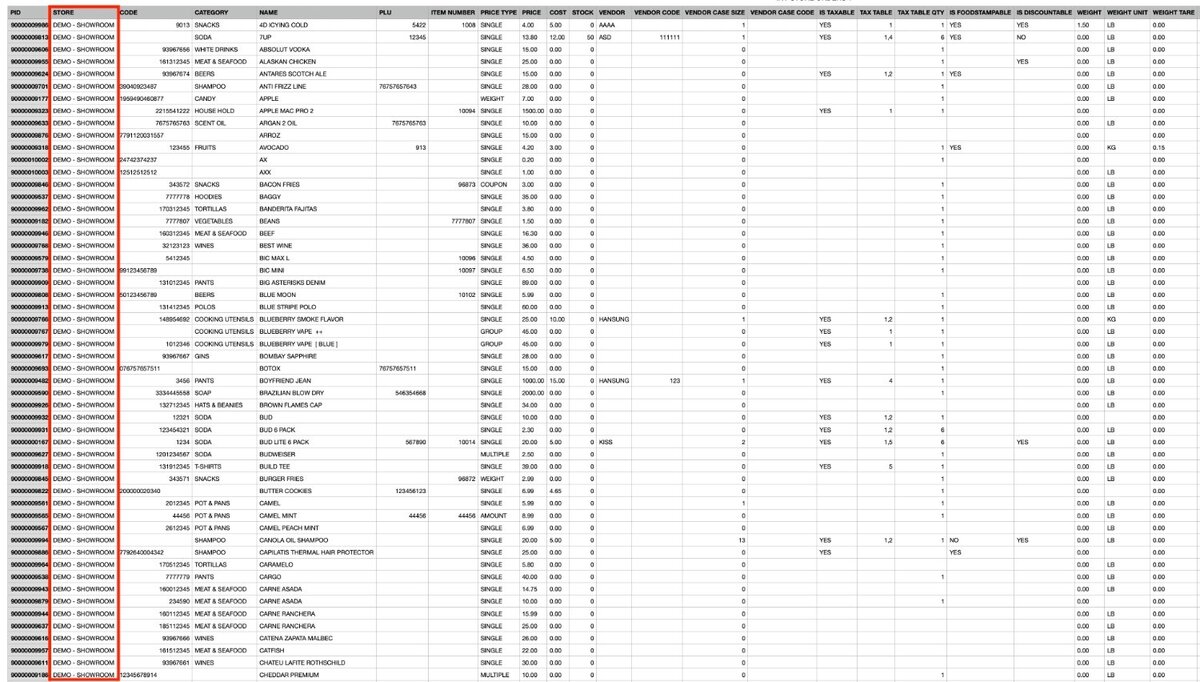
9. APPAREL: Button to download an Excel file with the store’s apparel inventory.
Corporate Apparel Inventory
Select the APPAREL button in the top row to open the Excel file containing only corporate apparel product details.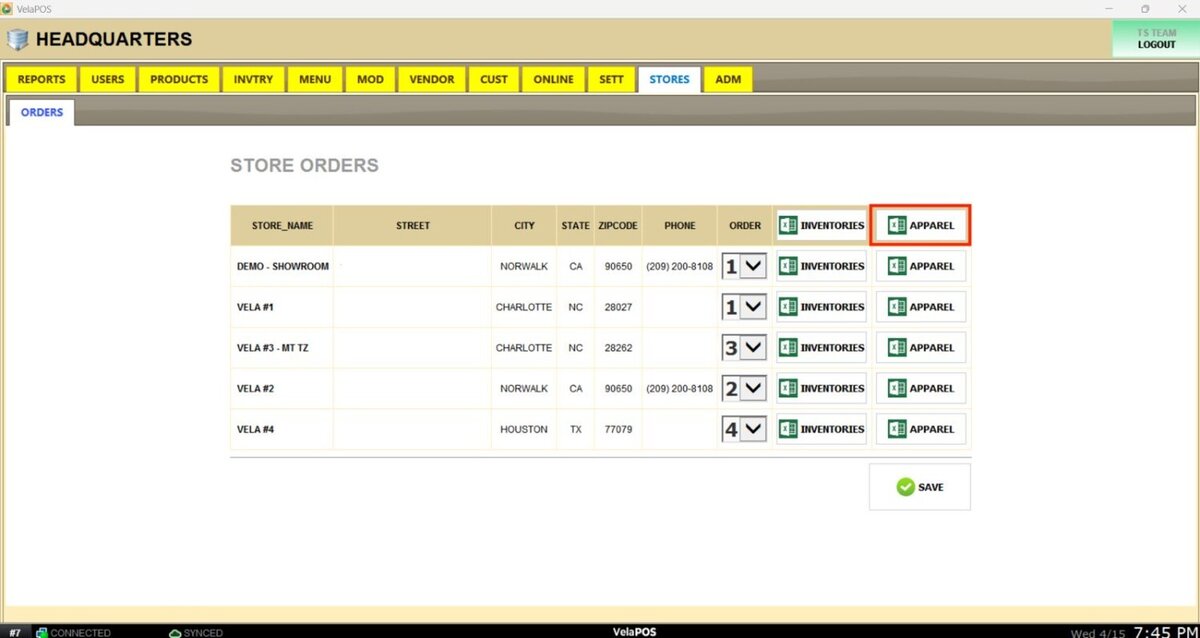
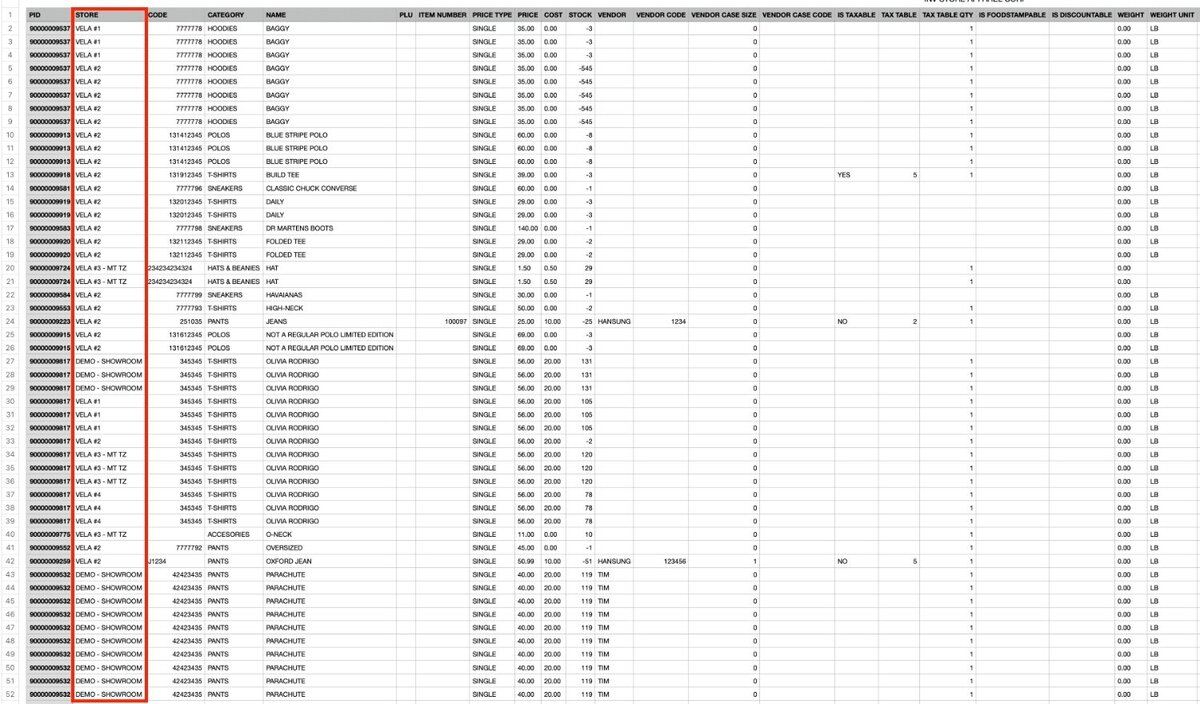
Result:
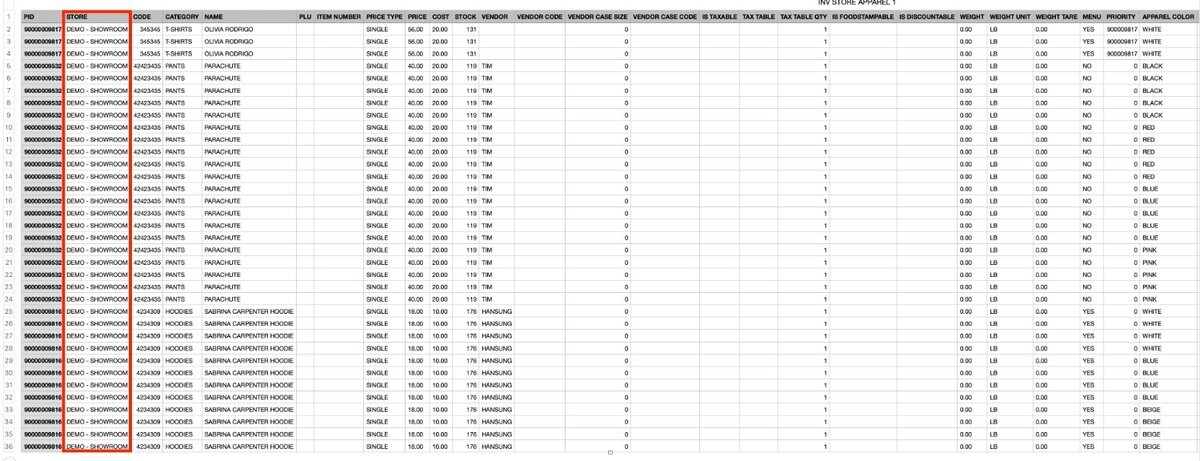
Within the STORE column, identify the store associated with each apparel product’s details.
Store Apparel Inventory
Select the INVENTORIES button next to any of the listed stores to open the Excel file containing store-level apparel product details.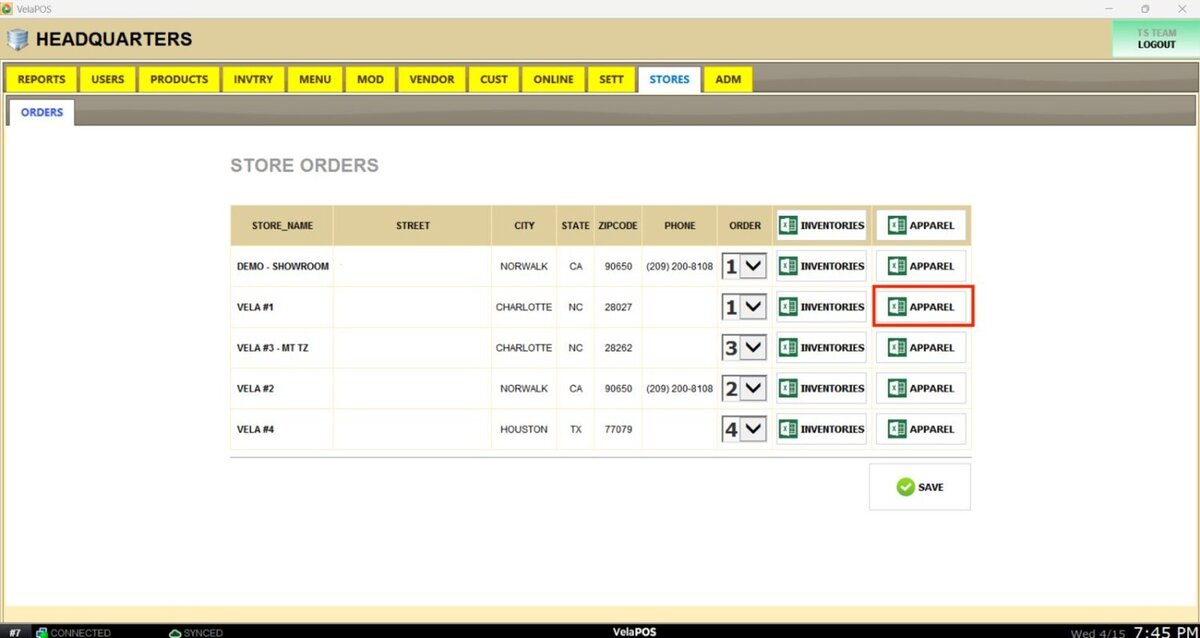
Result:
The STORE column displays the name of the selected store, showing the corresponding product apparel details.