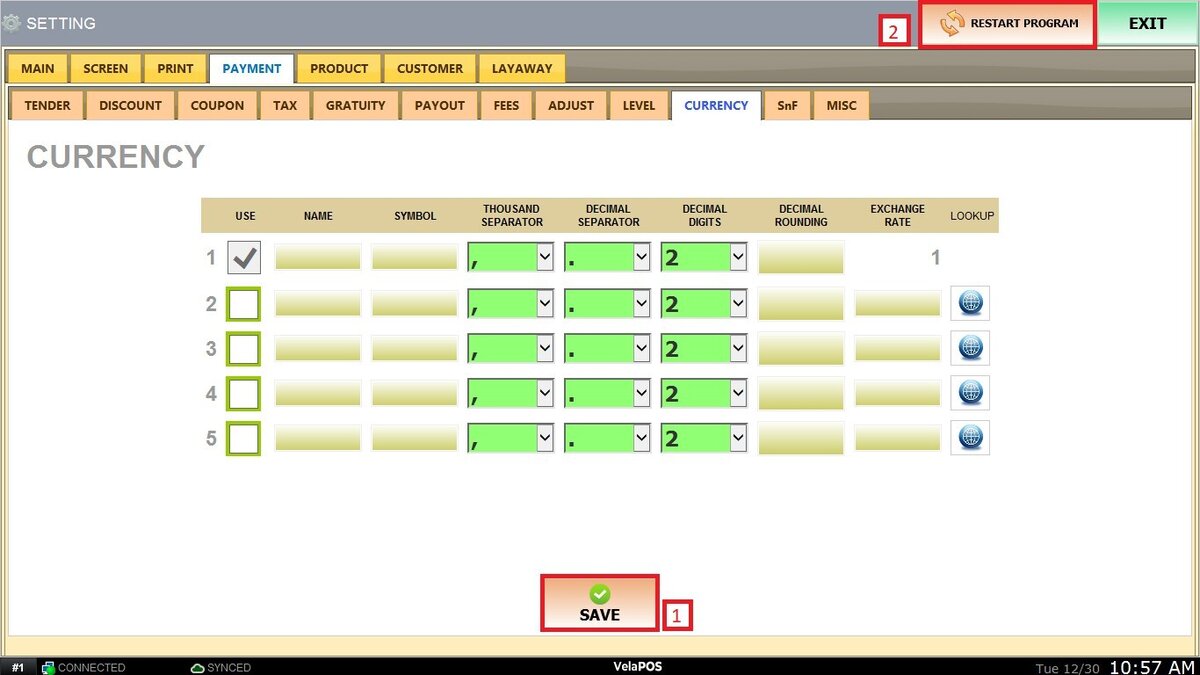
Currency
This section allows you to configure and manage multiple currencies within the POS system. It defines how monetary values are displayed, formatted, and converted when transactions are processed in different currencies. Enabling additional currencies ensures accurate exchange rate application, proper number formatting, and consistent reporting.
MENU> SETTINGS> PAYMENT> CURRENCY.
Go to MENU and press SETTINGS
Click on PAYMENT and select CURRENCY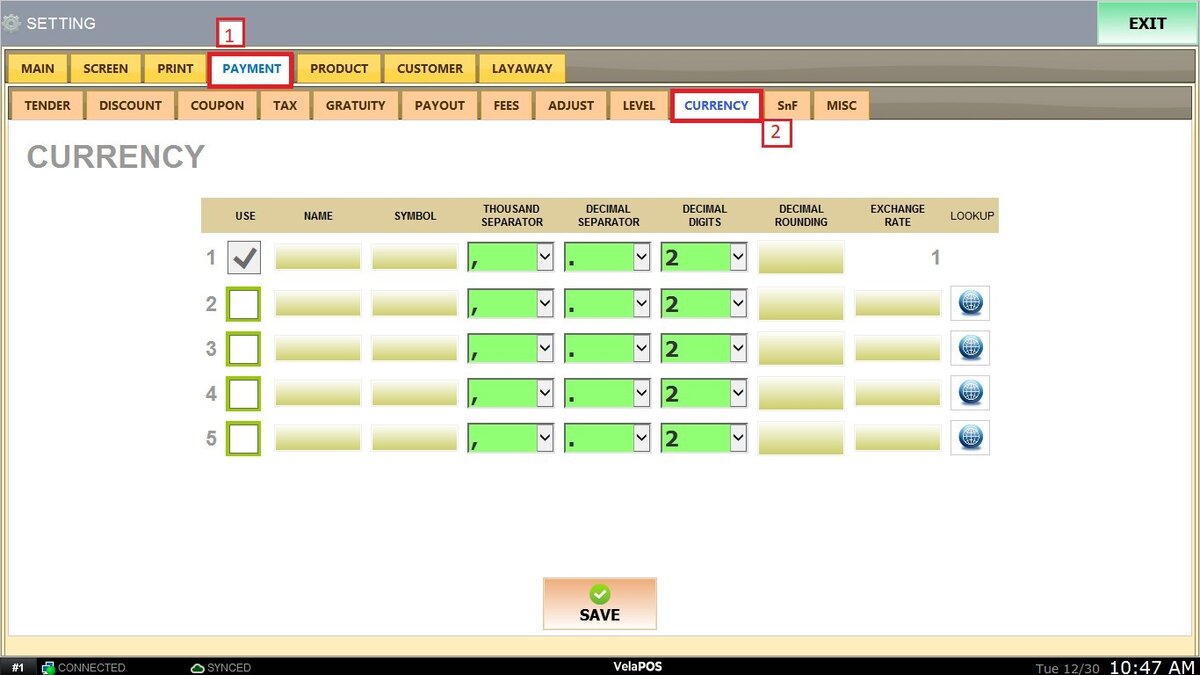
Select an available row and check the USE box to enable the currency.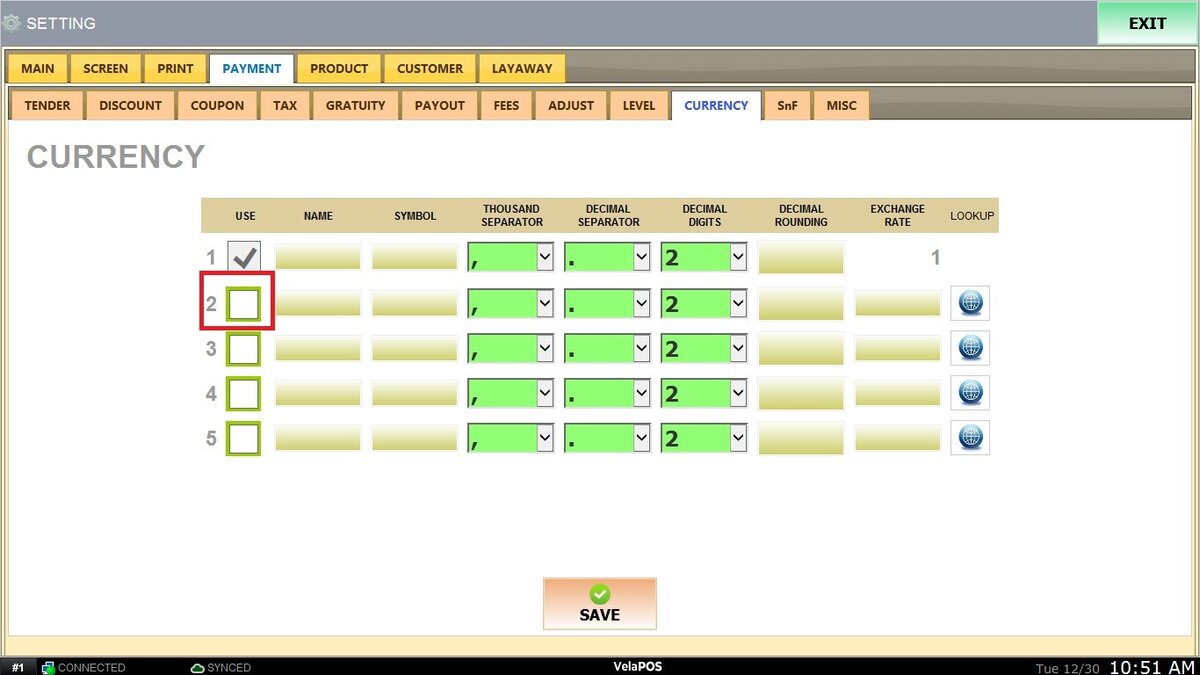
Enter the currency NAME (for example, USD, EUR) and SYMBOL.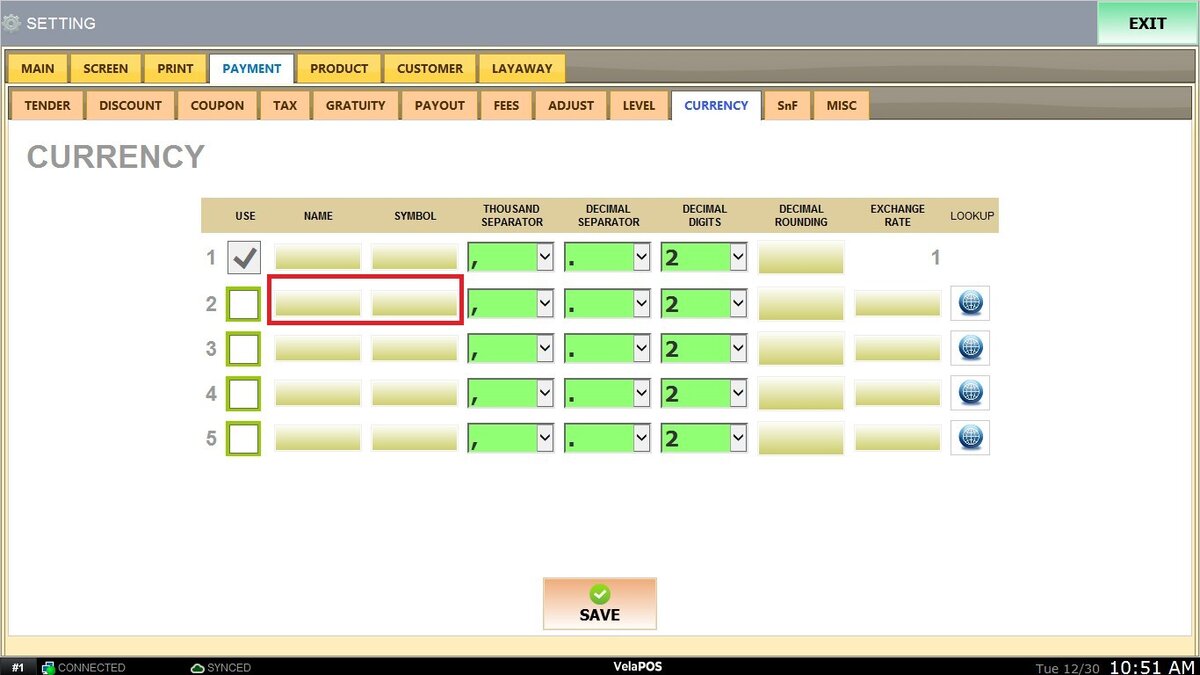
Configure the THOUSAND SEPARATOR and DECIMAL SEPARATOR according to the desired number format (such as comma or period).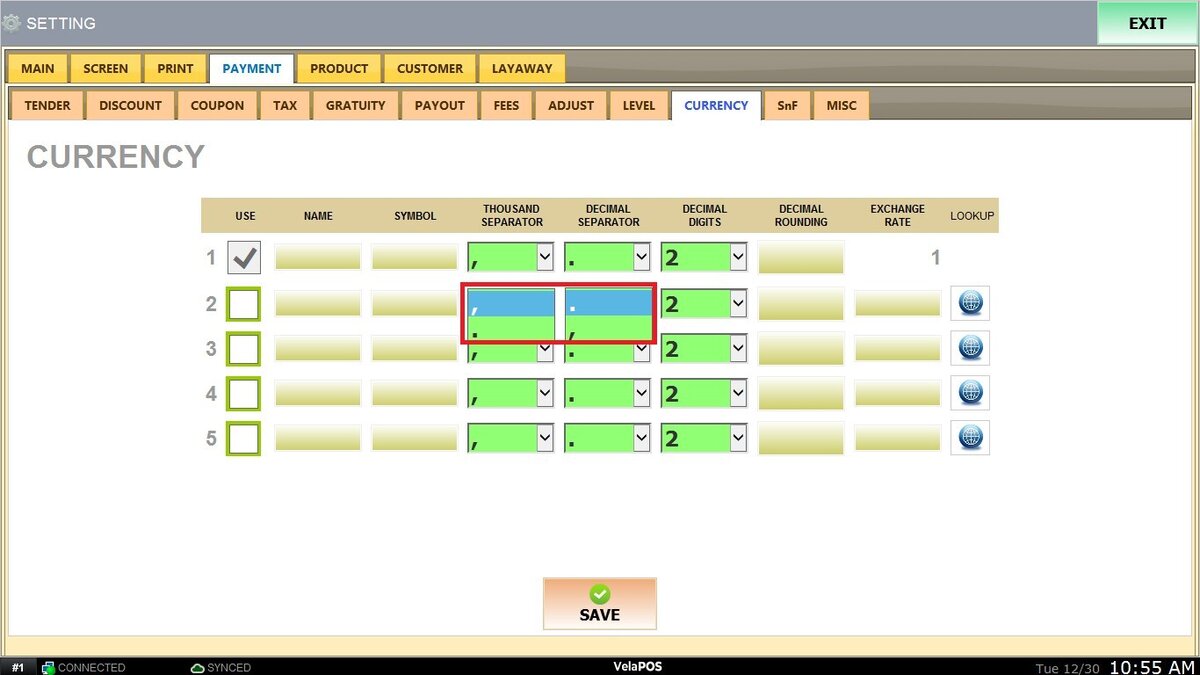
Select the appropriate number of DECIMAL DIGITS.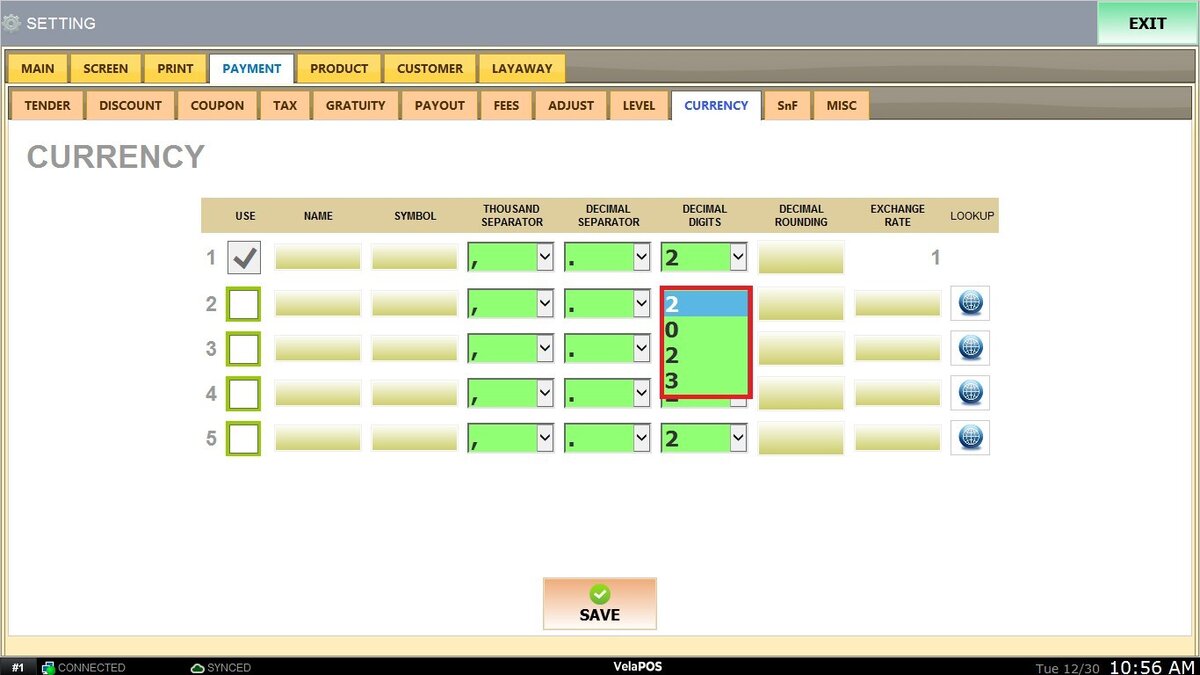
If needed, set DECIMAL ROUNDING and enter the EXCHANGE RATE used to convert amounts from the system’s base currency.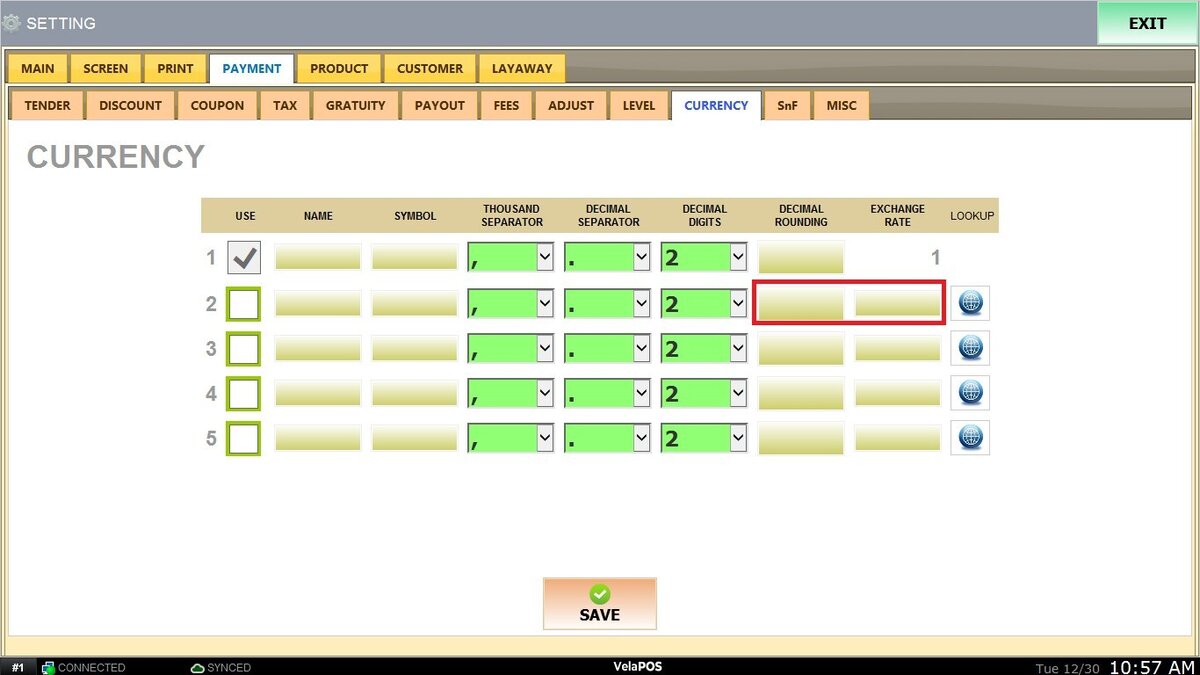
LOOKUP: Allows fetching or verifying exchange rate information when available.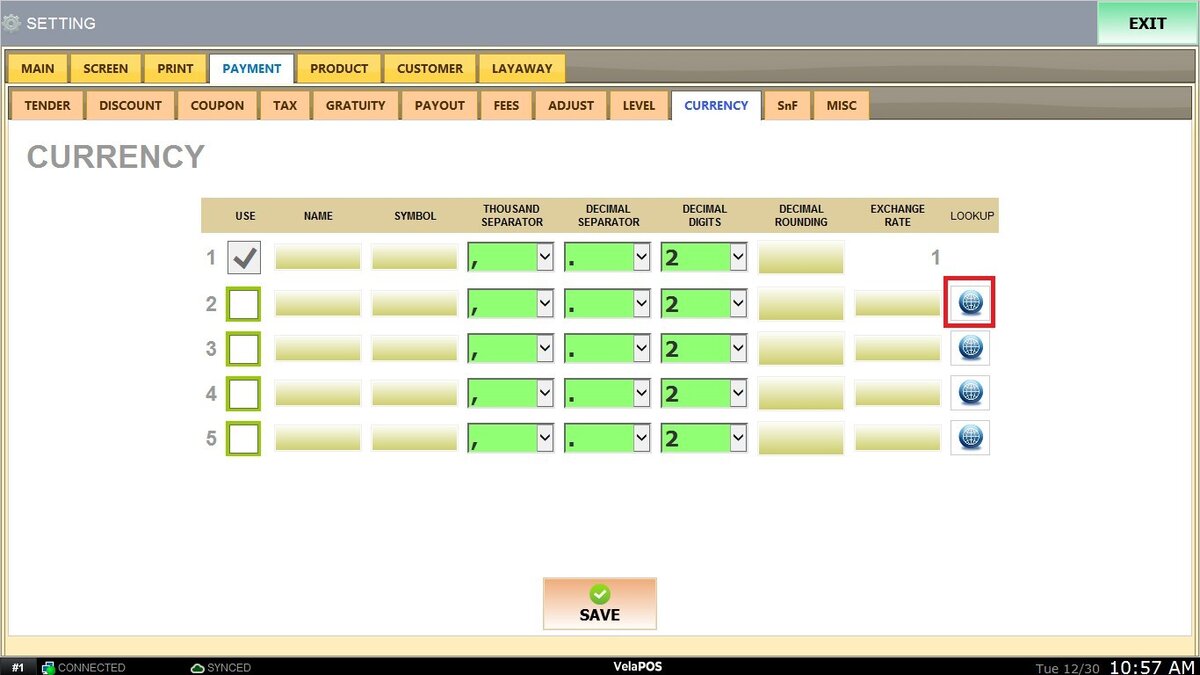
Click on SAVE and RESTART PROGRAM to store the configuration.