Quick Access
This setting controls whether the POS automatically returns to the Sales Screen after a sale. When enabled, the POS will go back to the Sales Screen after a sale once the selected time has passed. If this option is disabled, you must press the New Sale button to start a new transaction.
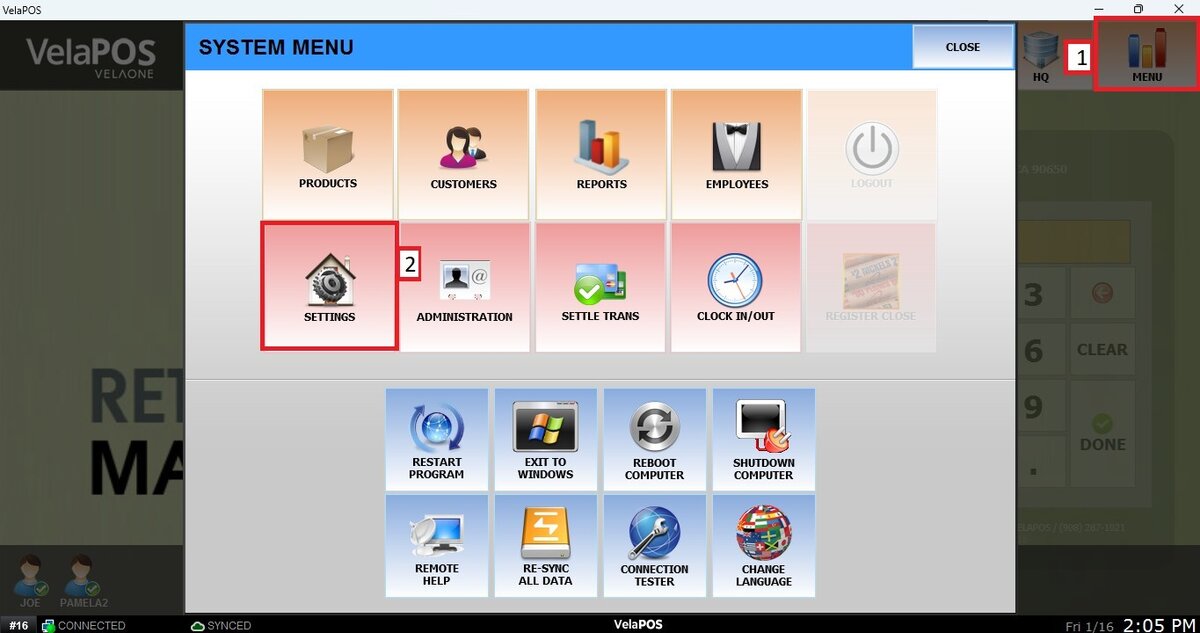
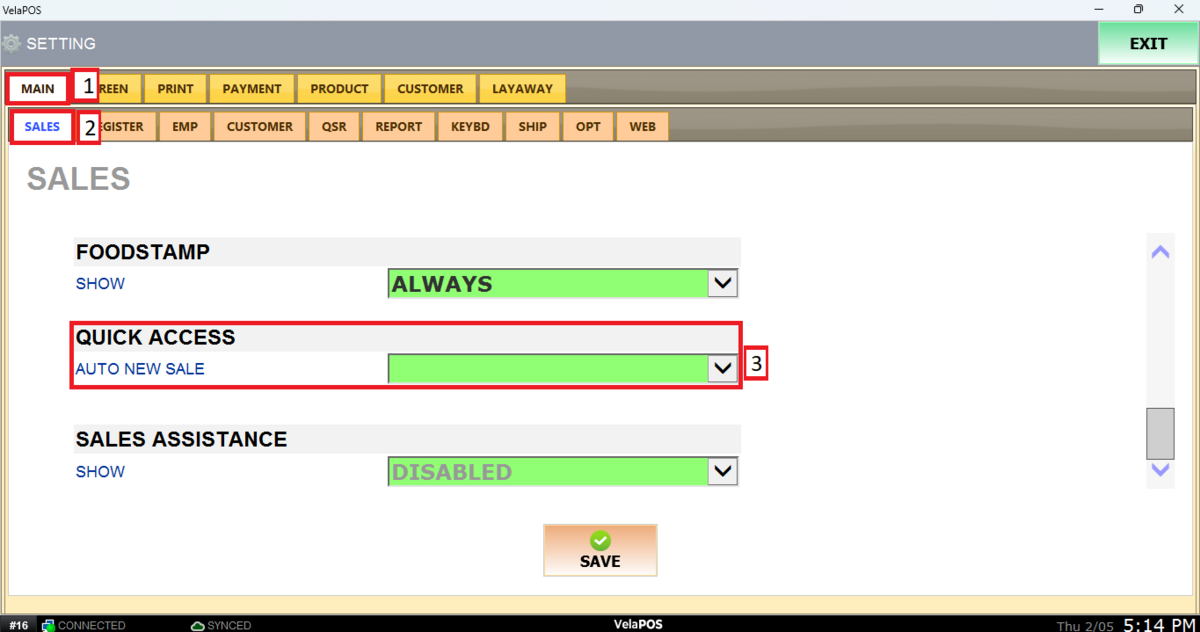
Main Screen > MENU > SETTINGS > MAIN > SALES> QUICK ACCESS
Go to MENU and press SETTINGS.
From the MAIN tab and then SALES, scroll down until QUICK ACCESS.
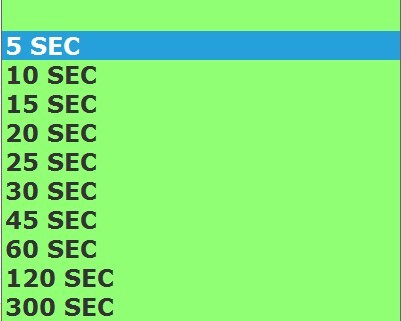
Open the drop-down menu and select the desired time for the automatic return to the Sales Screen.
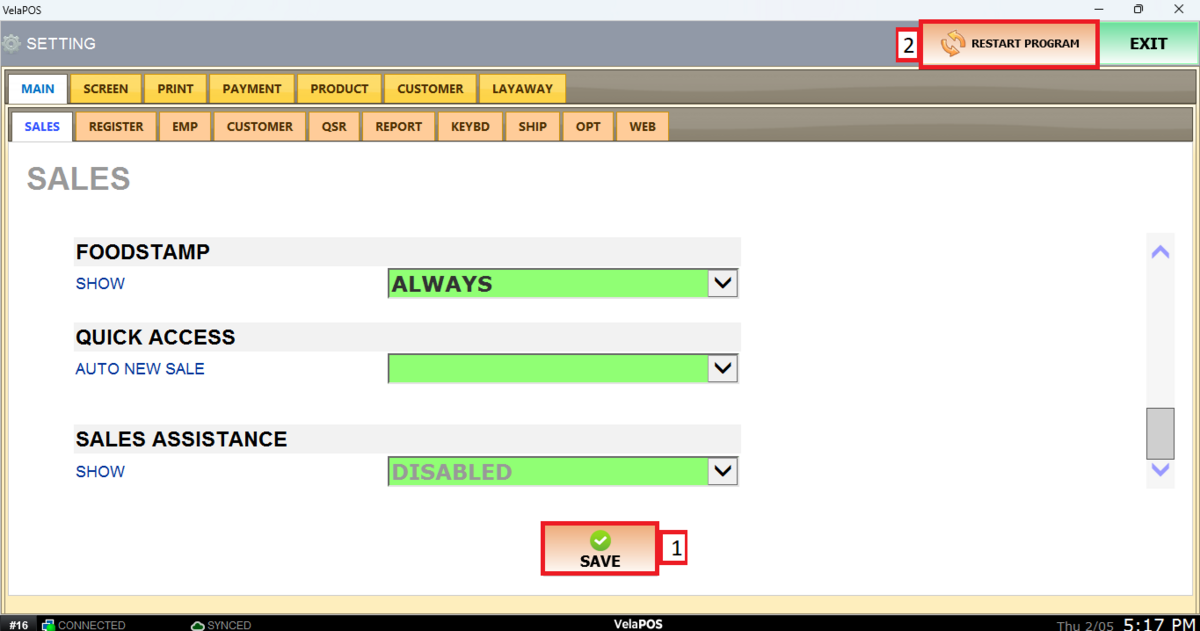
Once selected, press on SAVE and RESTART PROGRAM to apply the changes.
Results:
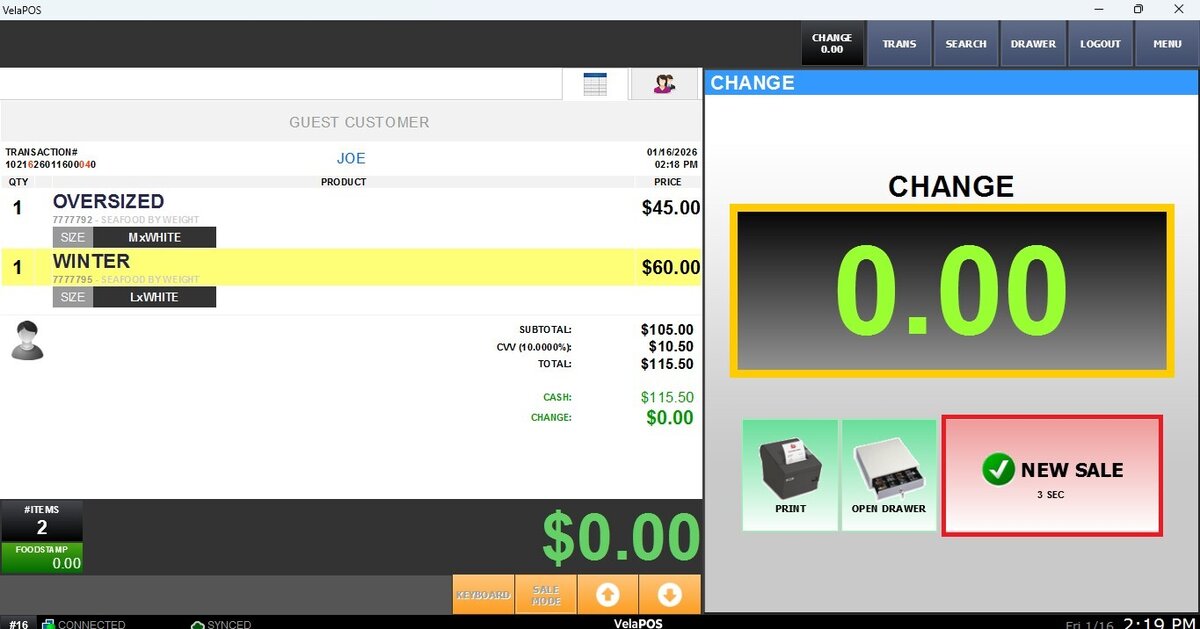
You can click the NEW SALE button or wait for the selected time to pass to return to the Sales Screen.