Random Weight
This article explains how to ring up weighted products using labels generated by a weight scale. These labels contain embedded product information, such as the barcode, PLU/item number, and price, allowing the POS to automatically identify the item and apply the correct price during the transaction.
MAIN SCREEN> NUMBER PAD> SALES SCREEN> SCAN THE LABEL.
From the Main Screen, click on the NUMBER PAD and enter your personal password to access the Sales Screen.

Scan the label printed by the weight scale. The label format must match the barcode format configured in the POS. If the barcode is not recognized, please refer to Random Weight Settings.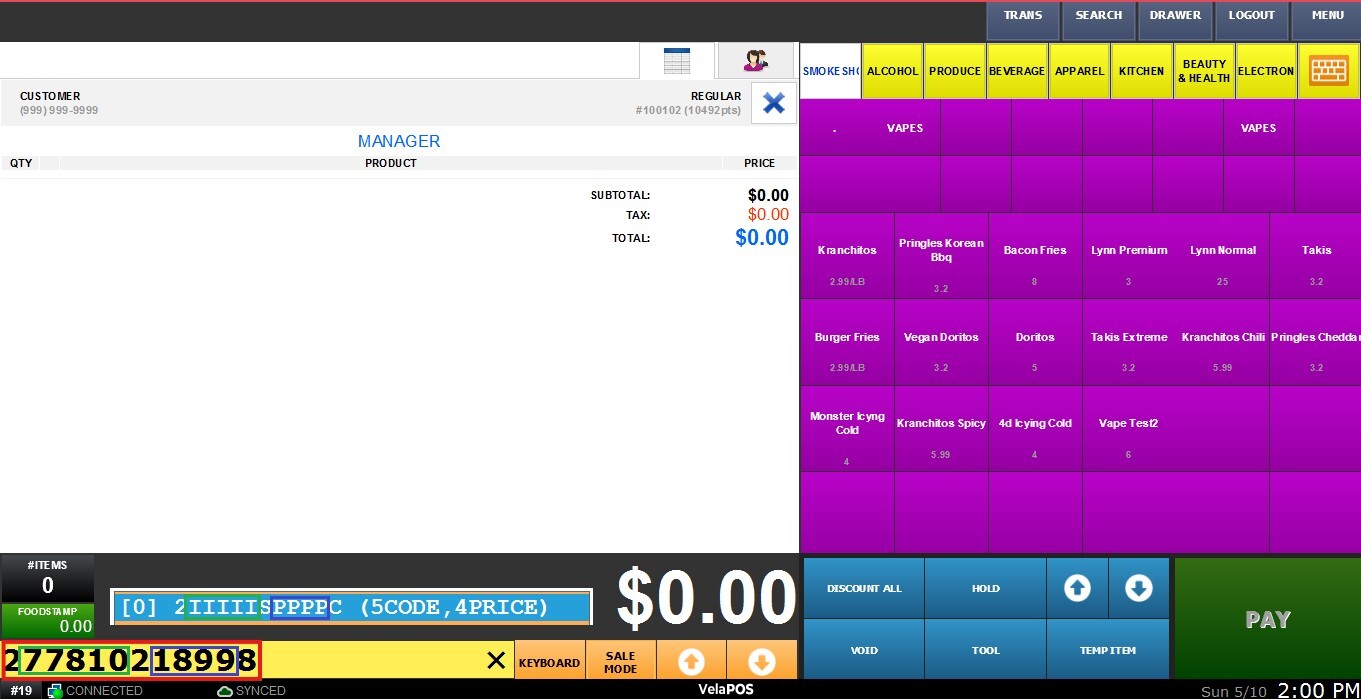
The barcode on the label contains embedded product information, such as the barcode number, PLU/item number, and price. In this example, the item with Barcode 77810 has a default price of 15.00 configured in the product details. However, the label generated by the weight scale contains a price of 18.99.

Once the label is scanned, the POS automatically identifies the item and overrides the default product price with the price encoded in the label.
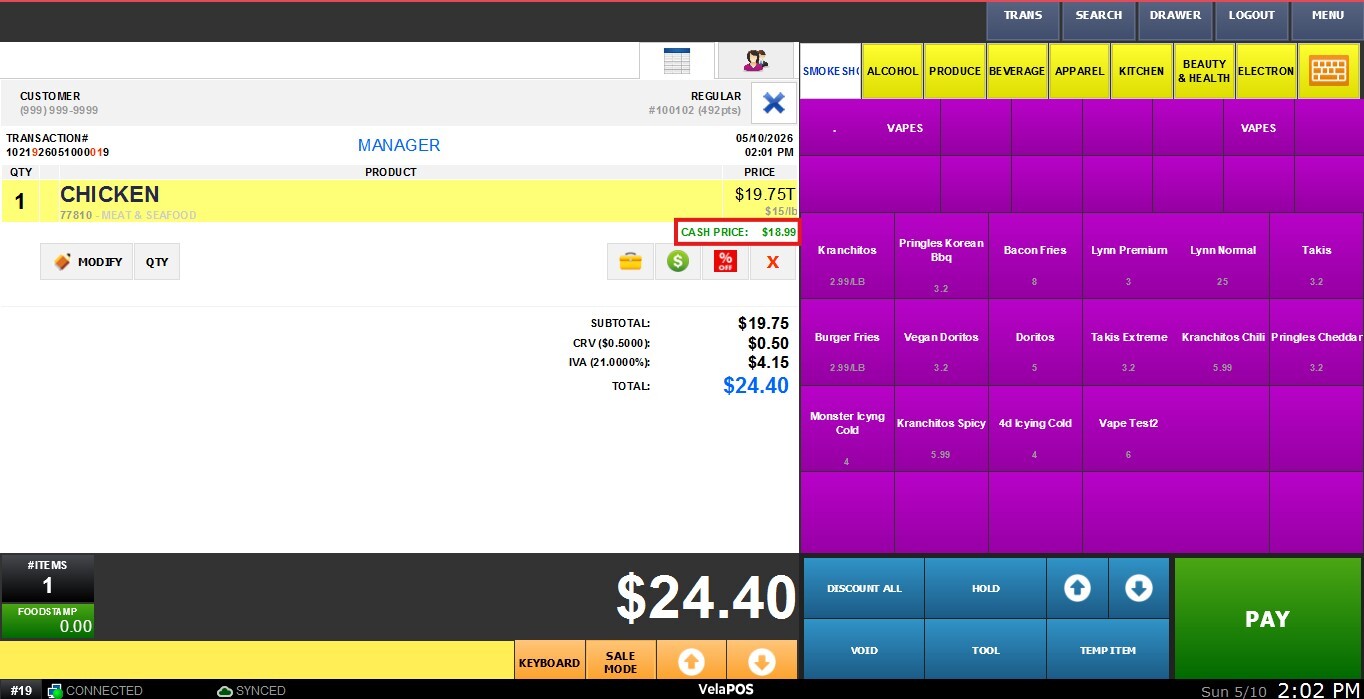
After the item is rung up, continue processing the transaction and complete the payment as usual.