Open List
This tool enlists the tickets that have not been closed (not completed).
Sales screen> Tool > Transaction Open List
On the Main screen, click on the NUMBER PAD and the assigned personal password.

On the Sales Screen, go to TOOL
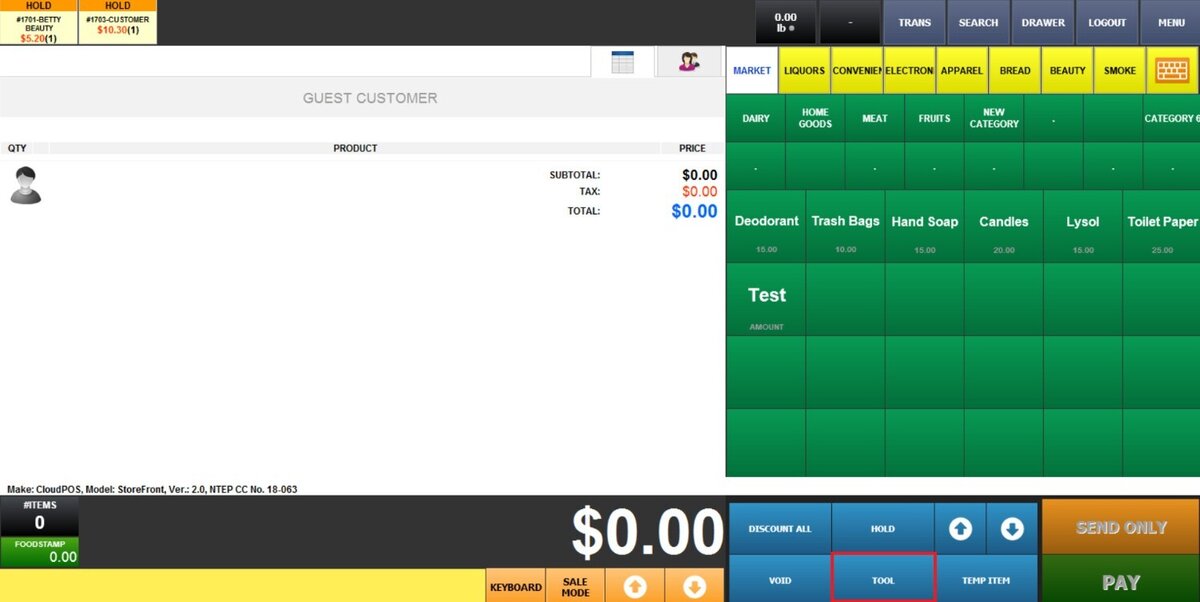
Click on TRANSACTION OPEN LIST.

Actions
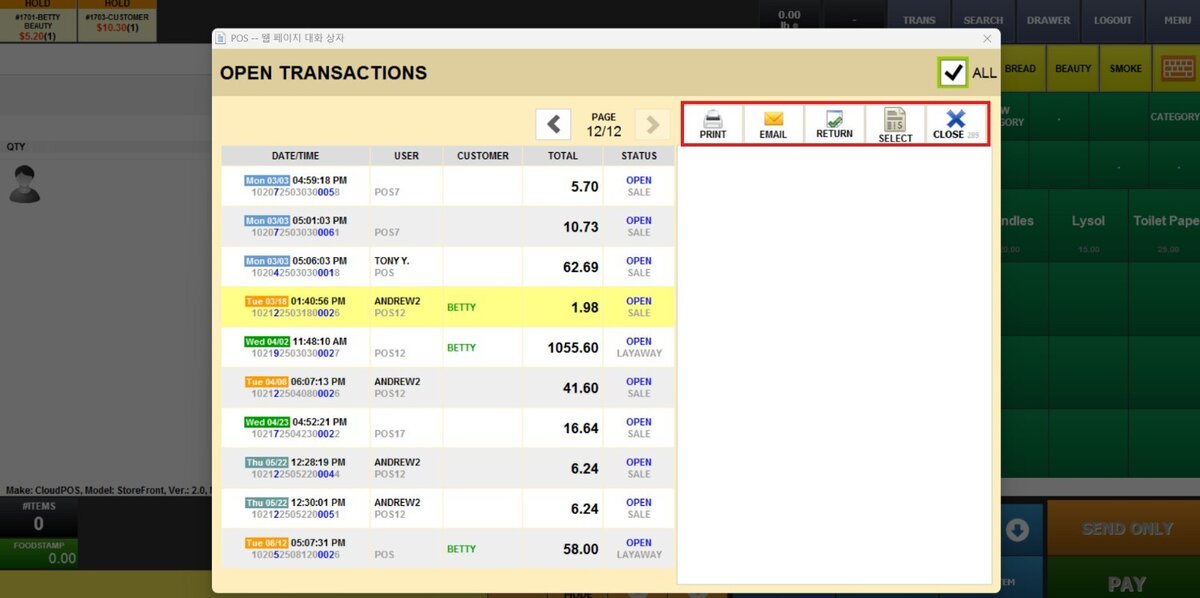
On the right side of the transaction list, the highlighted buttons provide additional actions for the selected transaction. Choose a transaction and then click the corresponding button to perform the action. Each option is described below.:
-
PRINT: Prints the selected transaction.
-
EMAIL: Sends the selected transaction receipt by email.
-
RETURN: Processes a return for the selected transaction.
-
SELECT: Selects the transaction so you can continue or edit it.
You can either void tickets that have not been processed or complete the transaction. In both cases, press on SELECT to proceed with the desired action.
Transactions can be filtered by selecting ALL. This option also displays records from all POS terminals when more than one is in use.
