Layaway
This feature activates and configures a layaway program for your store. Layaway is a payment option that allows customers to reserve an item by making a deposit and paying the remaining balance over time. The store holds the product until the final payment is made, at which point the customer can take the item home.
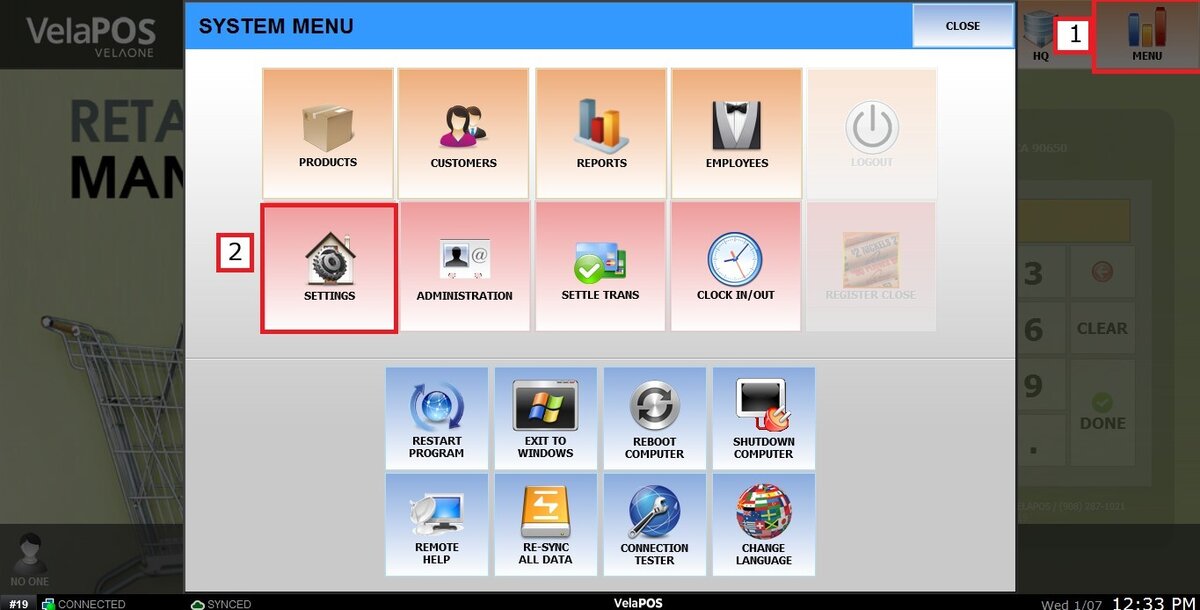
Main Screen > MENU > SETTINGS > LAYAWAY
Go to MENU then SETTINGS
Go to LAYAWAY
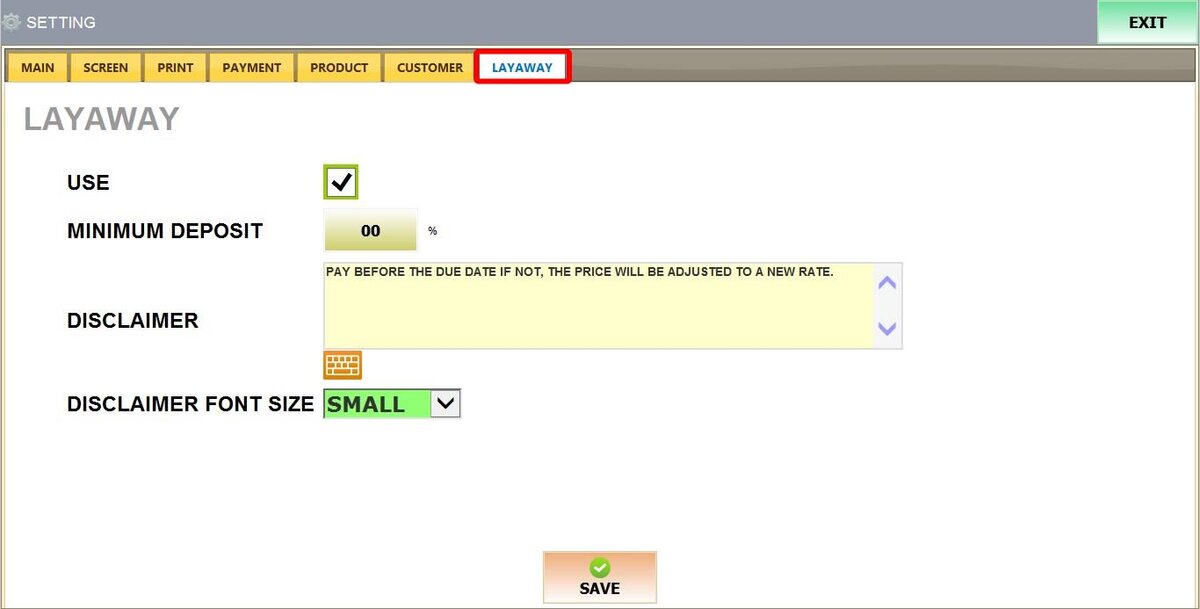
1. USE: Enables the layaway functionality in the POS system, allowing transactions to be saved as layaway orders rather than immediate sales.
2. MINIMUM DEPOSIT: Sets the required down payment amount as a percentage of the total sale.

3. DISCLAIMER: Provides a text area to enter your store’s specific layaway policies, such as "No refunds on deposits" or "Final payment due in 30 days." This text will print on the customer's layaway receipt.
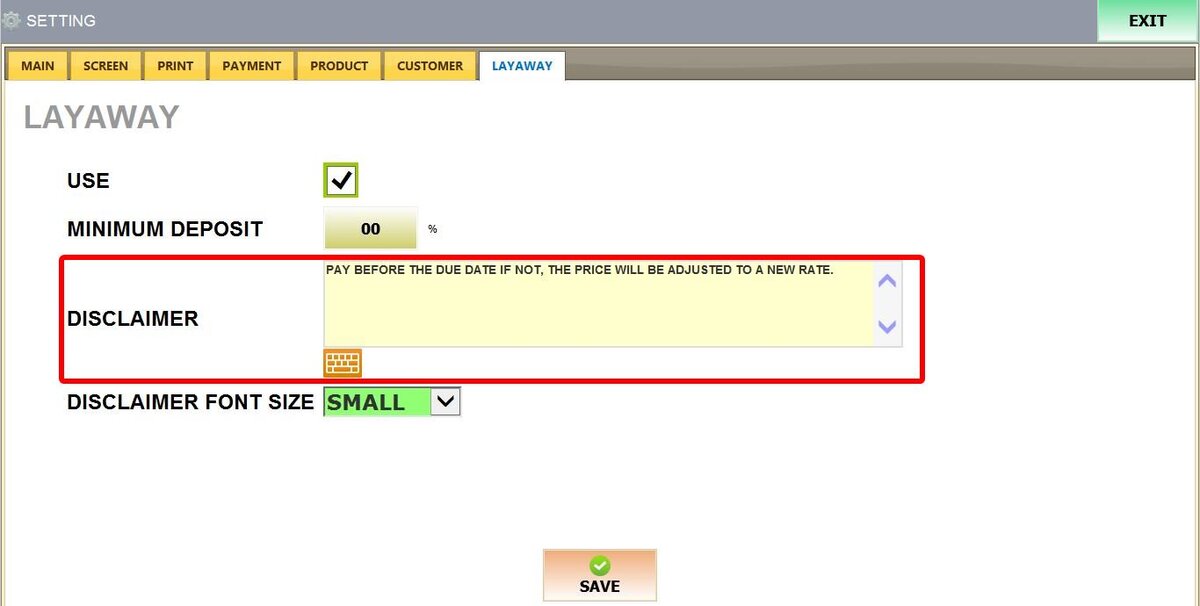
Result:

4. DISCLAIMER FONT SIZE: Adjusts the scale of the disclaimer text on the printed receipt. Options are: NORMAL and SMALL

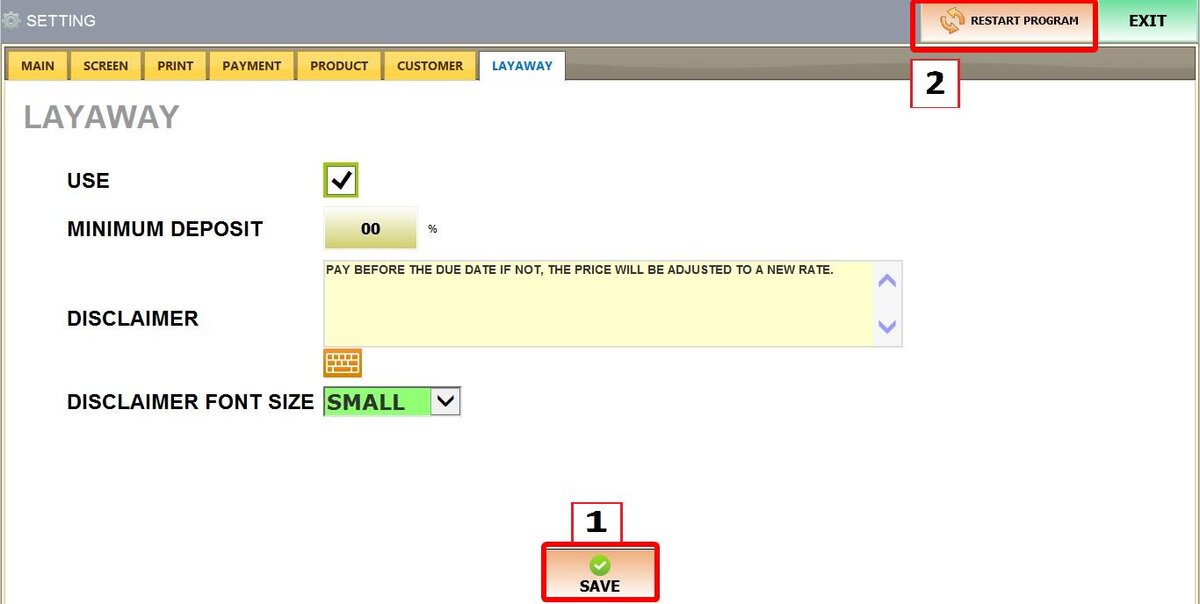
Once configured, press SAVE and RESTART THE PROGRAM
Refer to Layaway KB to see how to use the feature during a sale.