Show Item
This option allows you to choose whether an item will be displayed on the sales screen of the selected inventory.
Main Screen > MENU > PRODUCTS > Product DETAIL > MENU Tab > Show Menu
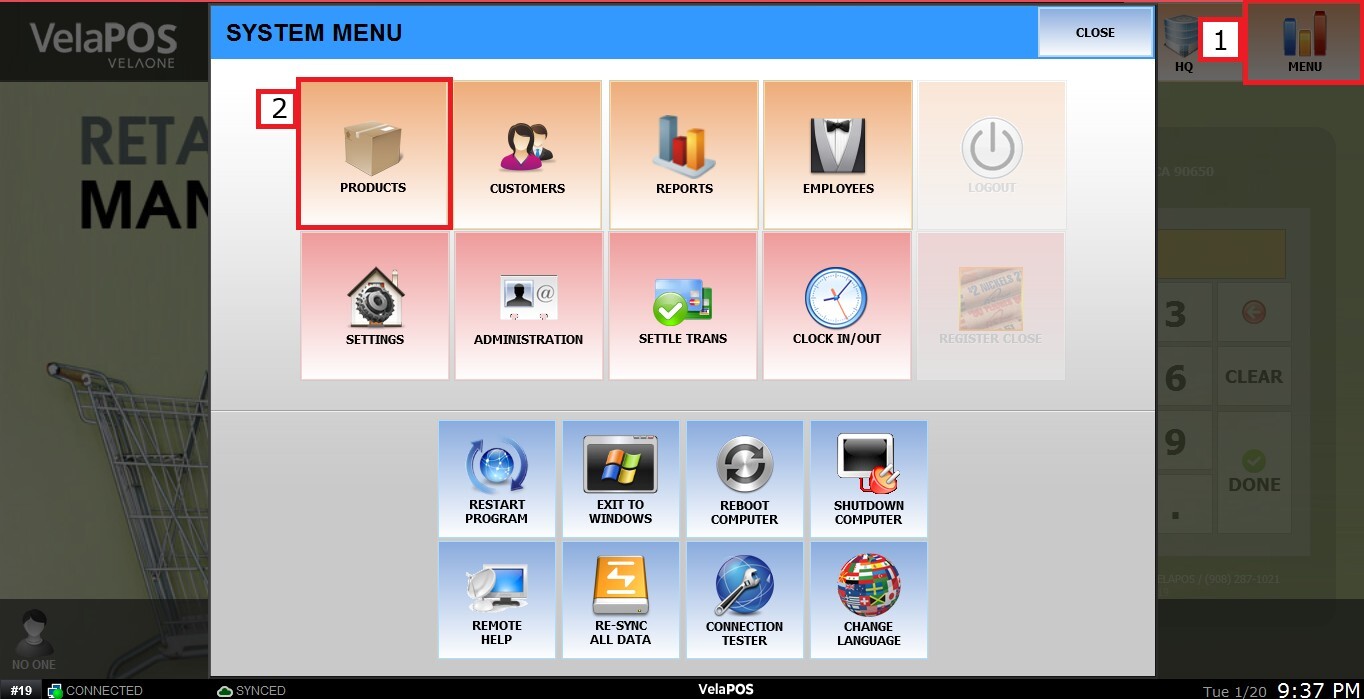
Go to MENU, select PRODUCTS.
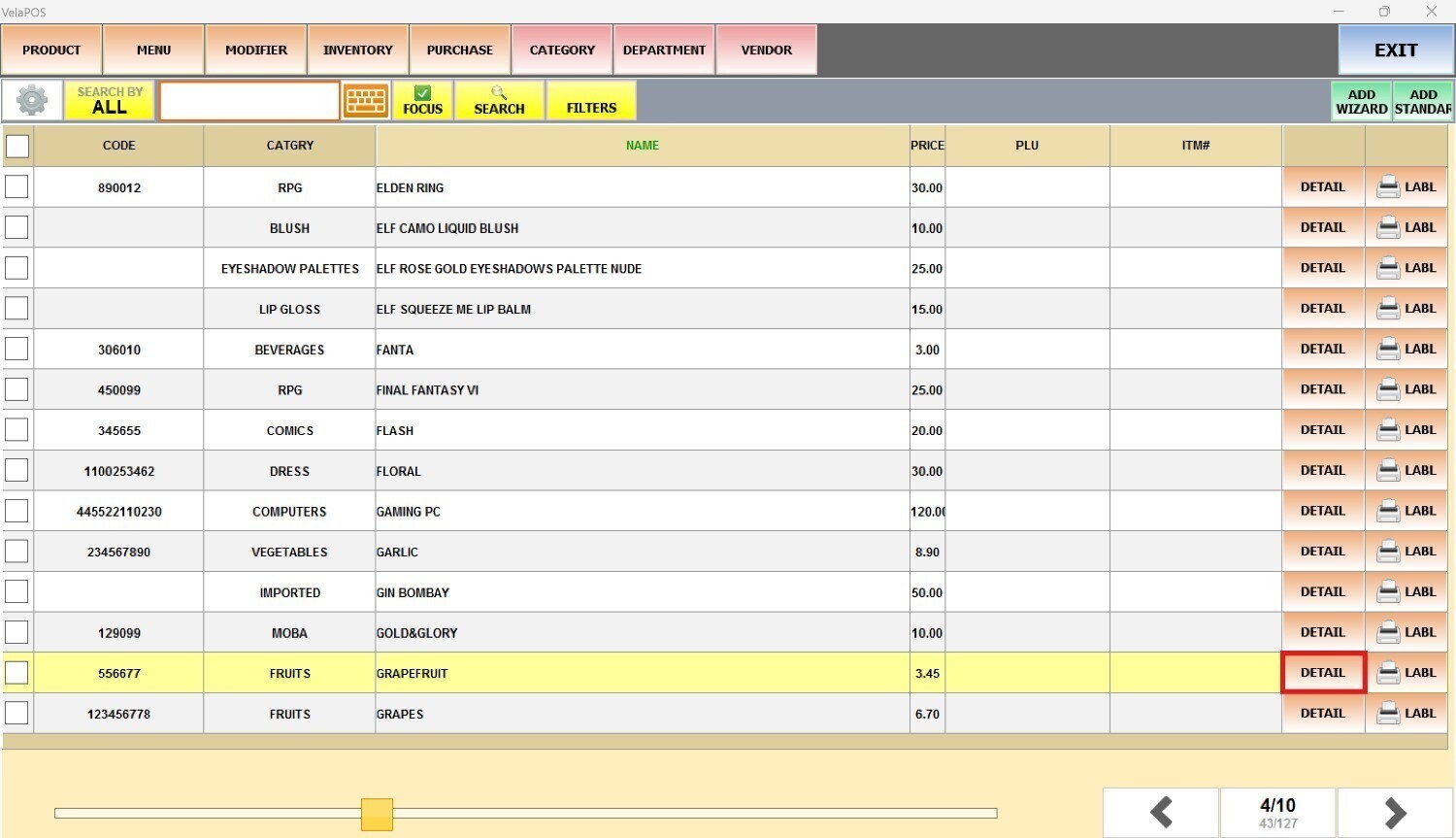
Select a product, click on DETAIL.
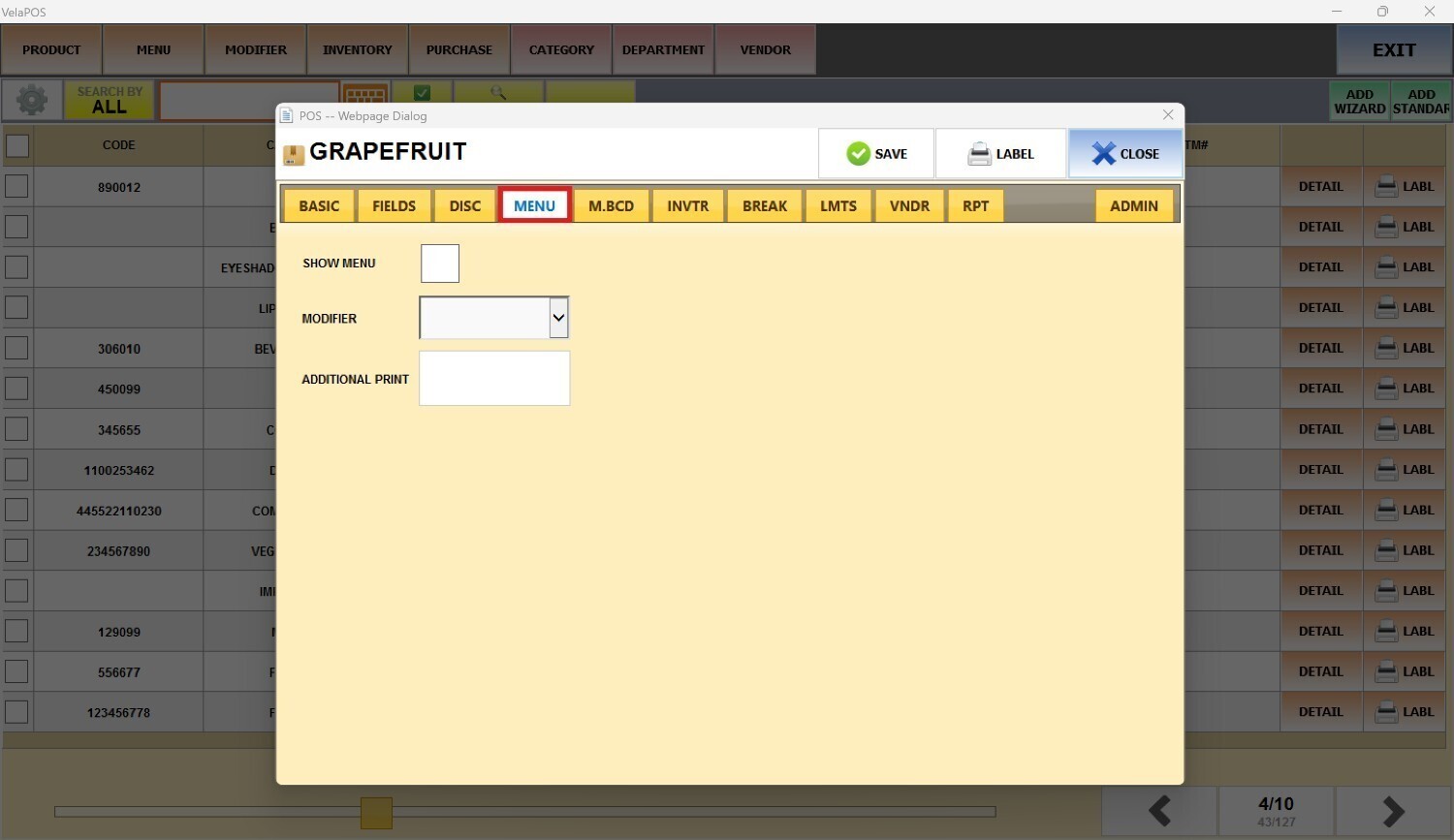
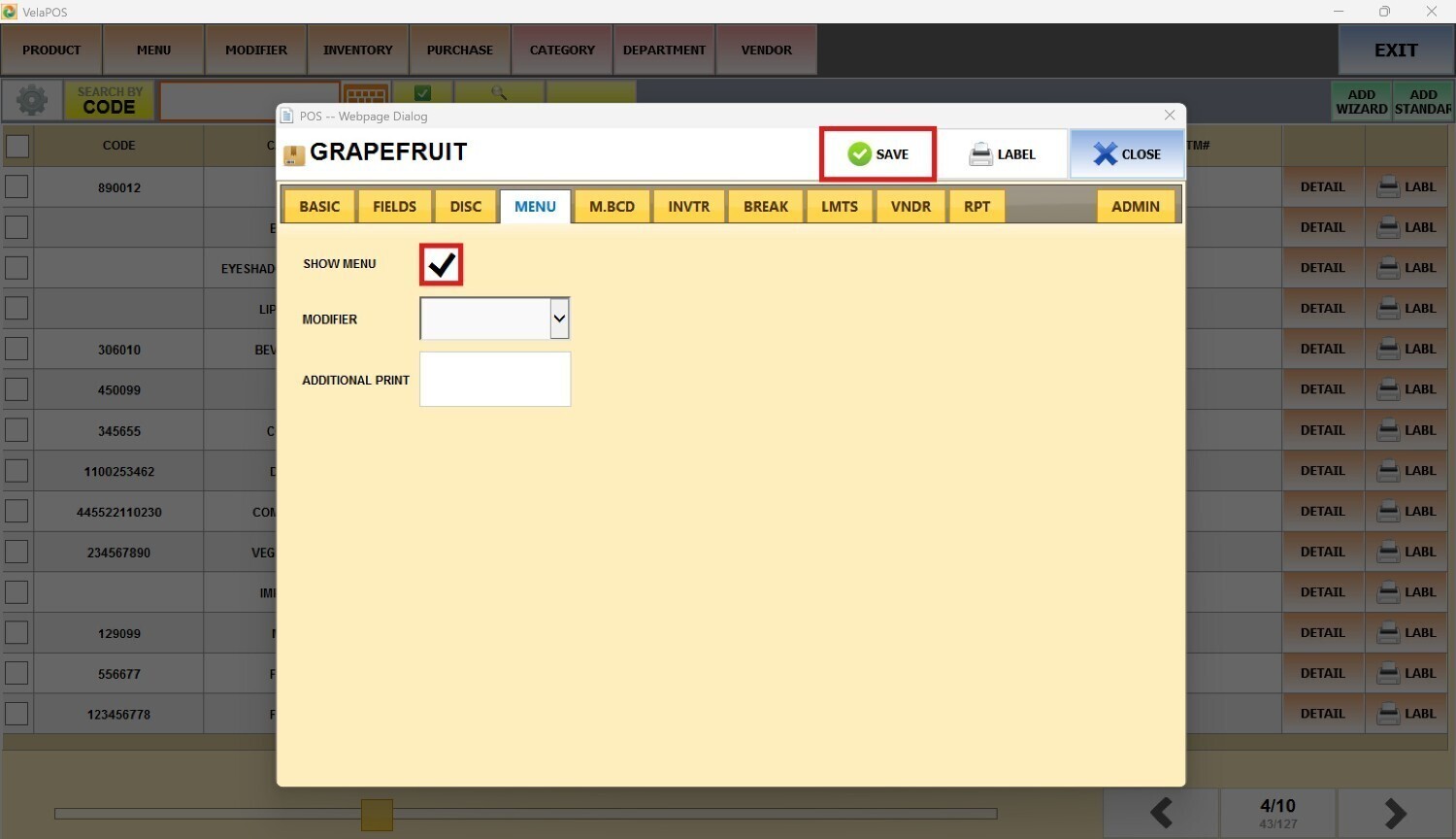
In the item detail, go to the MENU tab.
When the SHOW MENU box is not checked, the item will remain active in the inventory.
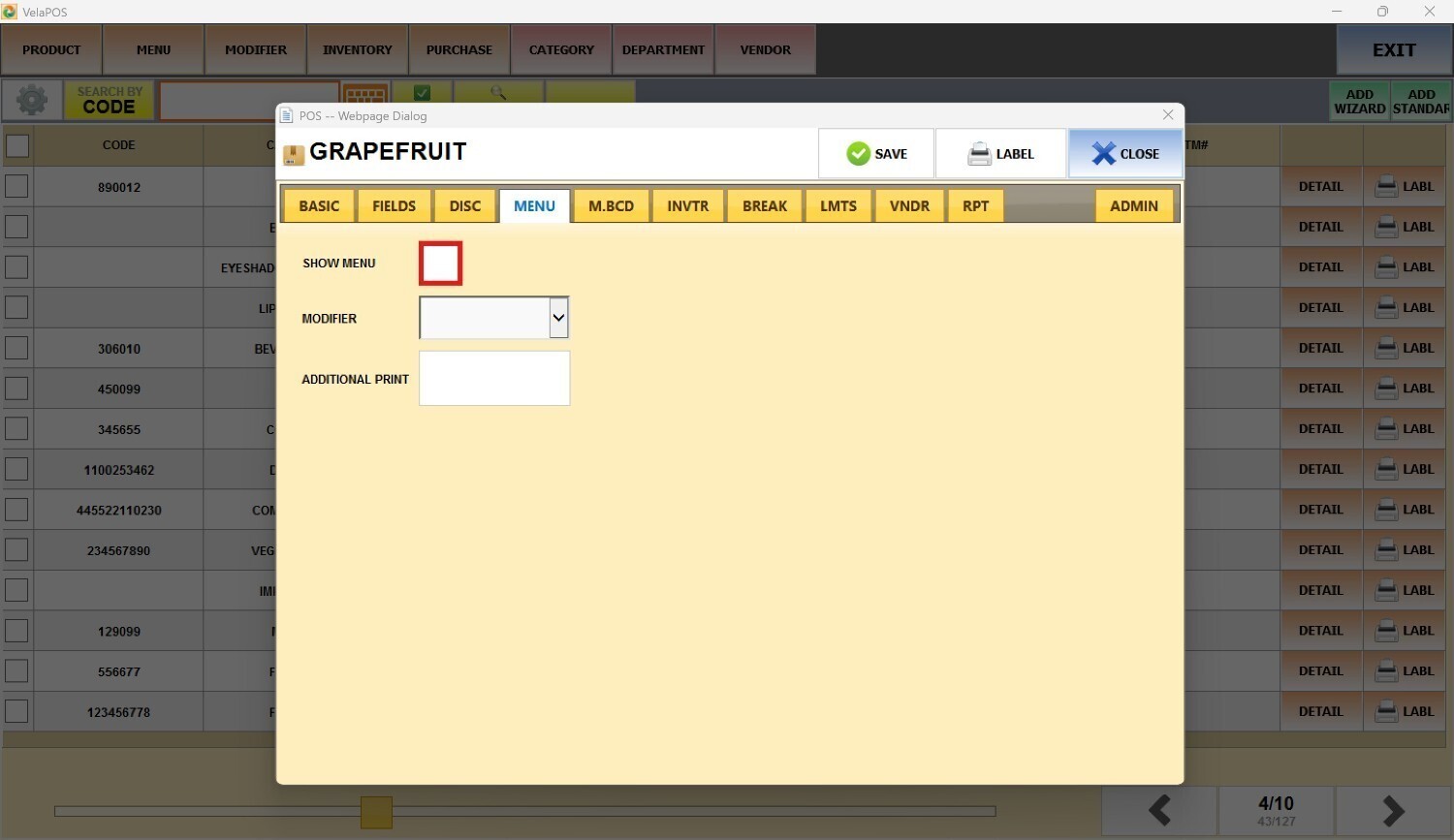
But it will not appear in the sales screen menu.
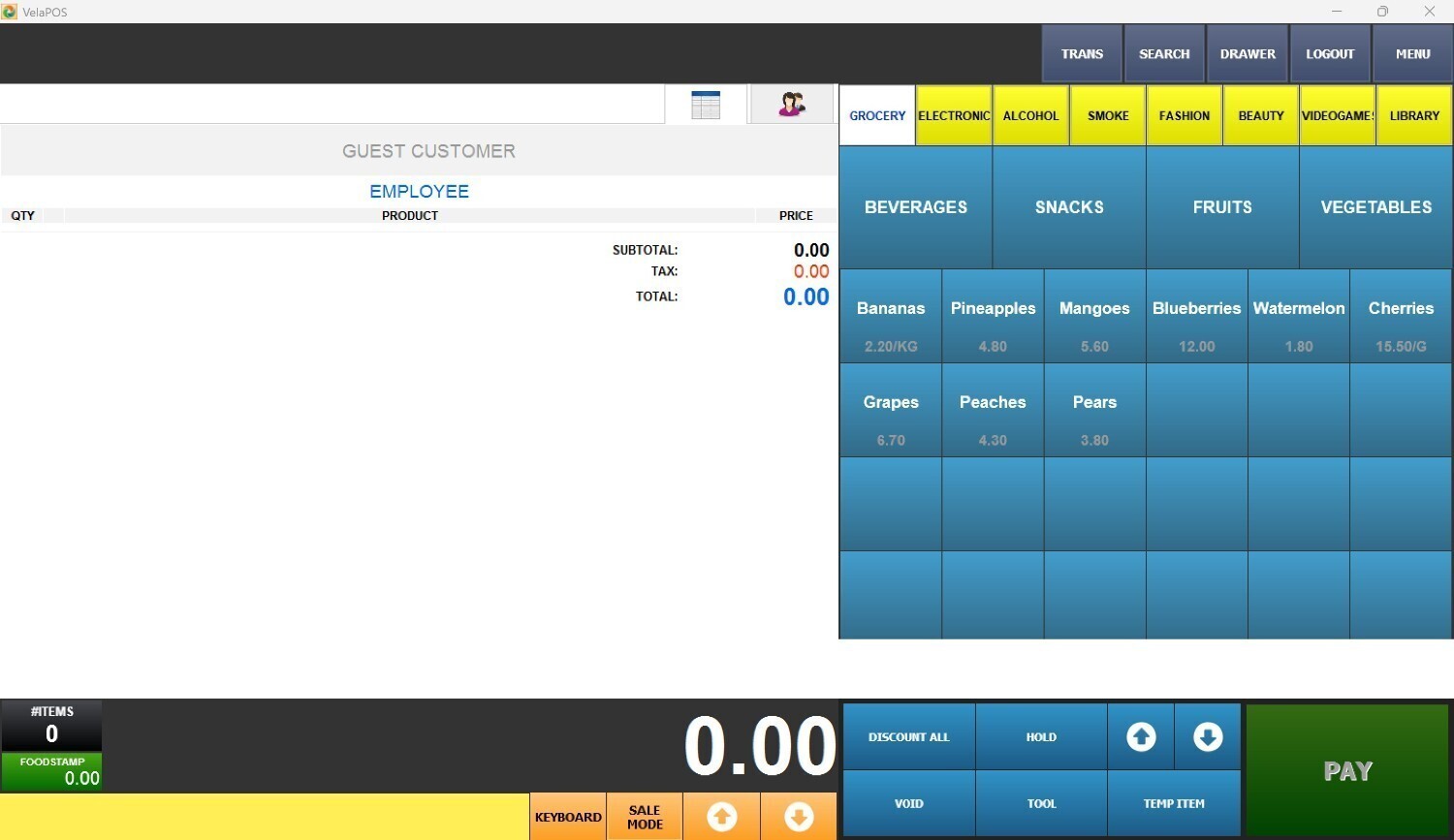
When the SHOW MENU box is checked, press SAVE.
The item will be displayed in the sales screen menu.
