Location Type: Standard / Store Price
This setting allows you to define which price a location will use as its primary selling price. It determines how the POS resolves product pricing when multiple price levels are available.
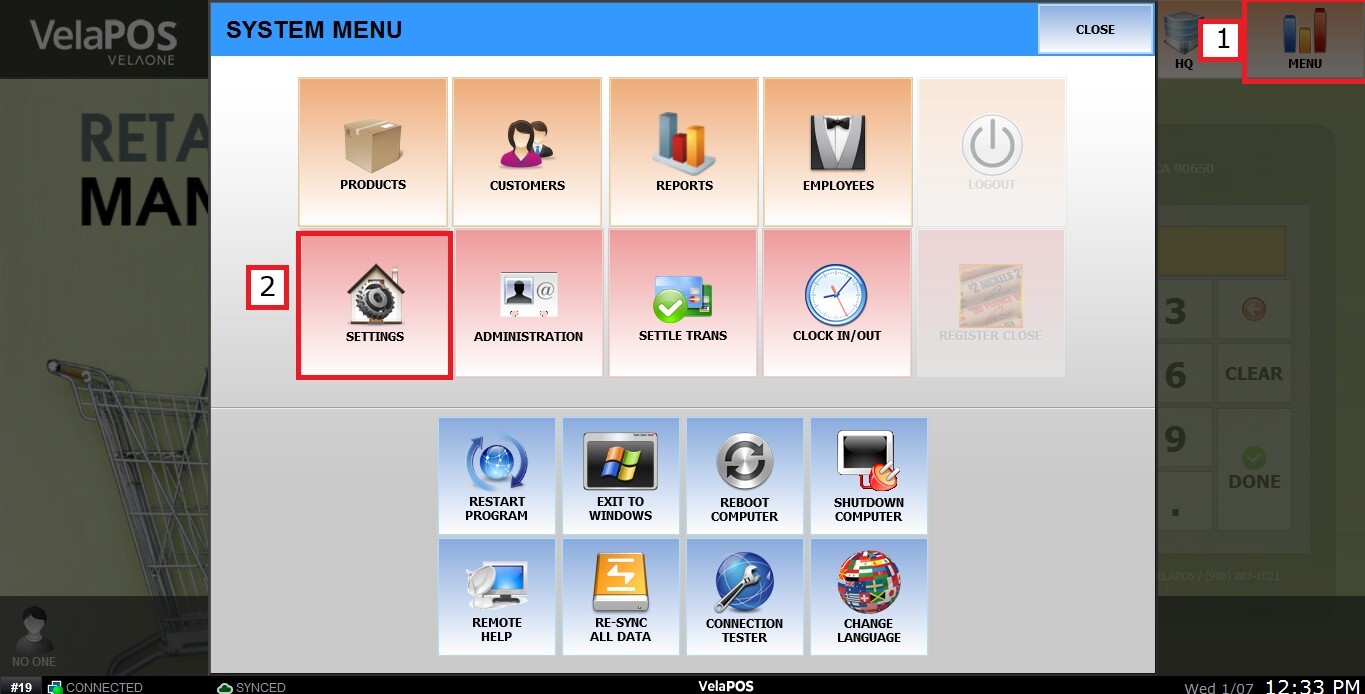
Main Screen > MENU > SETTINGS > PRODUCT > PRICE
Go to MENU, then SETTINGS.
Go to PRODUCT then PRICE

Use the dropdown menu to choose how prices are applied at this location:
Standard
Uses the Corporate Price by default, with the option to apply a Store Price override when configured on the BASIC tab of the product editor.
If a store-specific price exists for the product, it will be used instead of the corporate price.
If no store price is defined, the system falls back to the corporate price.
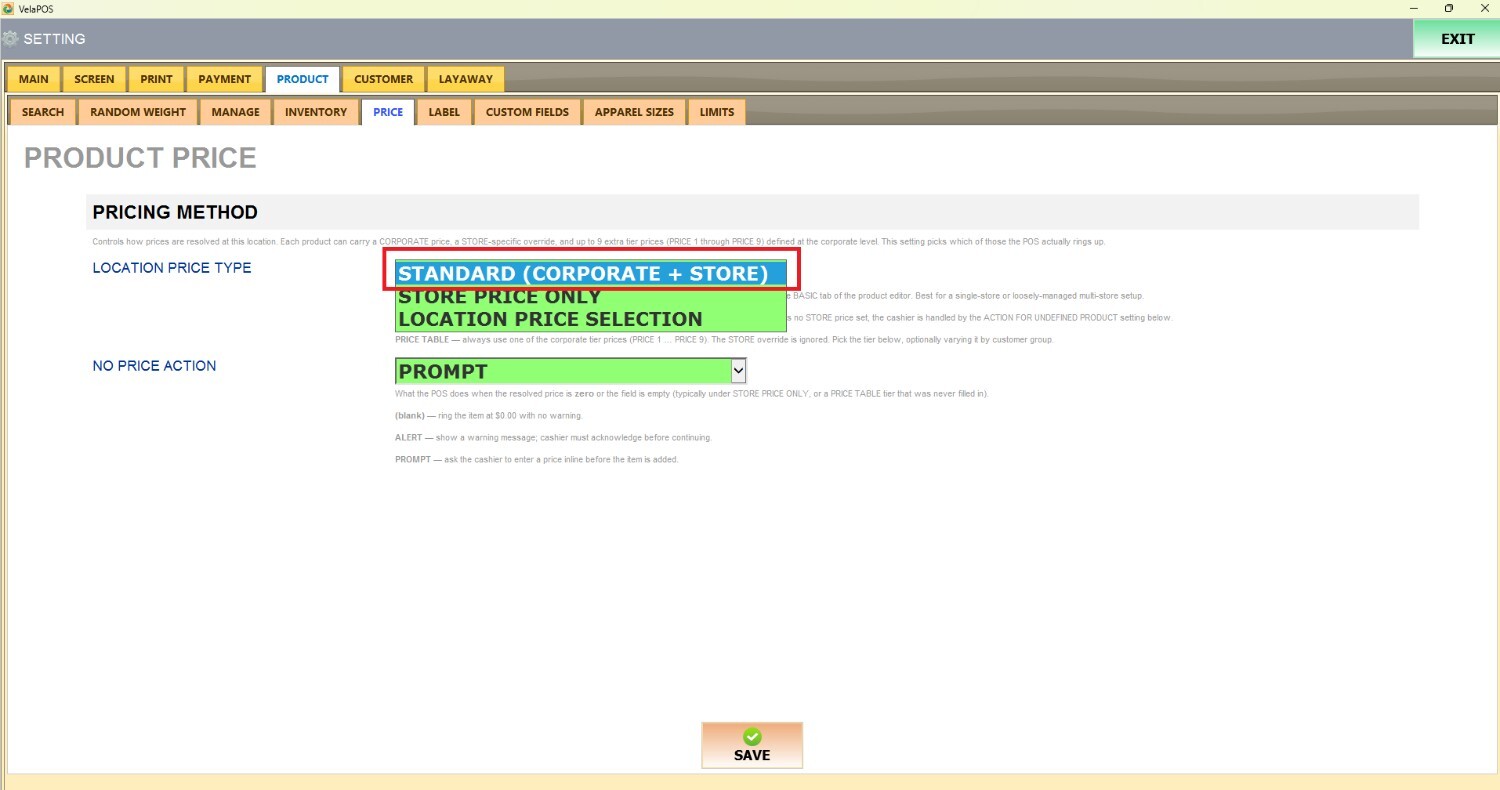
Store Price Only
The system will always use the Store Price. The Corporate Price is ignored, even if no store price is defined. If a product does not have a store price configured, the behavior will follow the “No Price Action” setting.

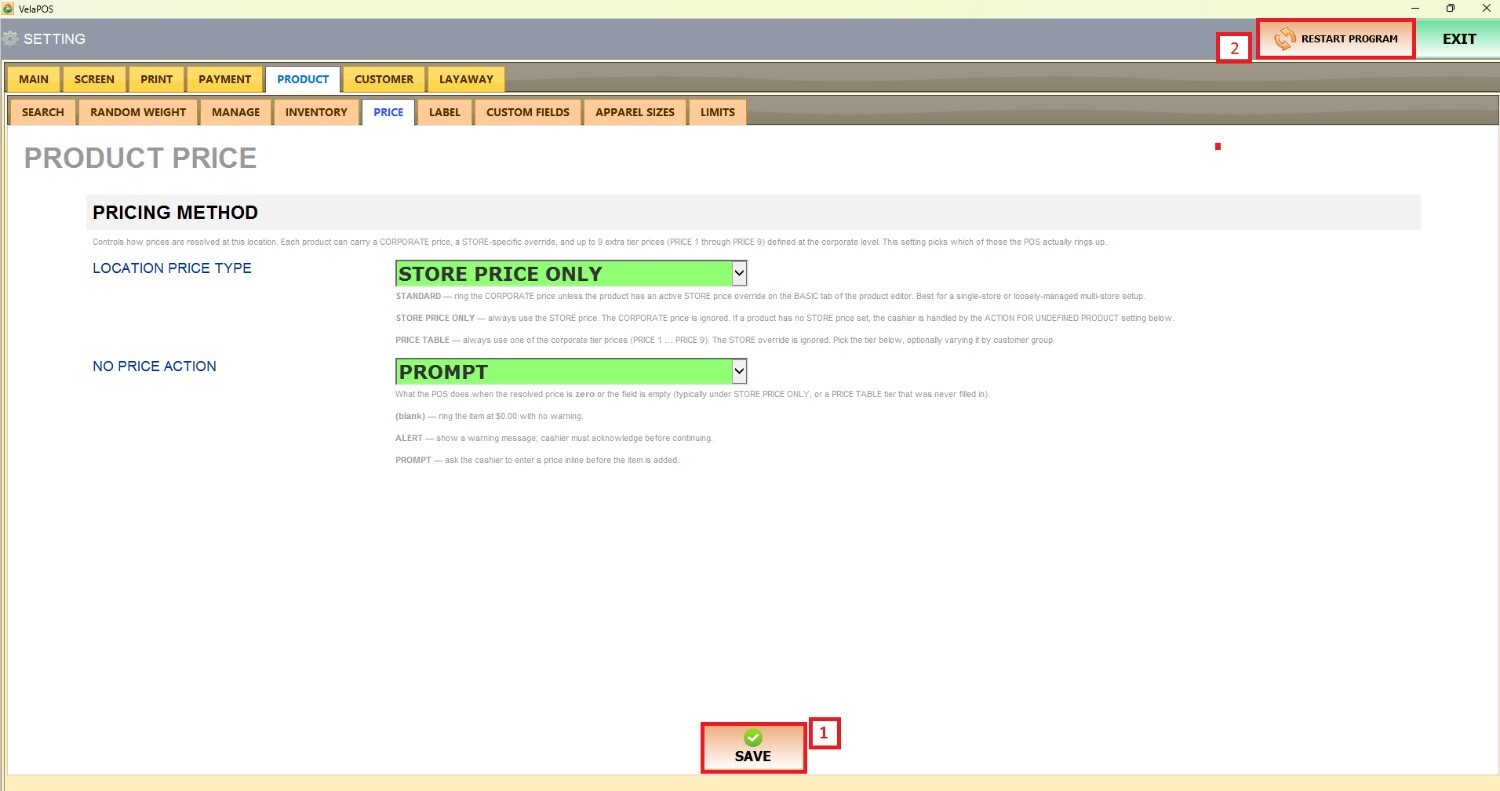
Once configured, click on SAVE and RESTART PROGRAM.
Refer to Location Price Selection to learn how to set the third location type option.