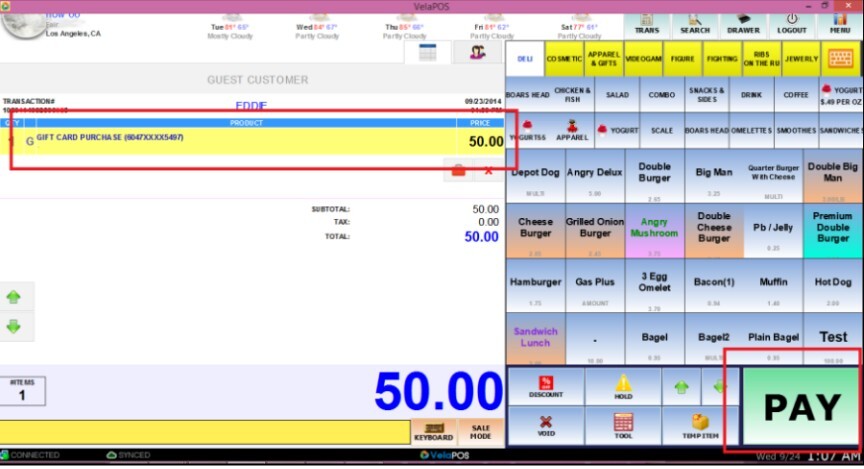
Giftcard Tools
The Giftcard Tools manage gift cards by adding funds, checking available balances, and issuing new cards.
Main Screen> Number Pad> Sales Screen> TOOL> GIFT CARD TOOLS
On the Main screen, click on the NUMBER PAD and input the assigned personal password.

Click on TOOL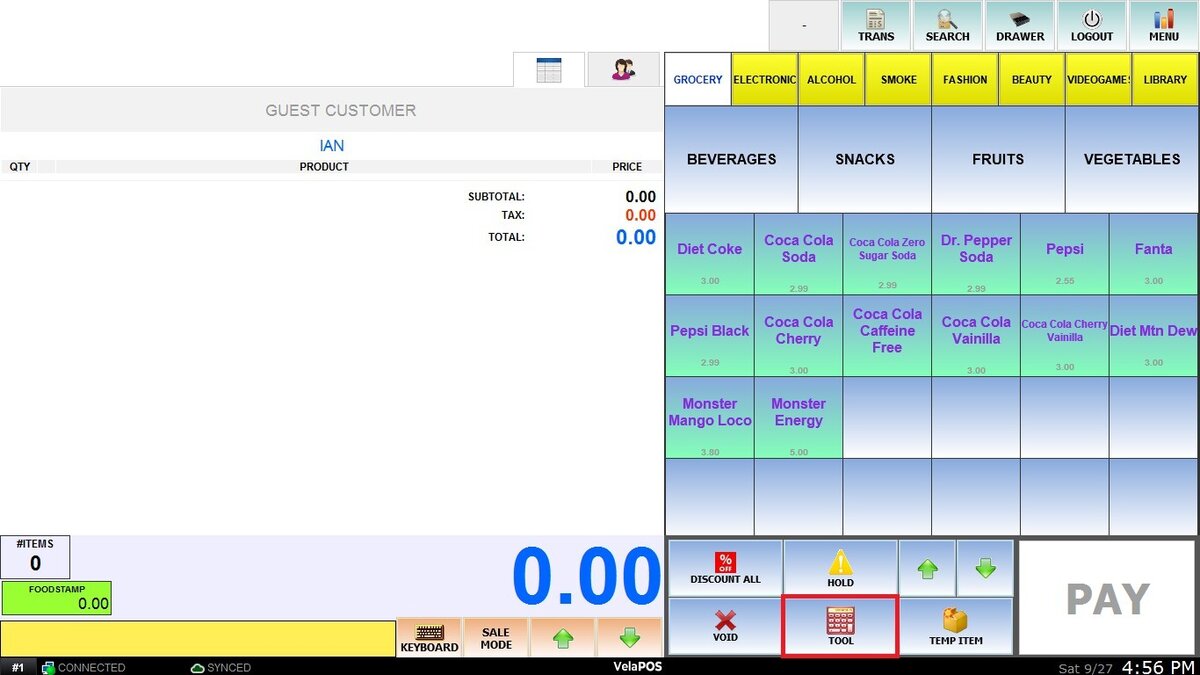
In the gift card section, choose the desired option:
Purchase: Sell a new gift card to a customer.
Reload: Add funds to an existing gift card.
Check Balance: View the available balance on the card.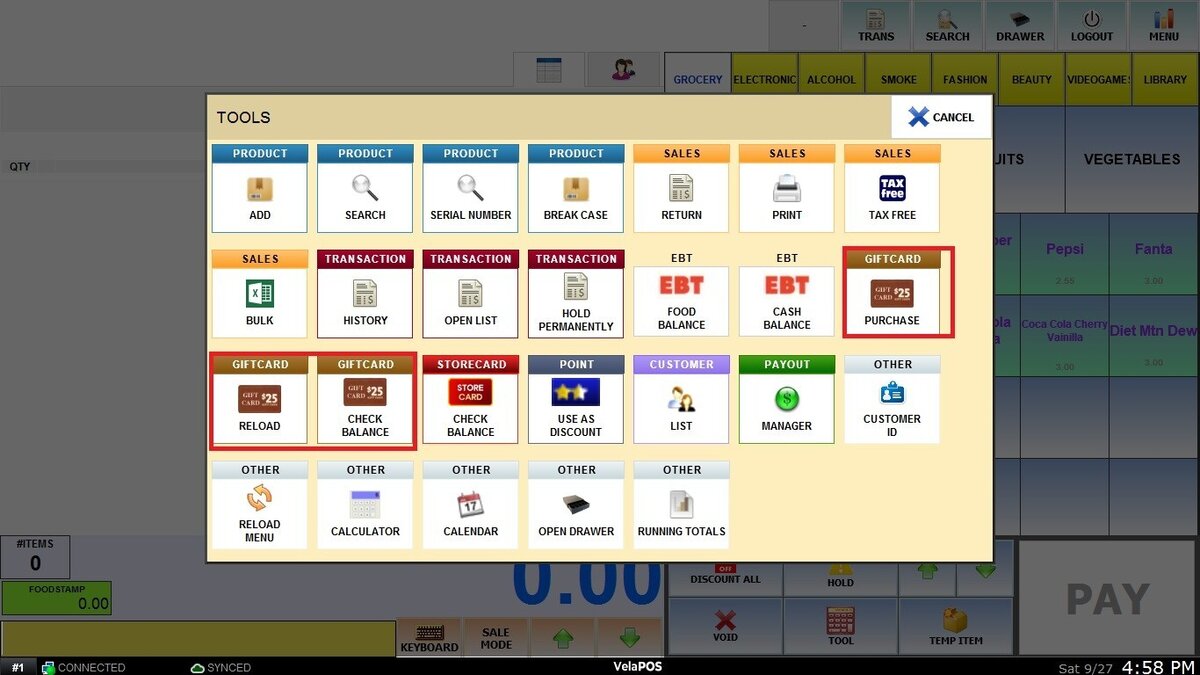
For PURCHASE and RELOAD, enter the desired amount that will be loaded.
Once the option is selected, the card code can be scanned, swiped on the MSR, or entered manually before selecting PROCESS.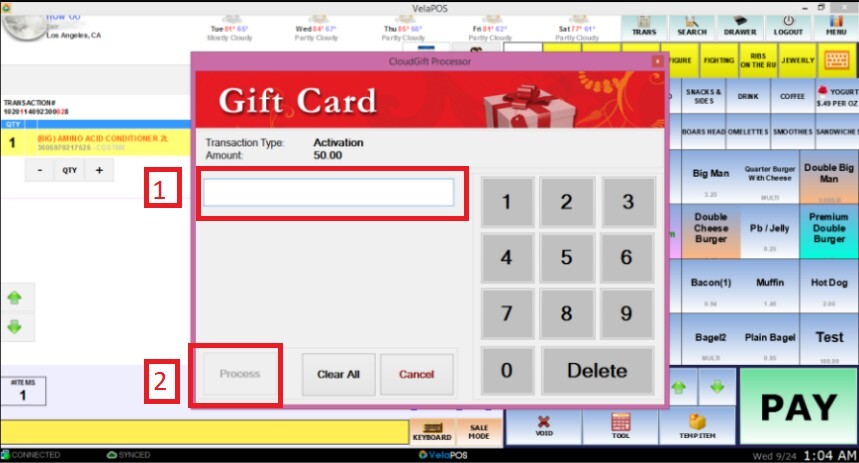
Note: Each option displays the transaction type and amount of money.
Complete the process by clicking on PAY, and finalize it as you would with any other purchase.