Sales Screen Terminal specific
This section allows you to configure visual and layout settings that apply only to the specific POS terminal screen.
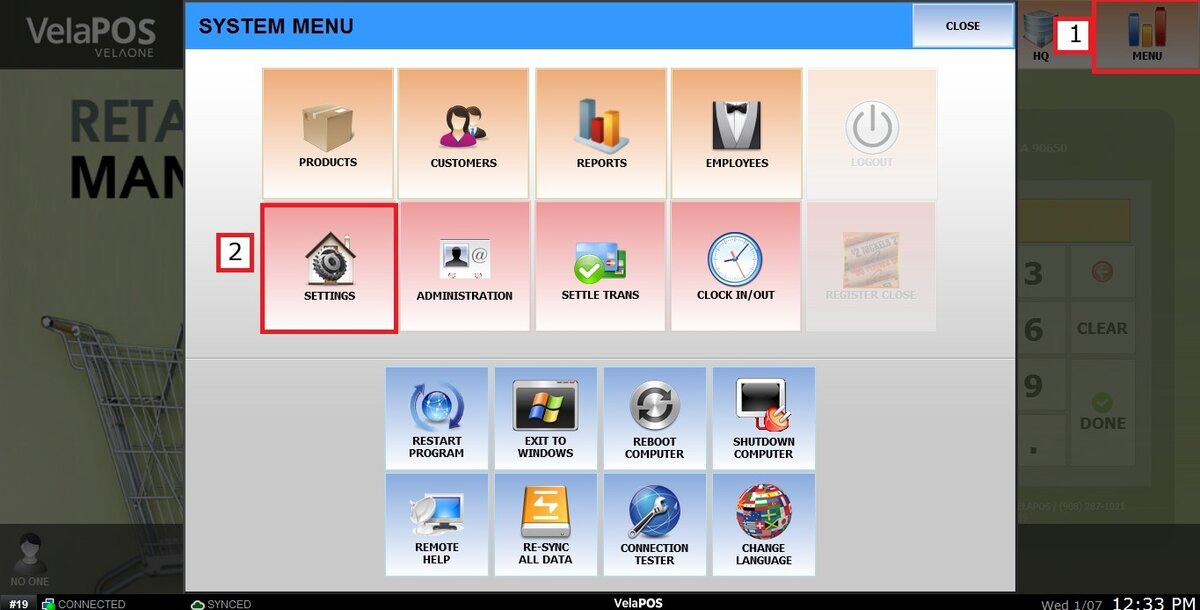
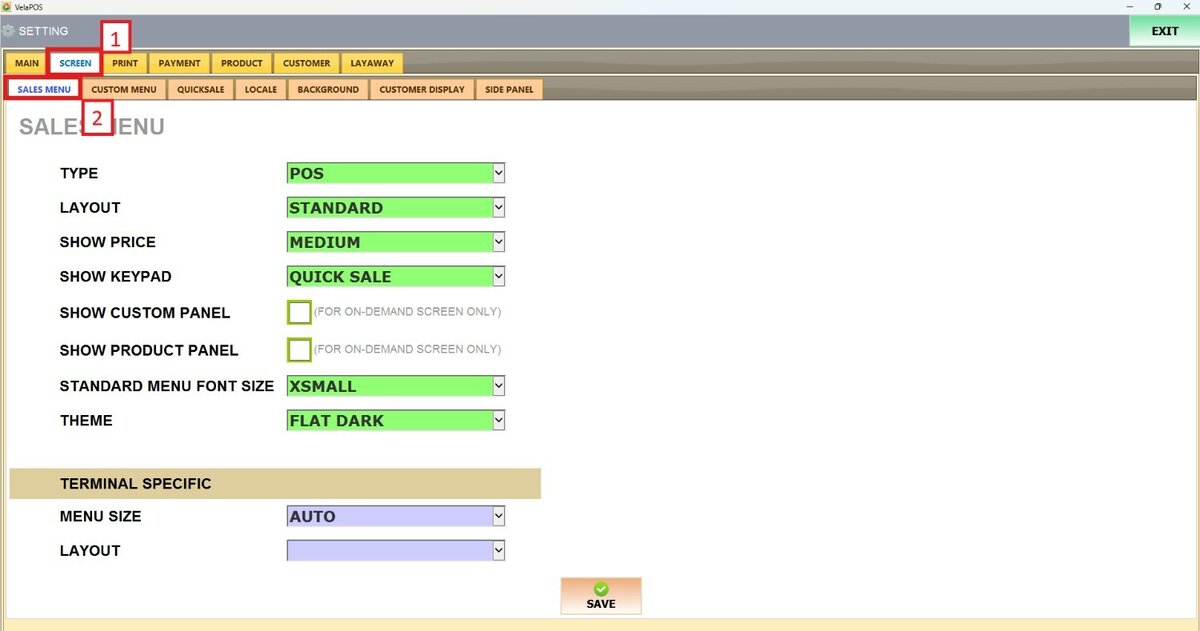
Main Screen> MENU> SETTINGS> SCREEN > SALES MENU
Go to MENU and press SETTINGS.
Under the SCREEN tab, select SALES MENU and navigate to the TERMINAL SPECIFIC section.
On TERMINAL SPECIFIC, there are 2 options to choose from:
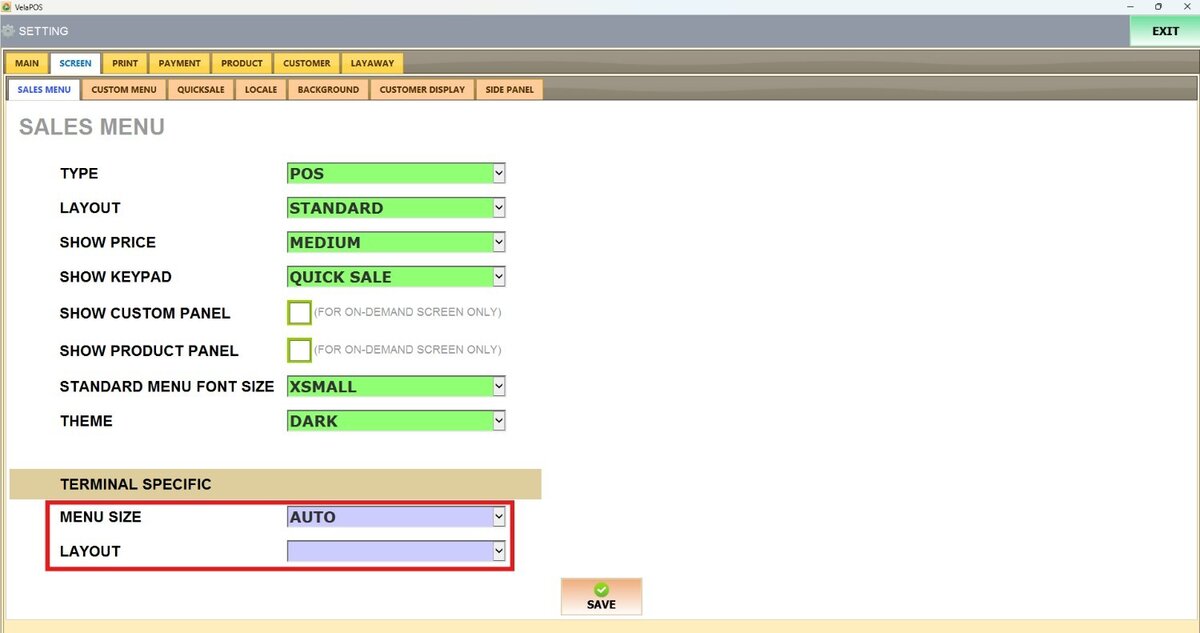
1. MENU SIZE: This setting allows you to choose how large the system interface will appear on the screen.

2. LAYOUT: This option defines how the menu and categories are displayed on the POS.
Hint: For a detailed explanation of how each layout works and how to configure them, please refer to the Layout guide.
After making all the changes, click on SAVE and RESTART THE PROGRAM.
