Food Stamp
This option controls how the system displays and tracks the total amount of EBT eligible items during a transaction, ensuring proper visibility and compliance.
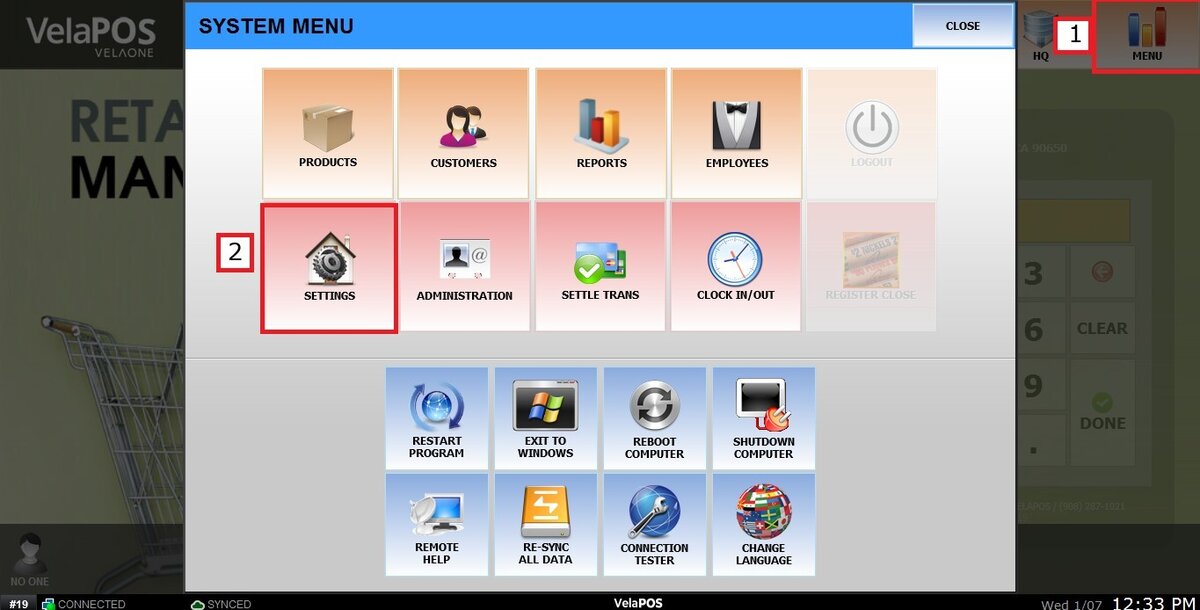
Main Screen> MENU> SETTINGS> MAIN> SALES
Go to MENU and press SETTINGS.
Under the MAIN tab, select SALES and scroll down until the FOODSTAMP section.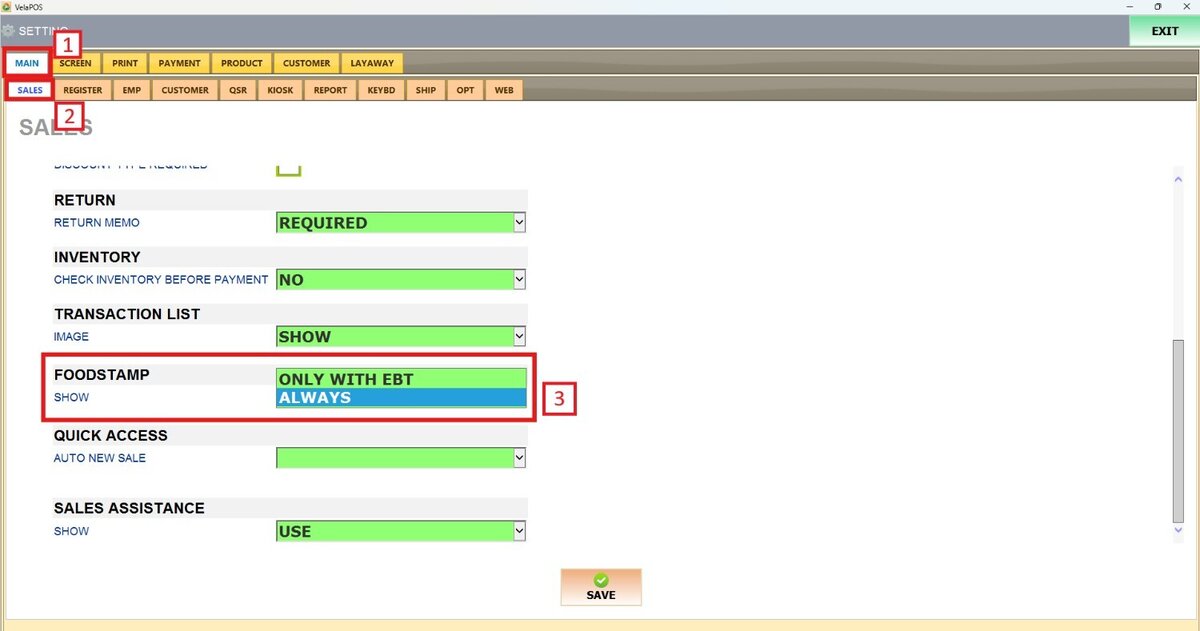
On SHOW, there are 2 options to choose from: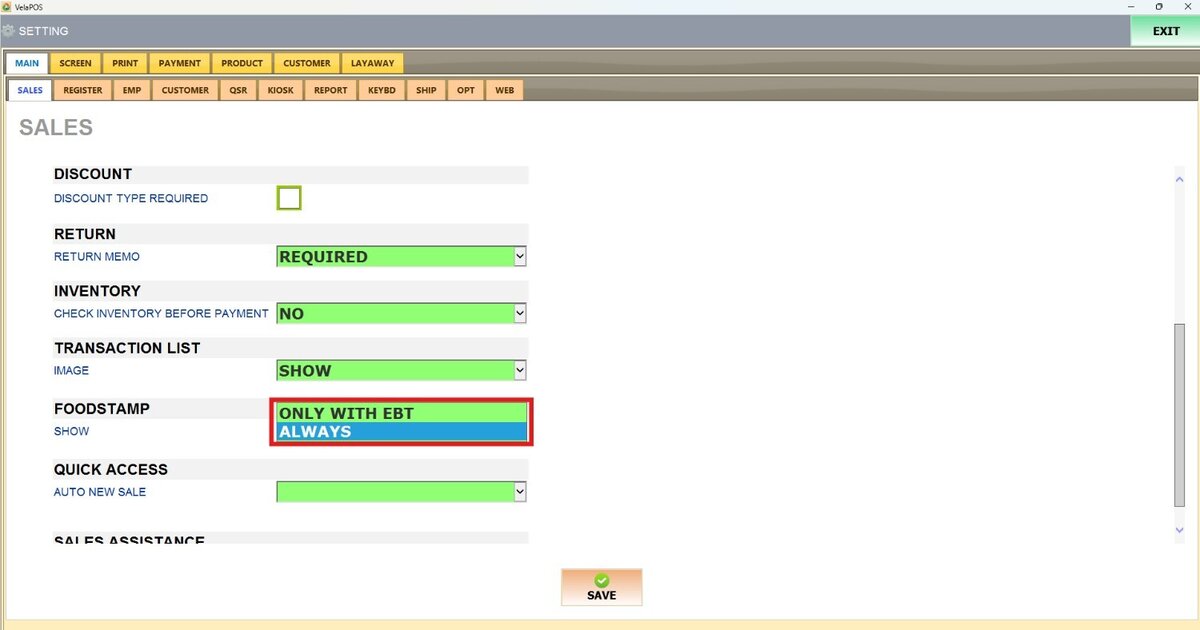
1. ALWAYS: The Foodstamp total box is always visible on the screen. If no foodstampable items are selected, the displayed amount will be zero.

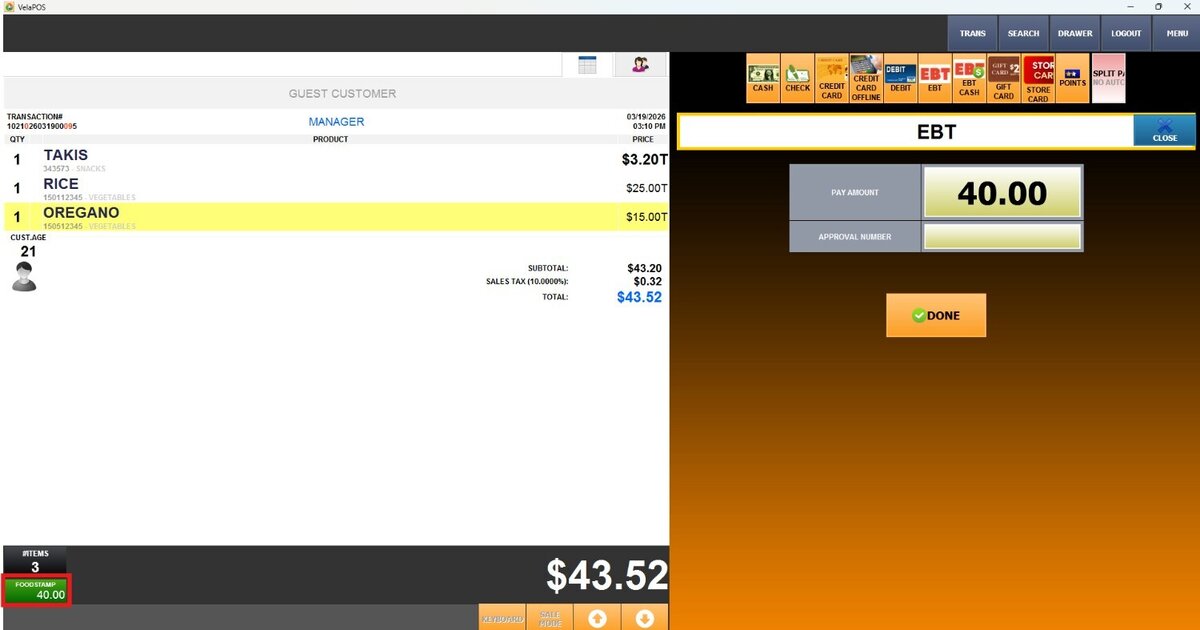
2. ONLY WITH EBT: The Foodstamp total box appears only during the payment process when EBT is selected as the payment method
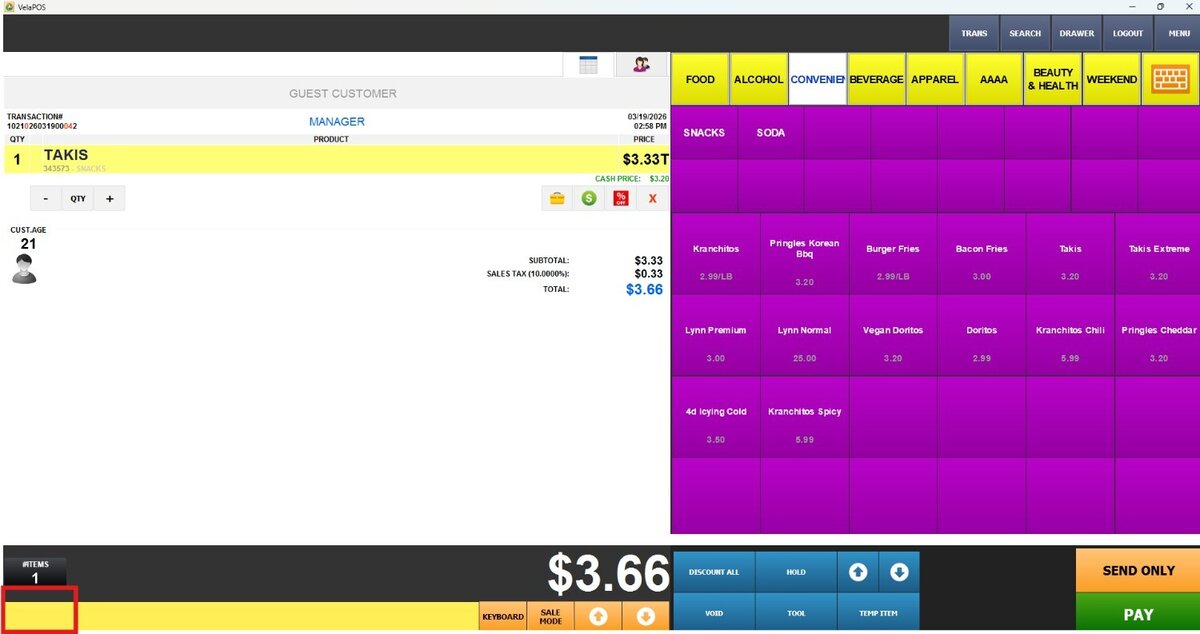
Once EBT is selected, the Foodstamp button becomes visible.
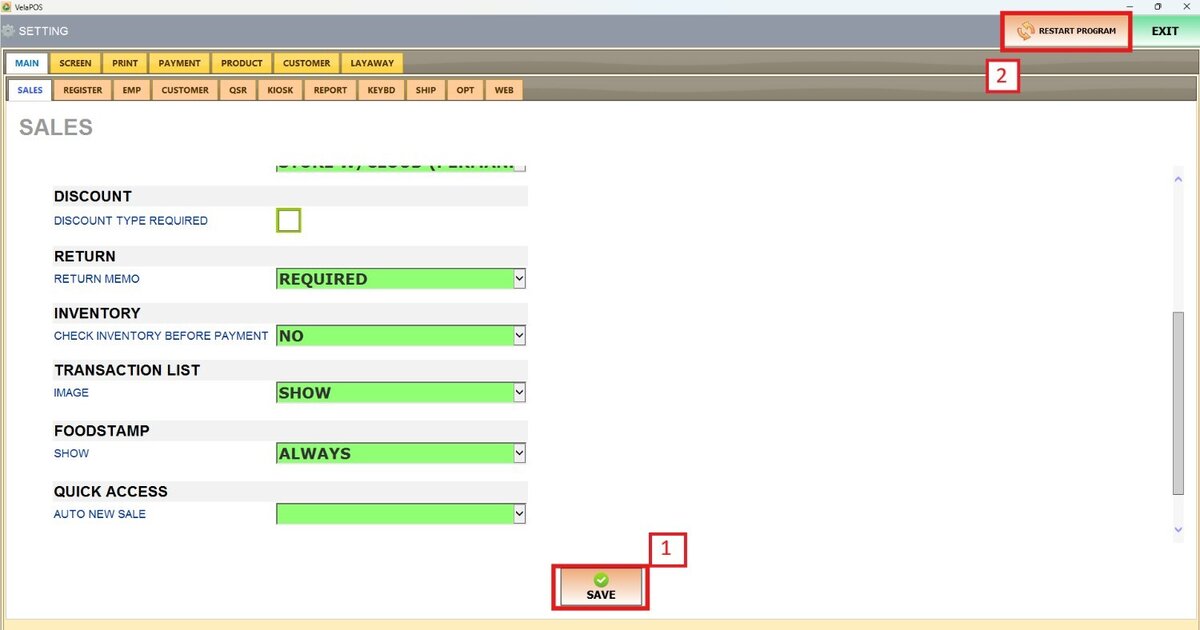
Don't forget to press SAVE and RESTART THE PROGRAM to apply the changes.