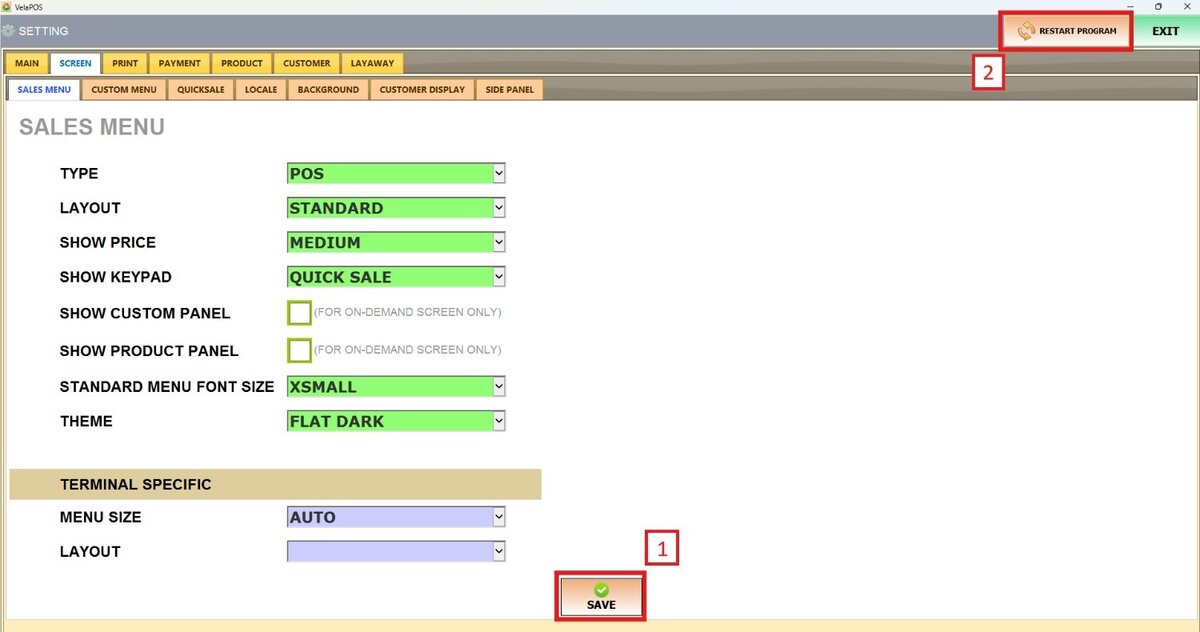
Theme
This setting allows users to customize the visual appearance of the Sales Screen
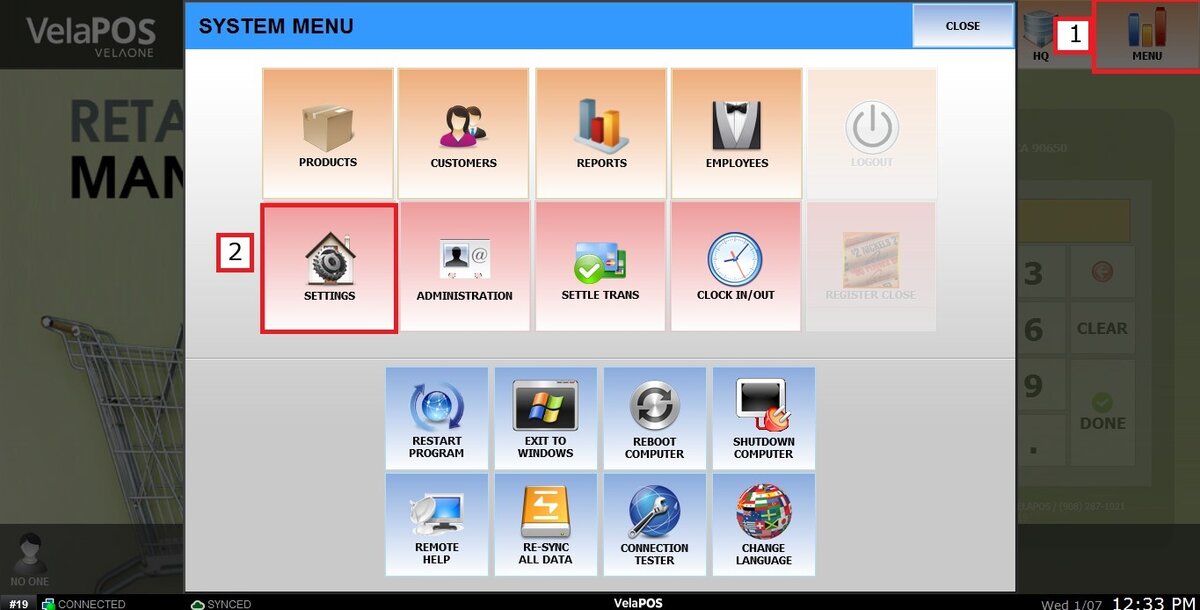
Main Screen> MENU> SETTINGS> SCREEN > SALES MENU
Go to MENU and press SETTINGS.
Under the SCREEN tab, select SALES MENU and navigate to the THEME section.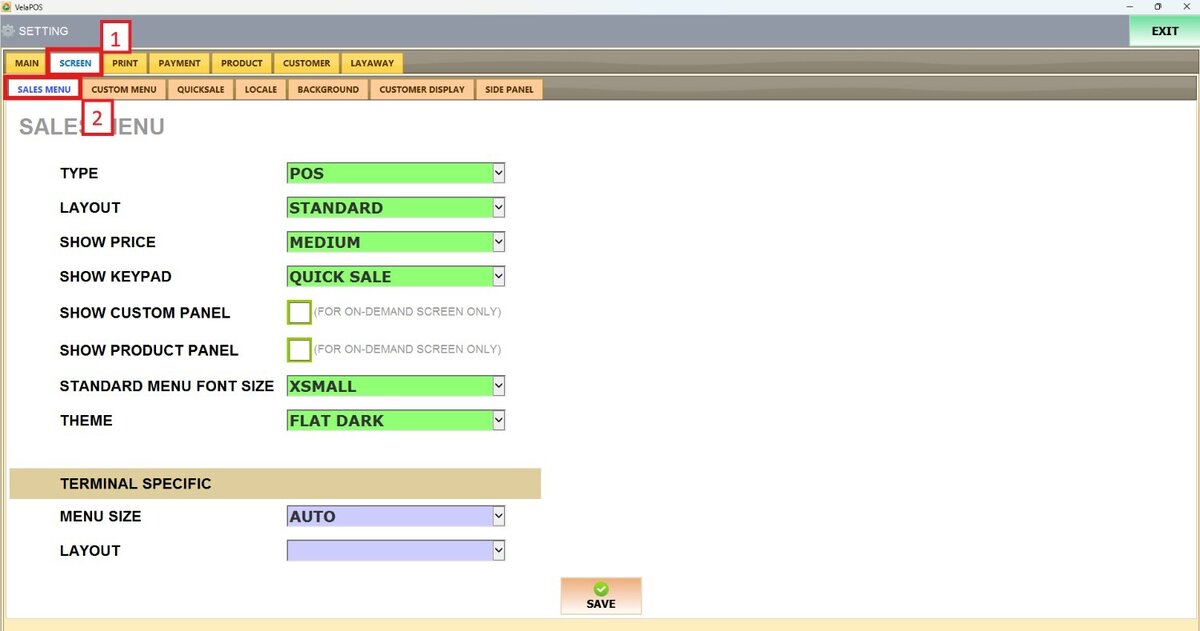
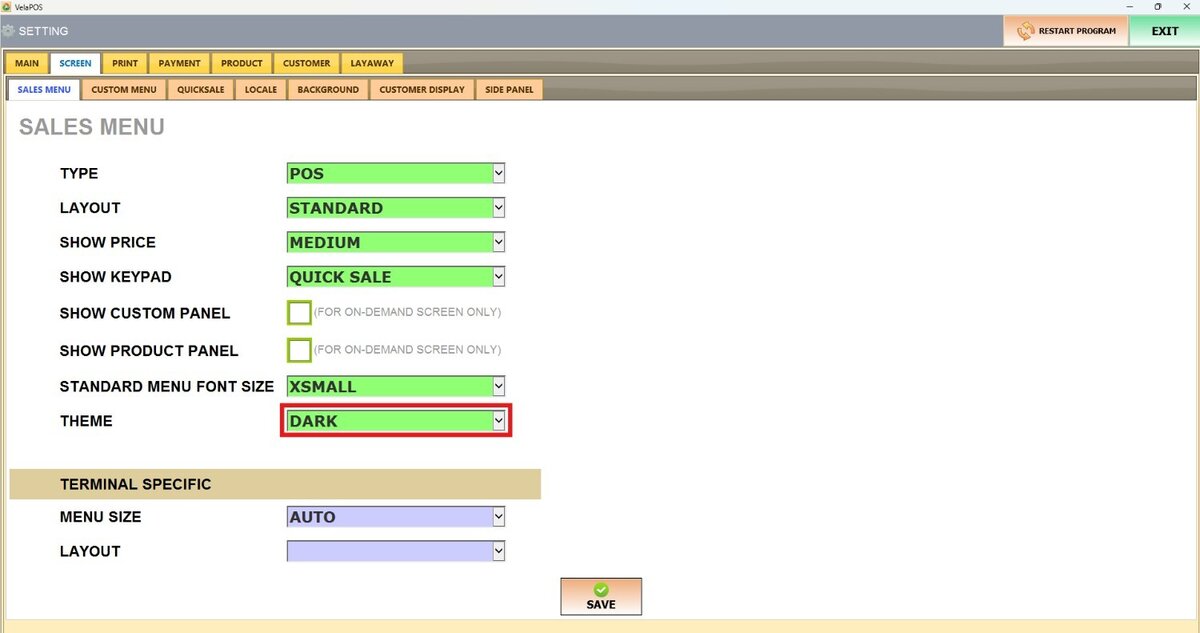
On THEME, there are 4 options to choose from: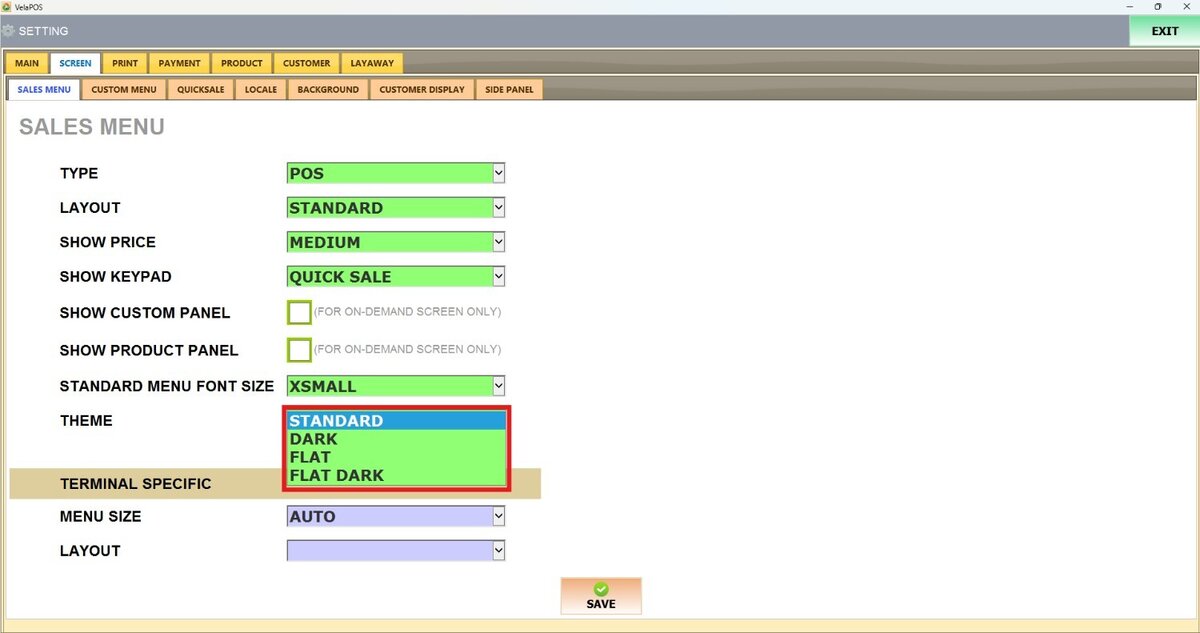
1. STANDARD THEME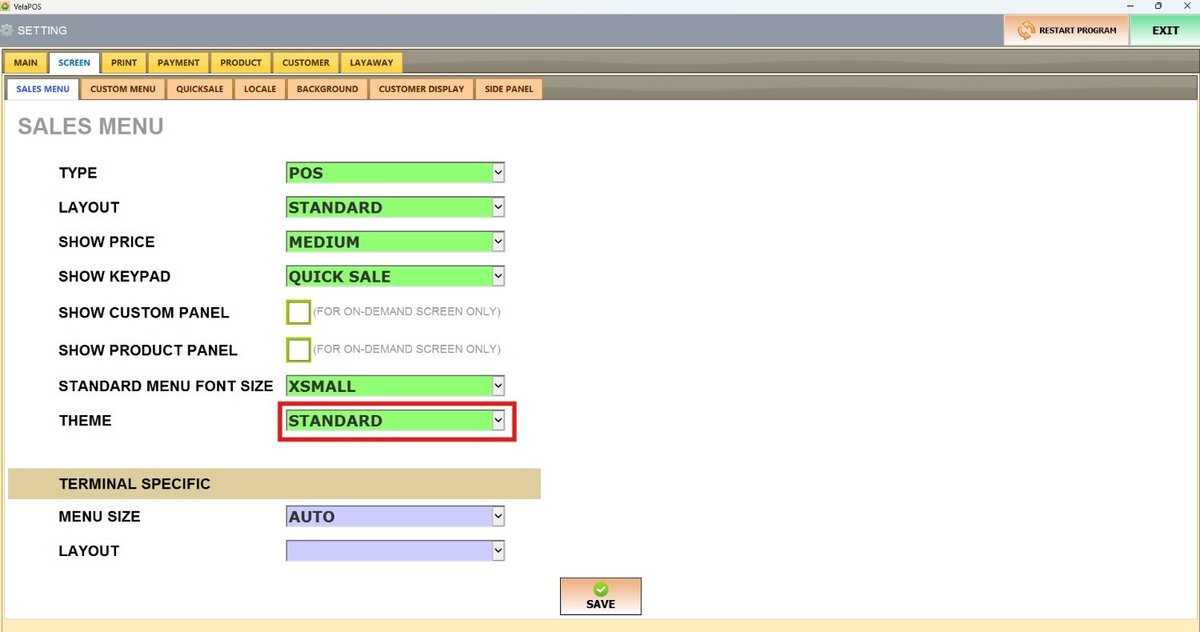
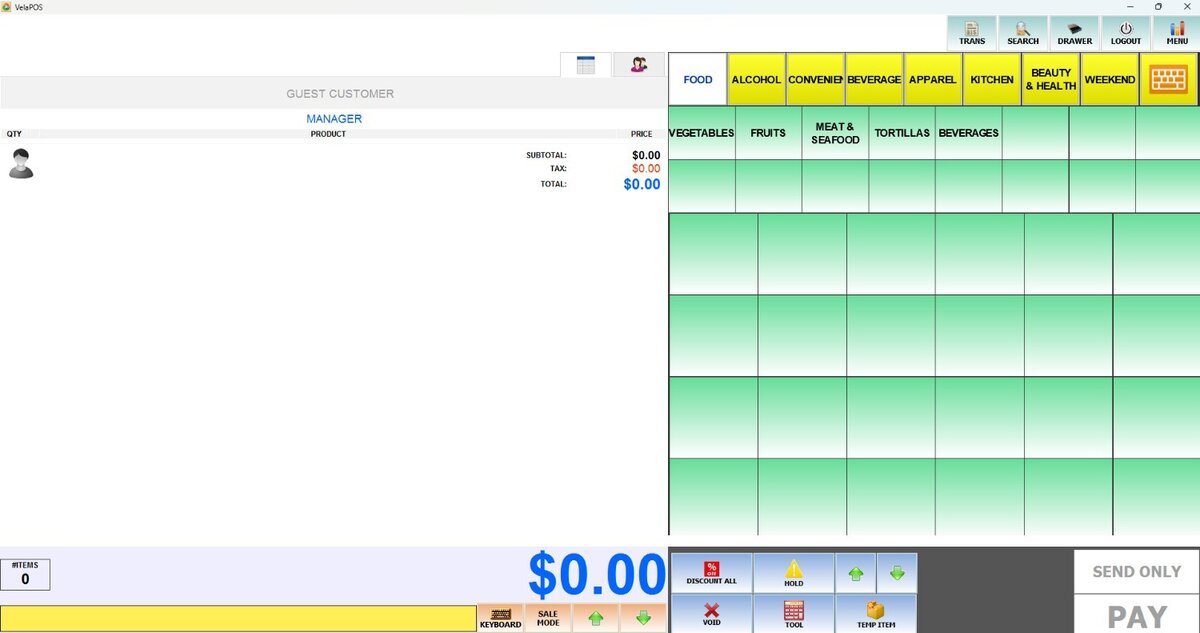
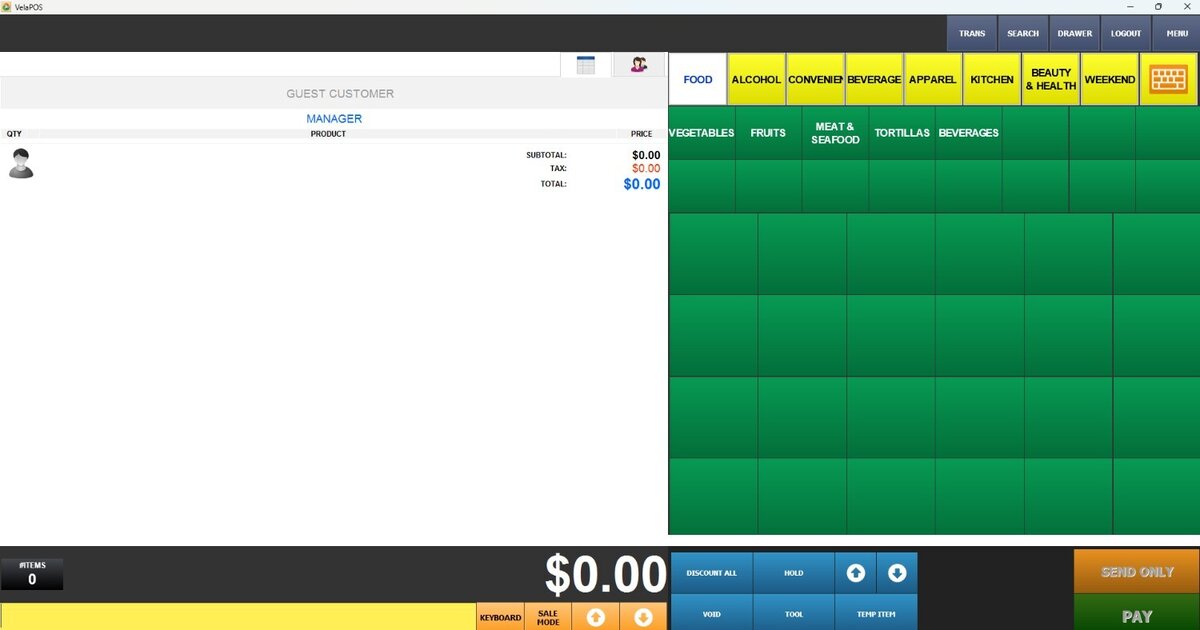
2. DARK THEME
3. FLAT THEME
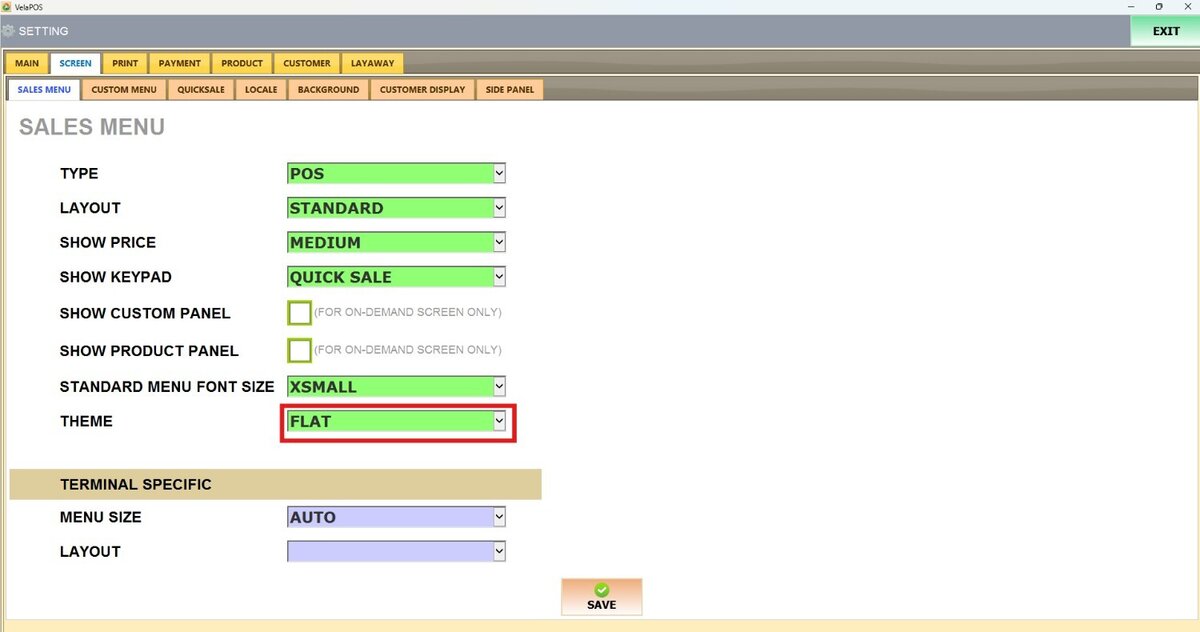
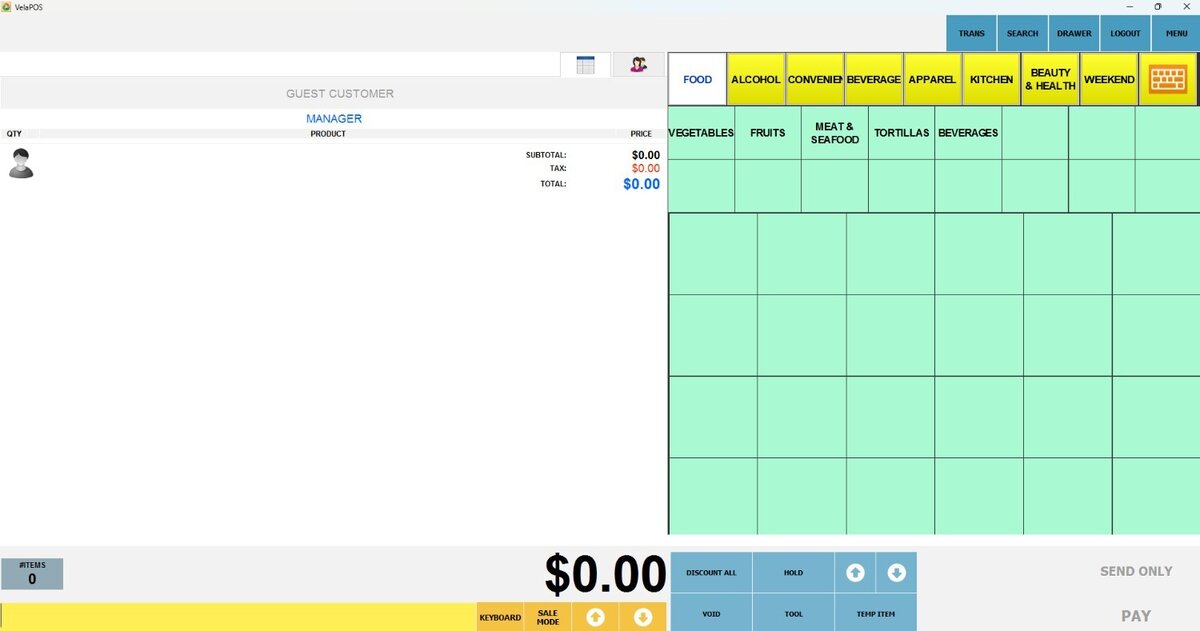
4. FLAT DARK
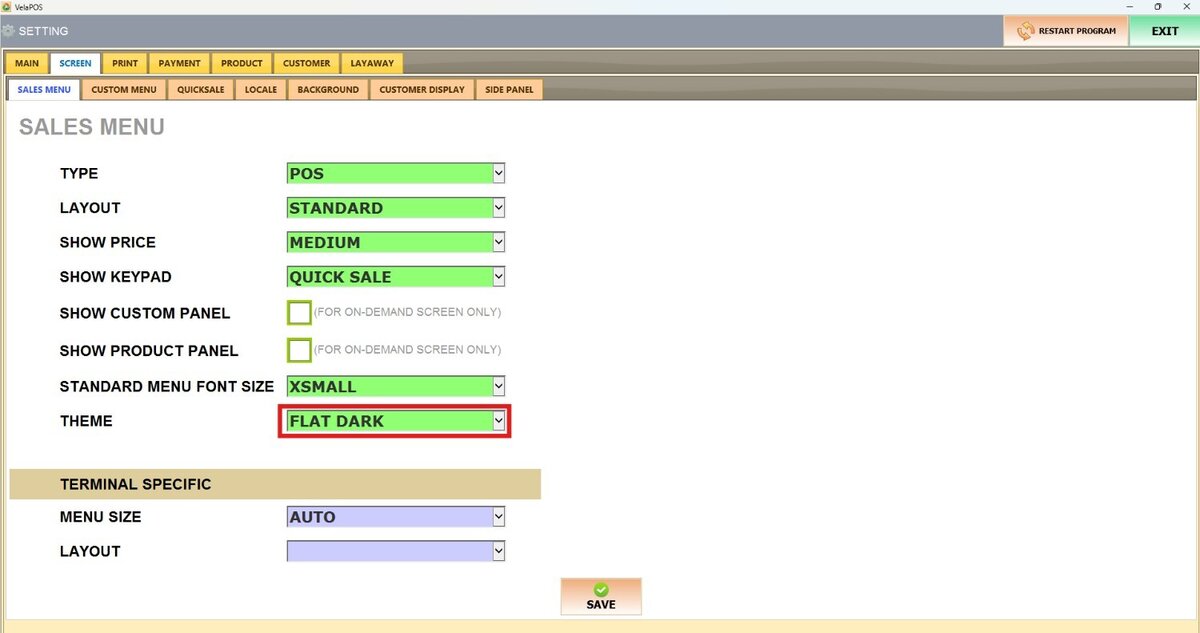
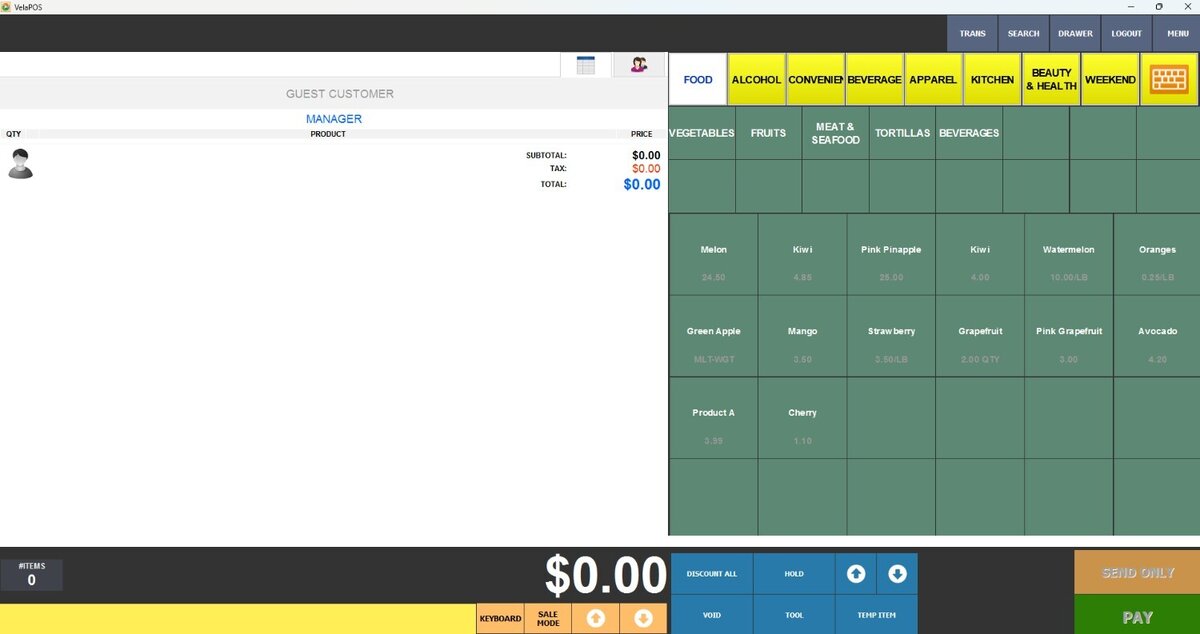
After selecting an option, press on SAVE and RESTART THE PROGRAM.