Export to Excel
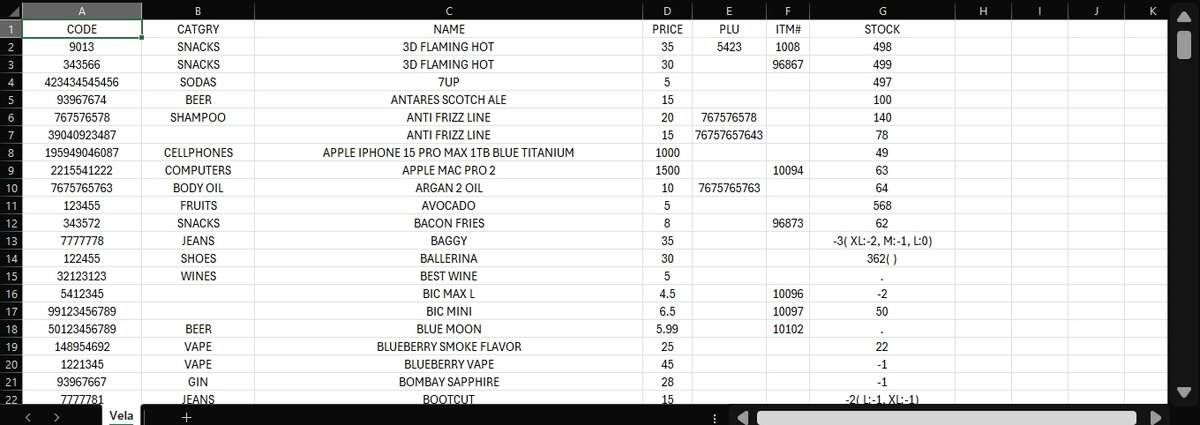
The function allows you to export your current product list into a spreadsheet file.
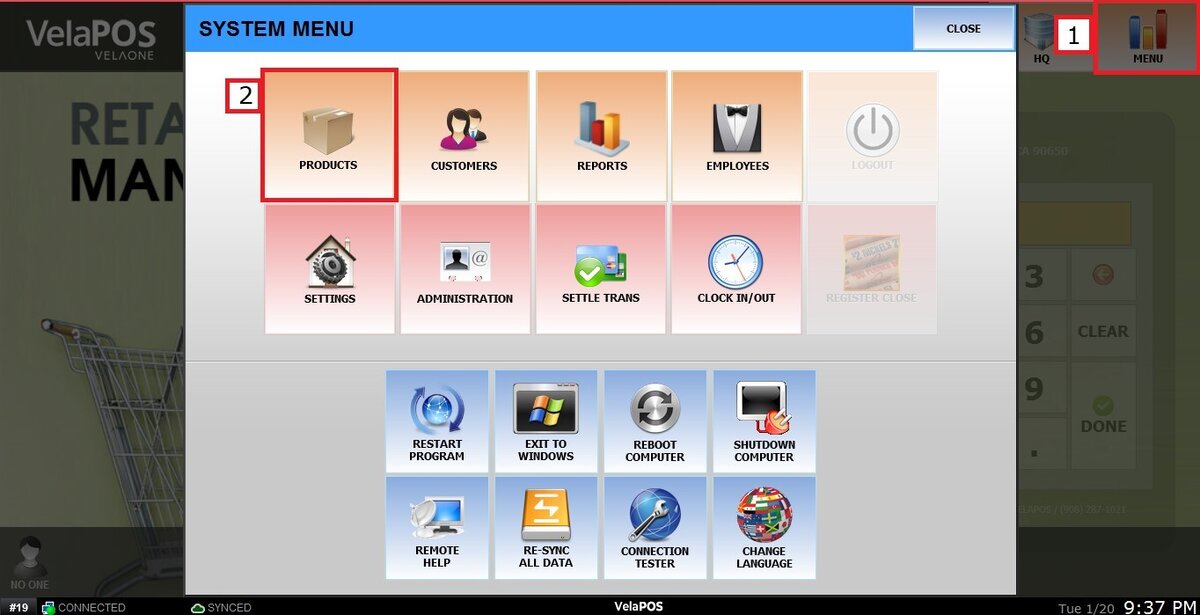
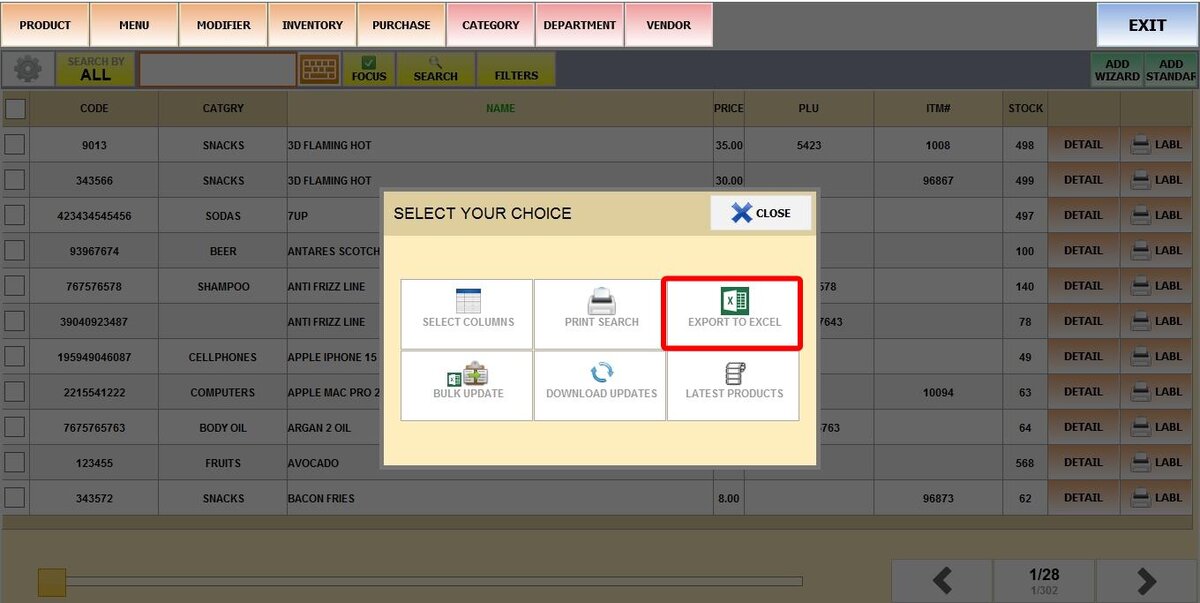
Main Screen> MENU > PRODUCTS> GEAR ICON> EXPORT TO EXCEL.
Go to MENU, then select PRODUCTS.
Click the GEAR ICON.

Select EXPORT TO EXCEL.
The system will generate the file and then prompt you to choose where to save the Excel export.
Result:
Having this file on hand makes it easier to access your data when performing a Bulk Update or a Bulk Sale.