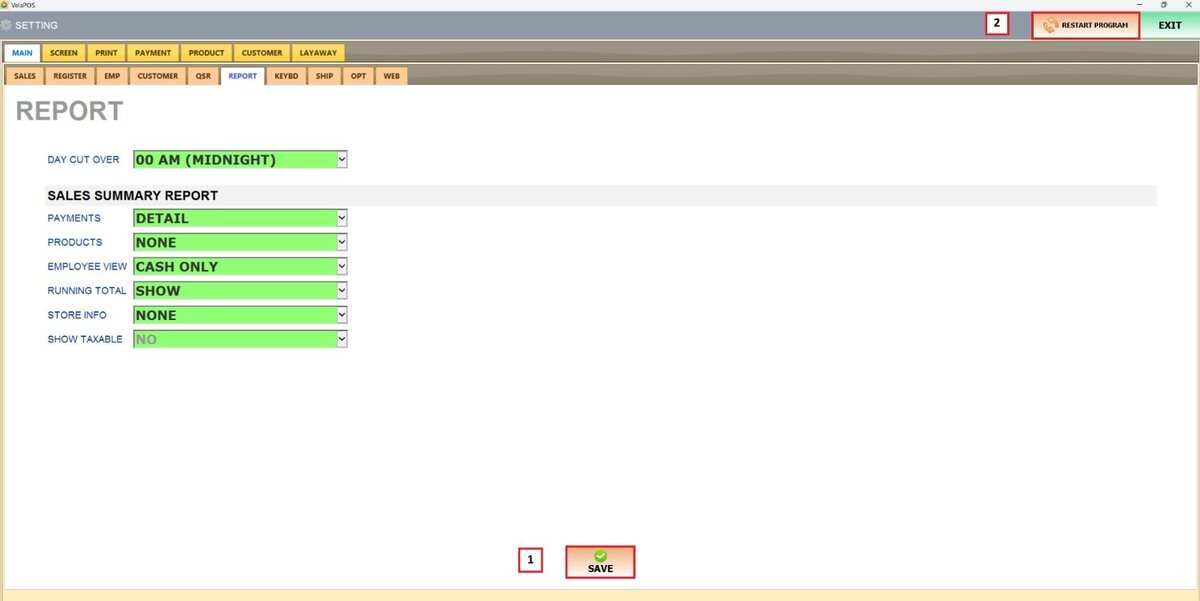
Day Cut Over
This feature defines the official close of business by setting a specific cutoff hour, ensuring the reports reflect activity up to the selected time.
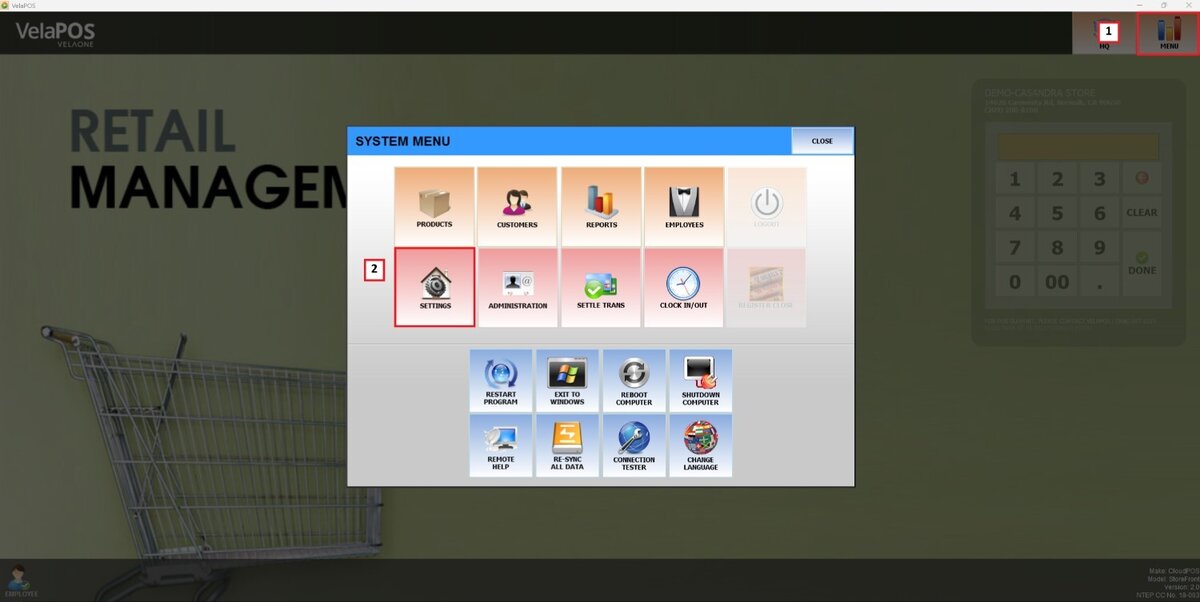
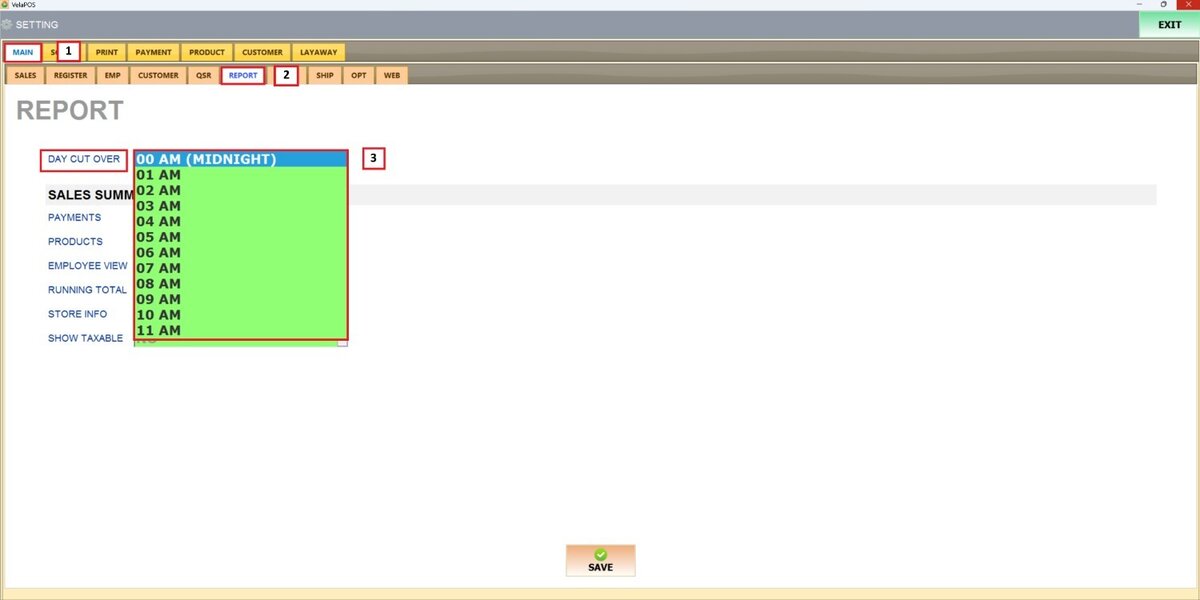
Main Screen> MENU> SETTINGS> MAIN> REPORT
Go to MENU and press SETTINGS
Under MAIN, go to REPORT and open the DAY CUT OVER drop-down menu to select a desired cutoff hour.
Once the chosen time is selected, press SAVE and RESTART THE PROGRAM to apply the changes.