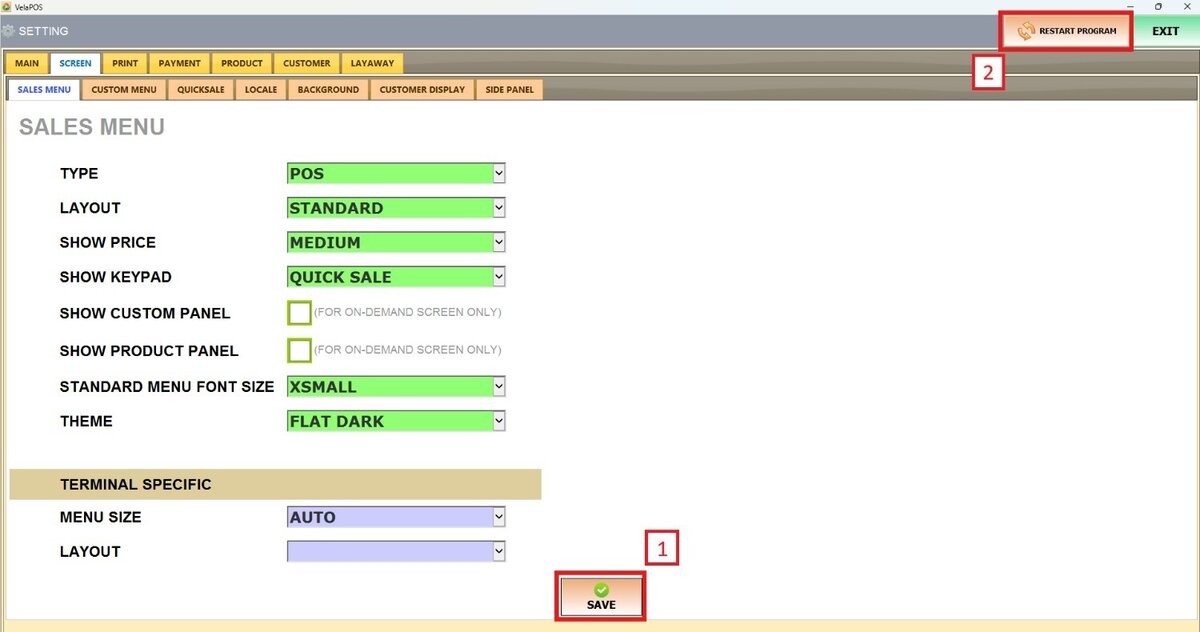
Standard Menu Font Size
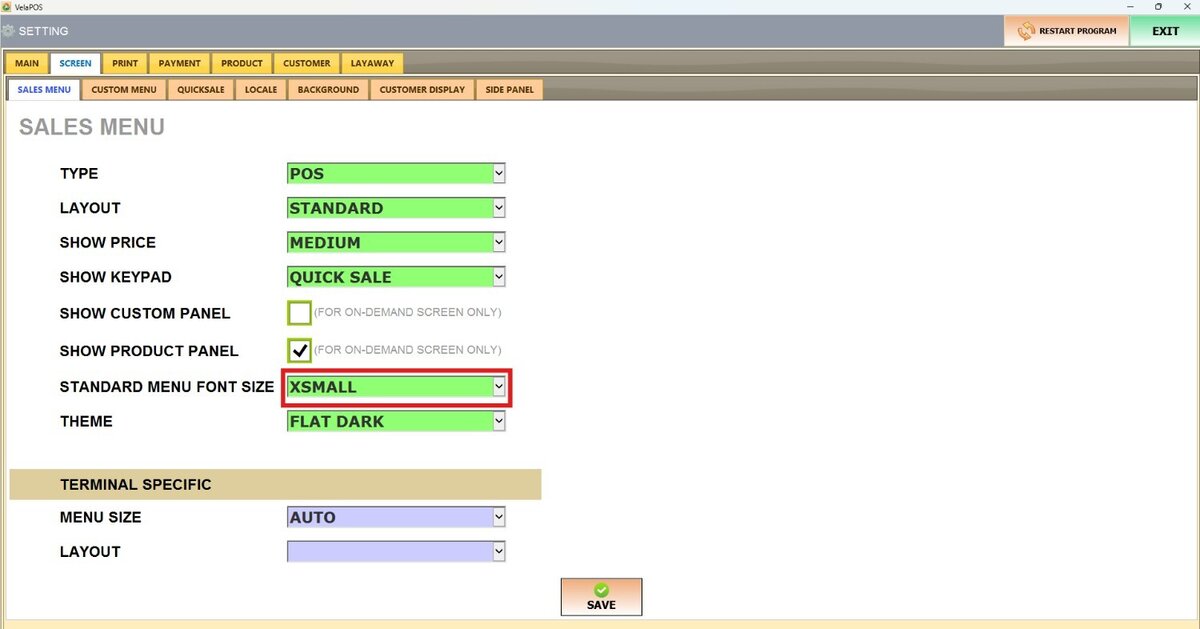
This feature allows users to adjust the size of the text displayed in the Sales screen
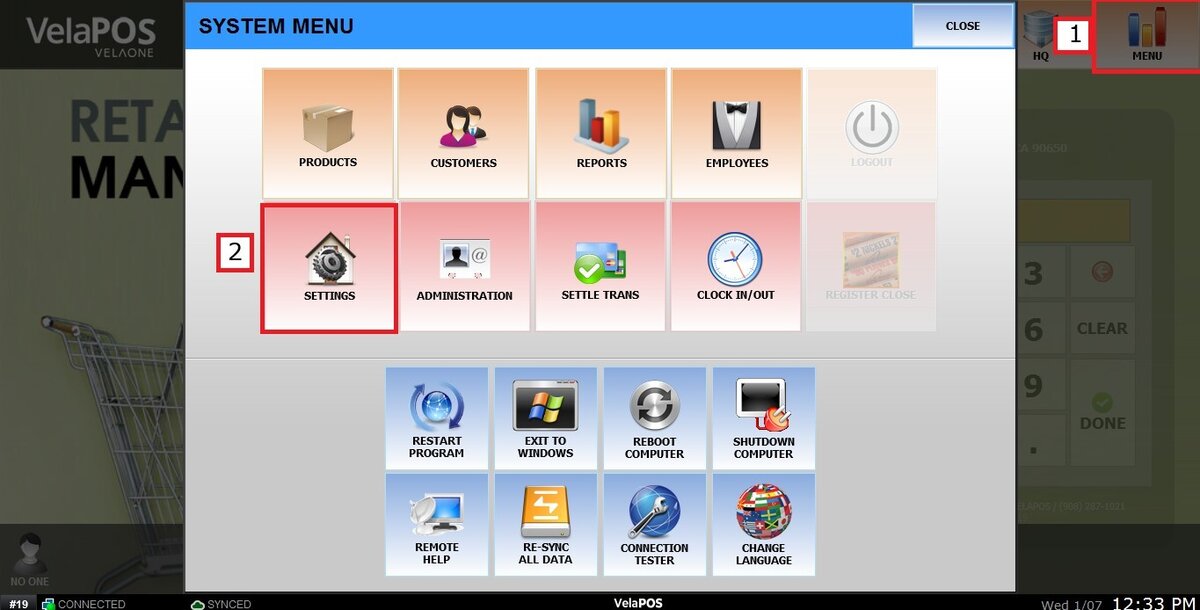
Main Screen> MENU> SETTINGS> SCREEN > SALES MENU
Go to MENU and press SETTINGS.
Under the SCREEN tab, select SALES MENU and navigate to the STANDARD MENU FONT SIZE section.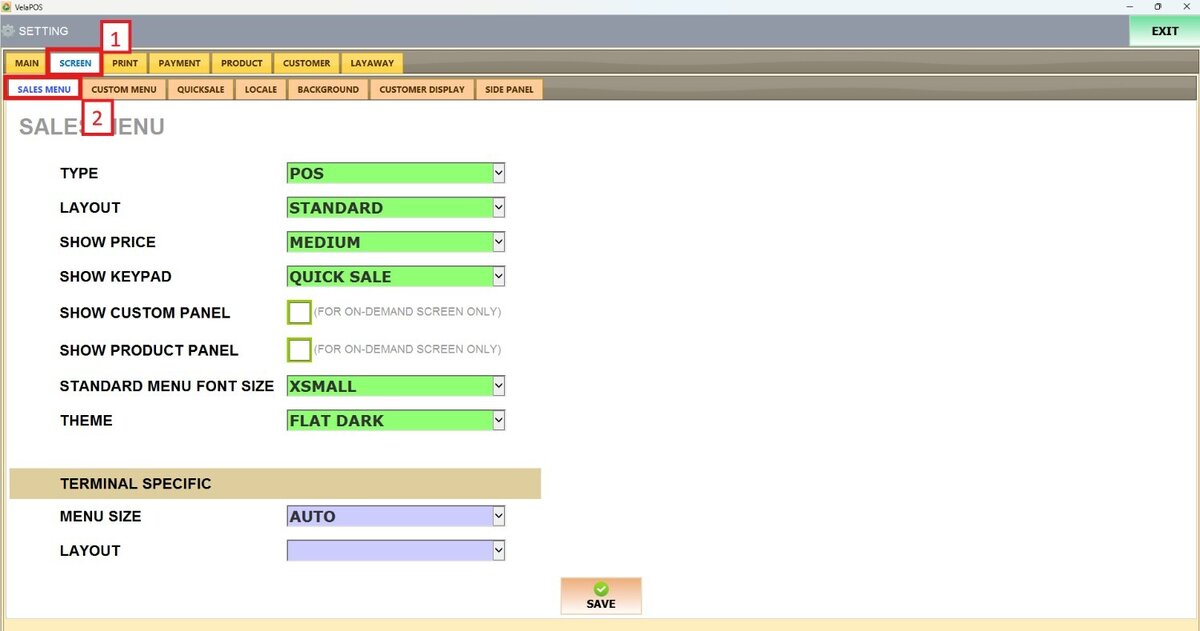
On STANDARD MENU FONT SIZE, there are 6 options to choose from:
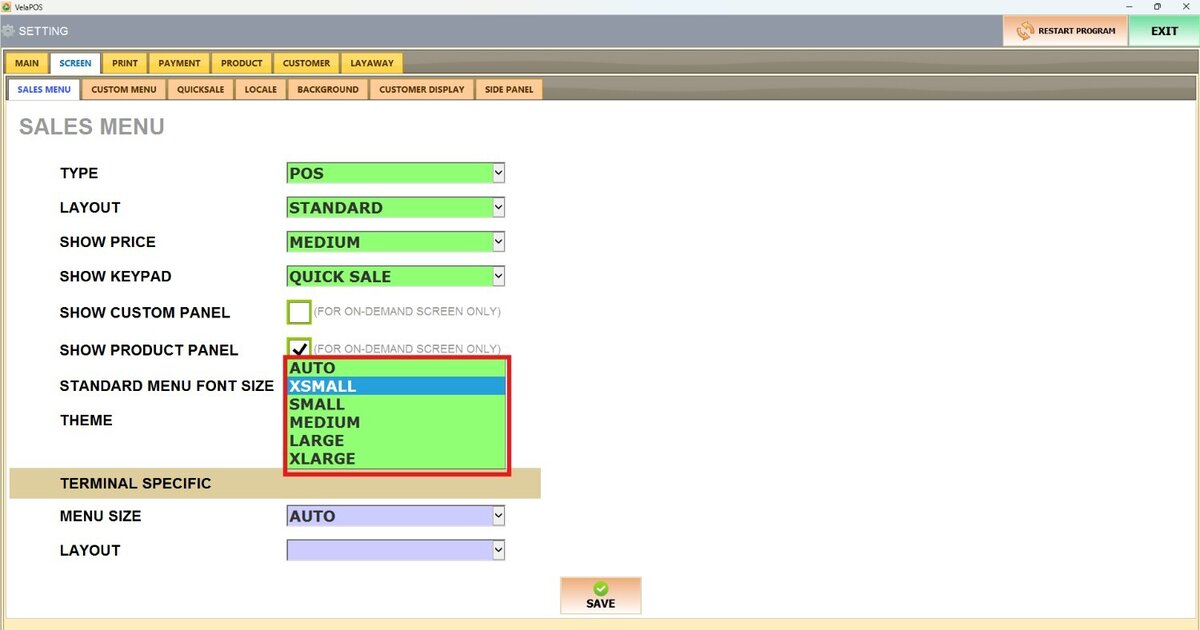
AUTO
With auto, the system adapts it to a size, taking into account the screen size
XSMALL VIEW

SMALL VIEW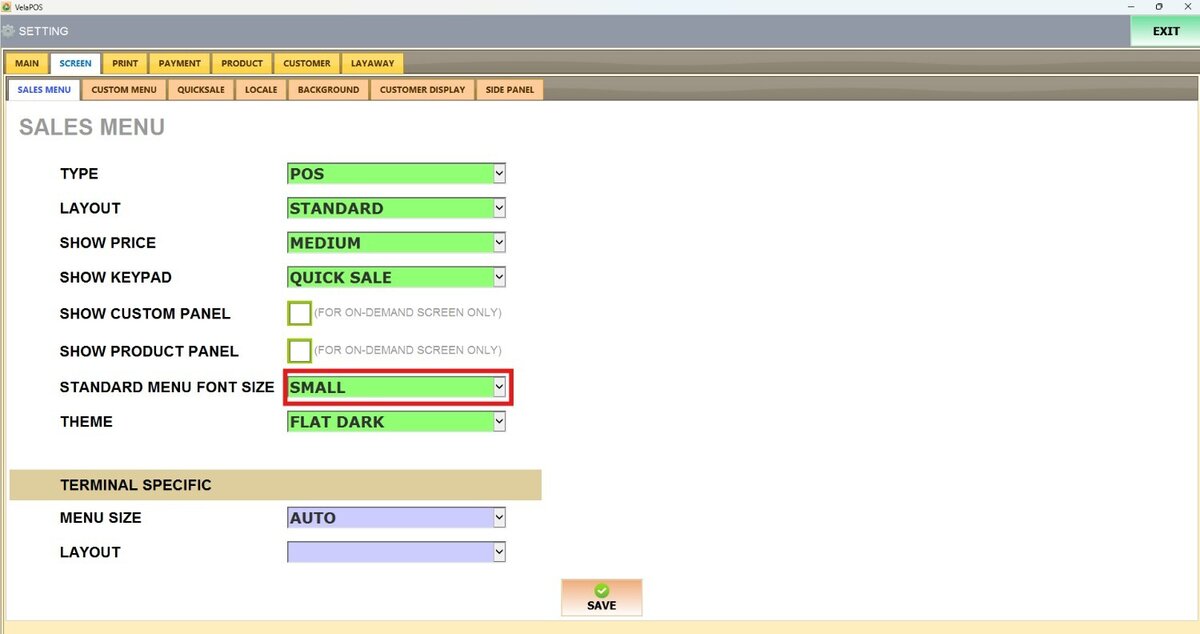
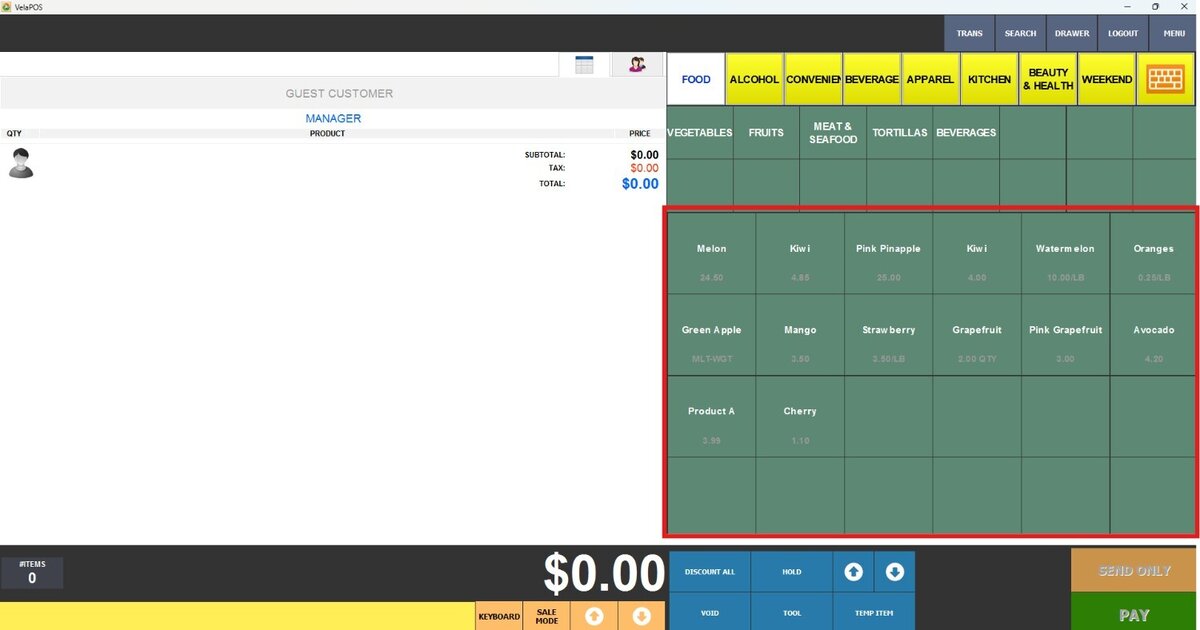
MEDIUM VIEW


LARGE VIEW


XLARGE VIEW


Once configured, press SAVE and RESTART THE PROGRAM to apply the changes.