Label
This feature configures the store name that will be printed on custom labels from the Product Management screen.
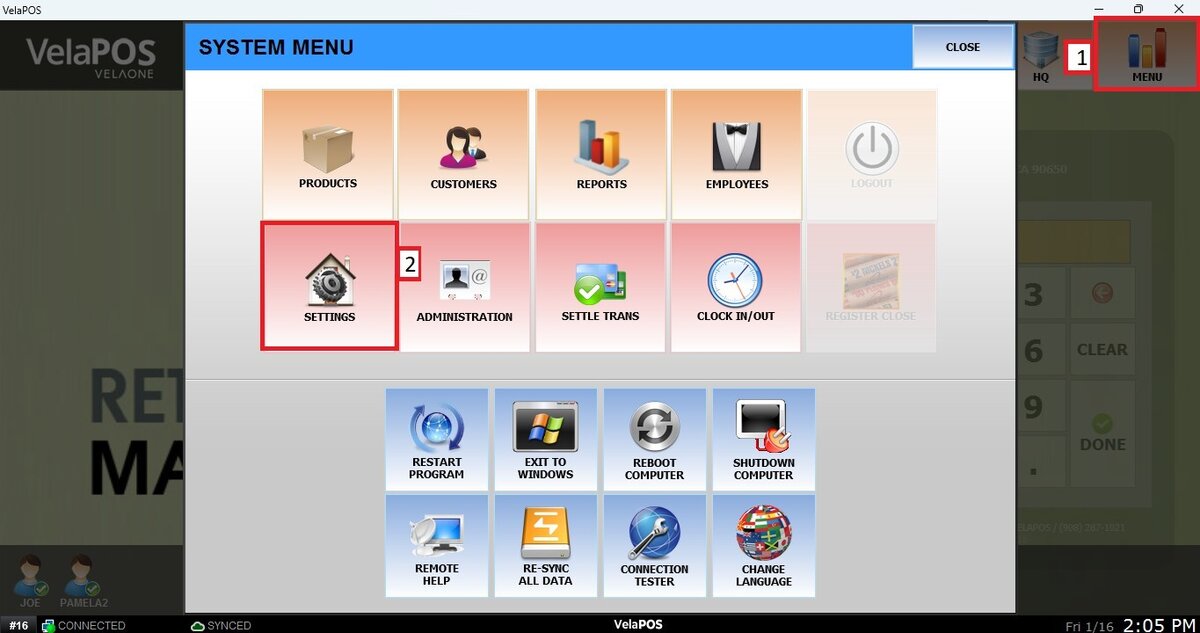
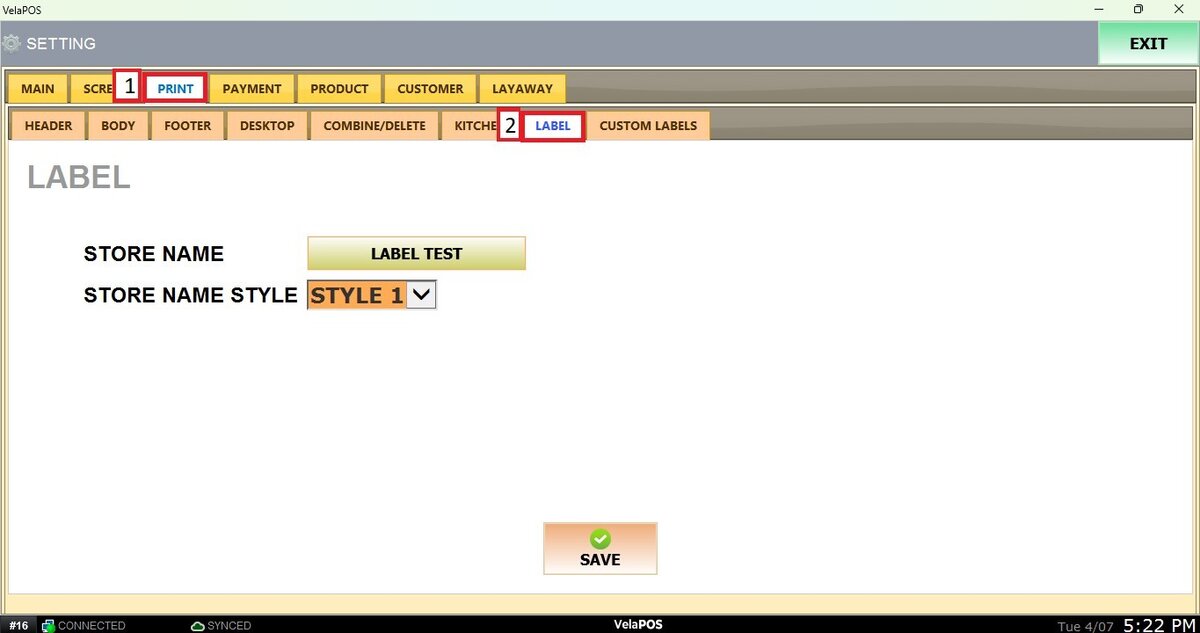
Main Screen>MENU> SETTINGS> PRINT> LABEL
Go to MENU, then click on SETTINGS.
Under the PRINT tab, select LABEL.
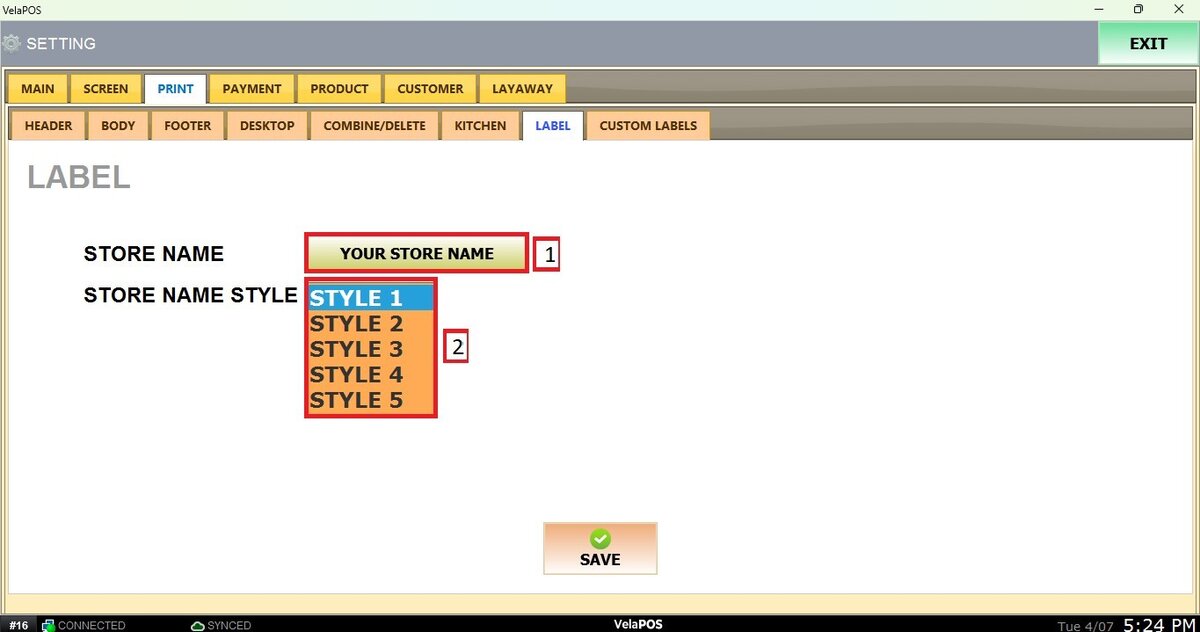
STORE NAME: In the blank field, enter the store name that will be printed on the custom label, if applicable. To learn more about this, check: Custom Label.
STORE NAME STYLE: You can select up to five different styles for how the store name will be printed on the label.
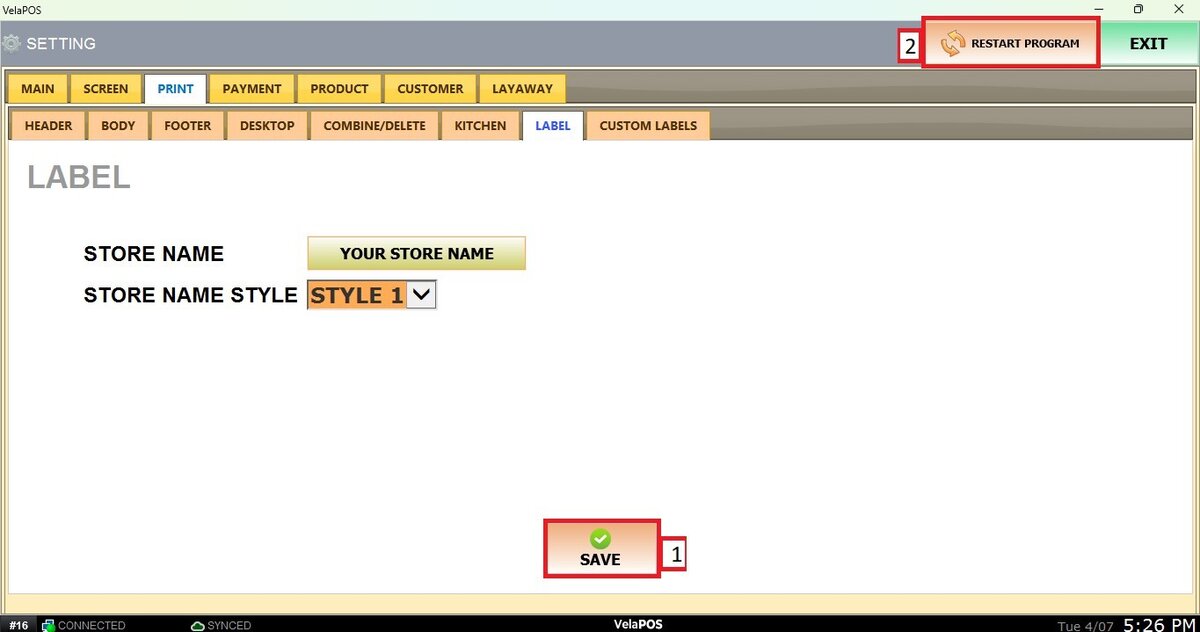
To apply any change, press SAVE and RESTART PROGRAM.