Fees
This feature enables the configuration of fees and defines the source used for their calculation. It supports the application of additional charges based on specific payment methods or the inclusion of service fees within a transaction.
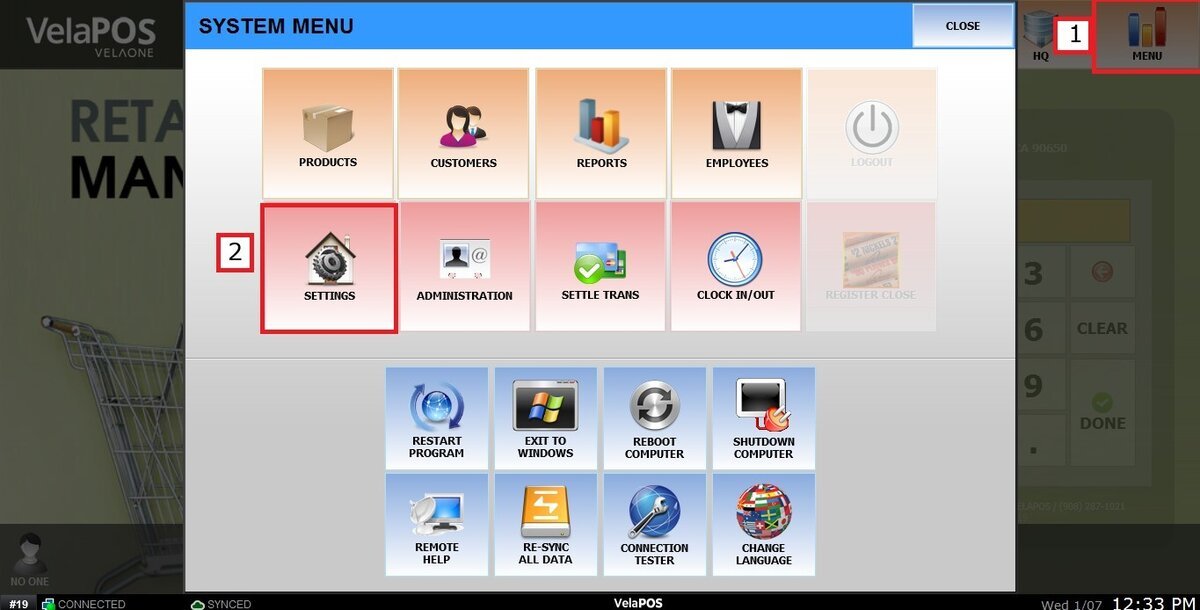
Main Screen> MENU> SETTINGS> PAYMENT> FEE
Go to MENU and press SETTINGS.
Go to the PAYMENT tab, press on FEE, click on the dropdown menu and select the SOURCE, the base amount from which the fee will be calculated.
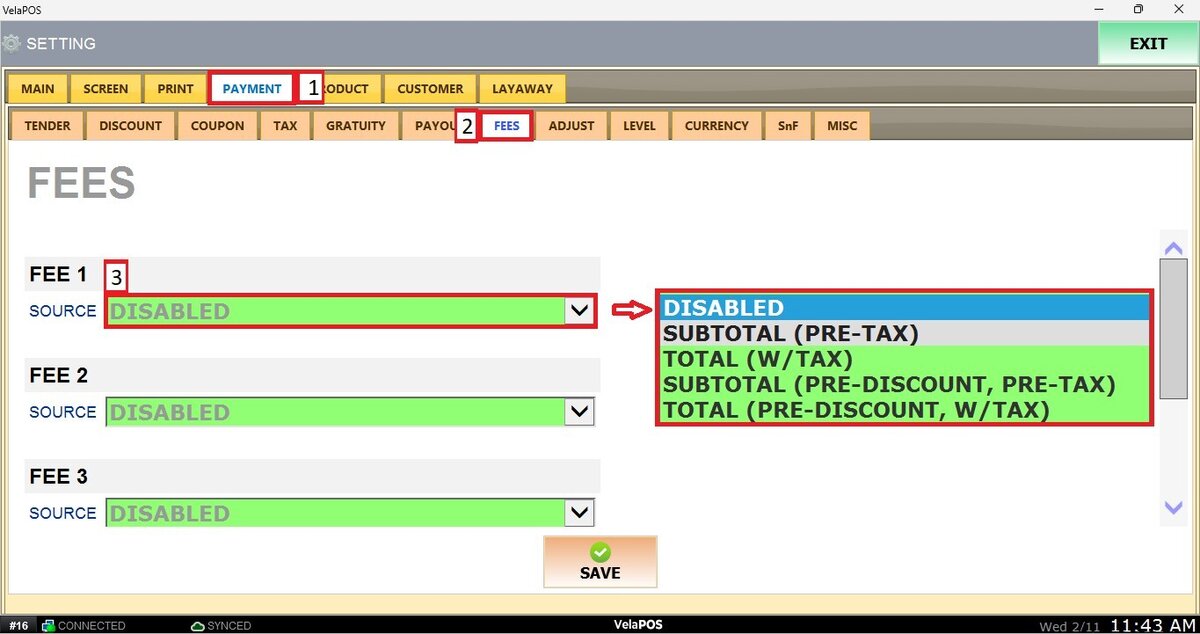
SUBTOTAL (PRE-TAX): Calculated based on the subtotal before taxes are applied.
TOTAL (W/TAX): Calculated based on the total amount including taxes.
SUBTOTAL (PRE-DISCOUNT, PRE-TAX): Calculated from the original subtotal before any discounts and before taxes.
TOTAL (PRE-DISCOUNT, W/TAX): Calculated from the total amount including taxes, before any discounts are applied.
DISABLE (the feature will not be used): Disables this feature, preventing any additional charges from being applied.
After selecting the SOURCE, the FEE details can be entered.
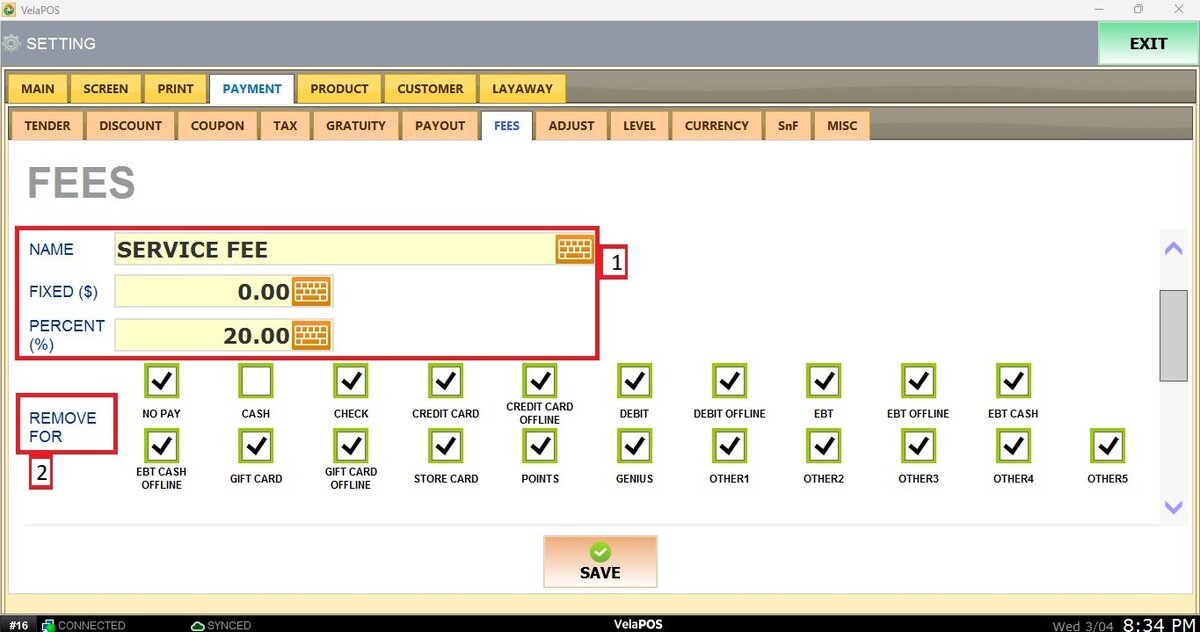
NAME: Enter the Fee name.
FIXED ($): If the fee is a flat amount, enter the amount here.
PERCENT (%): If the fee is percentage-based, enter the percentage amount here.
REMOVE FOR: Check the box for the payment types where the fee should NOT be applied.
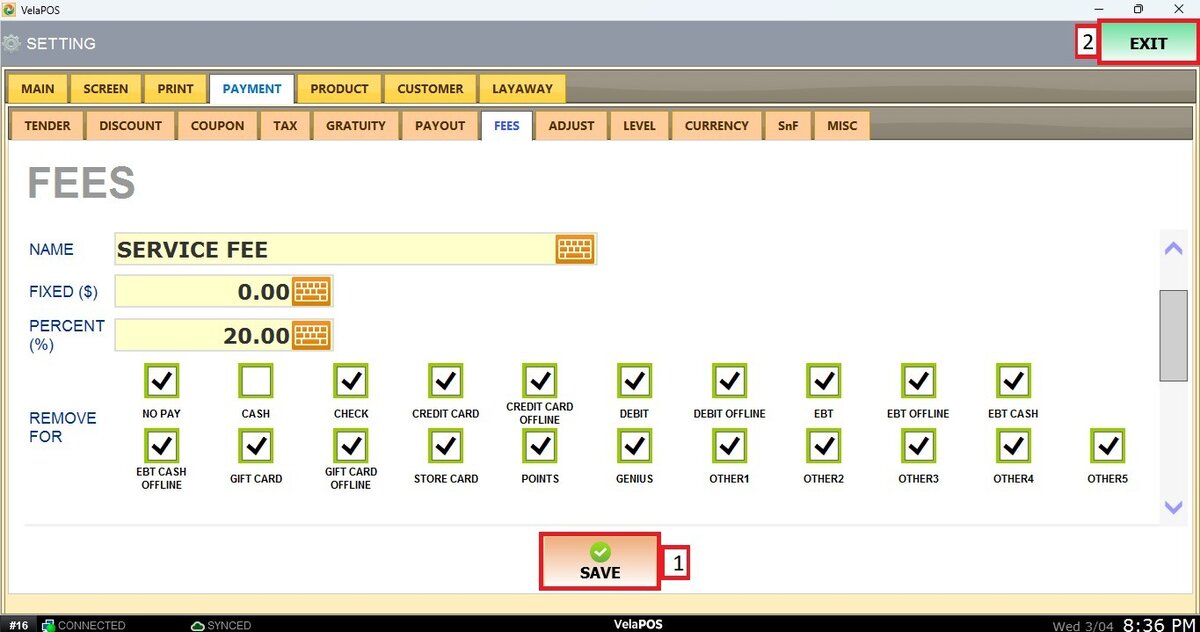
After completing the configuration, press SAVE and RESTART PROGRAM to apply all changes correctly.