Payout
Allows you to track cash leaving the drawer for non-sale reasons, such as paying a vendor or distributing tips. By enabling specific payout types, you can categorize these withdrawals in your reports to ensure your cash is accounted for.
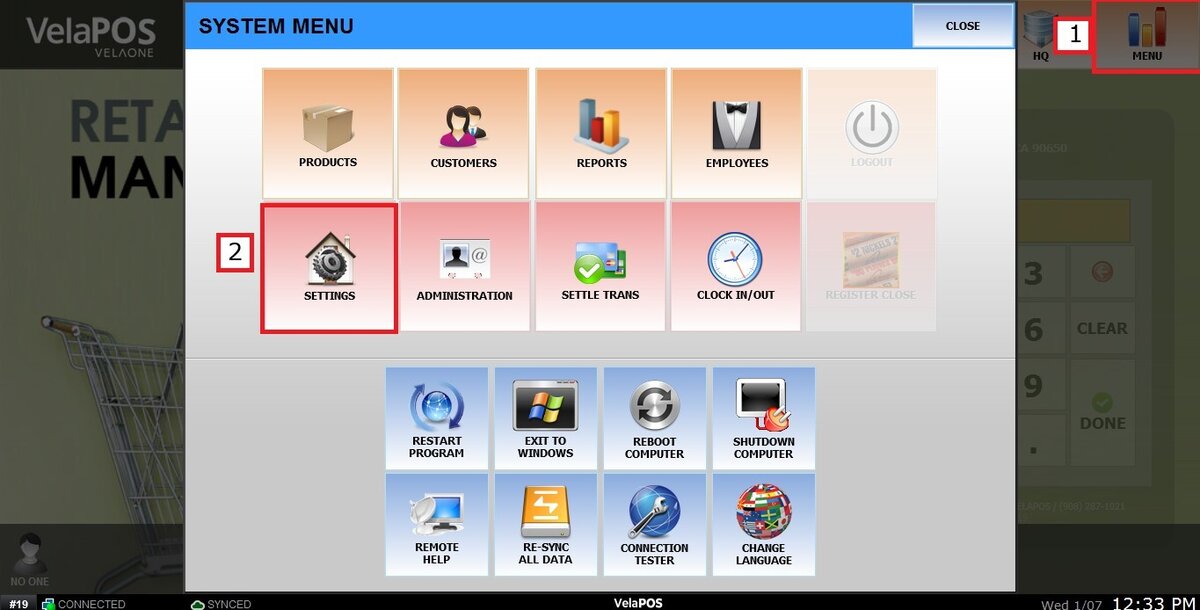
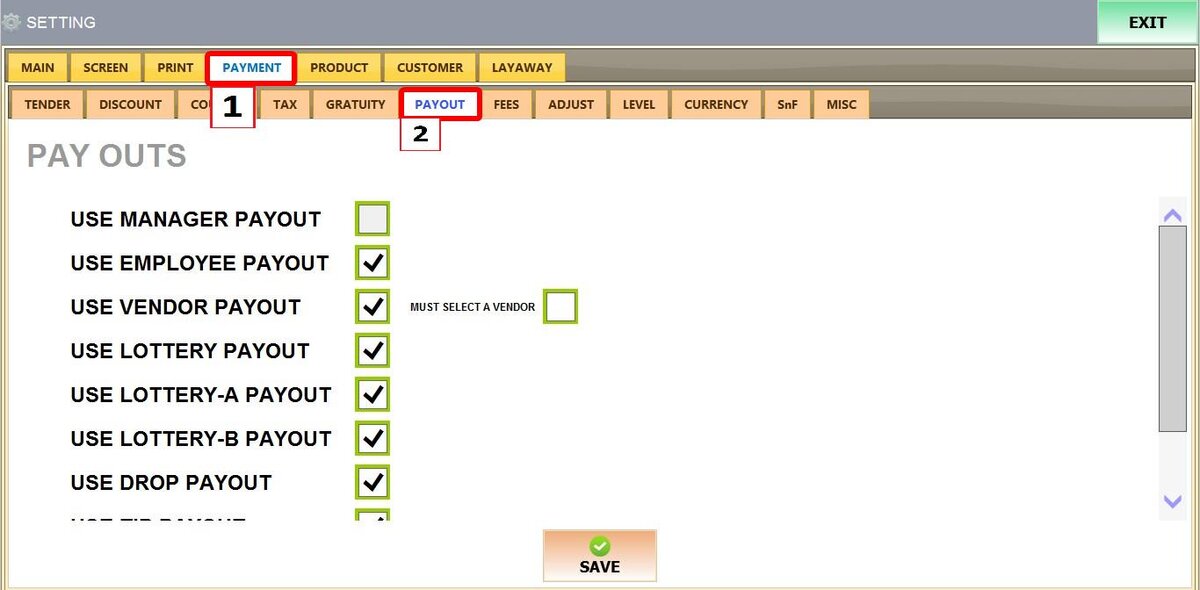
Main Screen > MENU > SETTINGS > PAYMENT > PAYOUT
Go to MENU, then SETTINGS
Go to PAYMENT and select PAYOUT
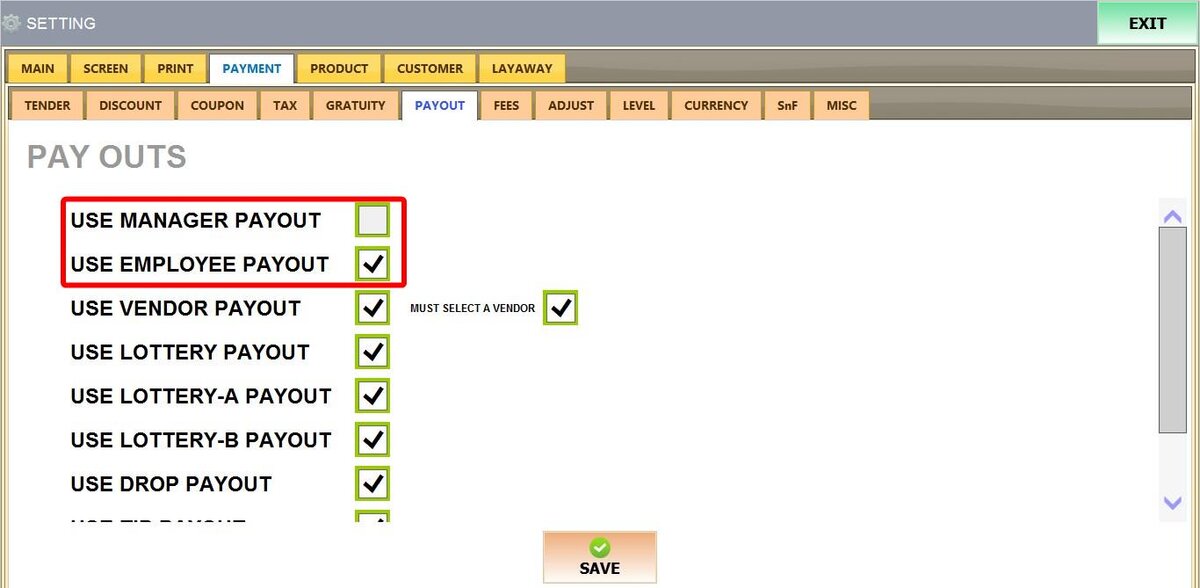
1. USE MANAGER PAYOUT: General store expenses or emergency withdrawals.
2. USE EMPLOYEE PAYOUT: Manual wage advances or staff reimbursements.
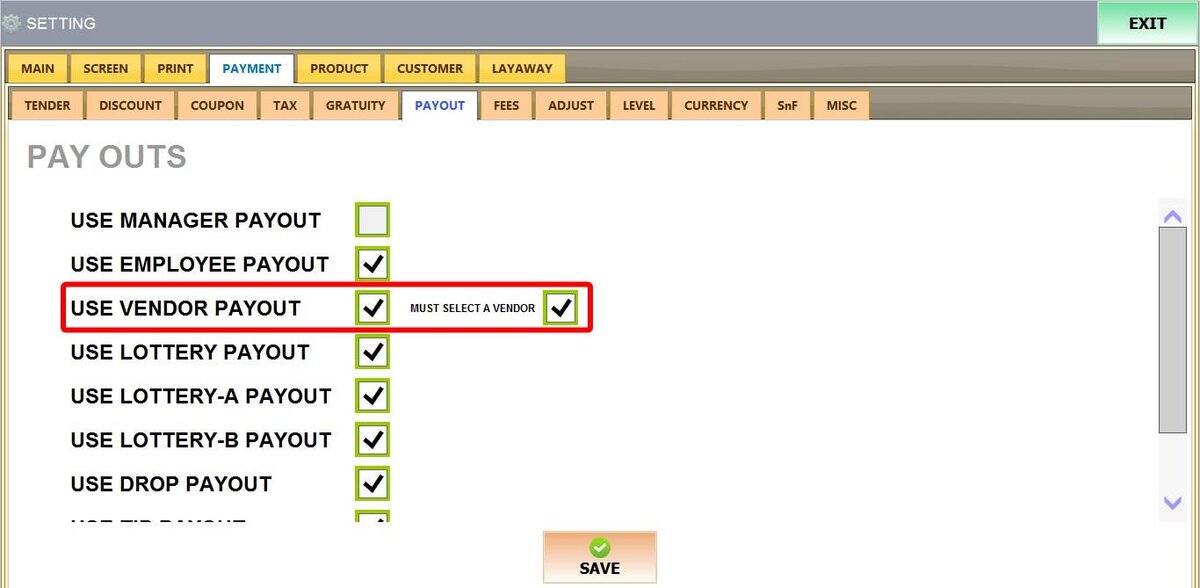
3. USE VENDOR PAYOUT: Payments to suppliers or delivery drivers.
MUST SELECT A VENDOR: When checked, the POS forces the user to pick a specific vendor from the database before the vendor payout can be completed.
4. USE LOTTERY PAYOUT: Customer winnings for lottery tickets.
USE LOTTERY-A PAYOUT: Secondary gaming category for organized tracking.
USE LOTTERY-B PAYOUT: Third gaming category for organized tracking.

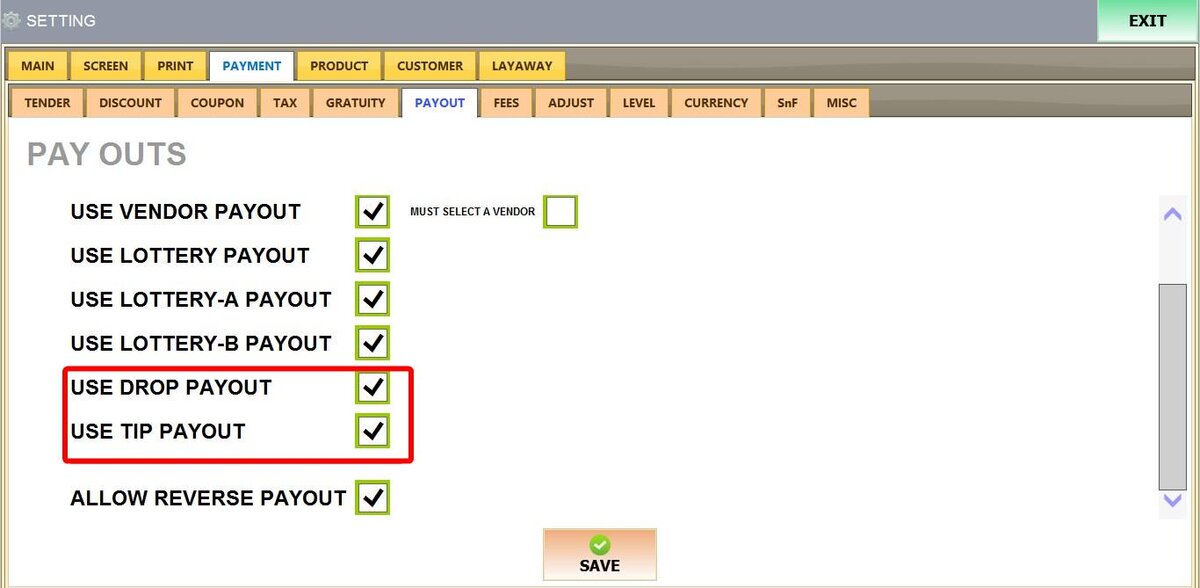
5. USE DROP PAYOUT: Large cash transfers from the drawer to a secure cash box or safe.
6. USE TIP PAYOUT: Cash withdrawals to pay out staff tips.
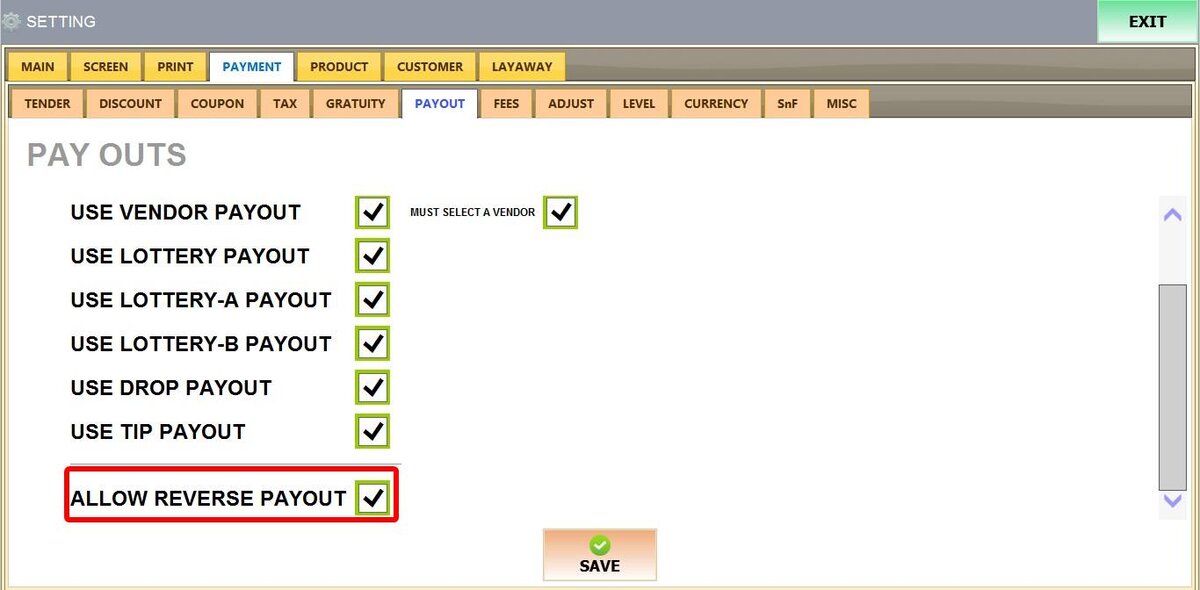
7. ALLOW REVERSE PAYOUT: Recording cash added to the drawer after opening, such as adding extra cash for a new shift or increasing the register's starting balance.
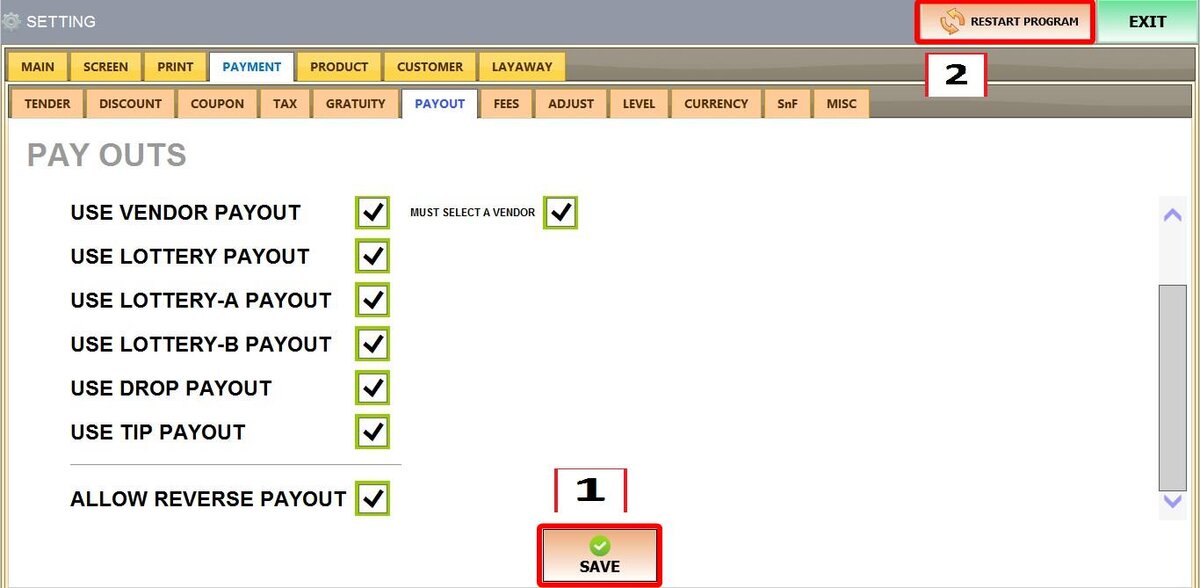
Once configured, press SAVE and RESTART THE PROGRAM
Refer to Payout to see how to do the payout in the Sales Screen.