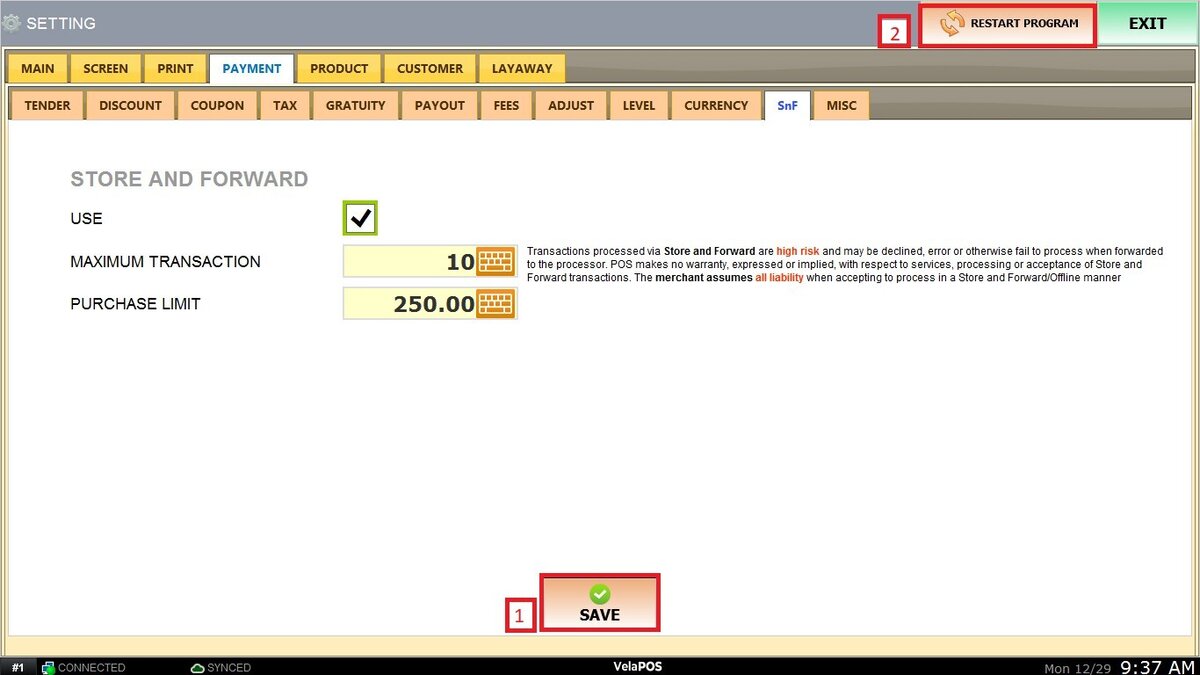
SnF/Store and Forward
This feature allows the POS system to temporarily store card transactions when there is no internet connection or when the payment processor is unavailable. Once connectivity is restored, the system automatically forwards those transactions for authorization. While this helps avoid interruptions during connectivity issues, Store and Forward transactions carry higher risk since approval is not guaranteed and the merchant assumes responsibility for any declined transactions.
MENU>SETTINGS>PAYMENT>SnF
Go to MENU and press SETTINGS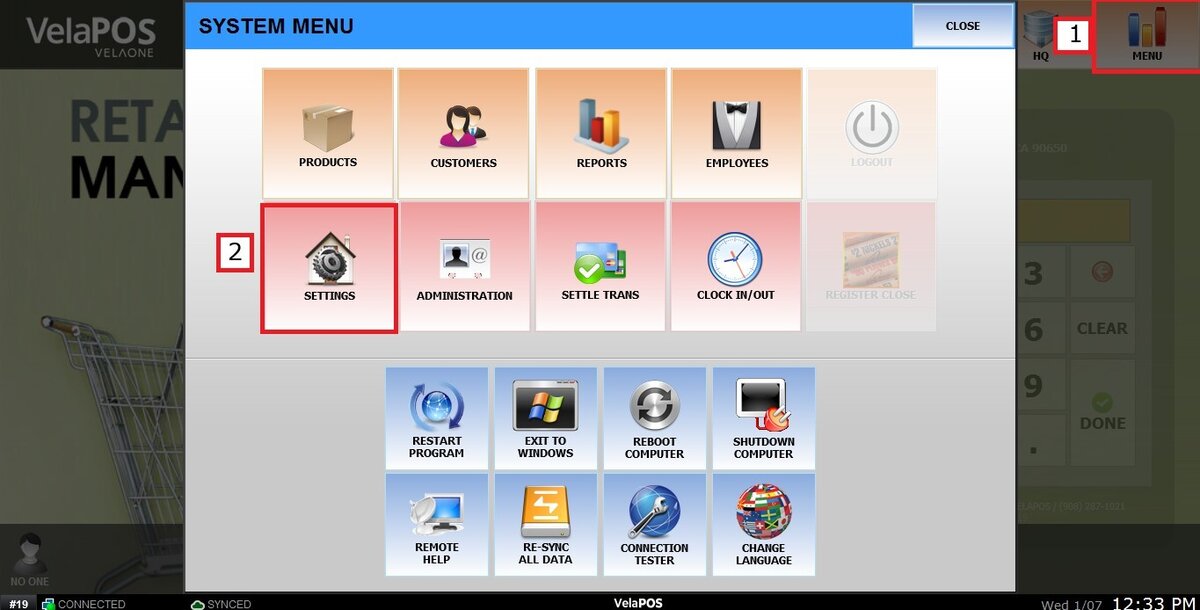
Click on the PAYMENT tab and select SnF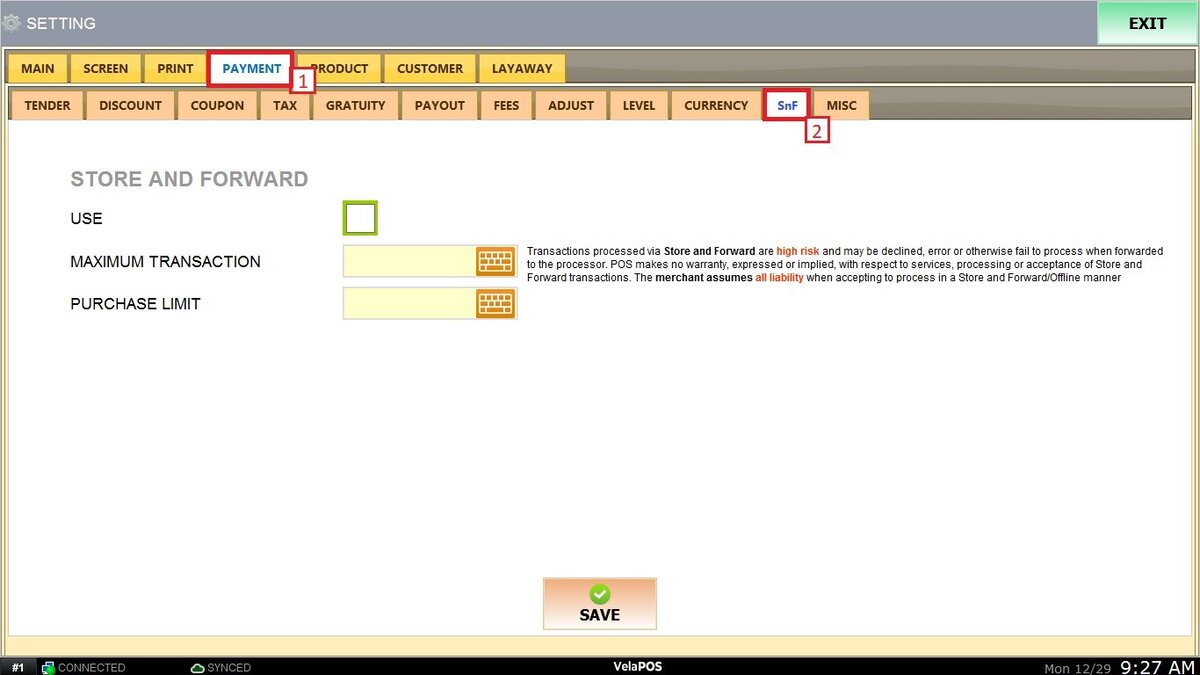
Check the USE box to enable the option.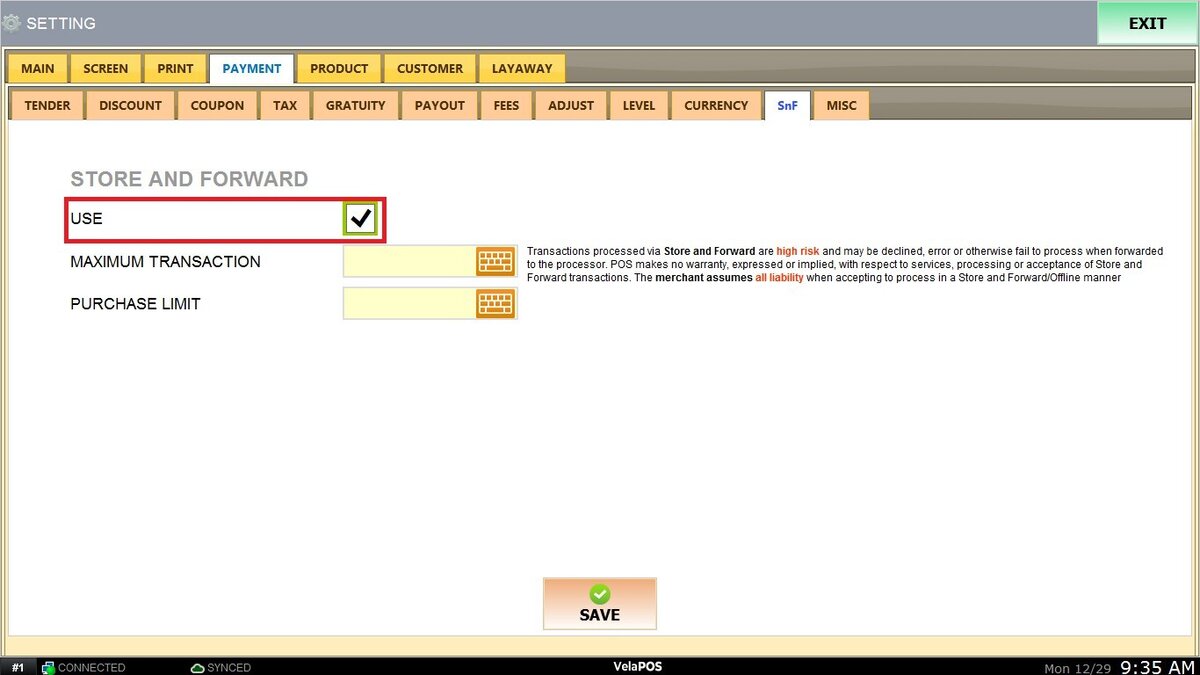
Configure the following limits as needed:
MAXIMUM TRANSACTION: Defines the maximum number of Store and Forward transactions allowed while the system is offline.
PURCHASE LIMIT: Sets the maximum dollar amount permitted per Store and Forward transaction.
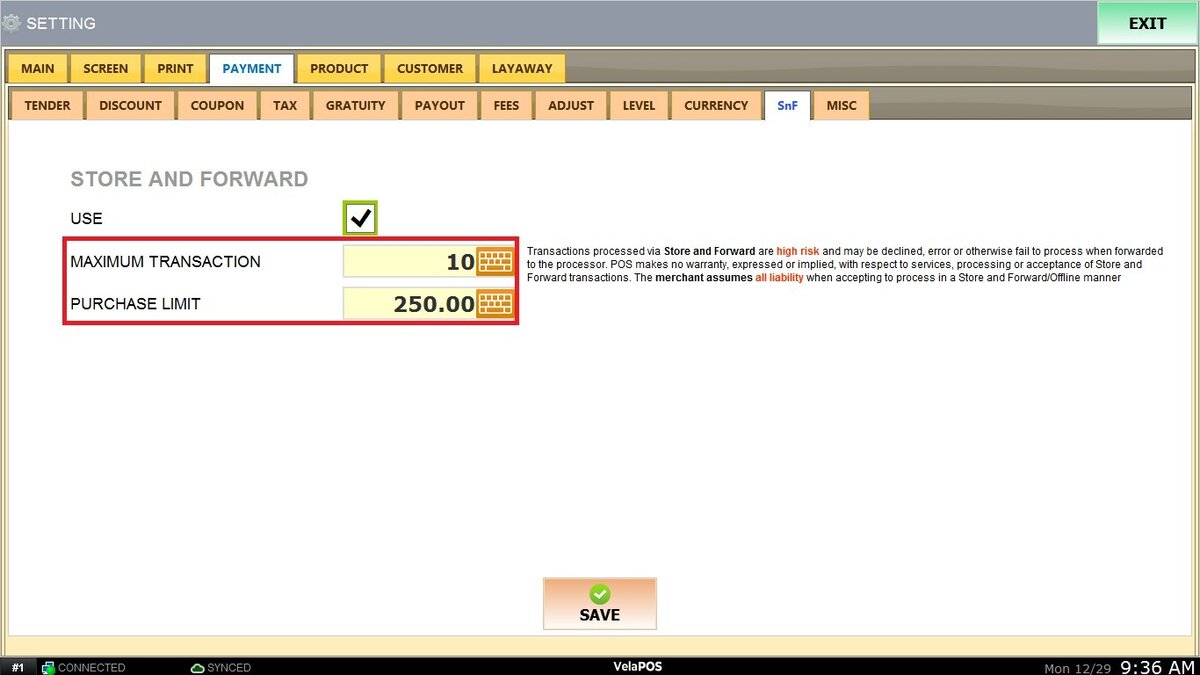
Hint: Store and Forward transactions are considered high risk and may be declined when forwarded. The POS does not guarantee authorization or acceptance of these transactions.
Once configured, click on SAVE and RESTART PROGRAM to apply the changes.