Custom Tenders (Other 1-5)
This section covers additional tender options used to record payments from external or non-integrated sources. These methods help track transactions even when the payment system is not directly connected to the POS.
MENU> SETTINGS> PAYMENT> TENDER> OTHER
Go to MENU and press SETTINGS.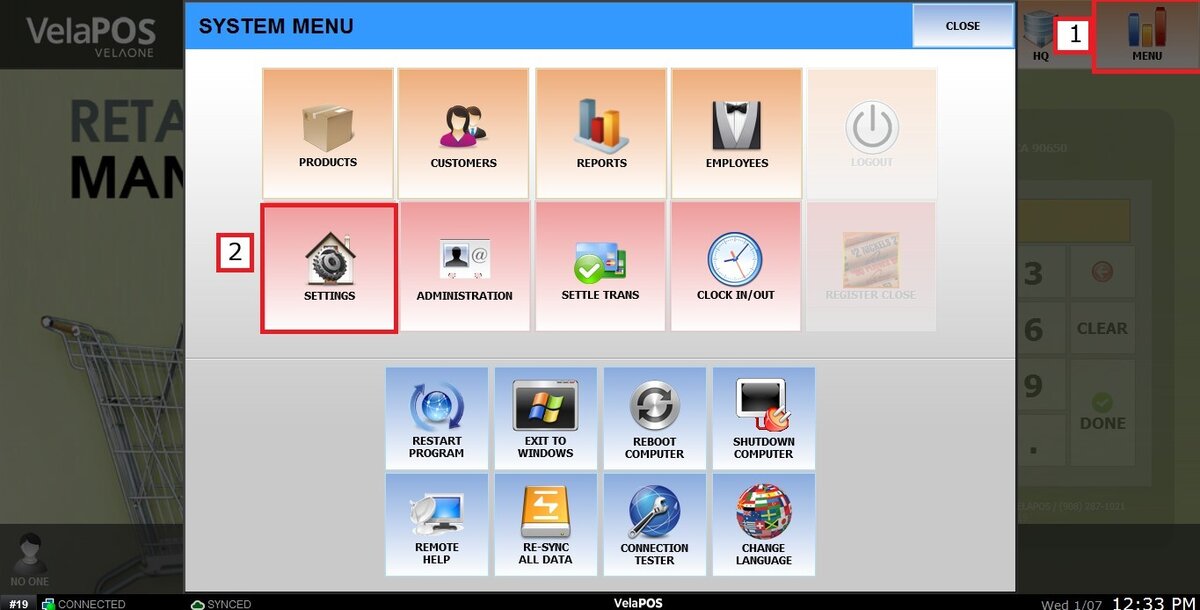
Click on PAYMENT, open the TENDER tab and select one of the available OTHER payment options.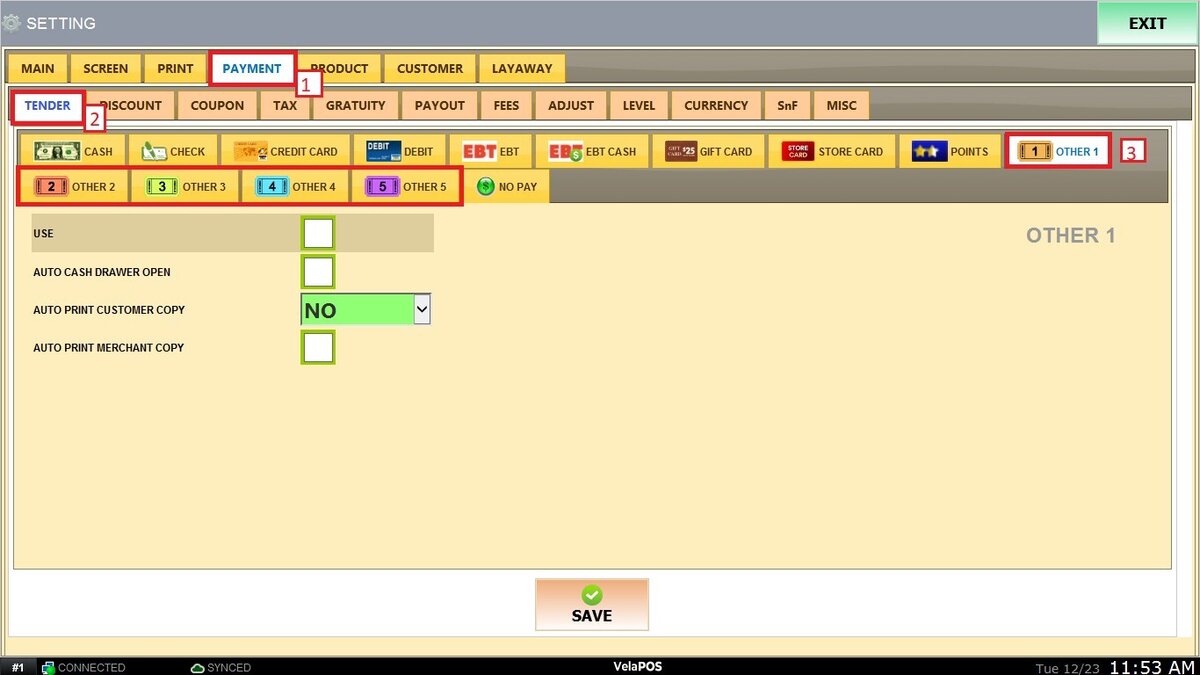
USE: Enable this option to make this payment method available during checkout.
AUTO CASH DRAWER OPTION: When enabled, the cash drawer opens automatically after this payment method is used.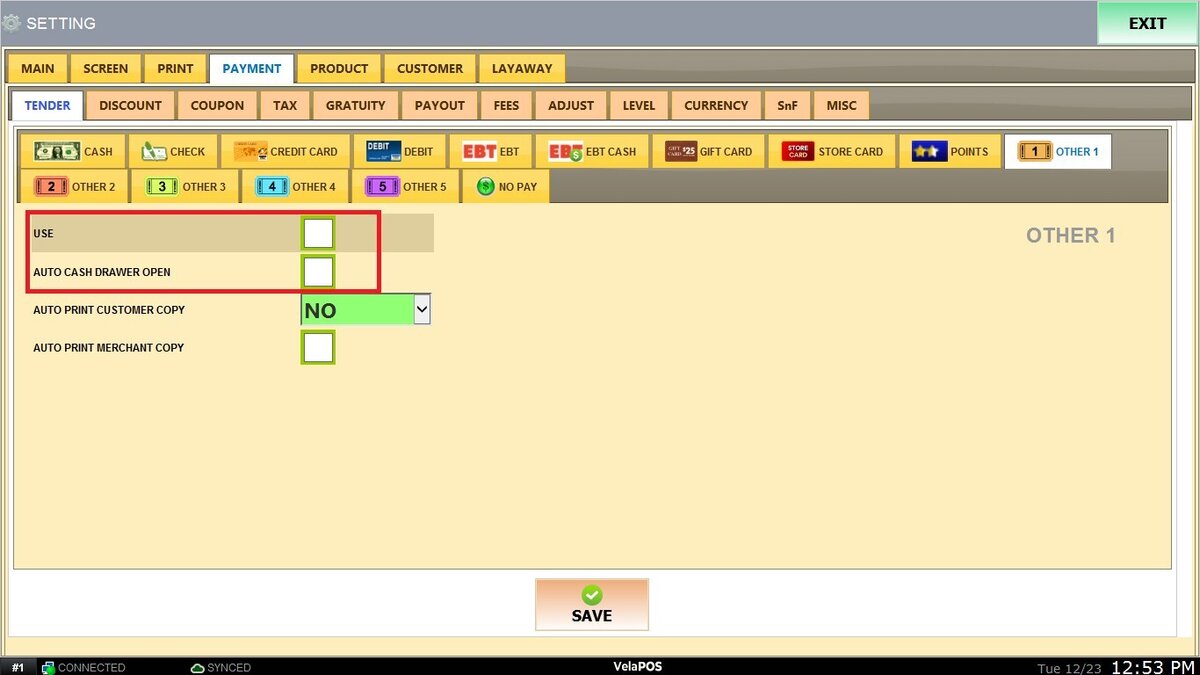
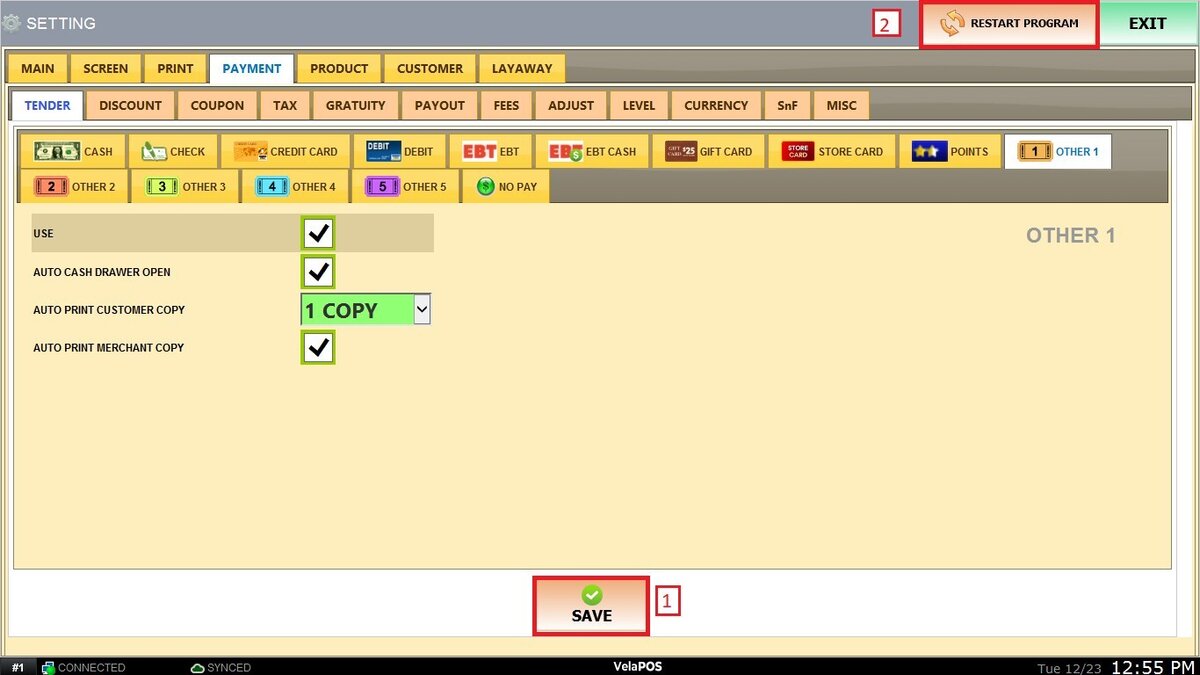
AUTO PRINT CUSTOMER COPY: Defines how many customer receipt copies print automatically after the transaction.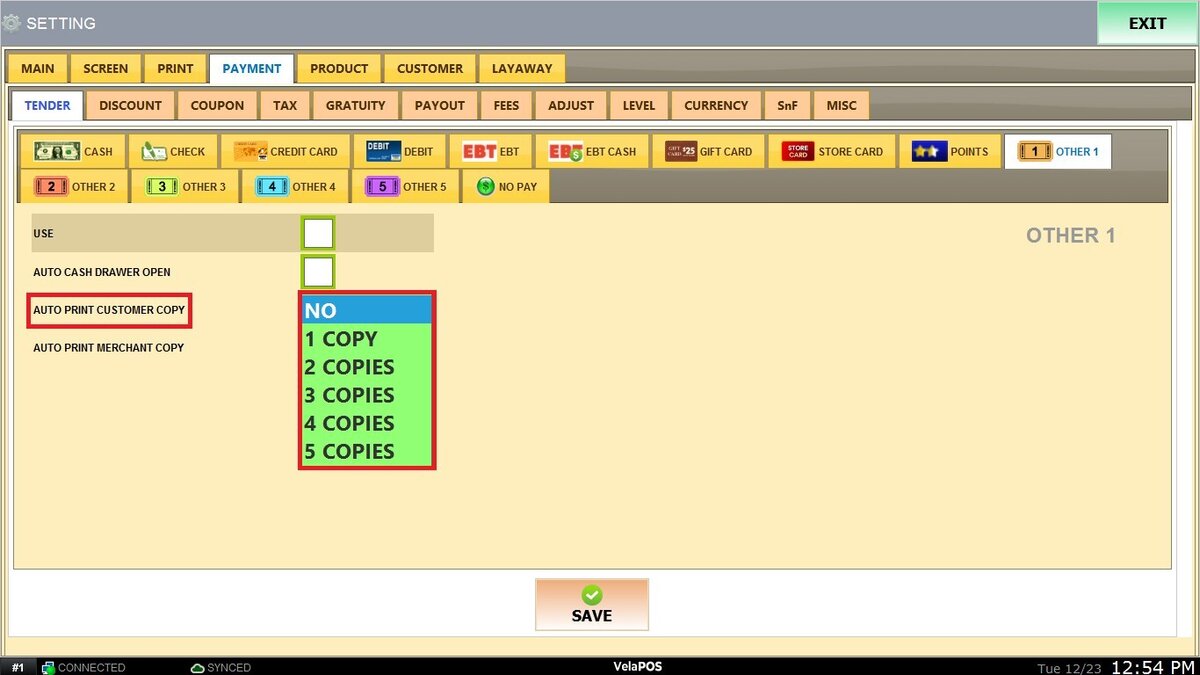
AUTO PRINT MERCHANT COPY: Controls whether merchant receipt copies print automatically.
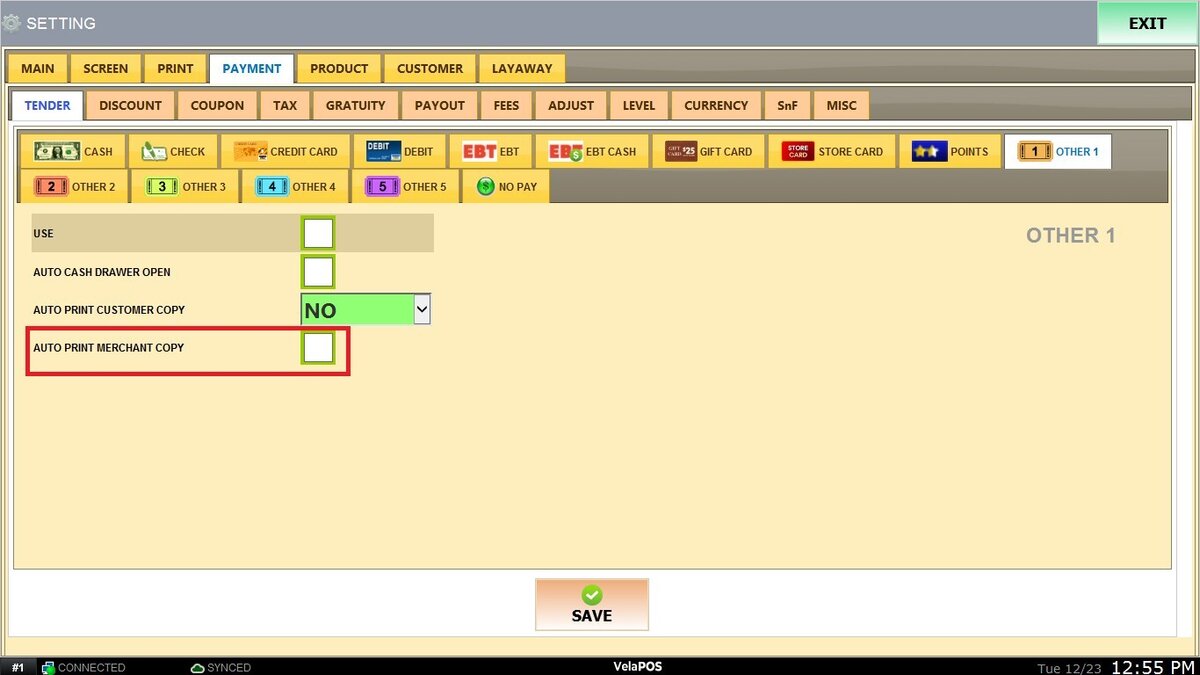
Once this section is configured, click on SAVE and RESTART PROGRAM to apply the changes.