Logs
This screen displays the system logs, where records of various operations performed within the system are stored for reference and troubleshooting purposes.
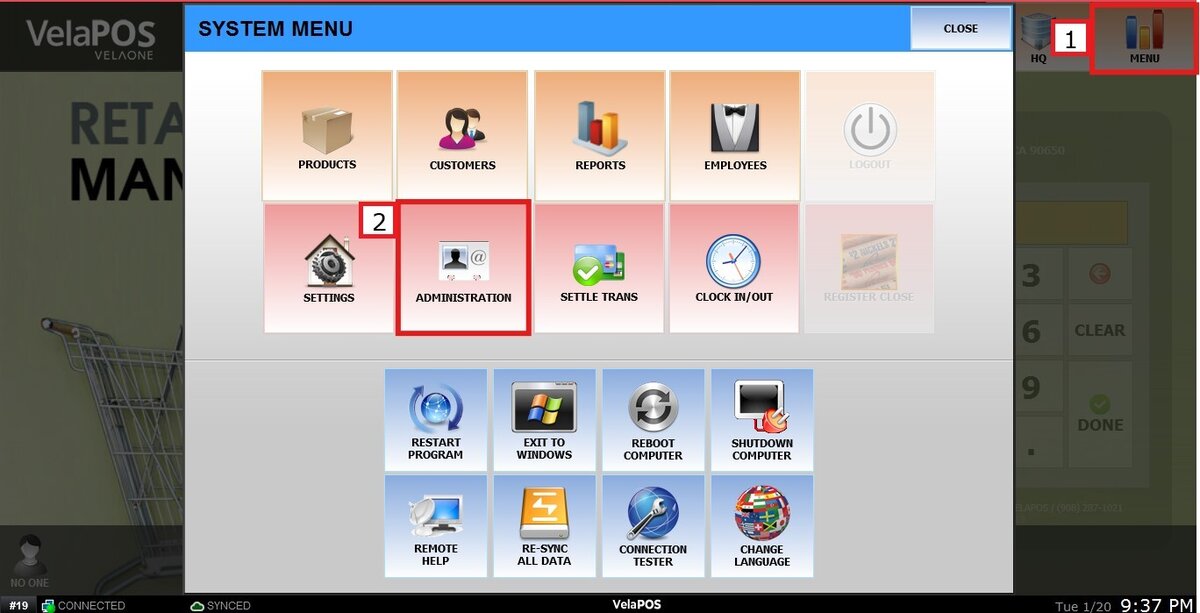
Main Screen> MENU> ADMINISTRATION> INFO
Go to MENU and press ADMINISTRATION
Press INFO and then LOGS.
The Logs screen keeps a record of system activities: system operations, configuration changes, and Transaction-related events. 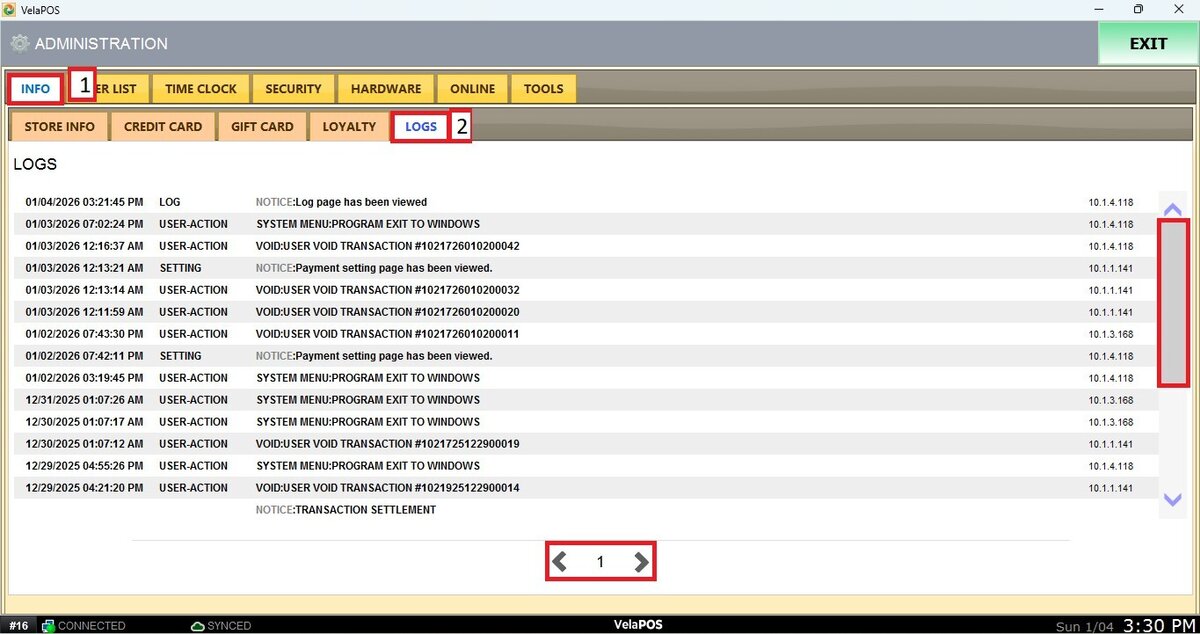
Note: You can navigate between pages using the arrow buttons.