Host Server
This setting controls whether the terminal operates as the Host Server. When enabled, the POS serves as the primary system for the store, managing data synchronization and communication with other POS terminals.
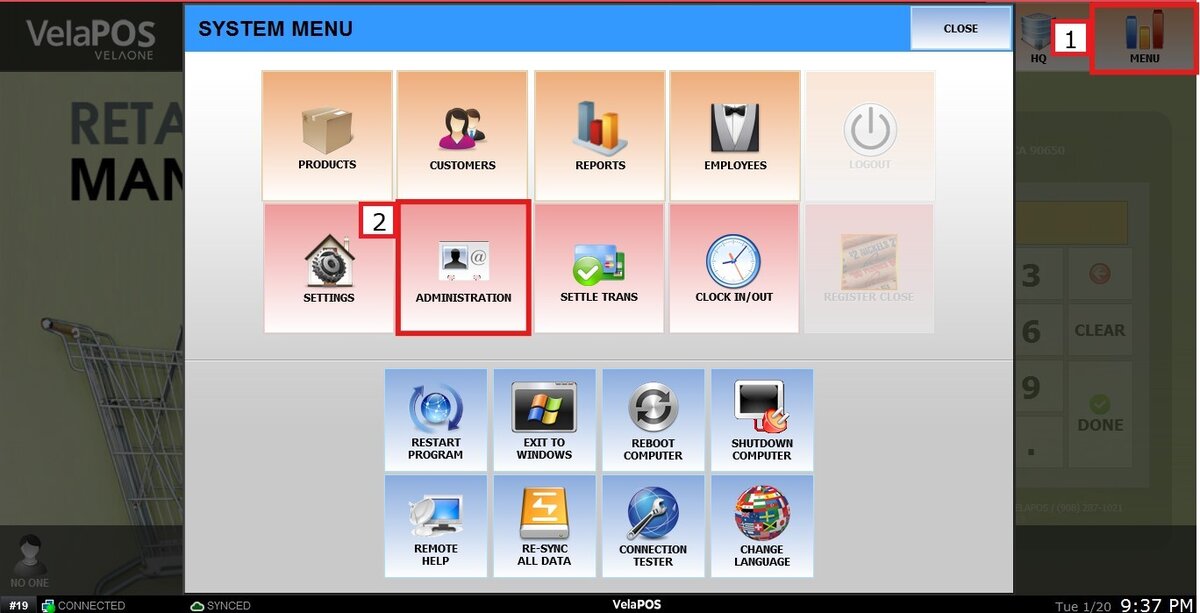
Main Screen> MENU > ADMINISTRATION > SECURITY > HOST SERVER
Go to MENU and press ADMINISTRATION
In the SECURITY section, click on the HOST SERVER tab and check the box to enable on this terminal, or uncheck it to disable it.
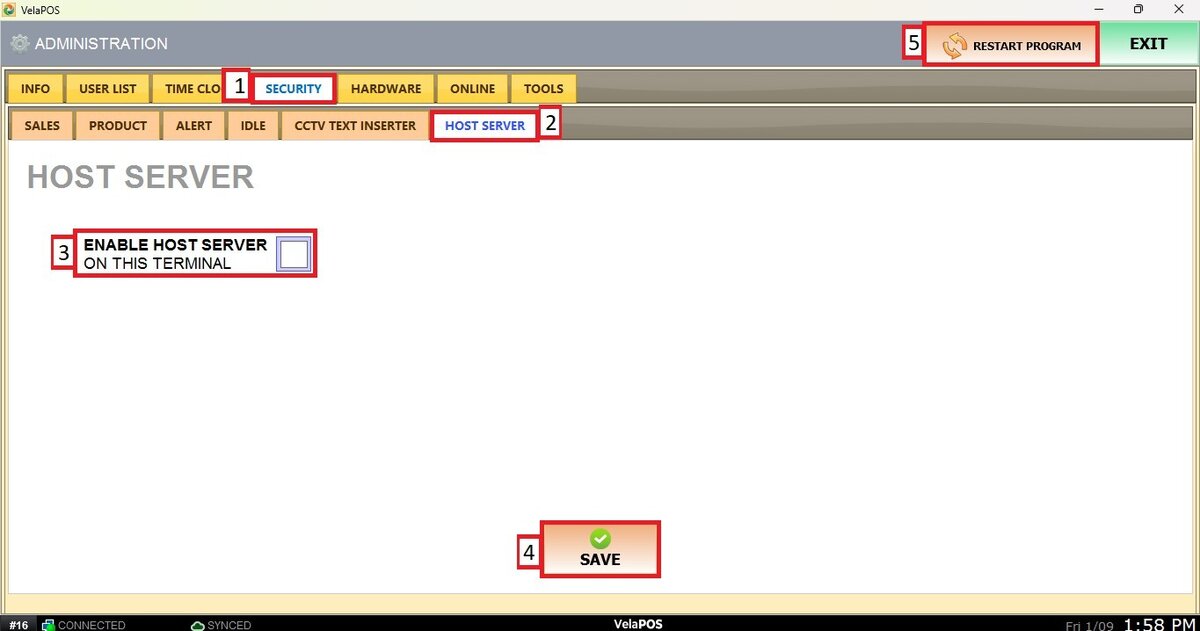
Press on SAVE and RESTART PROGRAM to apply the changes.