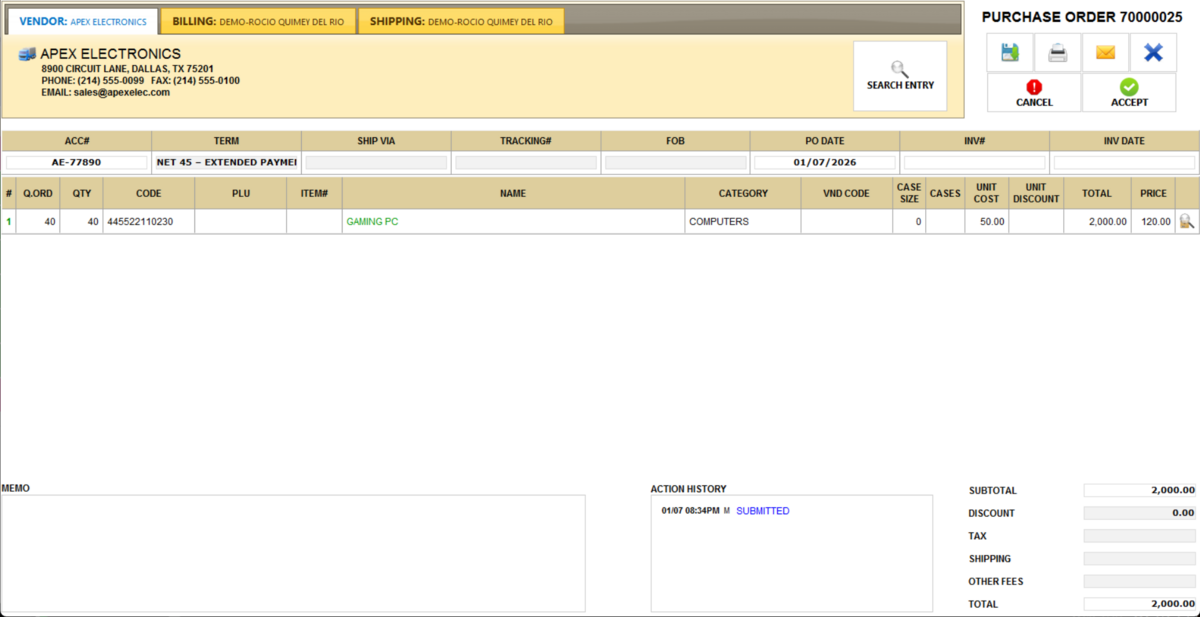
Search PO
This feature allows you to locate a specific purchase order using either the PO number or the invoice barcode.
Main screen> MENU> PRODUCTS> INVENTORY> SEARCH.
Hint: Before searching for a PO, visit New PO to perform a purchase order.
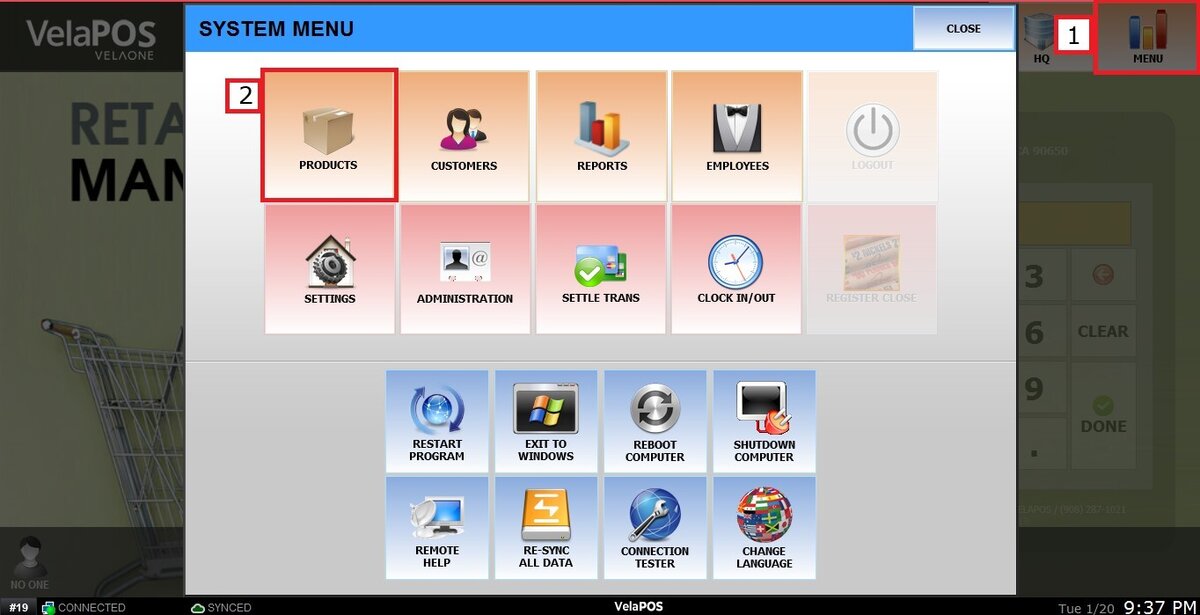
Go to MENU and press PRODUCTS.
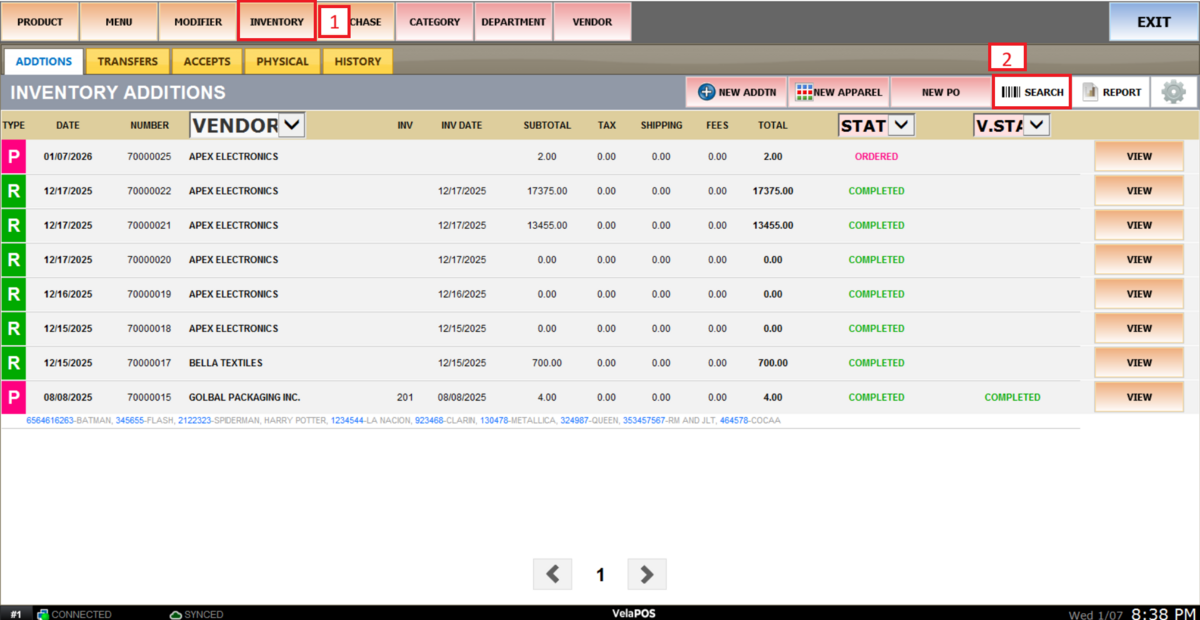
Select the INVENTORY tab and press on SEARCH.
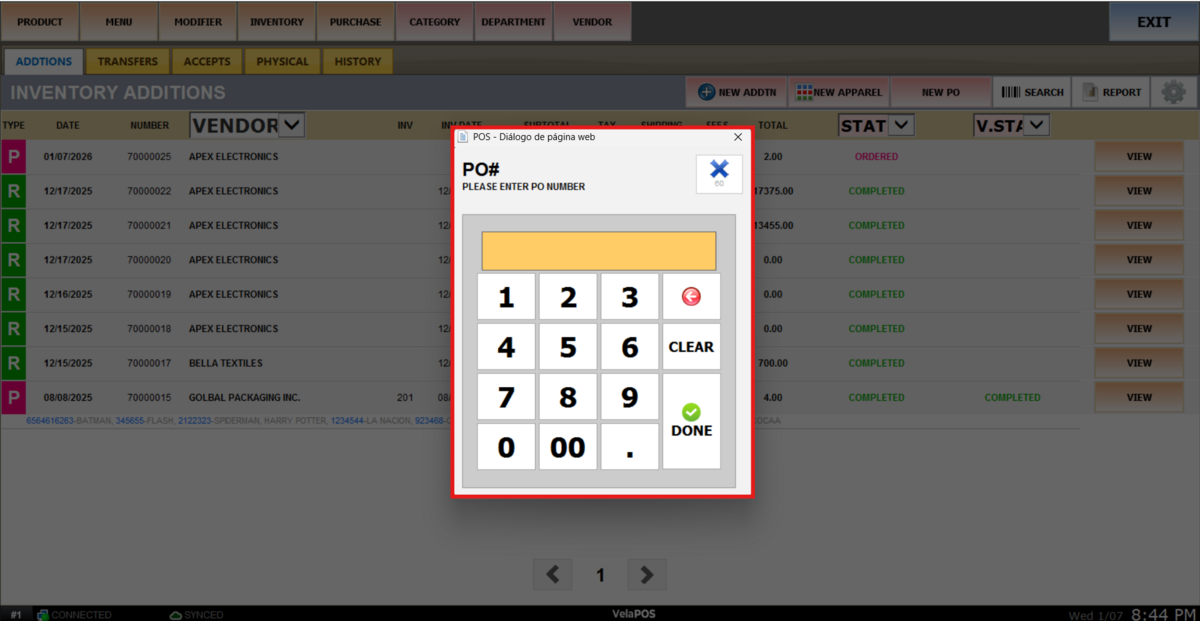
A number pad will be displayed on the screen. There are two ways to open the purchase order:
1. Scan Invoice Barcode.
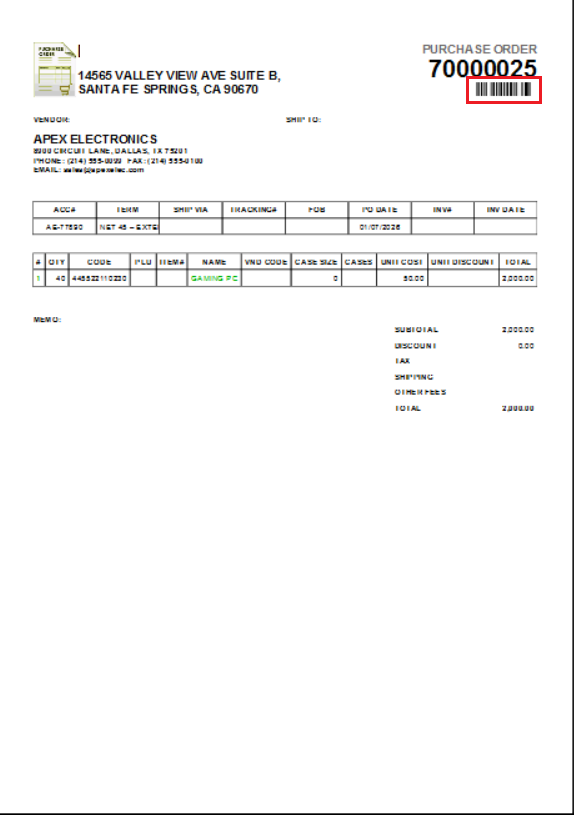
Scan the barcode printed on the invoice.
Note: this is how the barcode appears on the invoice.
2. Manual PO Number Entry
Enter the PO number using the number pad.
The PO will be displayed on the screen, allowing you to print, send, or edit it as required.