Inventory History
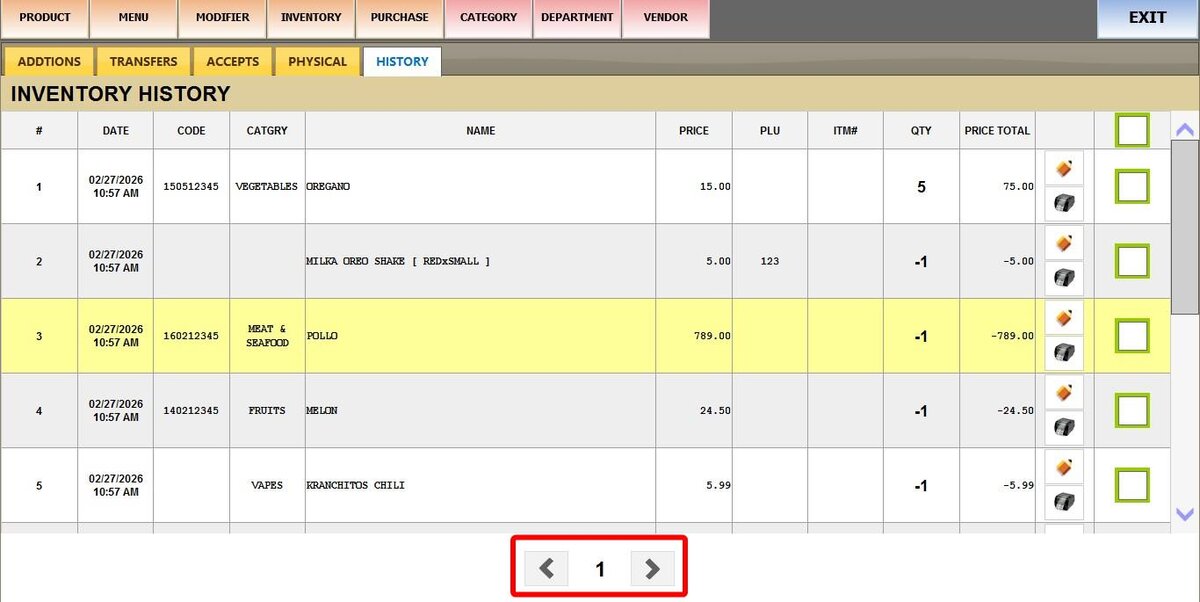
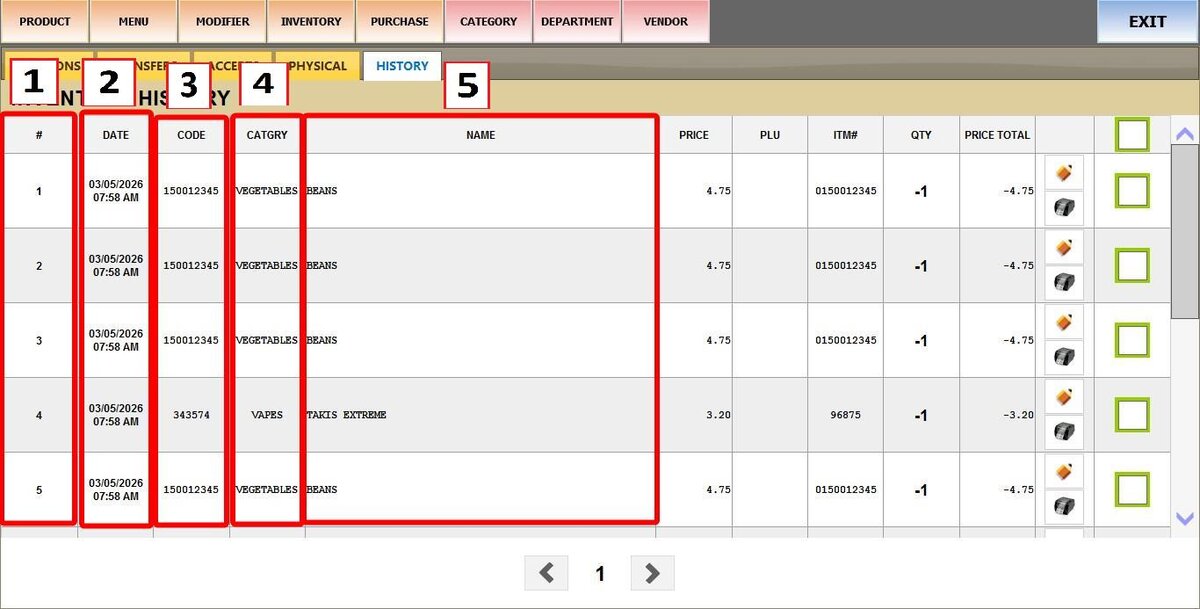
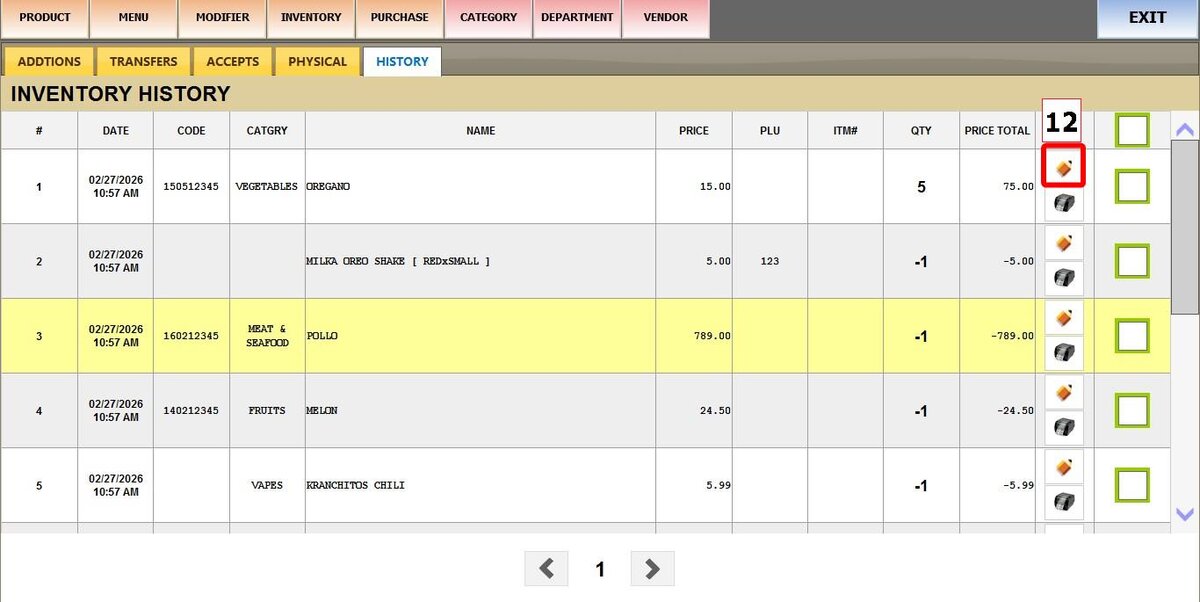
This feature shows a log of all inventory changes, including additions, removals, and adjustments. Each row represents a specific product. Useful for investigating inventory discrepancies or verifying stock movements.
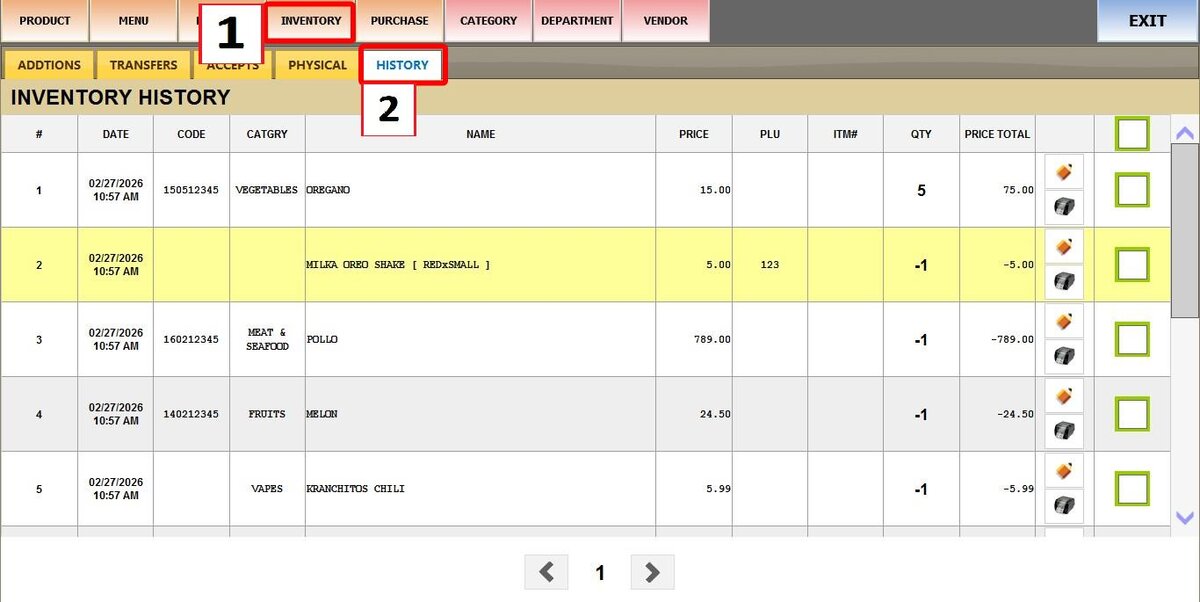
MAIN SCREEN > MENU > PRODUCTS > INVENTORY > HISTORY
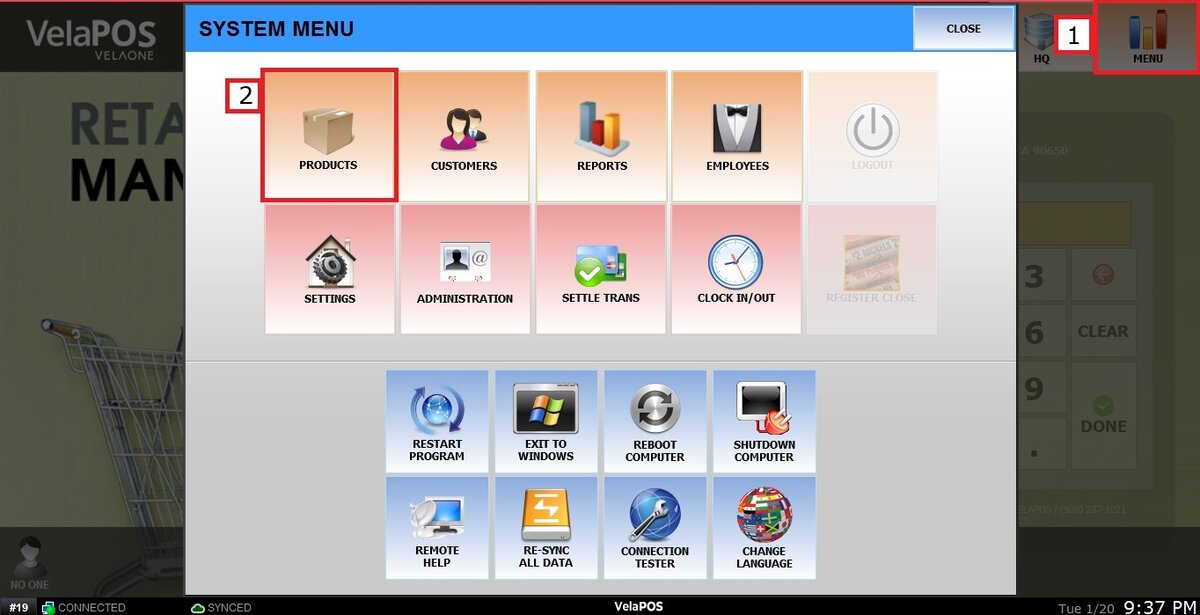
Click on MENU, then select PRODUCTS.
Under the INVENTORY tab, select HISTORY.
History details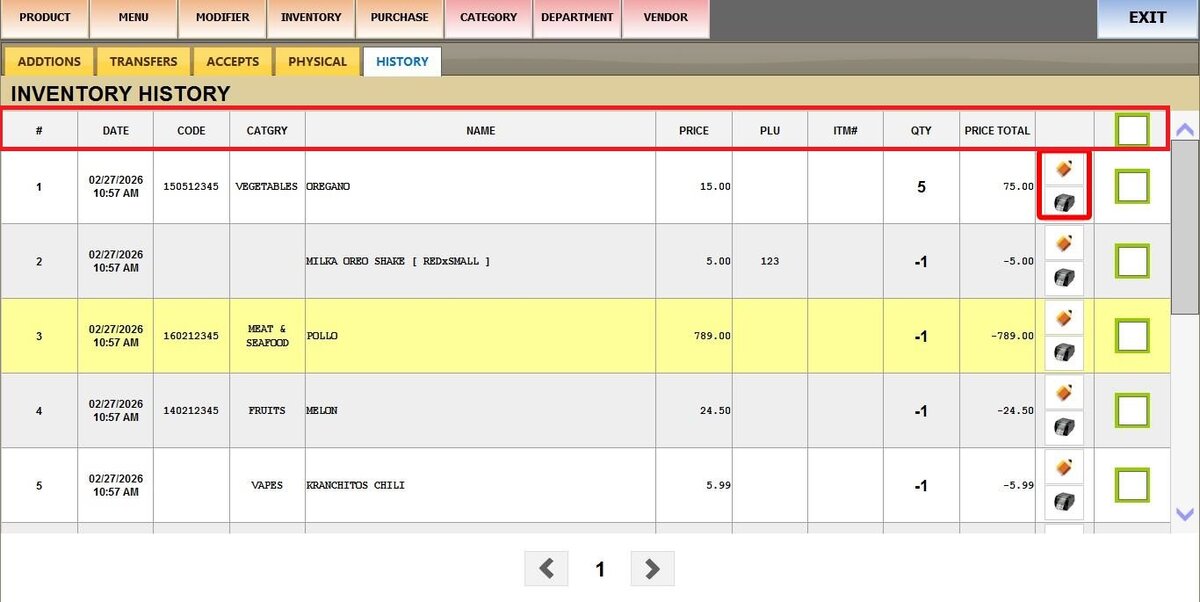
1. #: Row number.
2. DATE: Date and time the inventory change occurred.
3. CODE: Product code or SKU.
4. CATEGORY: Product category.
5. NAME: Product name.
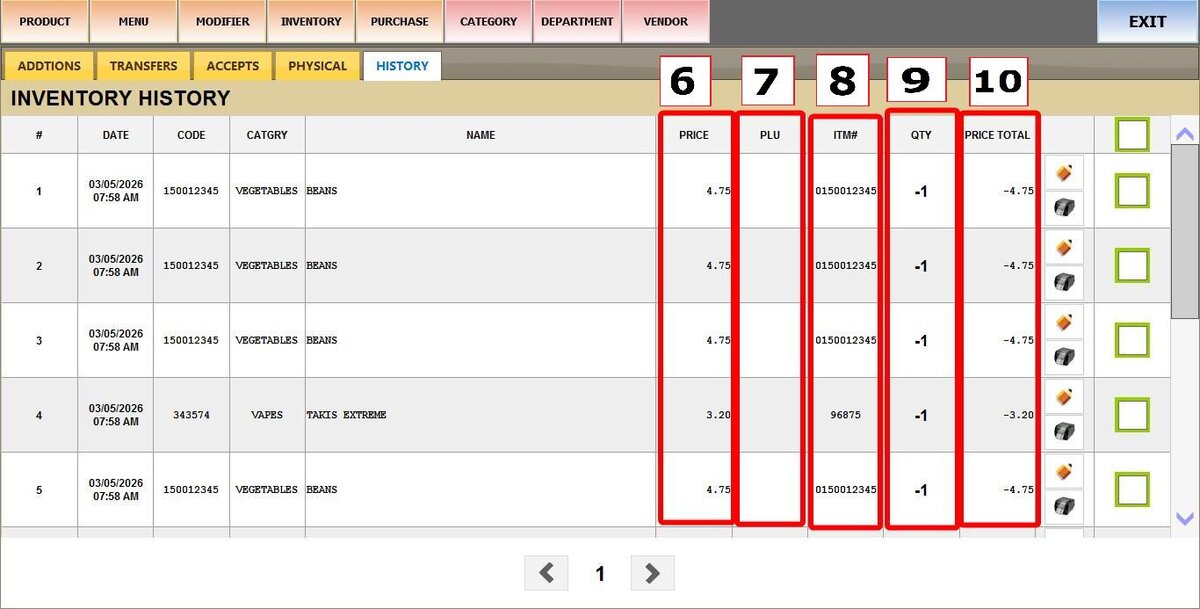
6. PRICE: Unit price of the product.
7. PLU: Price look‑up code (if used).
8. ITM#: Internal item number.
9. QTY: Quantity change. Positive numbers mean stock added; negative numbers mean stock removed (e.g., from sales).
10. PRICE TOTAL: Total value of the change (Price × QTY). This will be negative when QTY is negative.
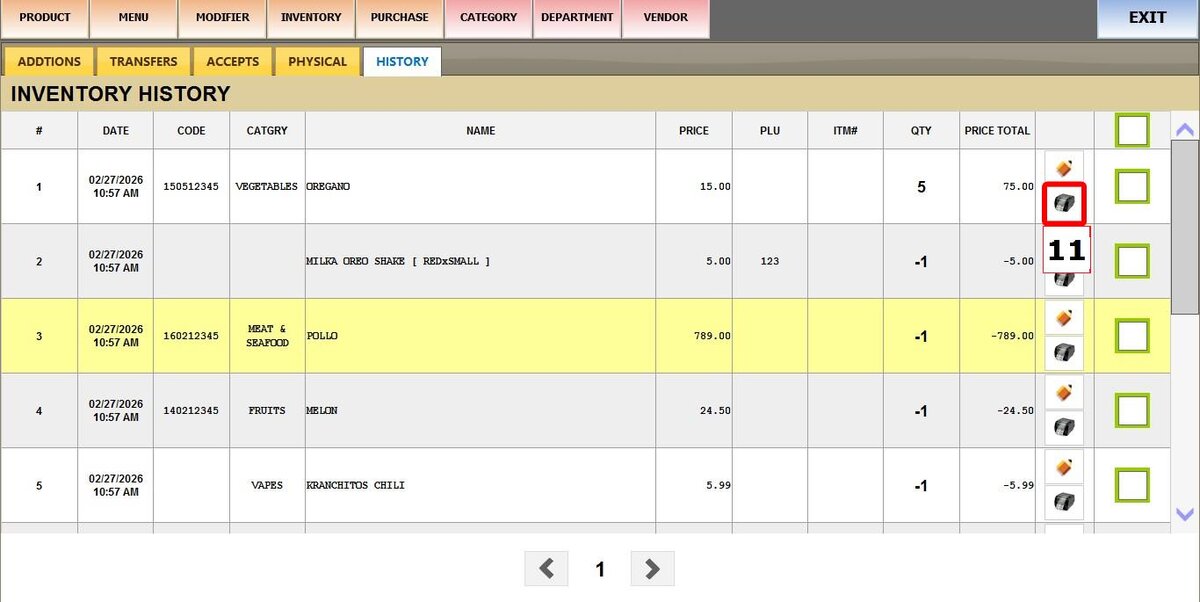
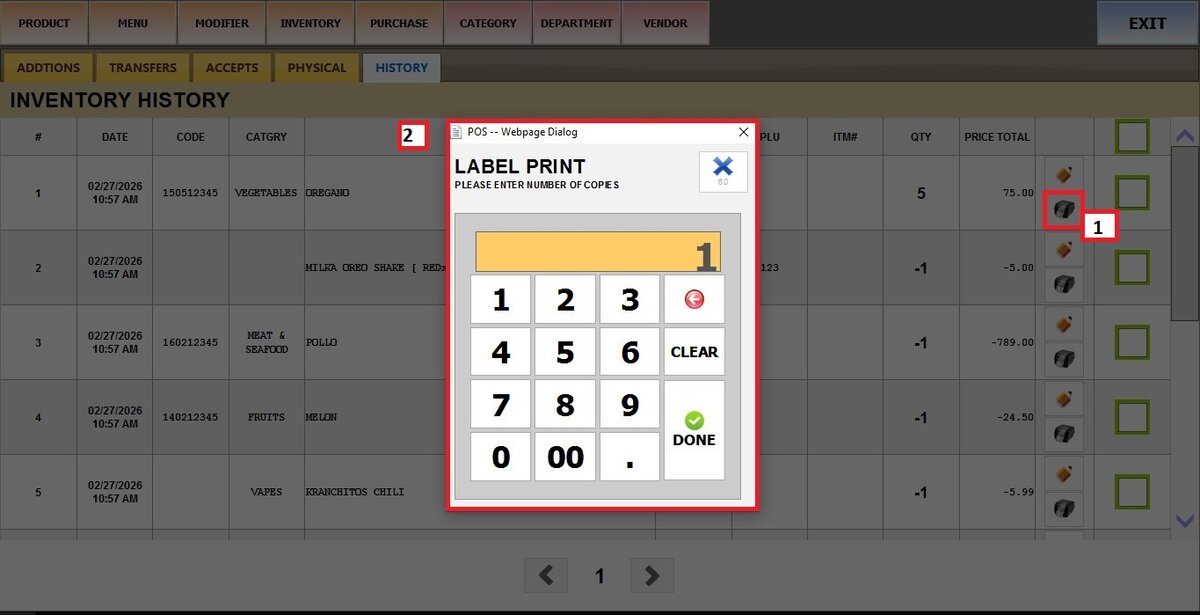
11. PRINTER ICON: Click to print a label for the product. A pop‑up will ask for the number of copies.
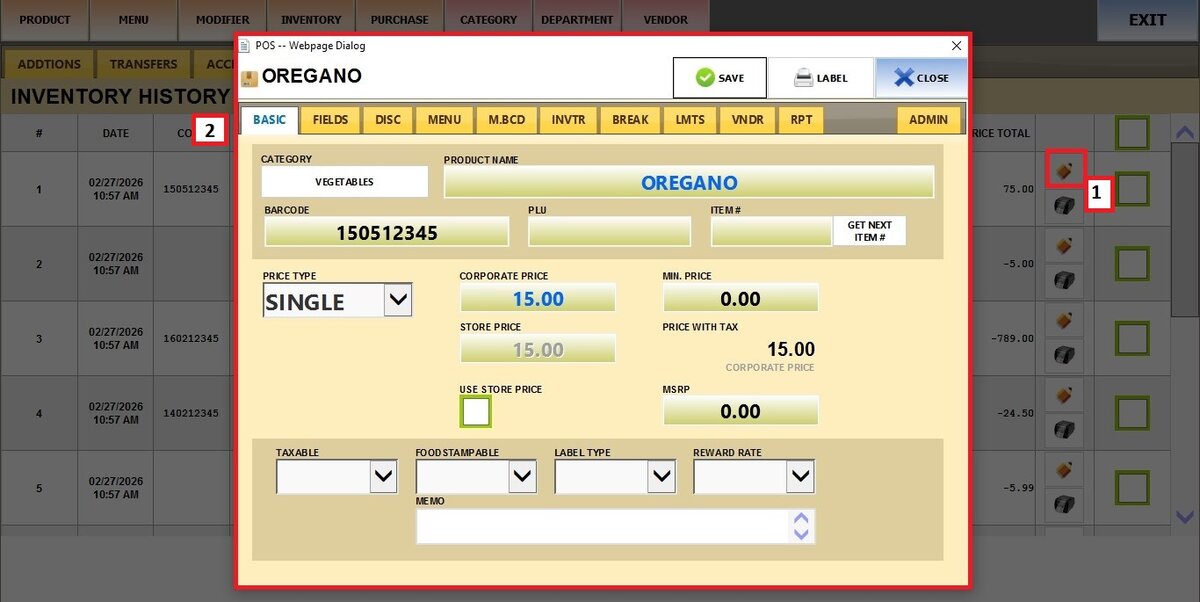
12. PENCIL ICON: Click to open that product’s details for editing.
13. CHECKBOX: Use to select one or more rows.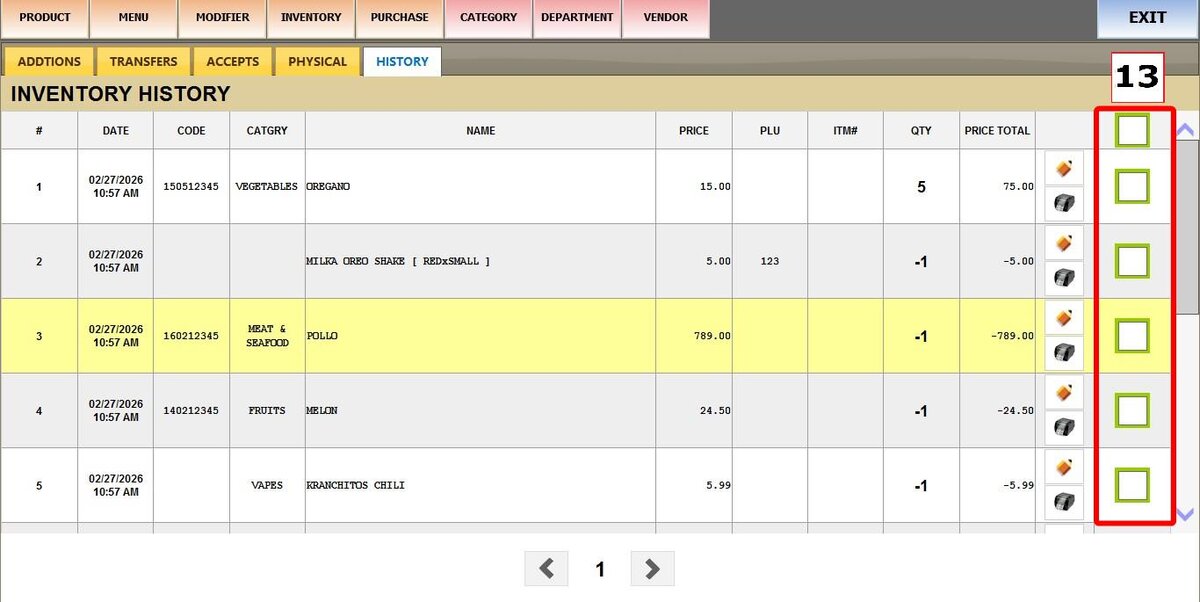
Navigation
Use the arrows at the bottom of the screen to move between pages of history entries.