Tax Free Item
This feature allows the removal of taxes from the current item.
Main Screen> Number Pad> Sales Screen > Toolbox> TAX FREE
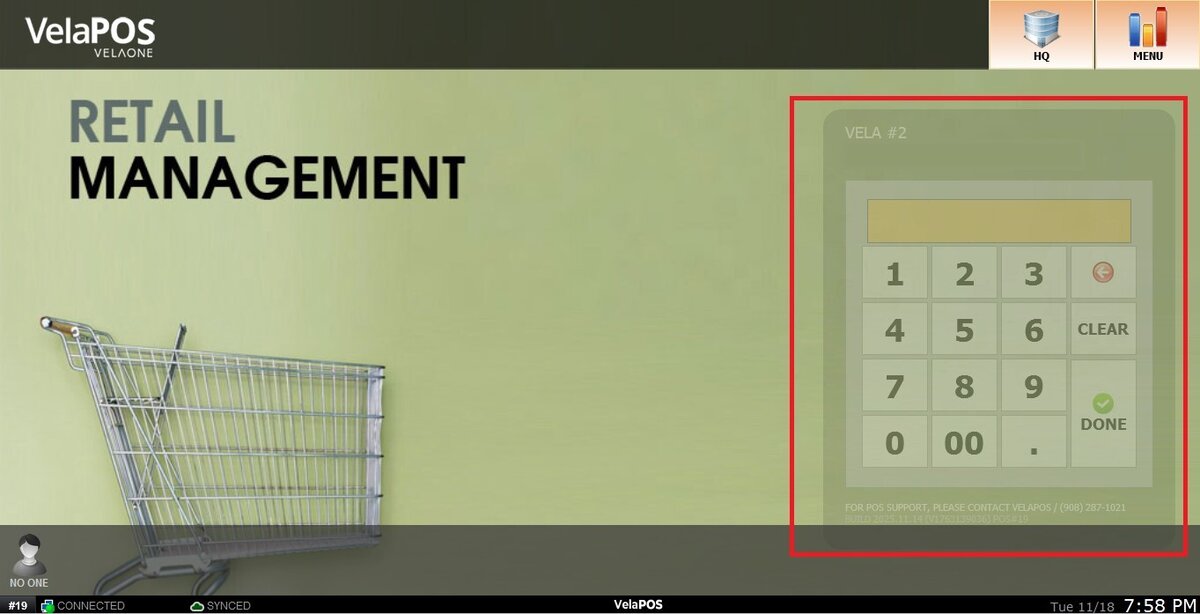
On the Main screen, click on the number pad and input the assigned personal password.
When a taxable item is added to the sale, the sales screen lists the applied tax directly under the subtotal.
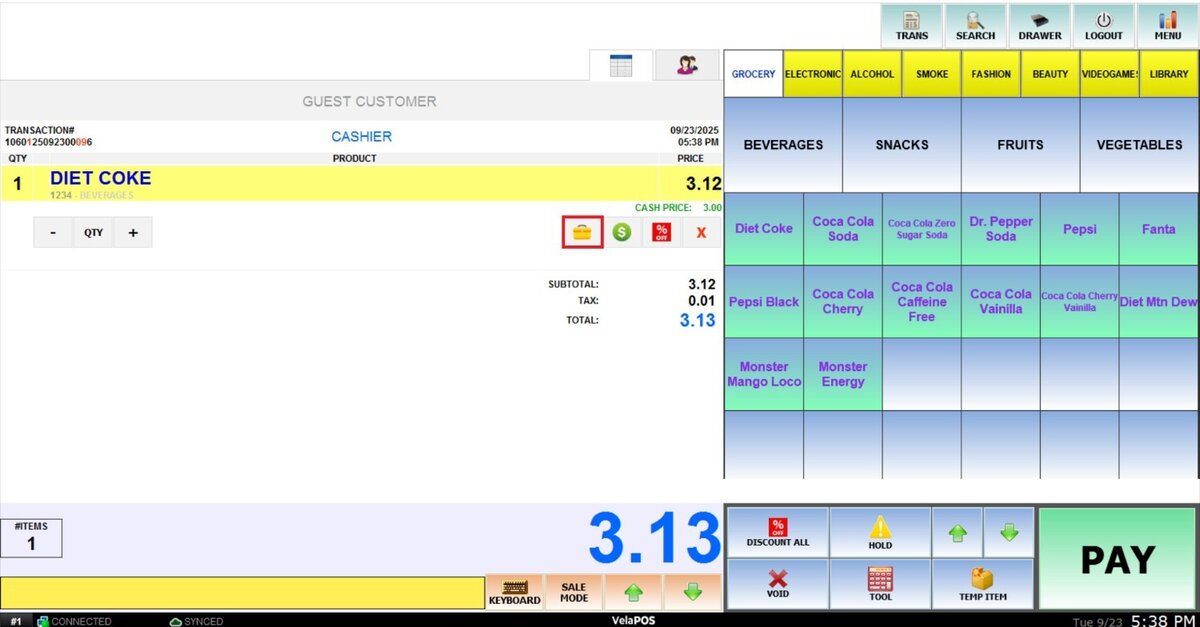
To remove the tax from a particular item, select it and press on the yellow TOOLBOX below it.
Press the icon TAX FREE to exclude the taxes from the item.
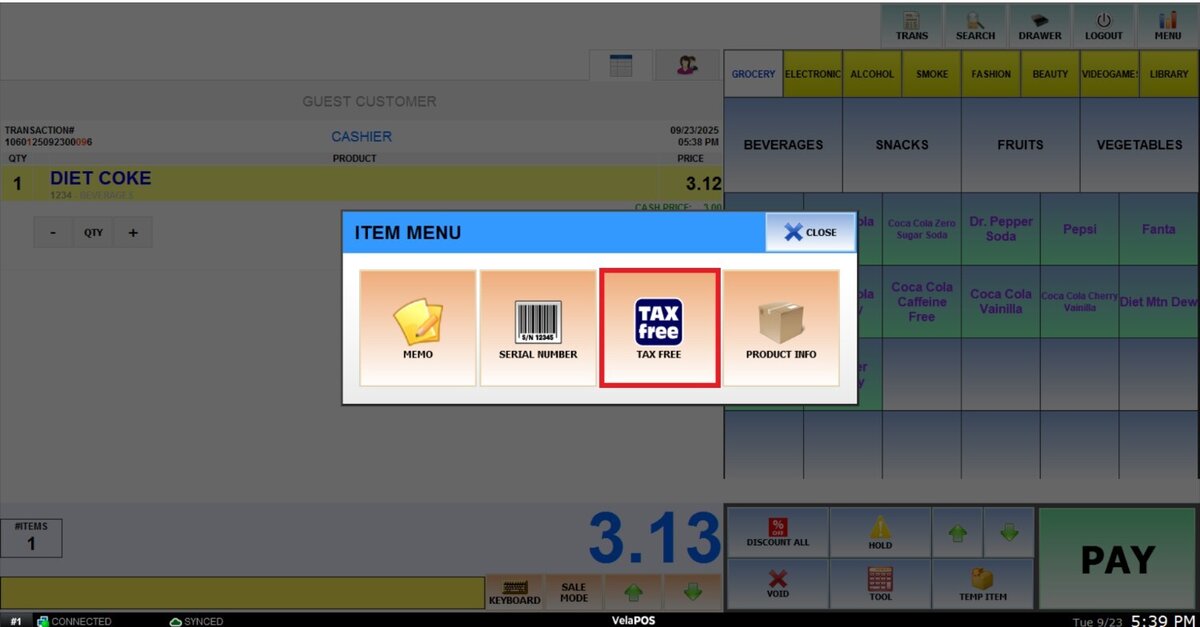
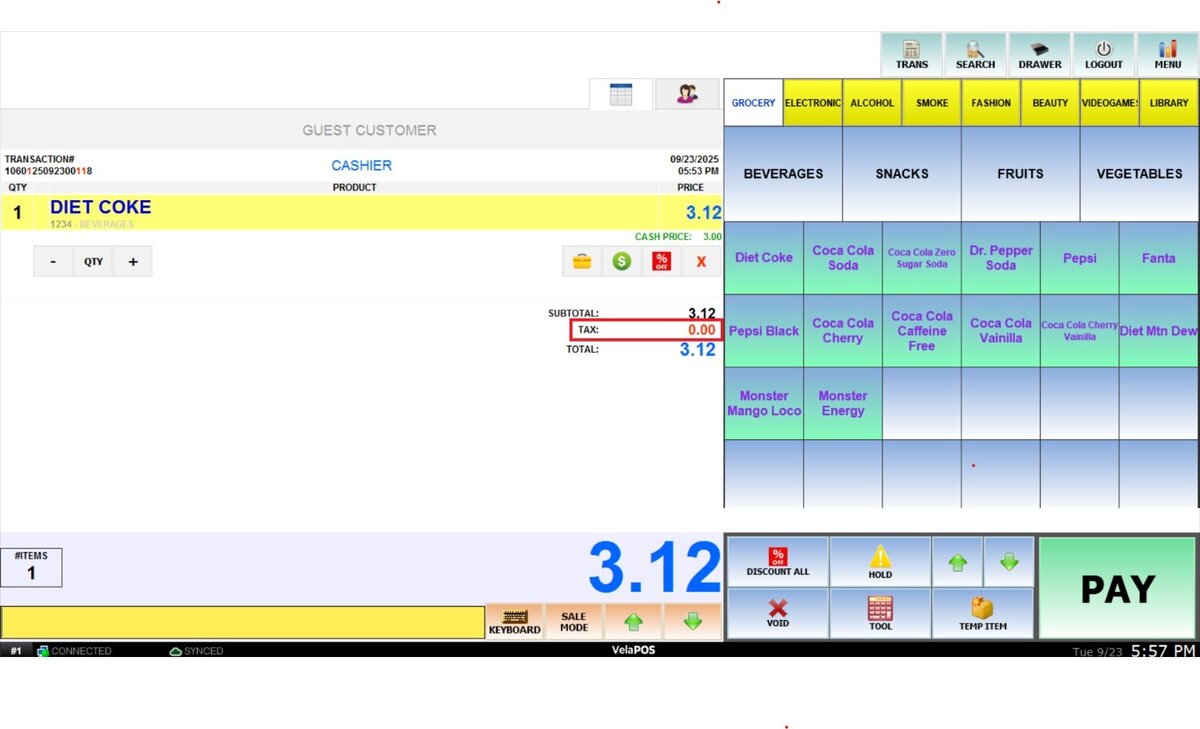
Result:
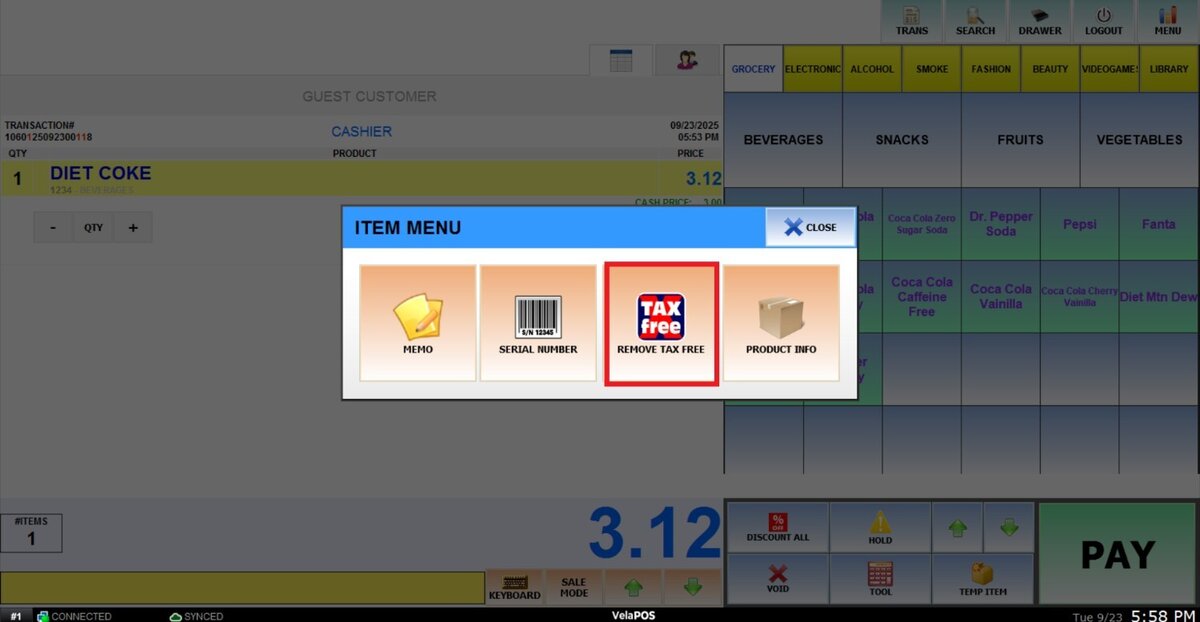
To restore taxes to the item, go back to the Item Menu and select REMOVE TAX FREE.