How to Perform a Register Close
This feature records the final cash amount at the end of the work shift.
Main Screen> Number Pad> Sales Screen> MENU> REGISTER CLOSE
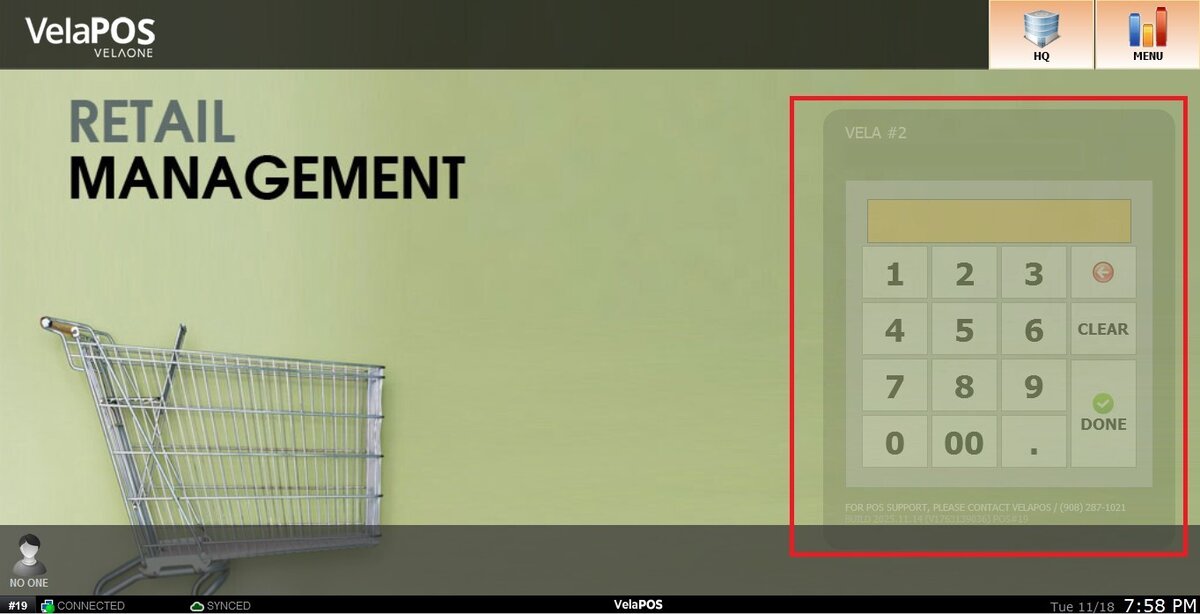
On the Main screen, click on the number pad and input the assigned personal password.
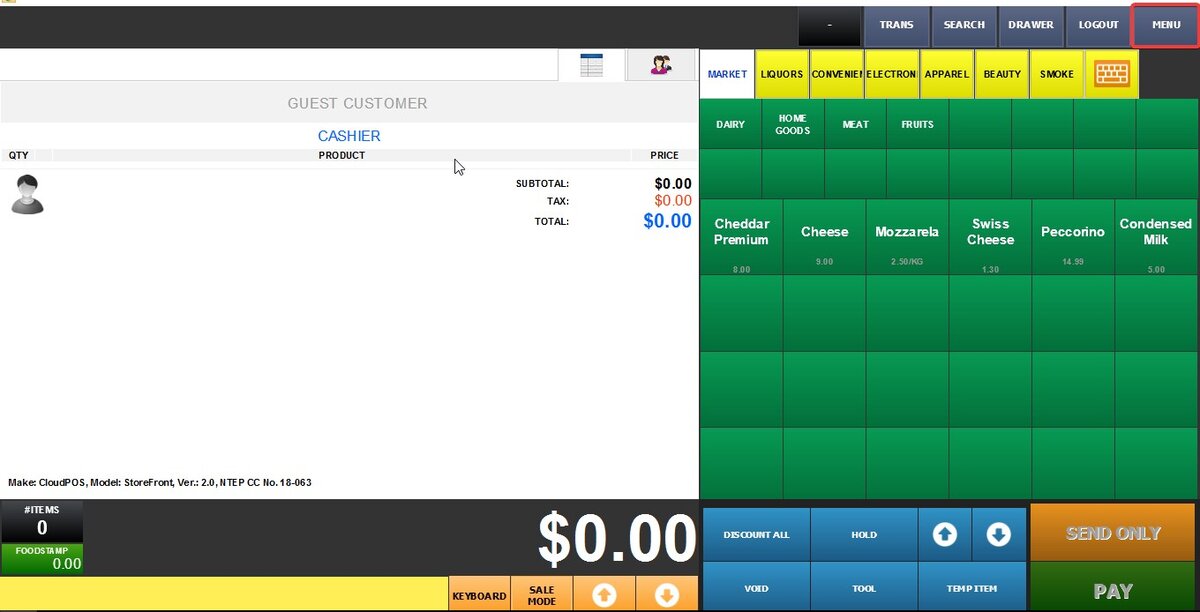
Go to the MENU on the sales screen.
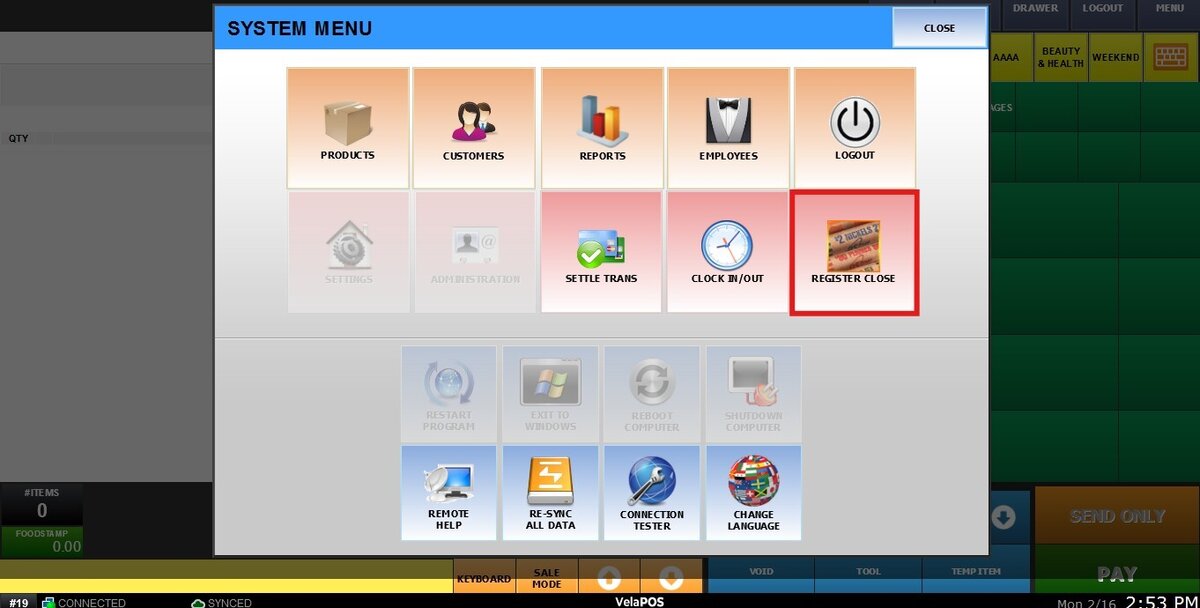
Press REGISTER CLOSE.
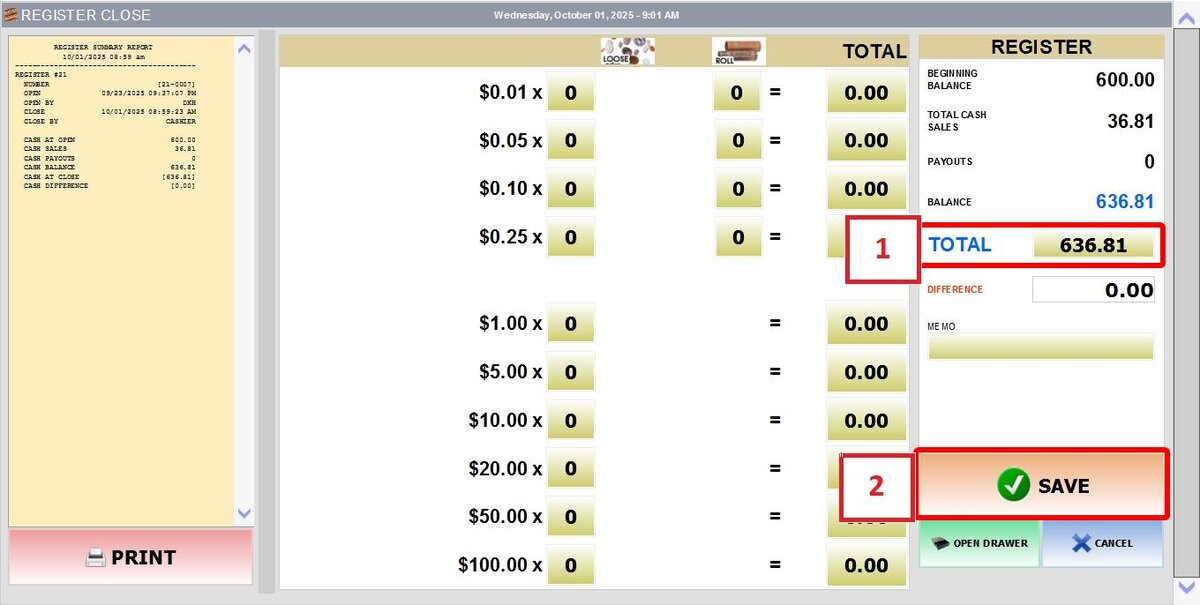
The REGISTER CLOSE screen consists of:
1. A printable SUMMARY REPORT, which includes the register open and close times, all cash inflows and outflows during that period, and a detailed record of bills and coins.
2. A table calculator, which allows the entry of bill and coin quantities or the manual input of the total amount in the TOTAL field.
3. The REGISTER on the right side, which displays whether the BALANCE aligns with the amount currently in the register.

After confirming that the TOTAL matches, complete the close by pressing SAVE.