Birthday
This report allows to quickly identify customers with birthdays within a specific month.
MAIN SCREEN> MENU> REPORTS> CUSTOMER> BIRTHDAY
On the Main Screen, go to MENU and press REPORTS. 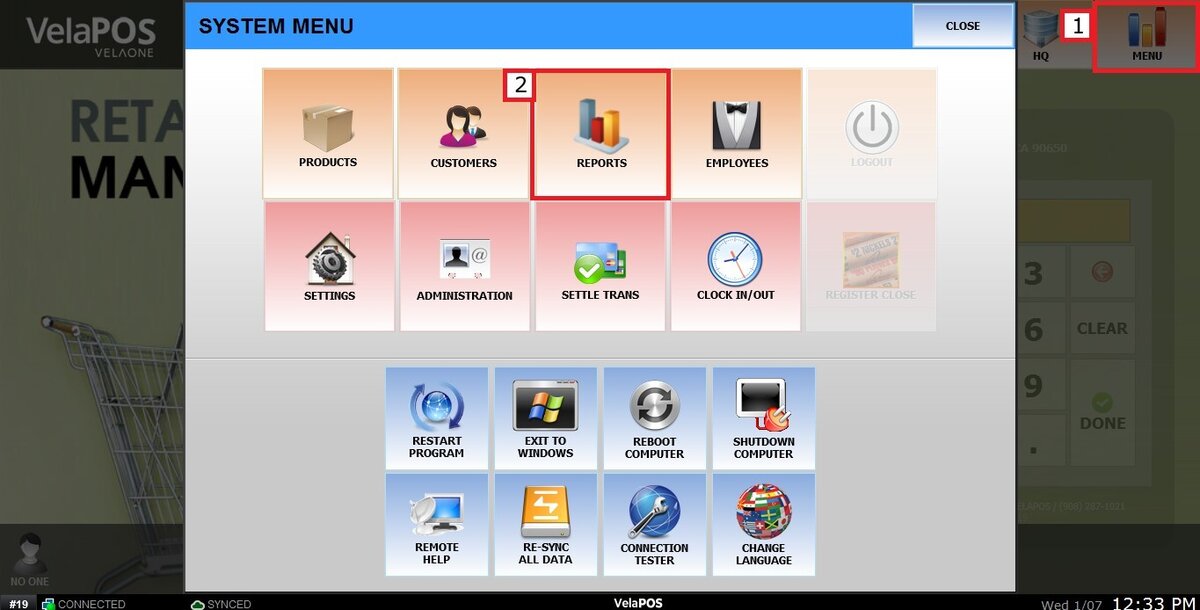
On the CUSTOMER tab, click on BIRTHDAY.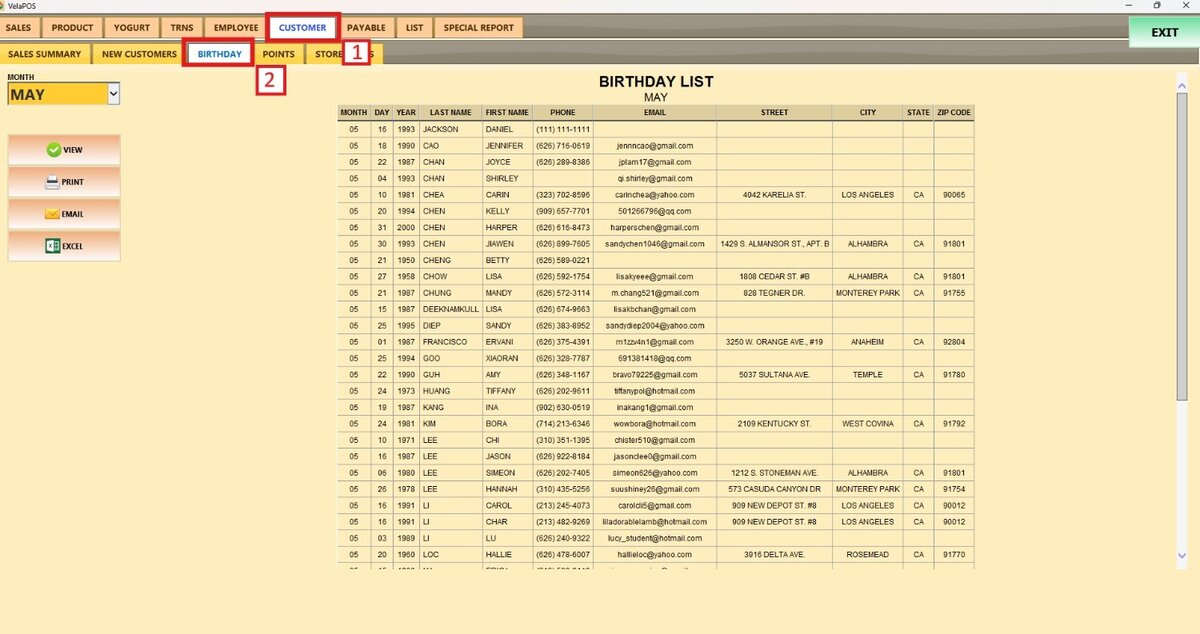
Select the MONTH and press VIEW.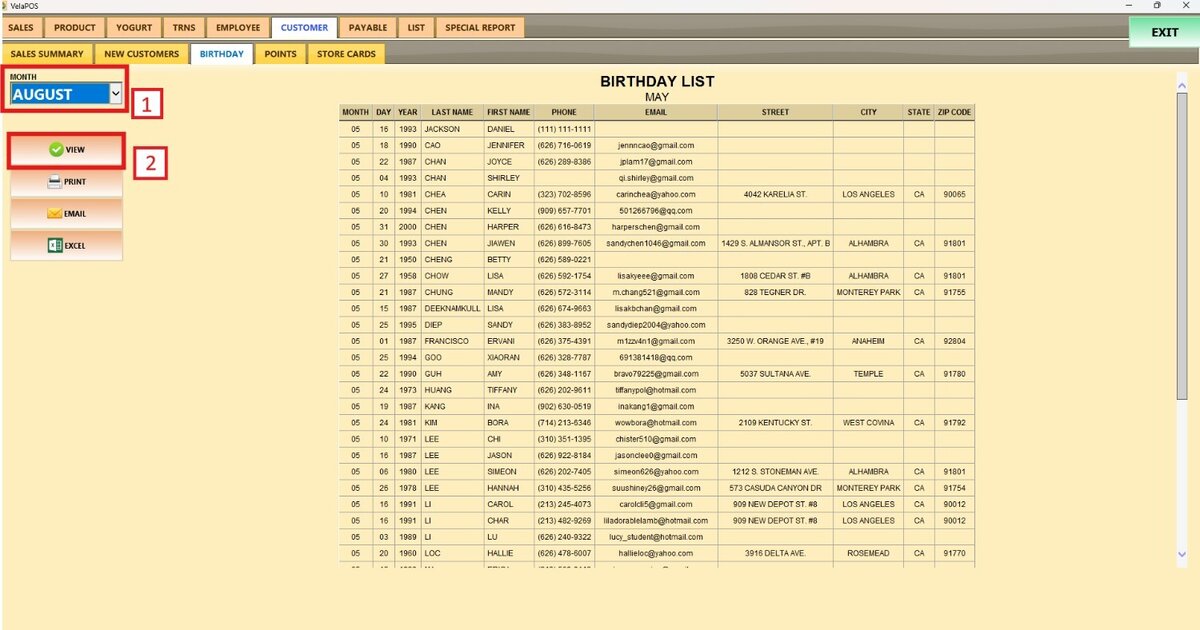
The customer list will now display the customers whose birthdays are during the selected month, along with their personal details.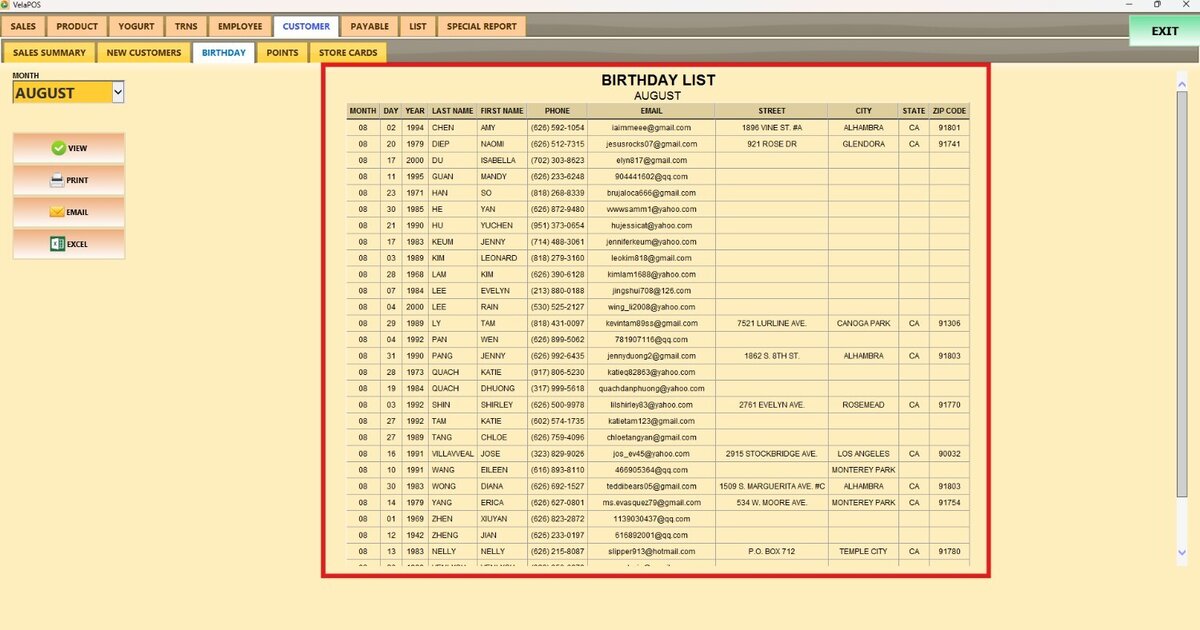
Once displayed, the report can be printed, emailed, or exported to an Excel file with that information.