Points Report
This report provides a summary of the points earned by customers through the loyalty program.
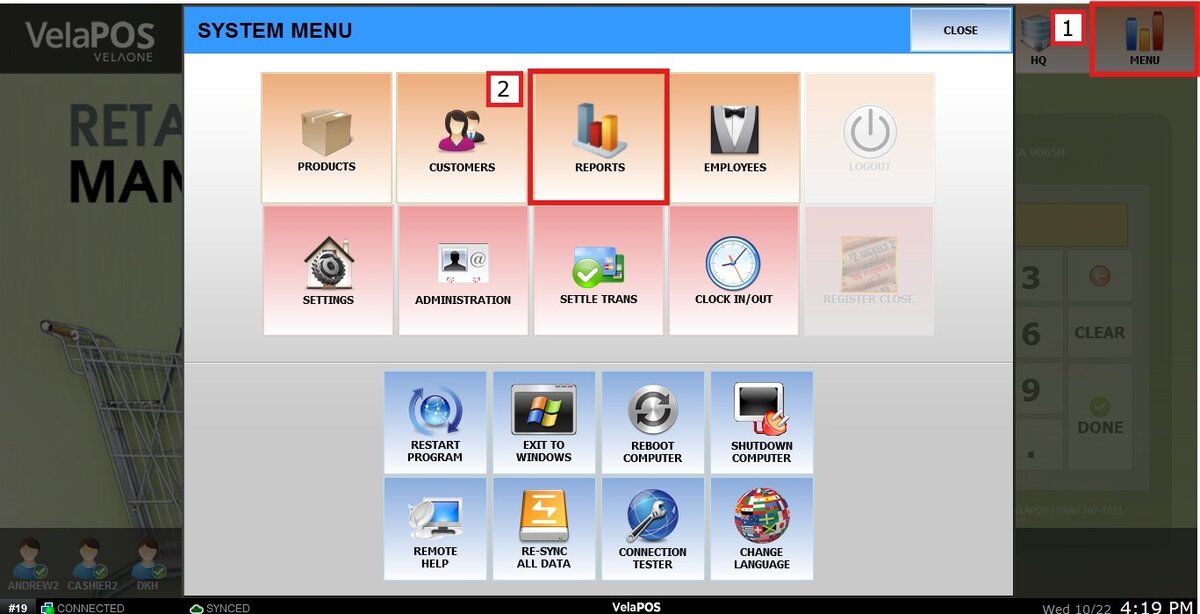
Main Screen> MENU> REPORTS> CUSTOMER> POINTS
On the Main Screen, go to MENU and press REPORTS.
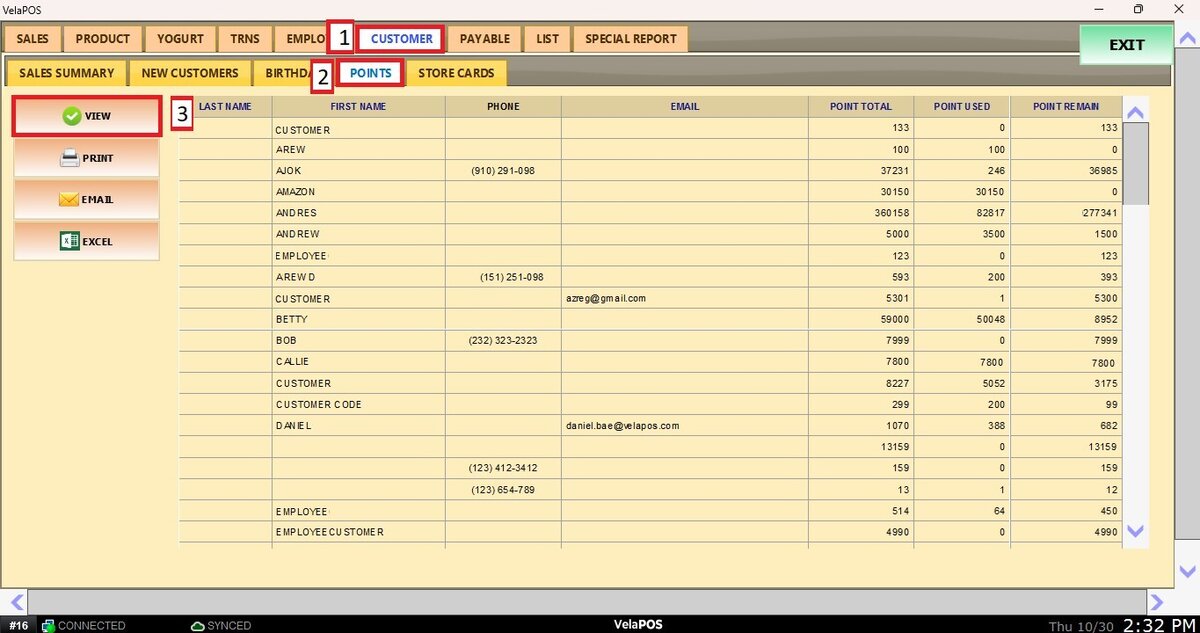
On the CUSTOMER tab, click on POINTS and press VIEW.
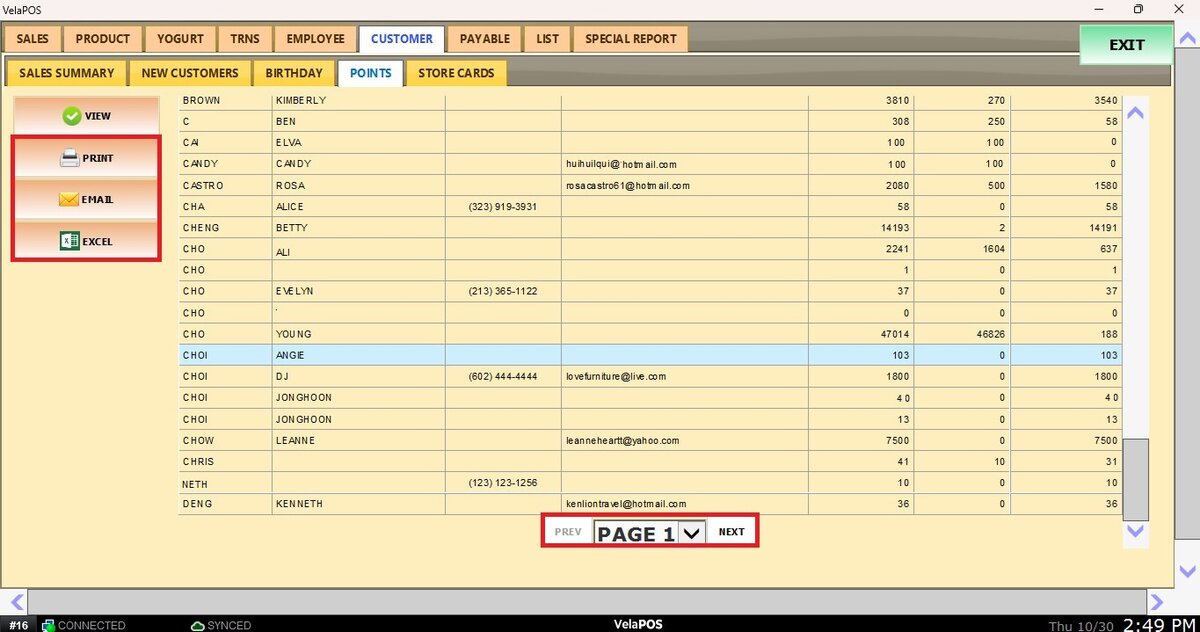
The report will display the customer's information, the total points they've earned, the amount of points they've used and the amount they currently have.
This list can be printed, emailed, or exported as a CSV file.
Navigate through the pages using the PREV/NEXT buttons or by choosing the PAGE NUMBER.