Store Cards Report
This report provides a detailed breakdown of the store cards.
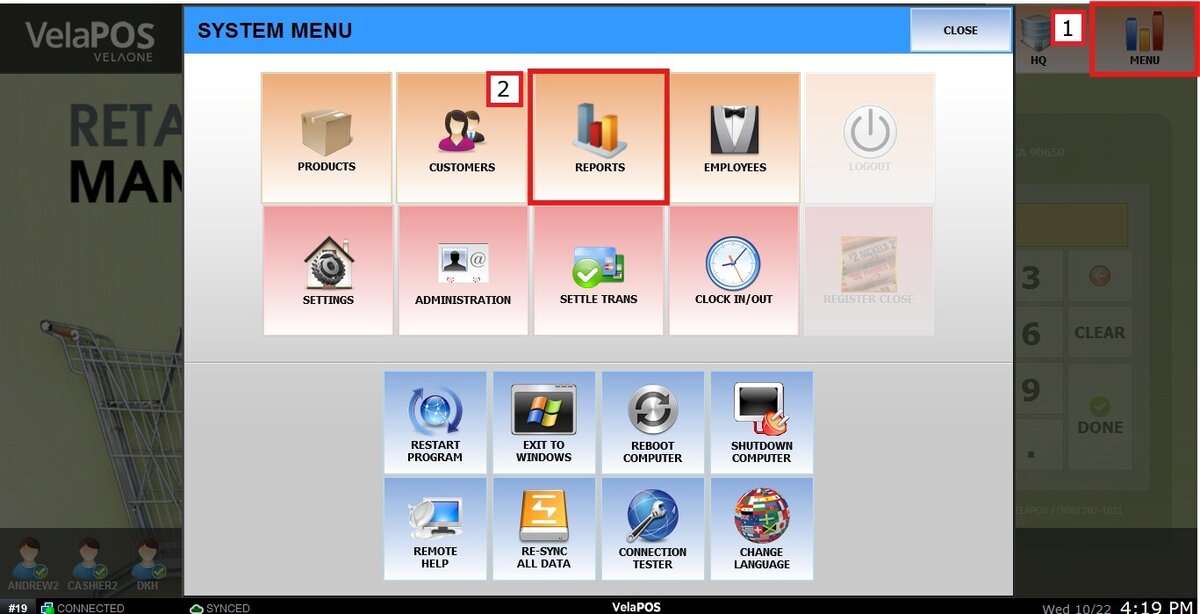
Main Screen> MENU> REPORTS> CUSTOMER> STORECARDS
On the Main Screen, go to MENU and press REPORTS.
In the CUSTOMER section, select the STORECARDS tab.

Click on VIEW to generate the report.
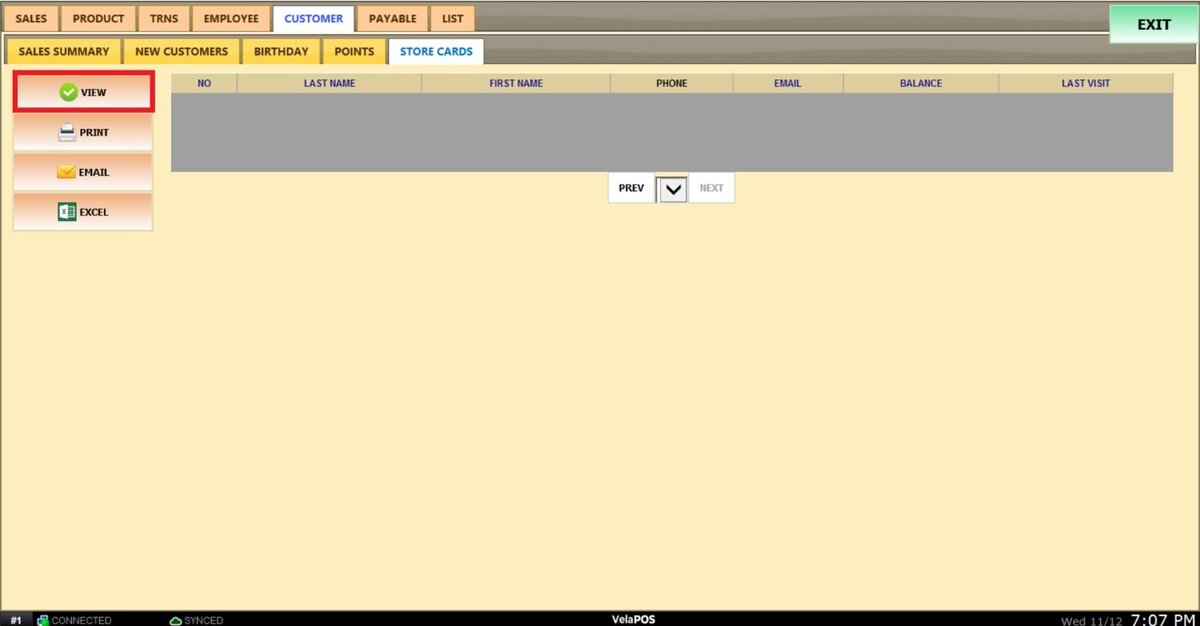
VIEW
The report will display the store card number, the customer’s last name, first name, phone number, email address, store card balance, and the date of the customer’s last visit.
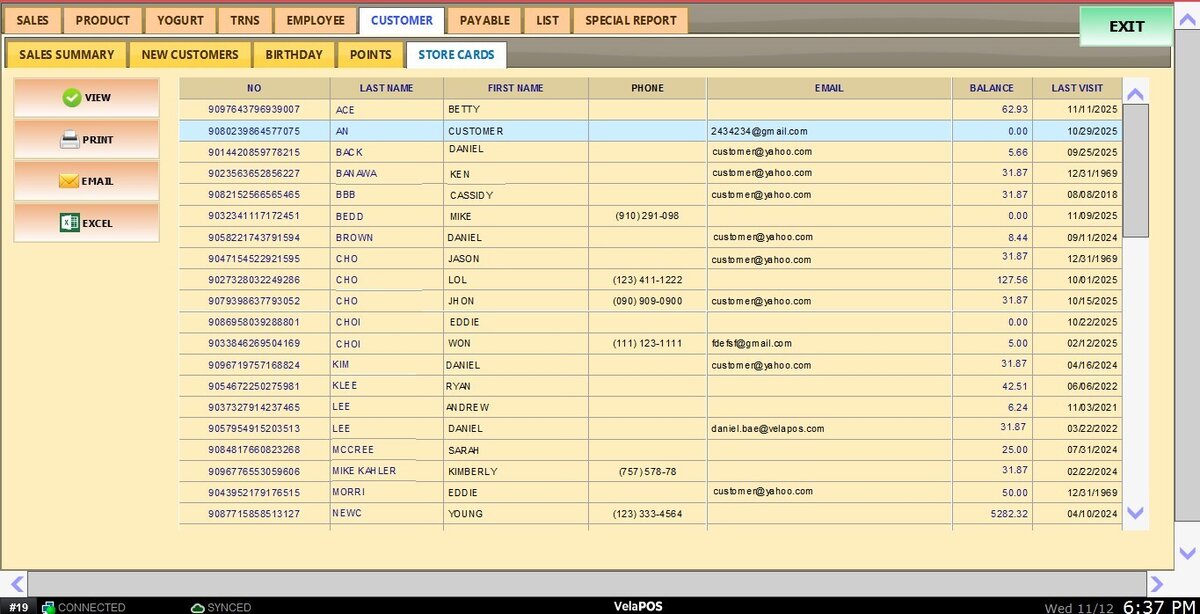
PRINT, EMAIL, or export the store card report as a CSV file.
