Payable
The Payable Reports section provides visibility into Store Cards and Gift Cards activity, balances, and transaction history.
Main Screen> MENU> REPORTS> PAYABLE
On the Main Screen, go to MENU, then select REPORTS.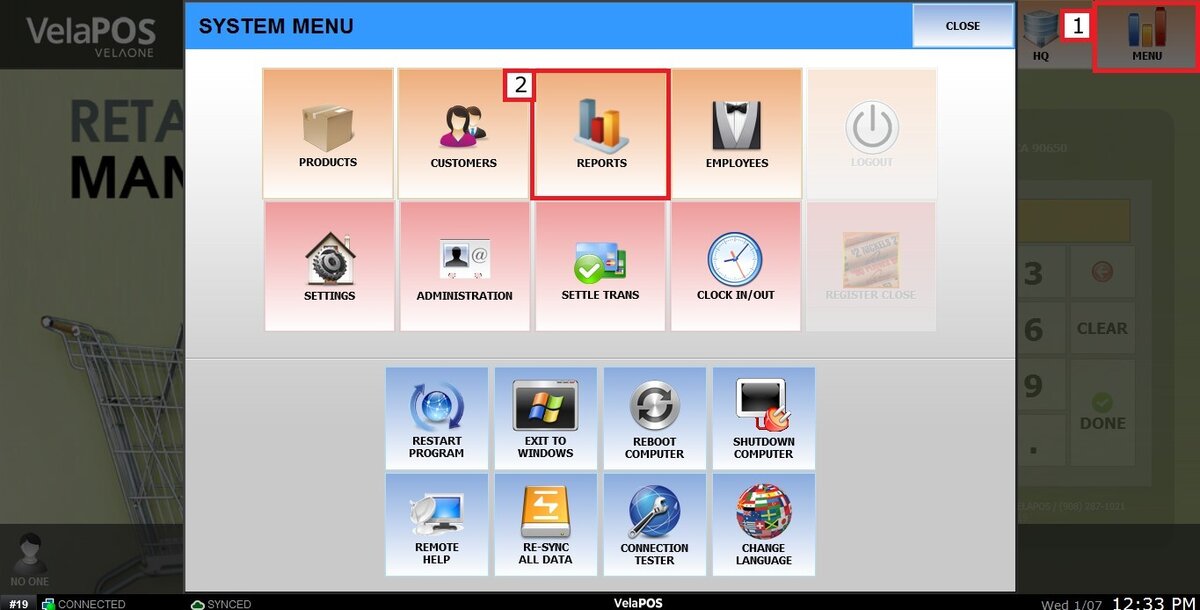
Within this section, three main tabs are available: STORE CARDS / STORE CARD TRANSACTIONS / GIFT CARD.
Each tab provides a different reporting function, detailed below.
STORE CARDS
The Store Cards tab provides a summary view of all store credit accounts associated with the location.
1. On the left side of the screen, TOTAL BALANCE displays the combined balance of all active store card accounts.
TOTAL ACTIVE ACCOUNTS shows the number of currently active store card accounts.
2. Using the "SORT LIST BY" dropdown, accounts can be organized by:
LAST USED: Sorts by most recent activity.
MOST BALANCE: Displays accounts with the highest balance first.
LEAST BALANCE: Displays accounts with the lowest balance first.
CREATED: Sorts by account creation date.
On the right side of the screen, a list of all customer information is available for review. Also, with the VIEW option, access to the details of each customer transaction will appear.
Hint: can be filtered by DATE, LAST 10, LAST 25, LAST 50, and LAST 100.
STORE CARD TRANSACTIONS
The Store Card Transactions tab provides a detailed transactional history for store cards.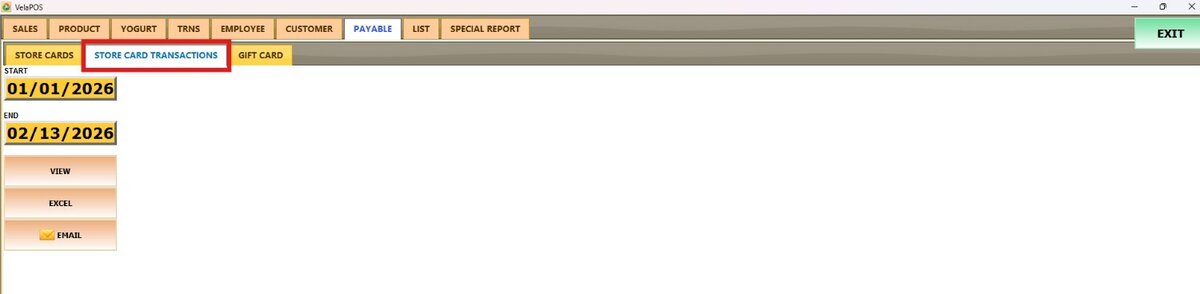
Filtering Options:
Select a START DATE and an END DATE to generate a report for a specific period. Then press on VIEW under the date.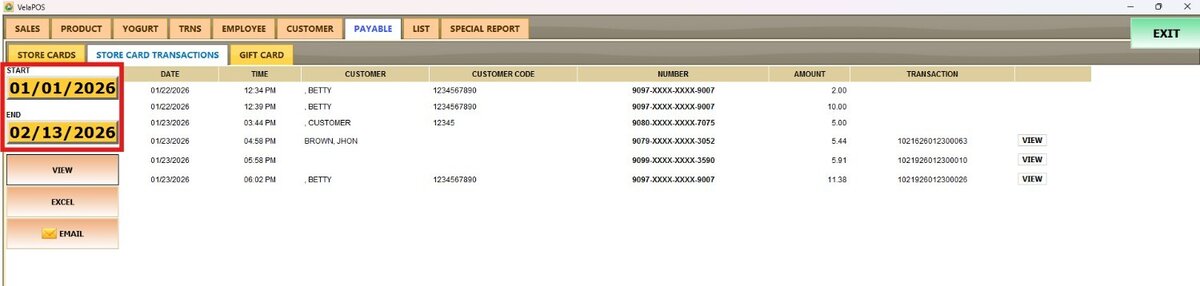
On the right side of the screen will be able to check the transaction date & time, customer information, and transaction details (amount, transaction number). Pressing on VIEW next to TRANSACTION.

Hint: The report can be sent via Email or exported as an Excel file.
GIFT CARD
This tab provides a summary and tracking view of all gift cards.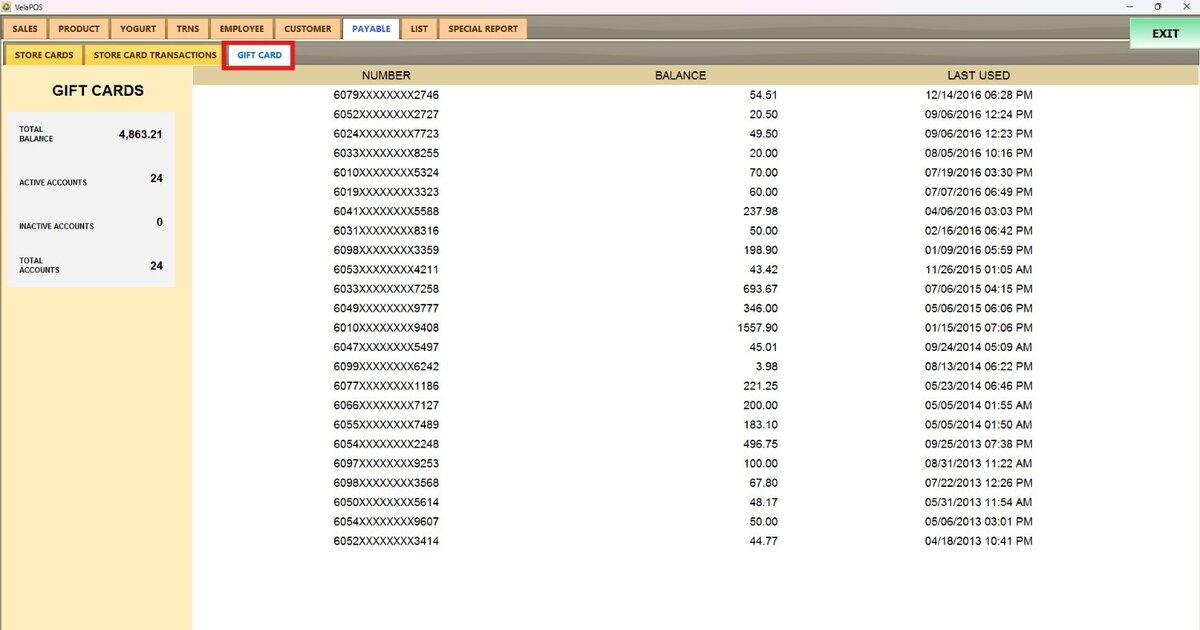
On the left side of the screen, we can check the total balance, active accounts, number of active gift cards, inactive accounts, and total accounts.
On the right side of the screen, we can check the number, balance, and last used.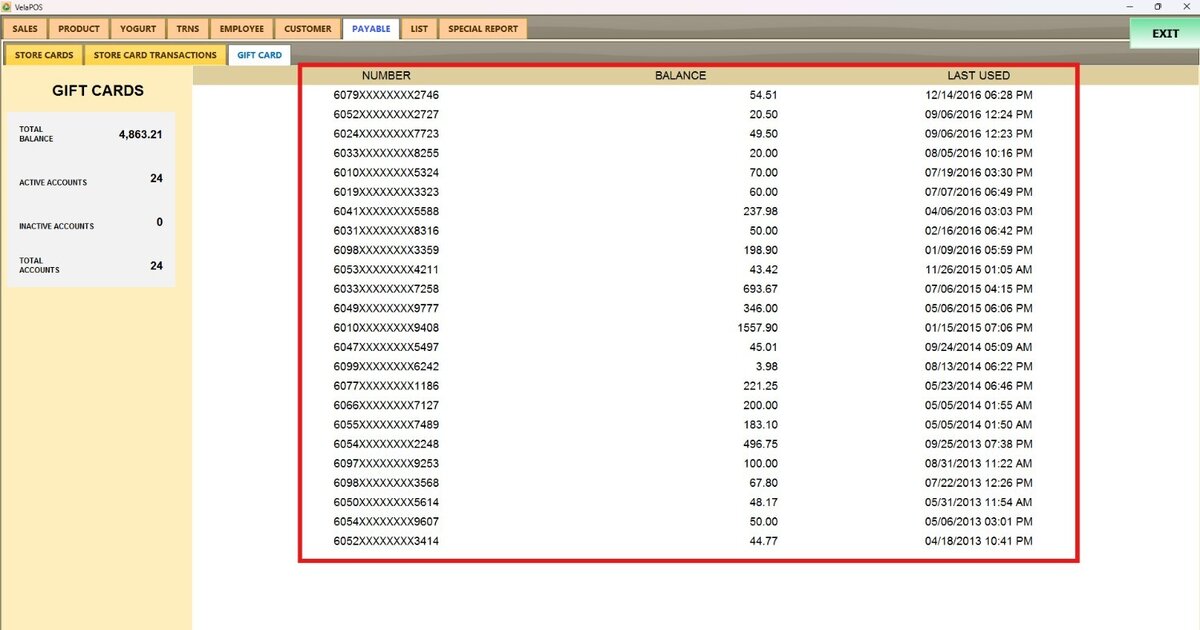
Hint: For security and quick identification purposes, the system displays the first 4 digits and the last 4 digits. This allows users to locate a specific card without exposing the full card number.