Transaction Report
This report provides a detailed breakdown of all transactions for the selected day, allowing each sale to be reviewed in detail.
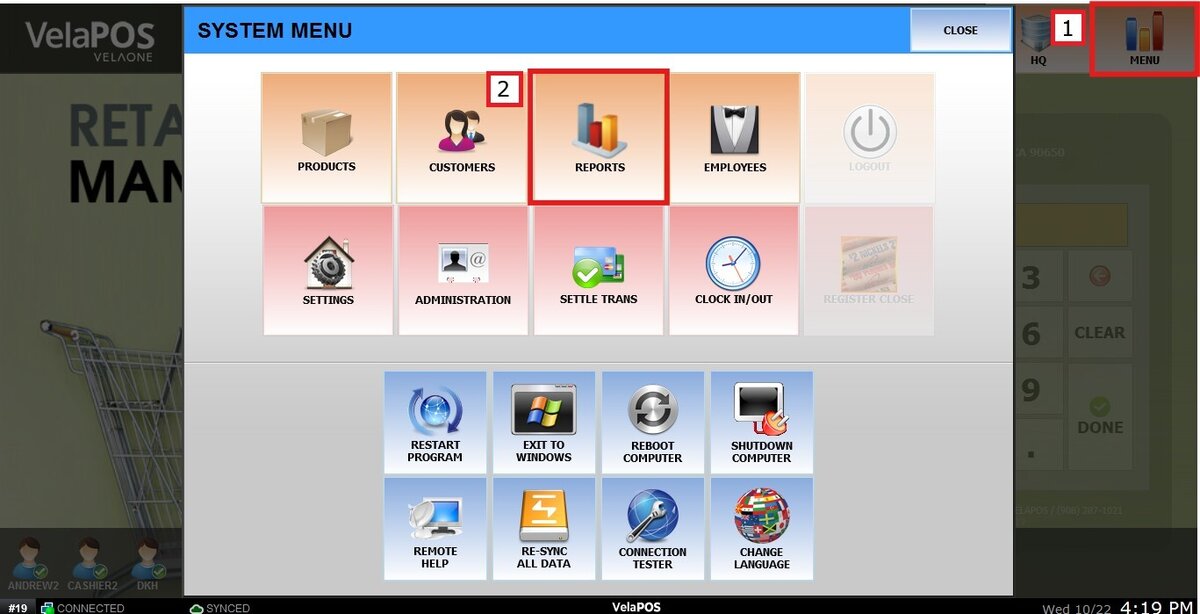
Main Screen> MENU> REPORTS> TRANS> TRANSACTIONS
On the Main Screen, go to MENU and press REPORTS.
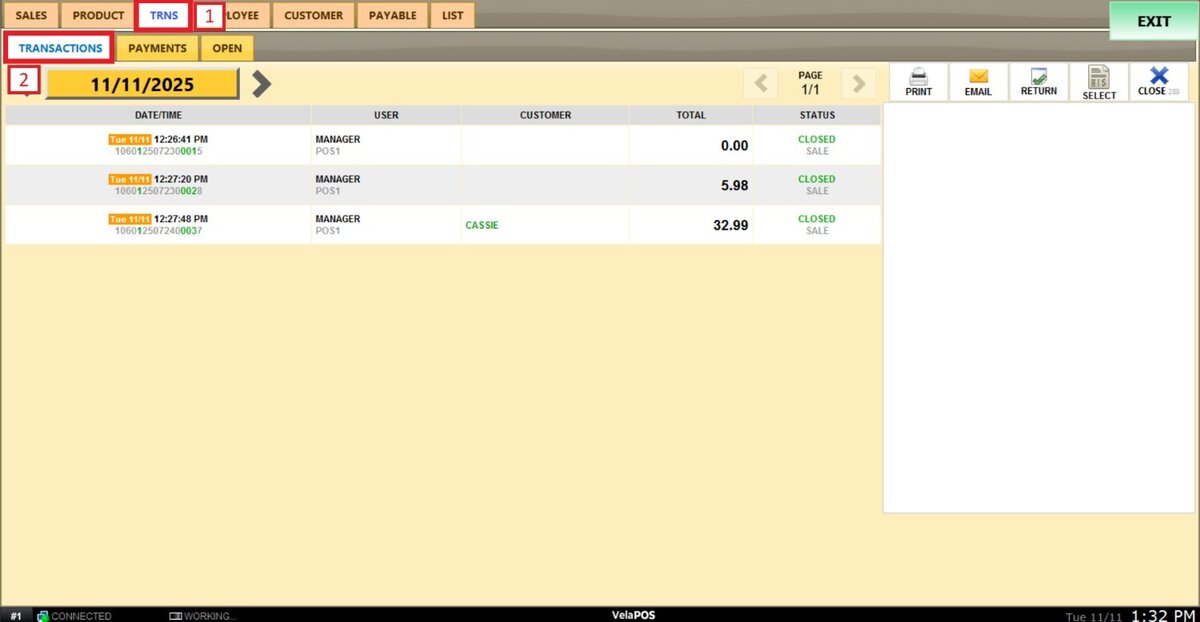
Under the TRANS tab, go to TRANSACTIONS.
Filters
Use the filters to define how the report is grouped and displayed.
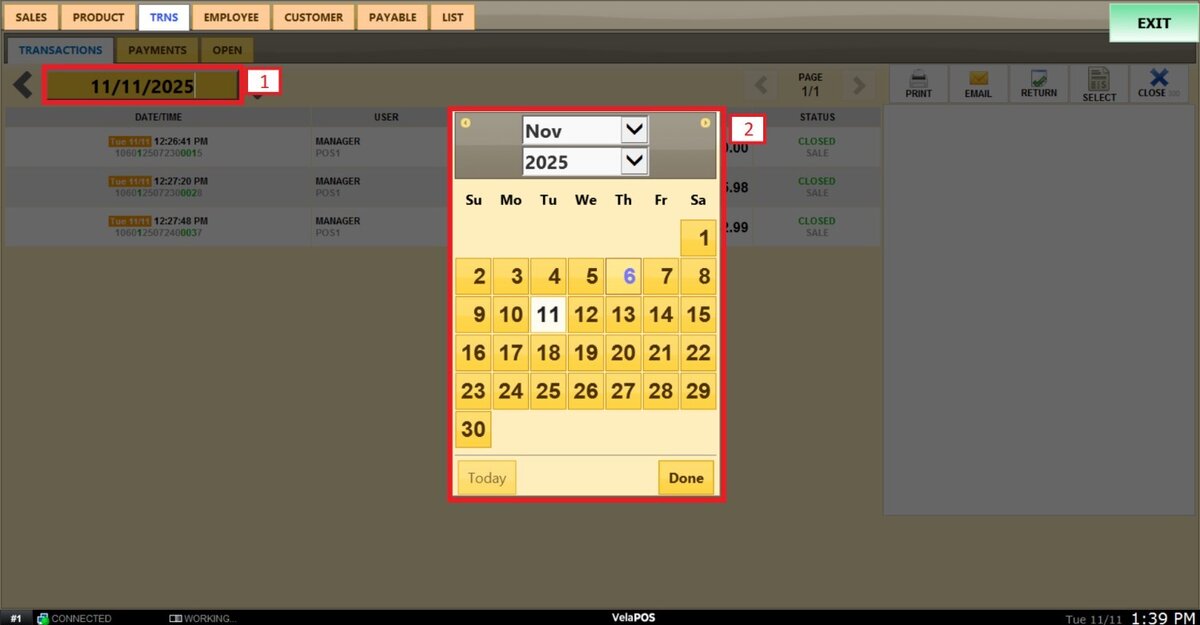
1. Filter by a specific date: Select a specific date by tapping the date field. A calendar appears, allowing selection of the day, month, and year.
2. Arrow navigation: Use the side arrows to move forward or backward through the days.
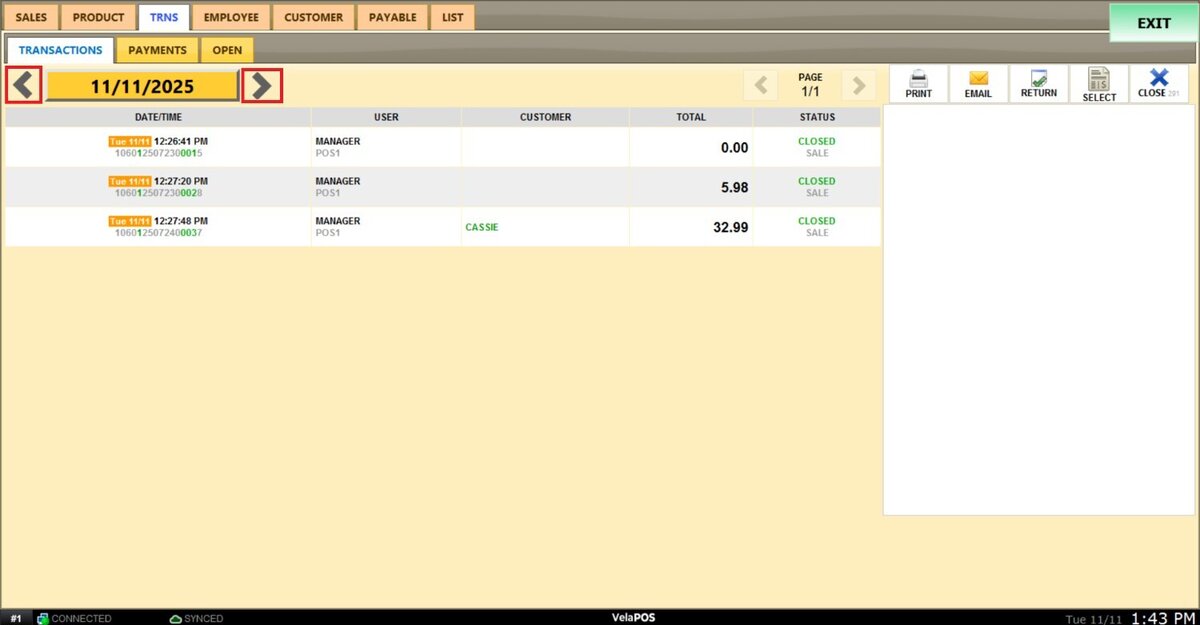
Note: Use the page arrows to move through the transaction pages for the selected date.
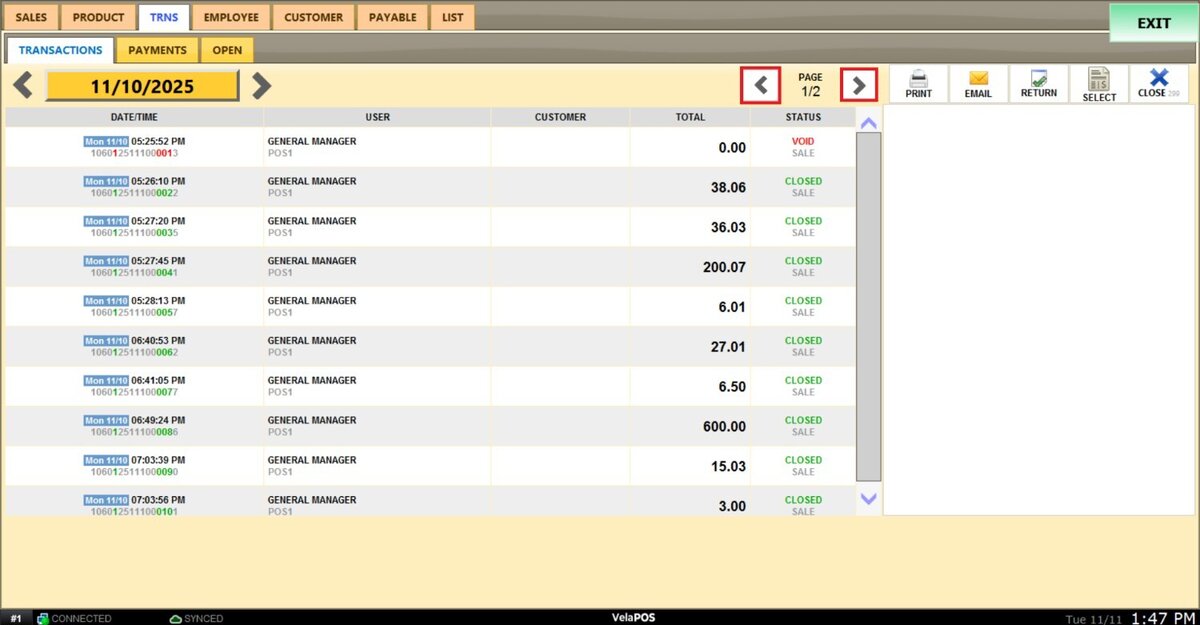
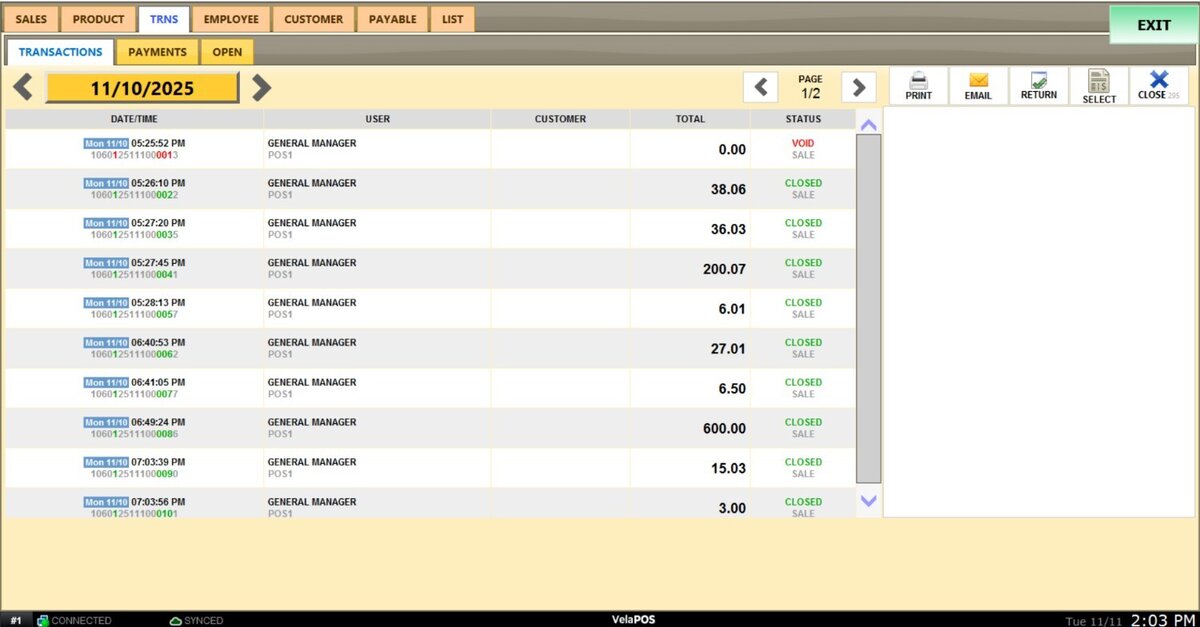
The report displays a list of transactions showing the date and time, the user (employee) who processed the sale, the customer involved, the total amount, and the transaction status (open, closed, or void).
Selecting a transaction displays its full details on the right side of the screen.
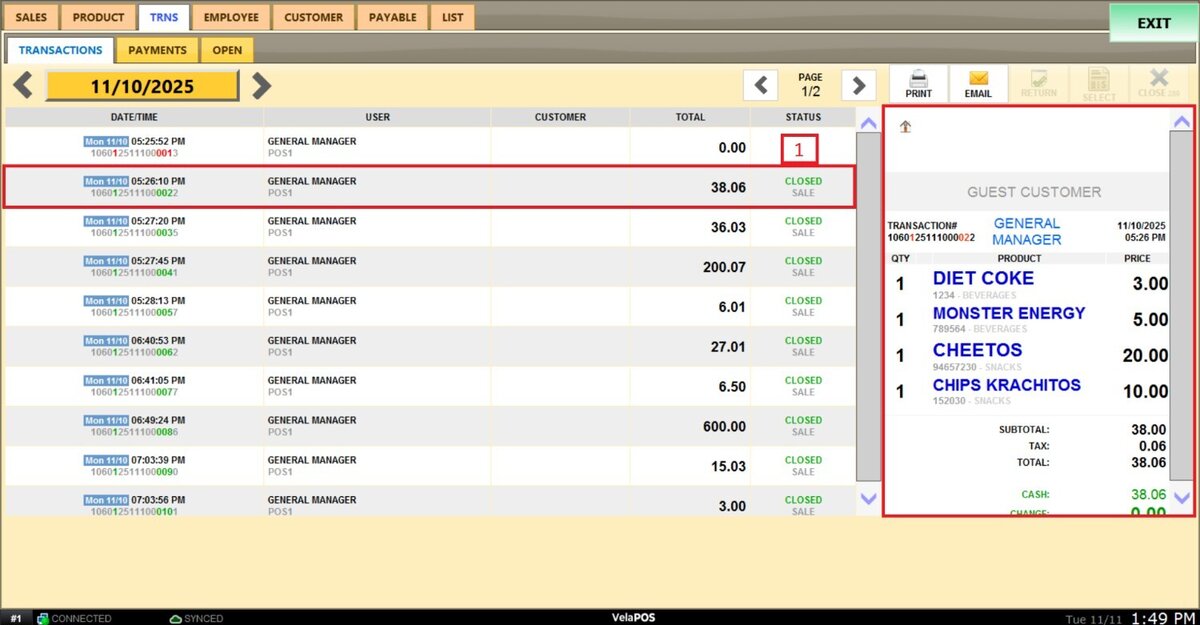
Hint: The receipt for that transaction can be emailed or printed from the same view.