Questionnaires
This tab allows you to create and customize the questionnaires that will be displayed during the sales process.
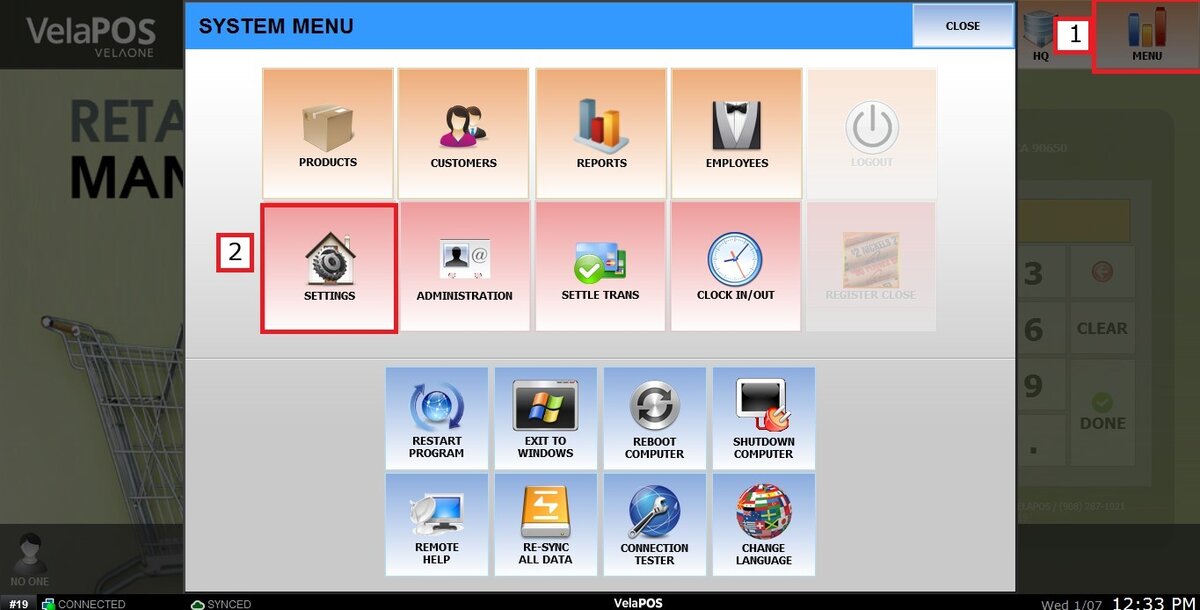
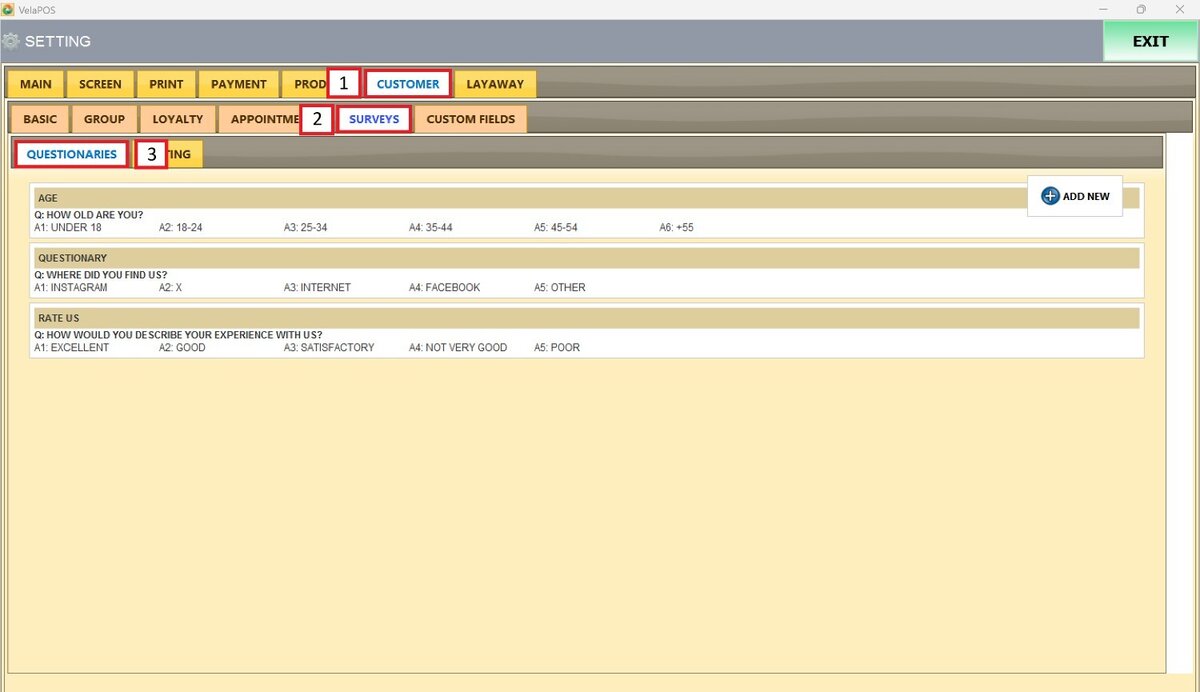
Main Screen> MENU> SETTINGS> CUSTOMER> SURVEYS> QUESTIONARIES
Go to MENU and press SETTINGS.
Go to CUSTOMER, open the SURVEYS section, and select QUESTIONARIES.
Press ADD NEW to create a new questionnaire.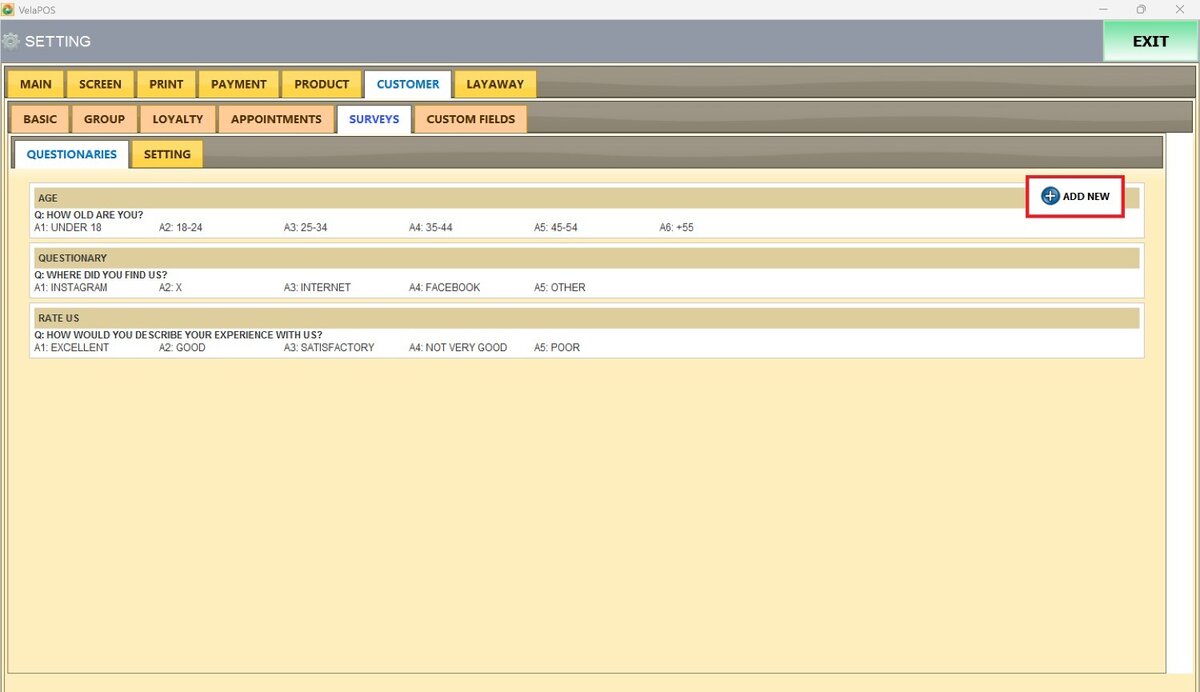
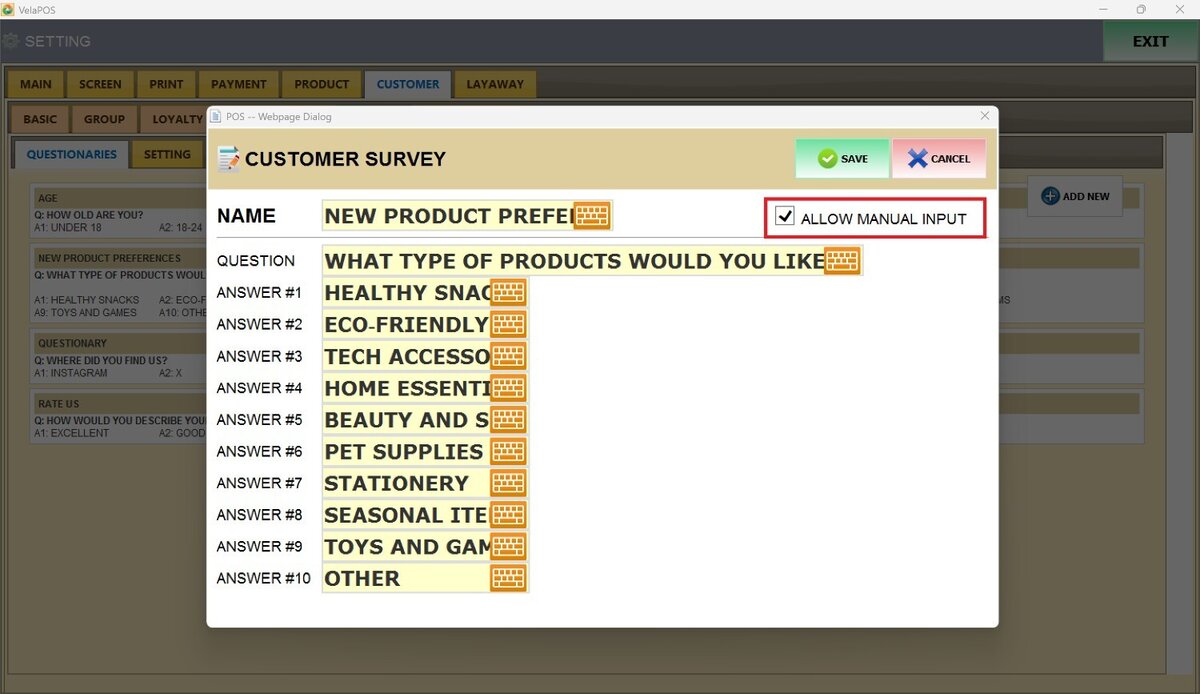
A screen will appear where you can enter the questionnaire details, including its NAME, the main QUESTION, and the ANSWER options available to customers.
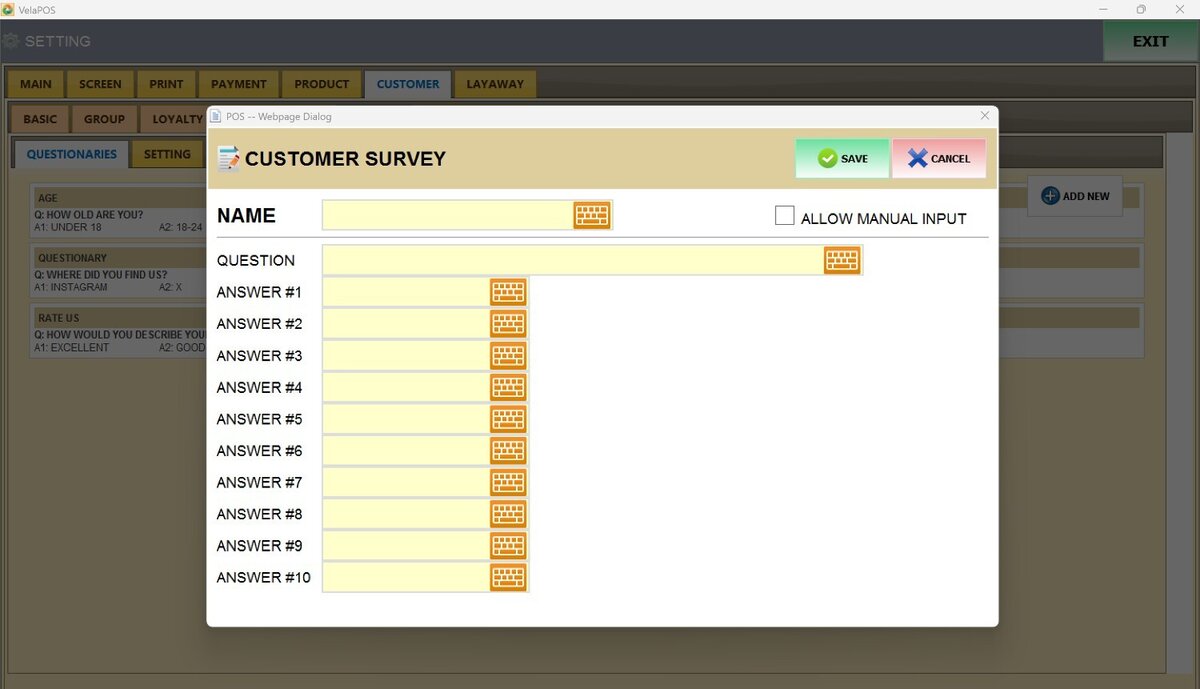
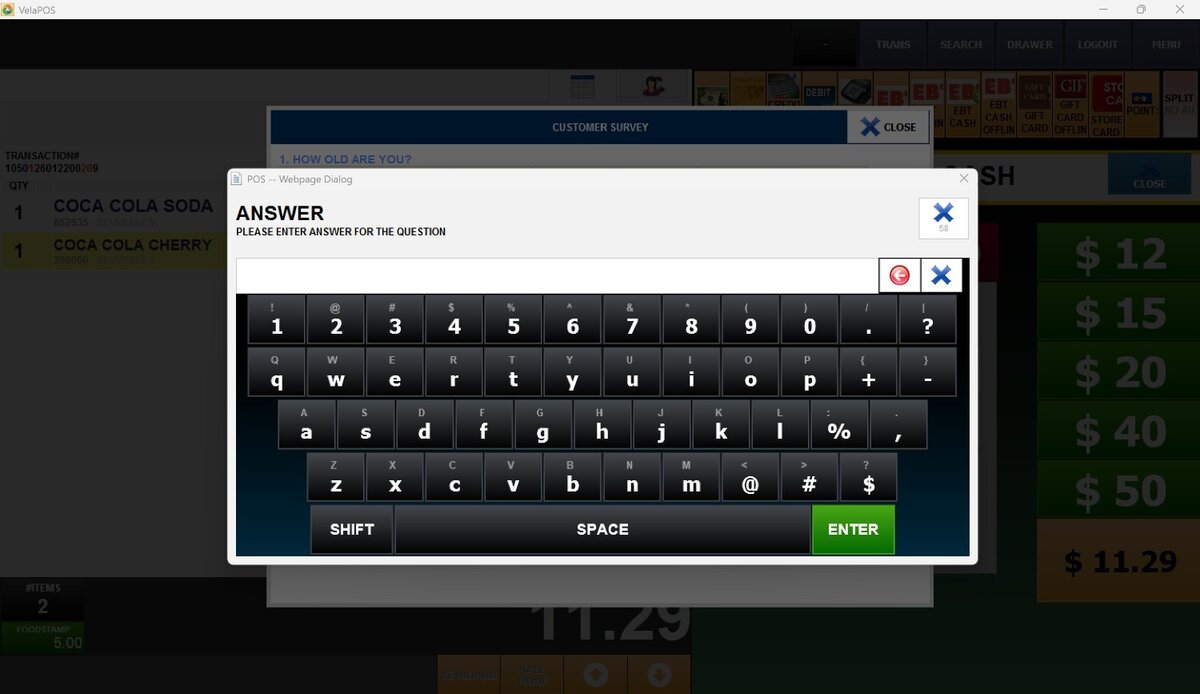
Check the ALLOW MANUAL INPUT box to let the customer enter their own custom response during the survey on that question.
Once the information is completed, press SAVE to store the new questionnaire.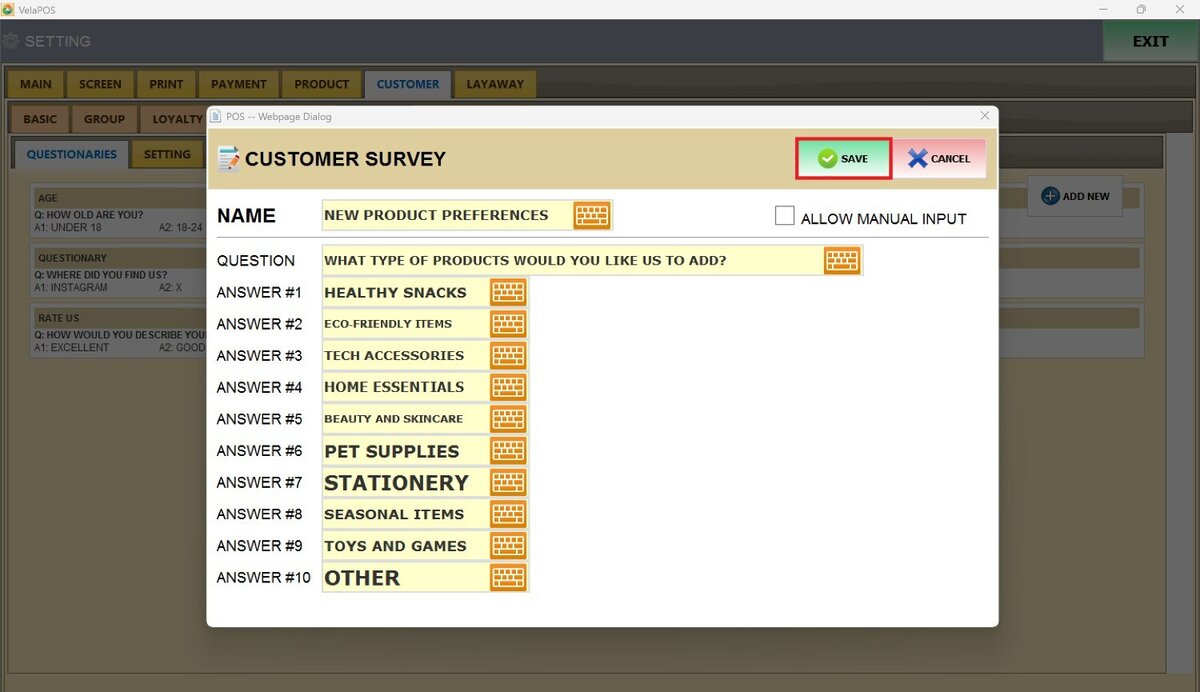
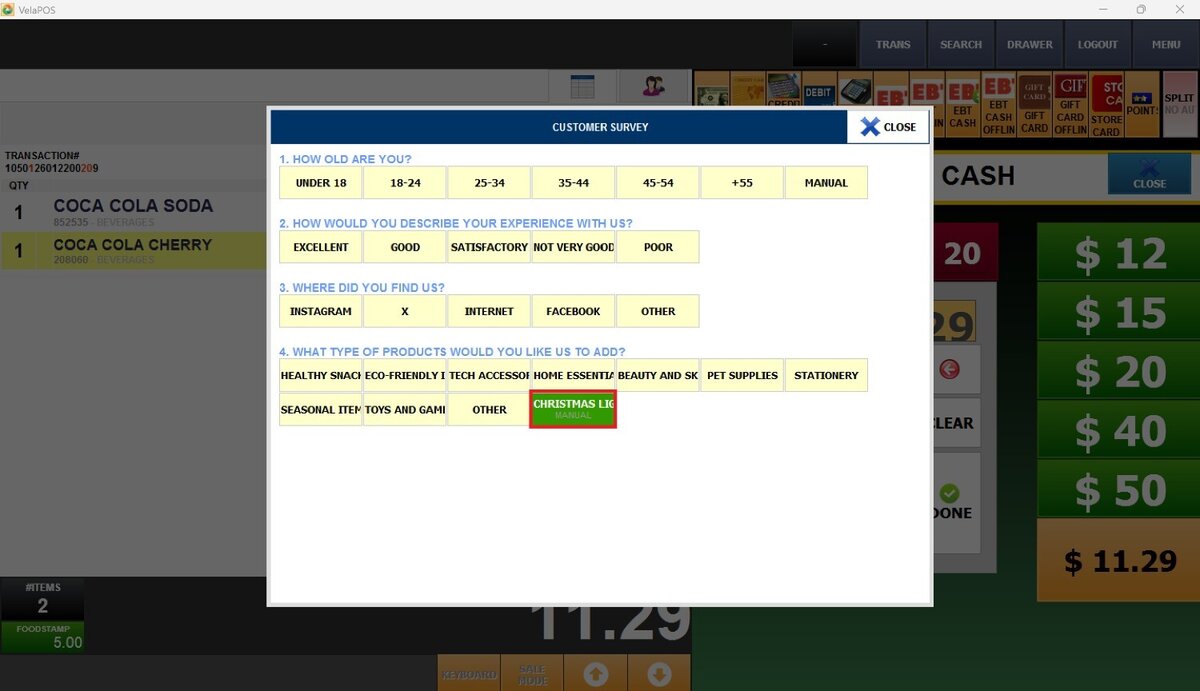
Result: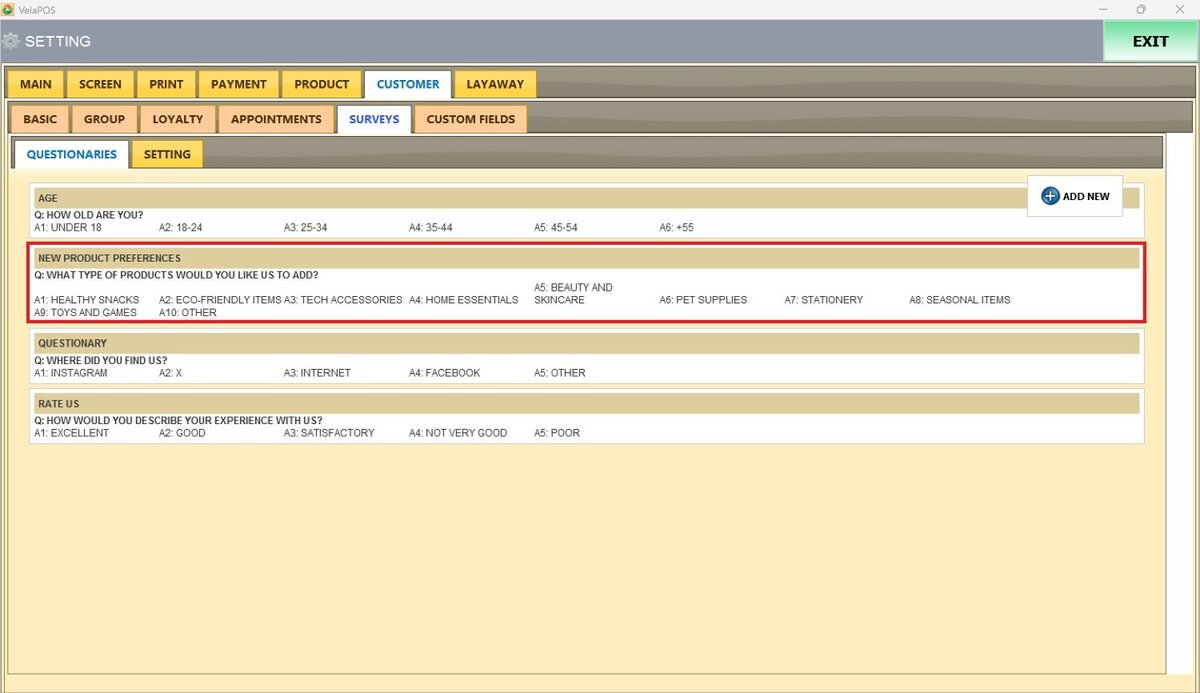
MANUAL INPUT on the survey.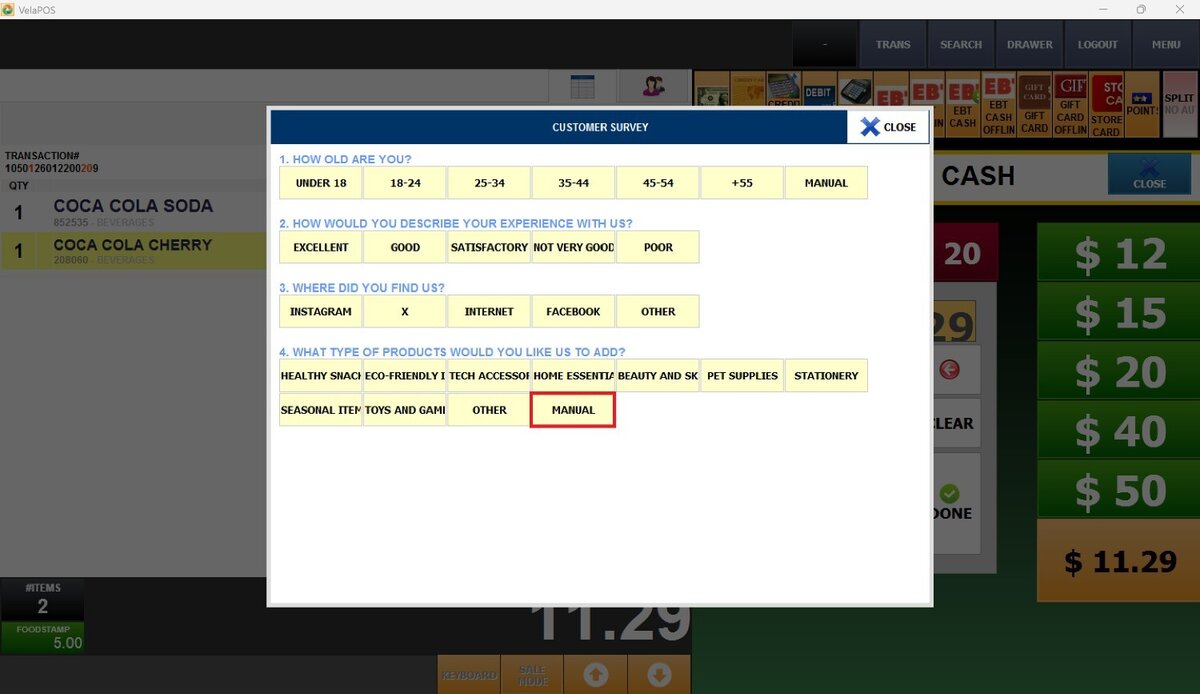
Note: To add questionnaires to the survey, refer to Settings.