Optimization
These settings help keep the system running smoothly by clearing memory during idle time, after transactions, or via a scheduled daily reset.
This reduces slowdowns during extended operating hours, especially in high-volume environments.
Main screen > MENU > SETTINGS > MAIN > OP
On the main screen, go to MENU and click SETTINGS.
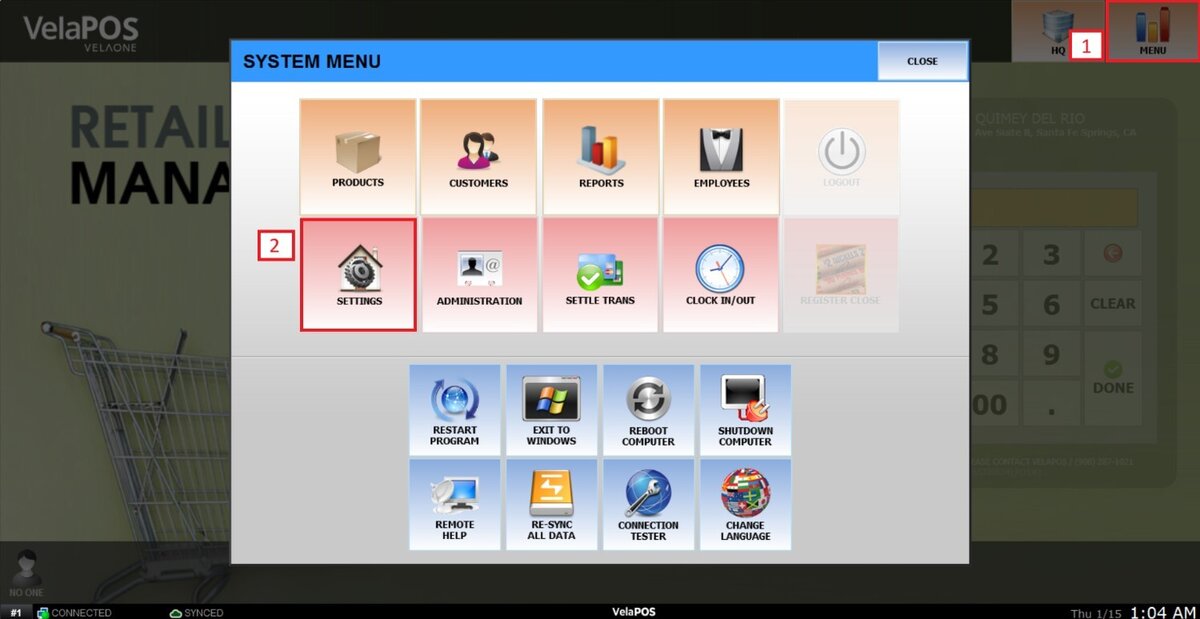
Under MAIN, select the OPT tab.

MEMORY RESET BY TRANSACTIONS
Clears temporary memory after a defined number of sales to prevent performance degradation during high transaction volumes.

Press the drop-down menu to select how many transactions should occur before the reset.
If NEVER is selected, the system will not reset based on transactions.

MEMORY RESET BY INACTIVITY
Automatically frees memory when the POS is idle, keeping the system responsive without affecting active sales.
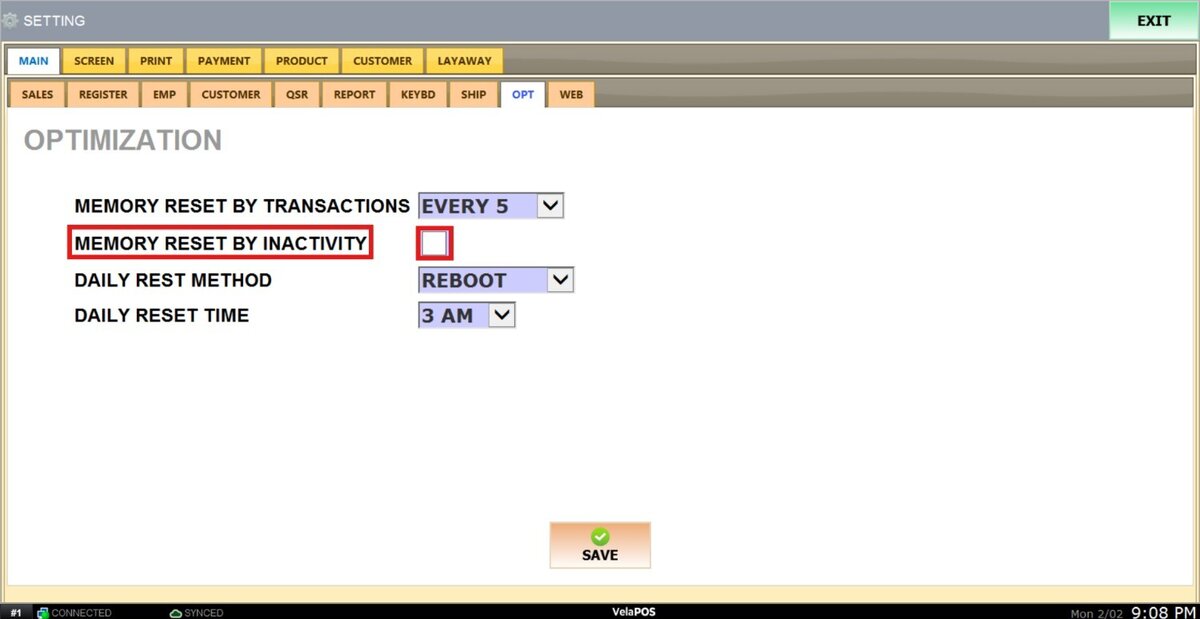
Check the box to enable this setting.

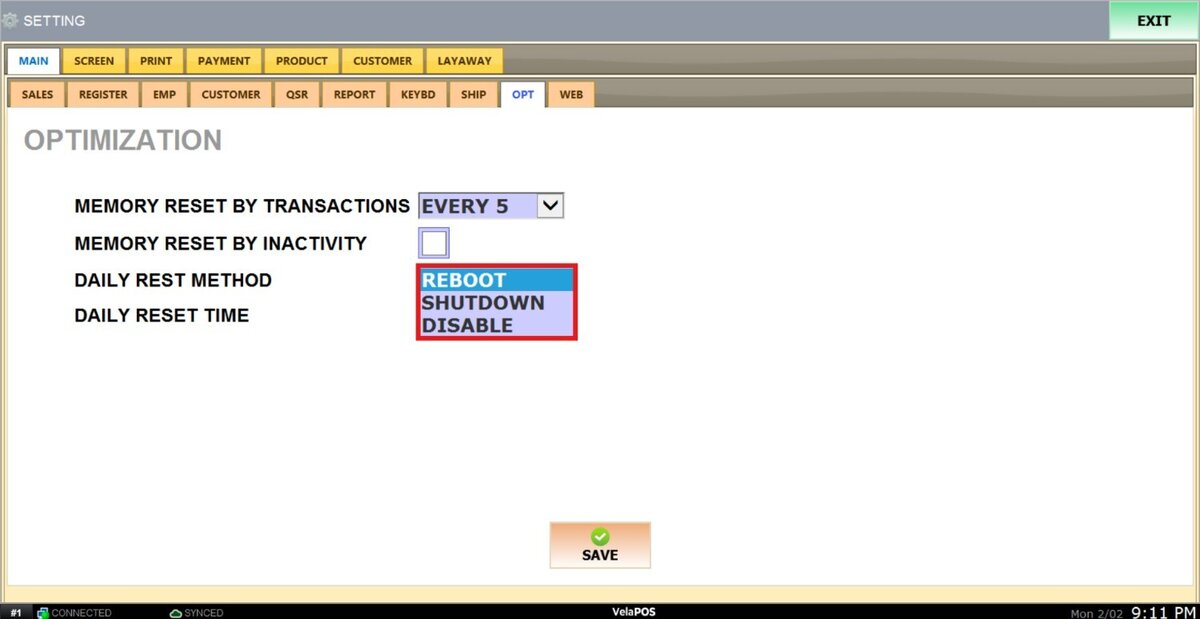
DAILY RESET METHOD
Defines how the system refreshes daily to ensure a clean and stable operating state.

Open the drop-down menu to select between REBOOT, SHUTDOWN or DISABLE the system options.
DAILY RESET TIME
Sets the scheduled time when the daily reset occurs, ideally during non operating hours to avoid disruption.

Use the drop-down menu to select the hour at which the reset will be performed.

After making any modifications, press SAVE to store them, and RESTART THE PROGRAM to ensure the updates are applied correctly.
