Sales Summary Report
This section customizes how sales information is displayed, summarized, and structured. Each setting controls the level of detail included in the report.
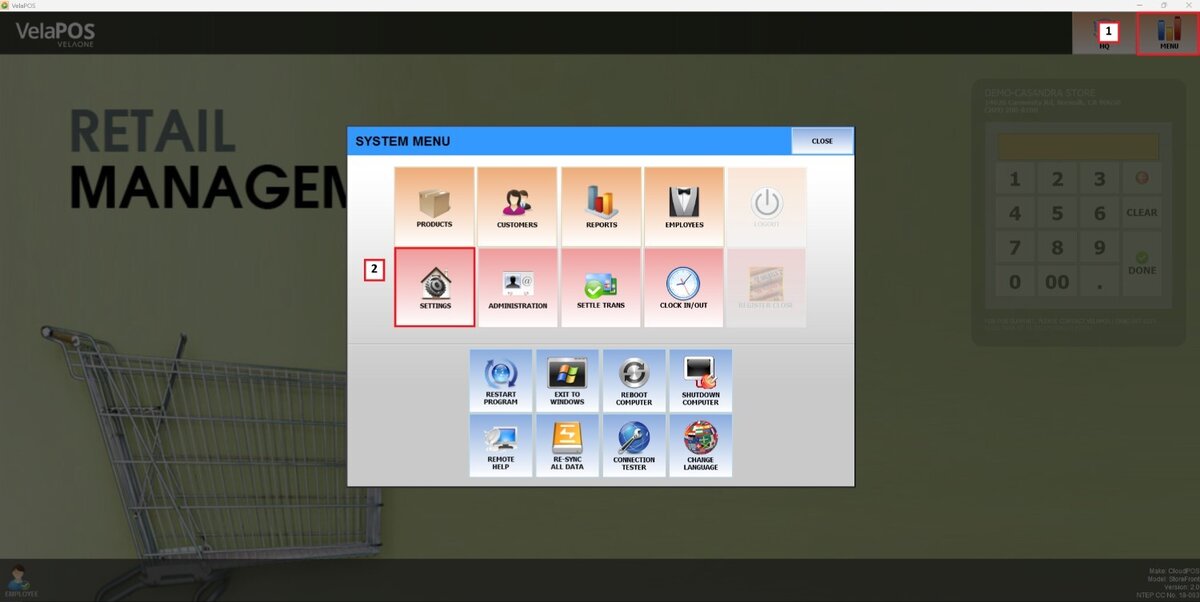
Main Screen> MENU> SETTINGS> MAIN> REPORT
Go to MENU and press SETTINGS
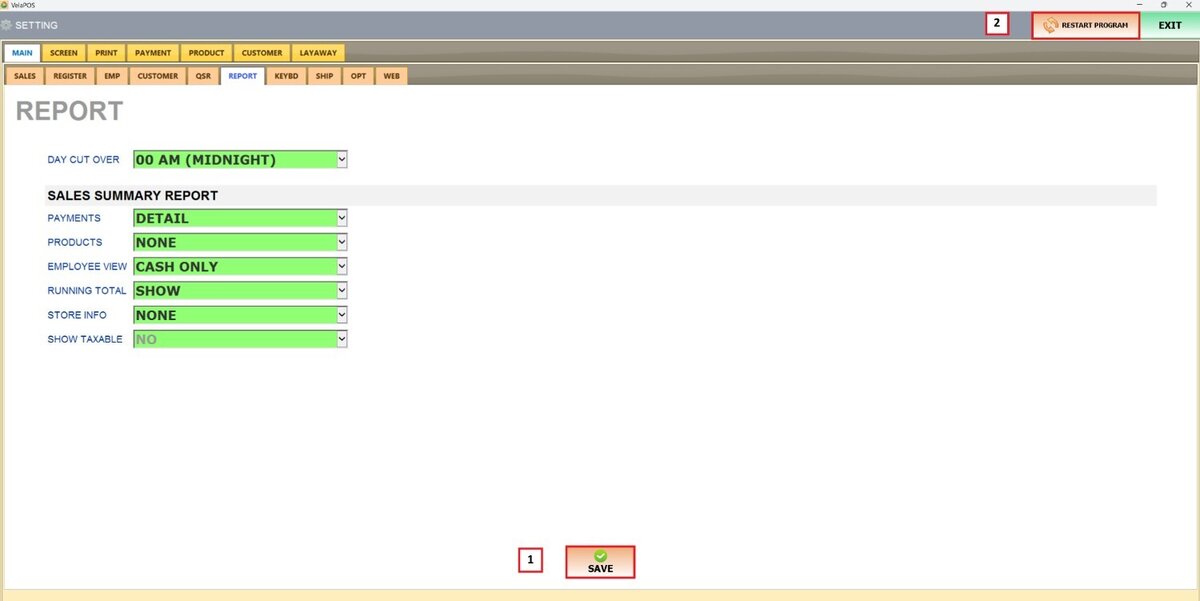
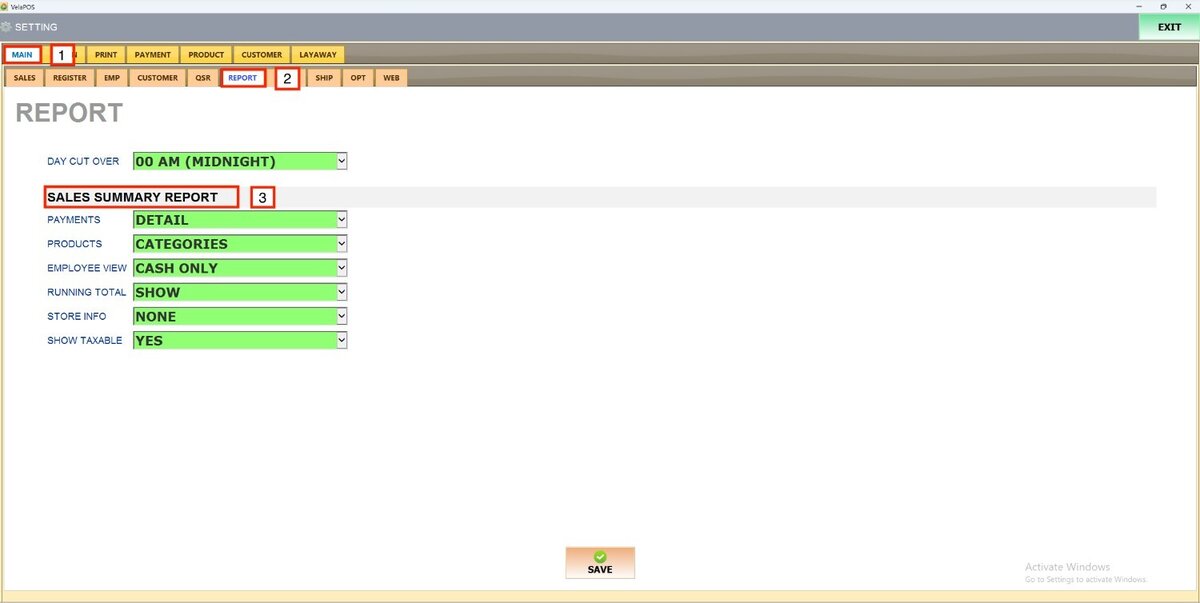
Under MAIN, select REPORT, and in the SALES SUMMARY REPORT section, review the available configuration options.
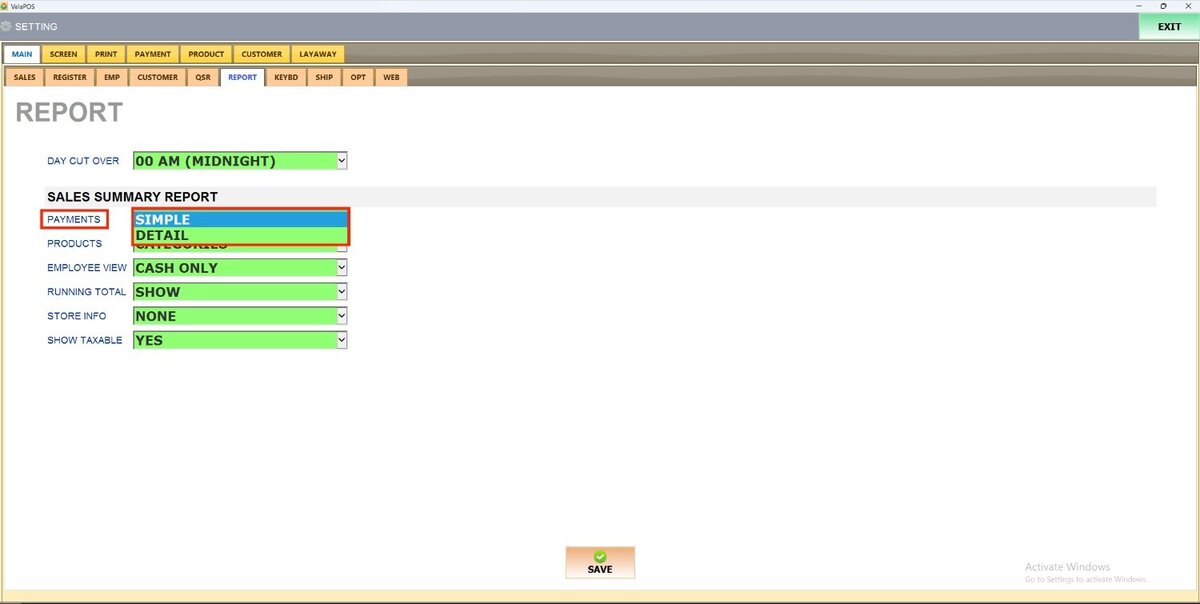
PAYMENTS
Controls how payment information is displayed.
1. SIMPLE: Displays only the overall totals by payment type.
2. DETAILED: Provides a full breakdown of each payment method, including counts of sales, refunds, and payouts.
Results:
SIMPLE
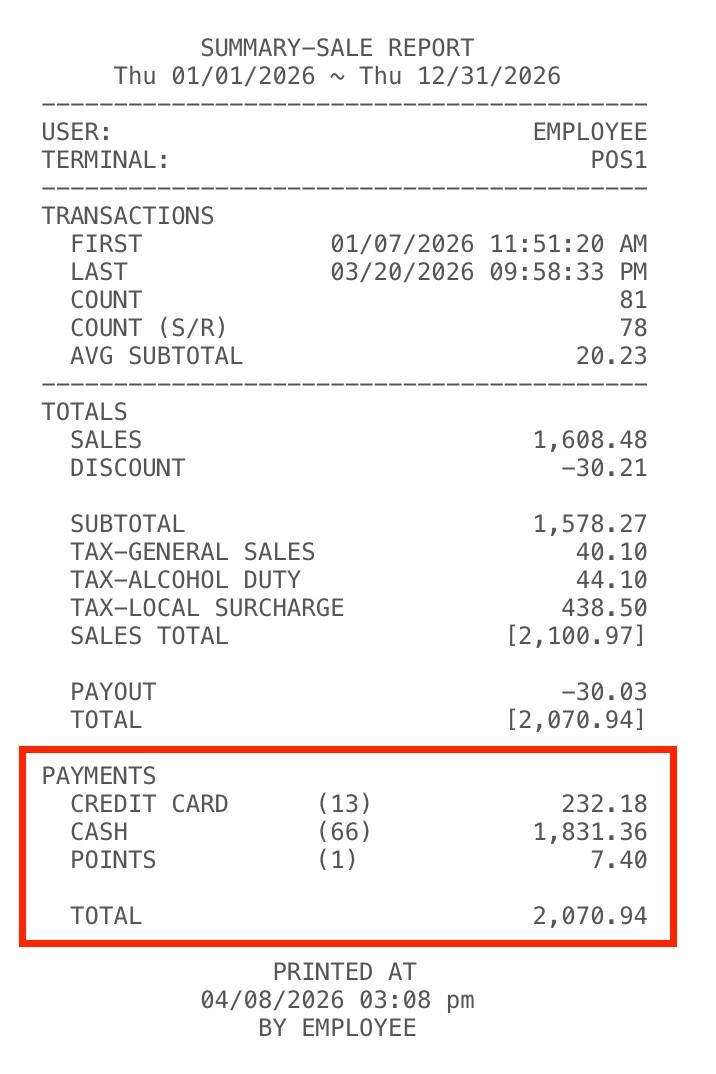
DETAIL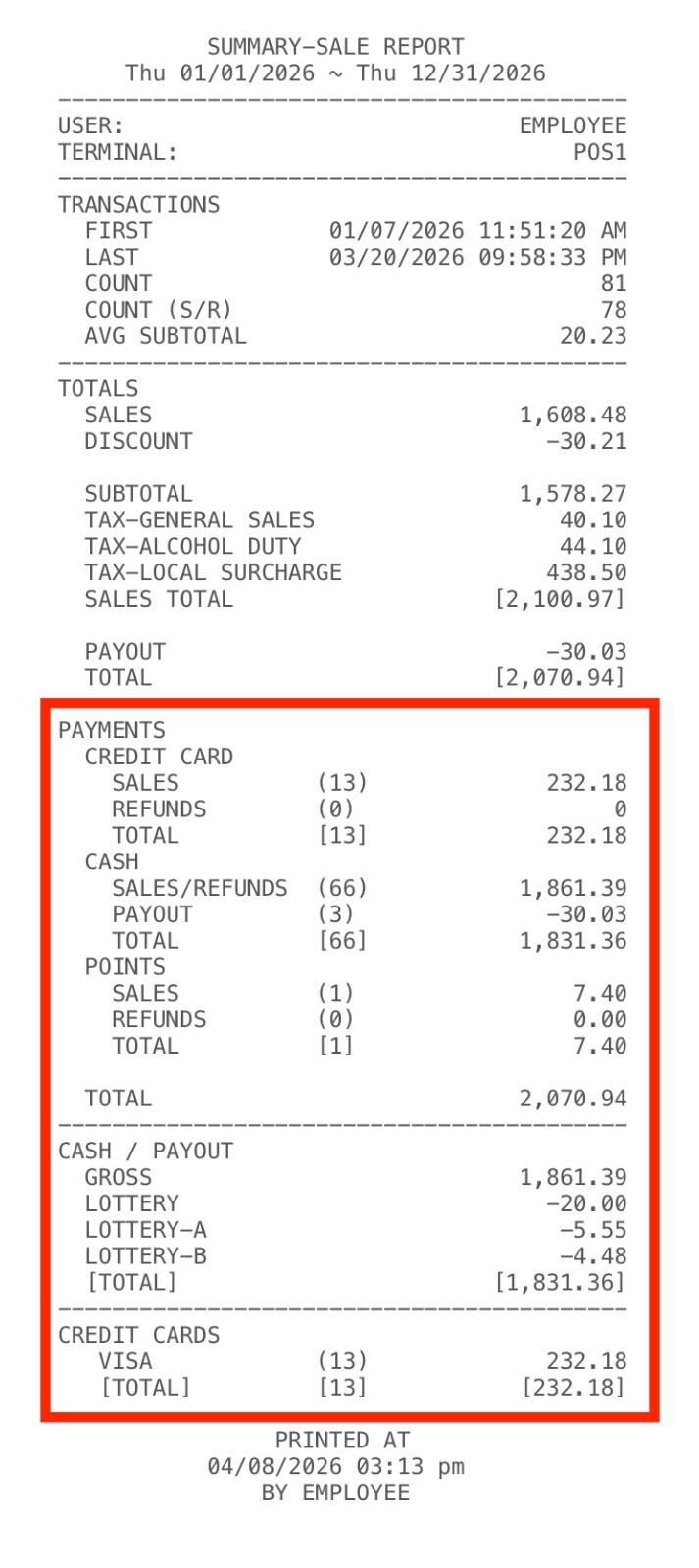
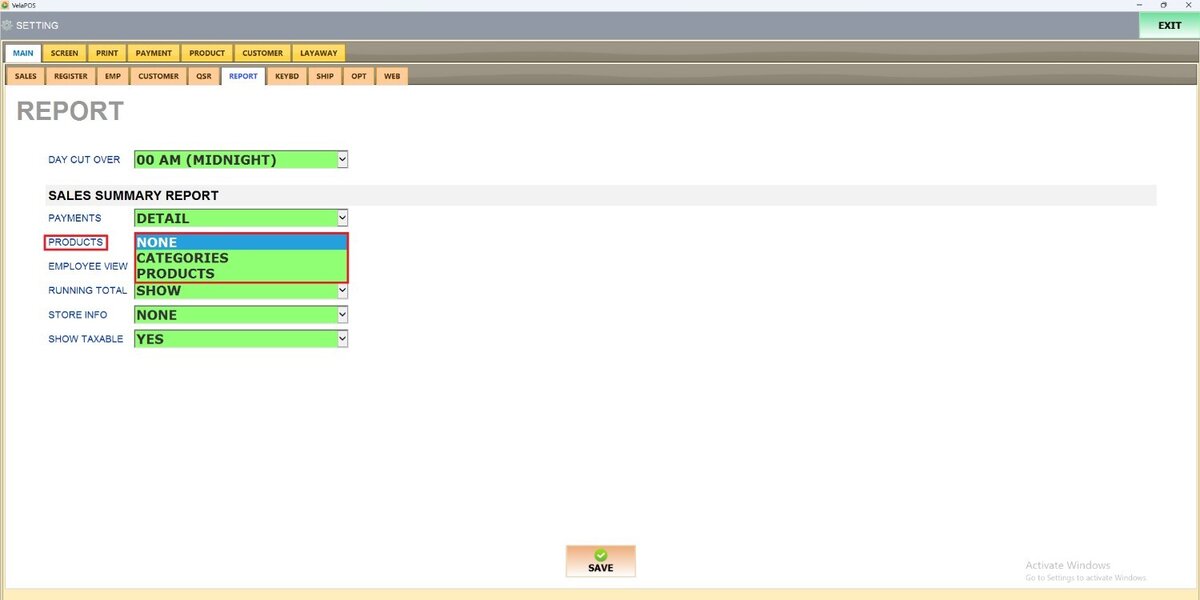
PRODUCTS
Defines how product data appears in the report.
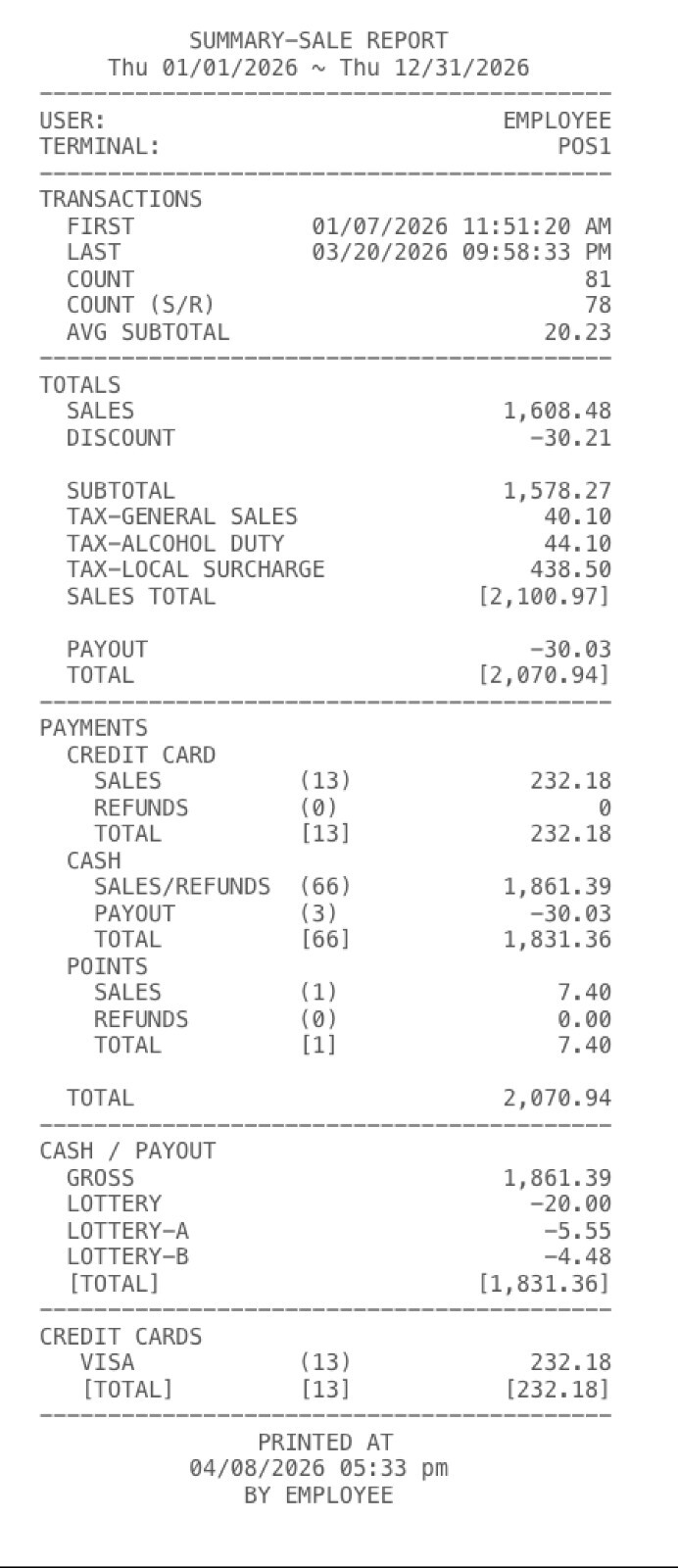
1. NONE: The report will only show totals, payments, and transaction data, excluding product information.
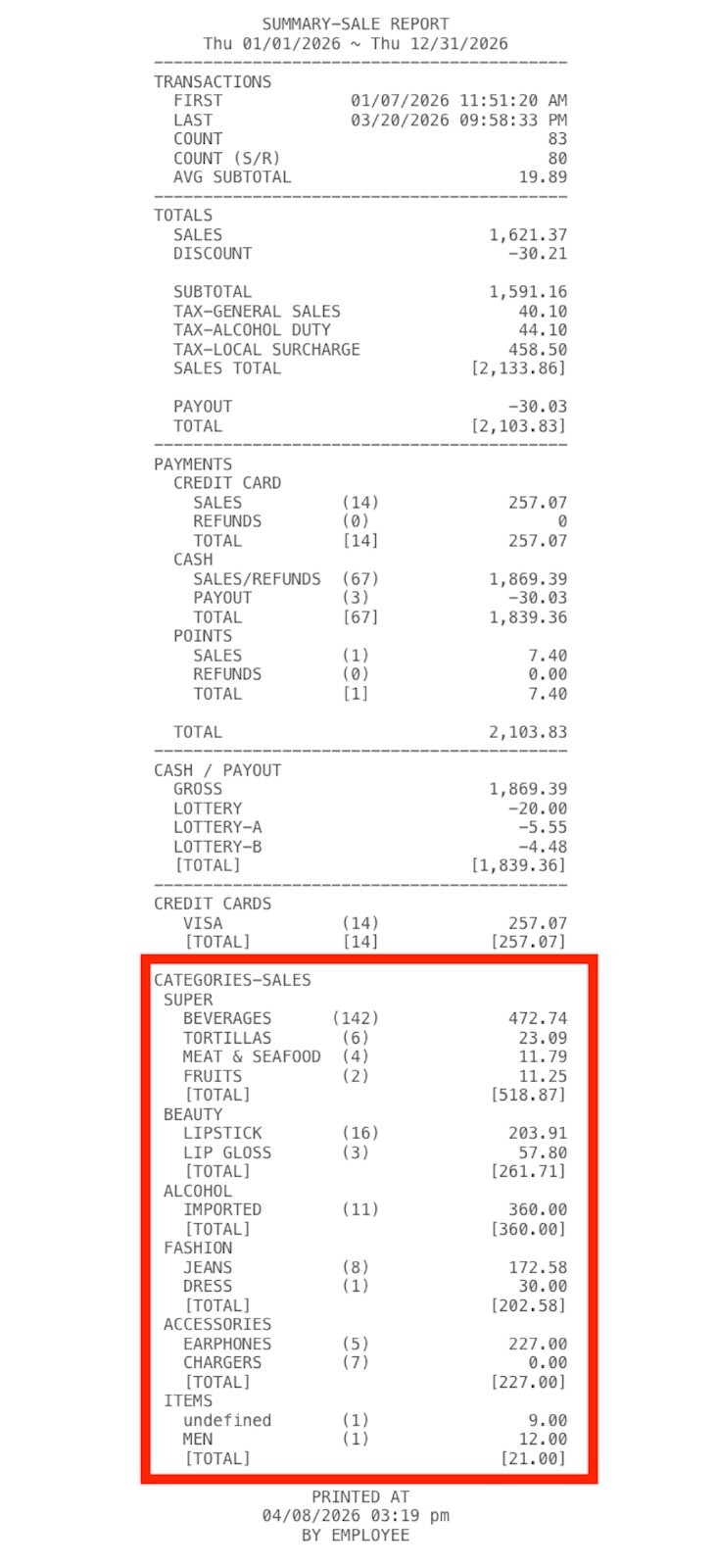
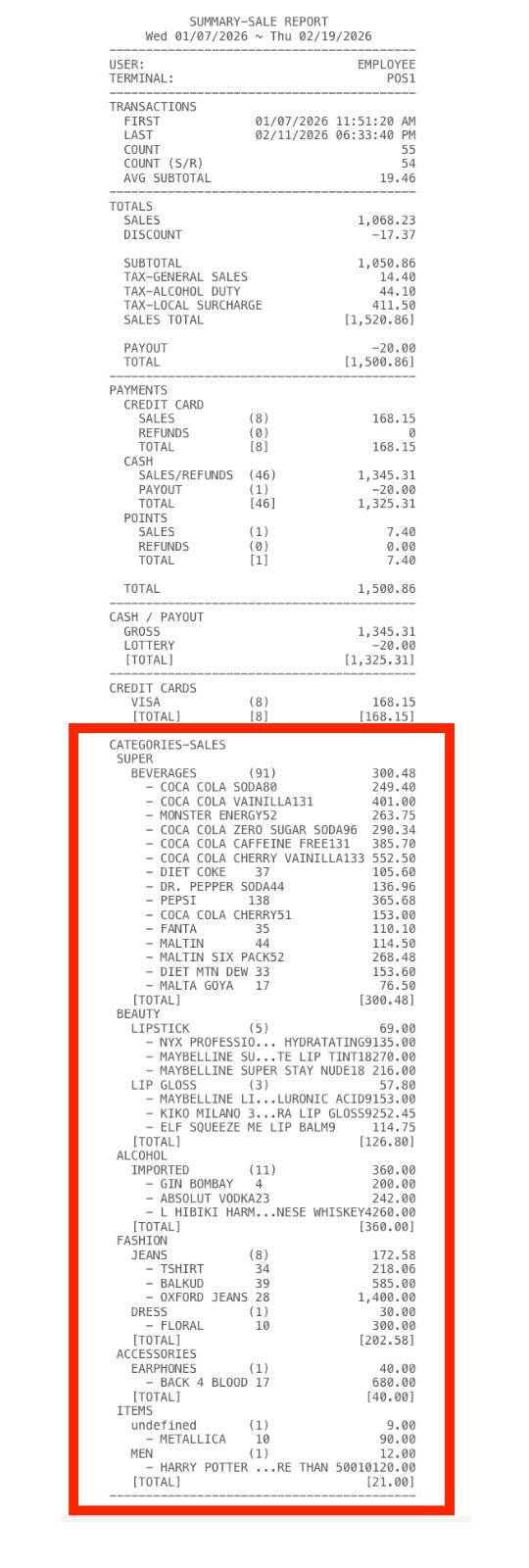
2. CATEGORIES: The report groups sales data by product category.
3. PRODUCTS: The report displays item‑level sales details, with each product sold listed with its contribution to totals.
Results:
NONE
CATEGORIES
PRODUCTS
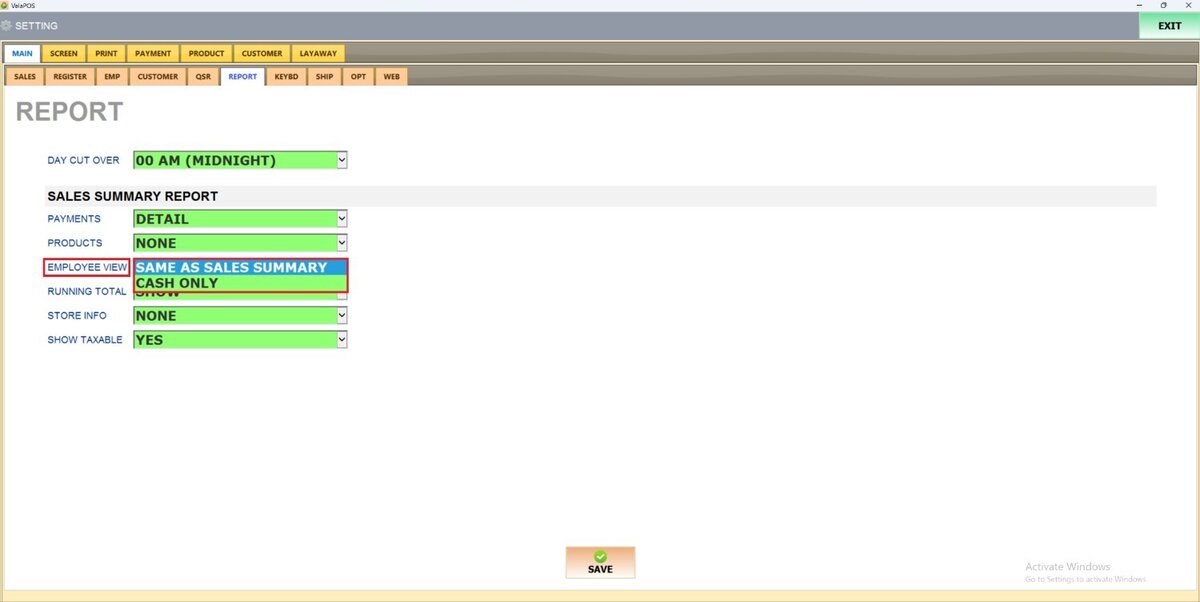
EMPLOYEE VIEW

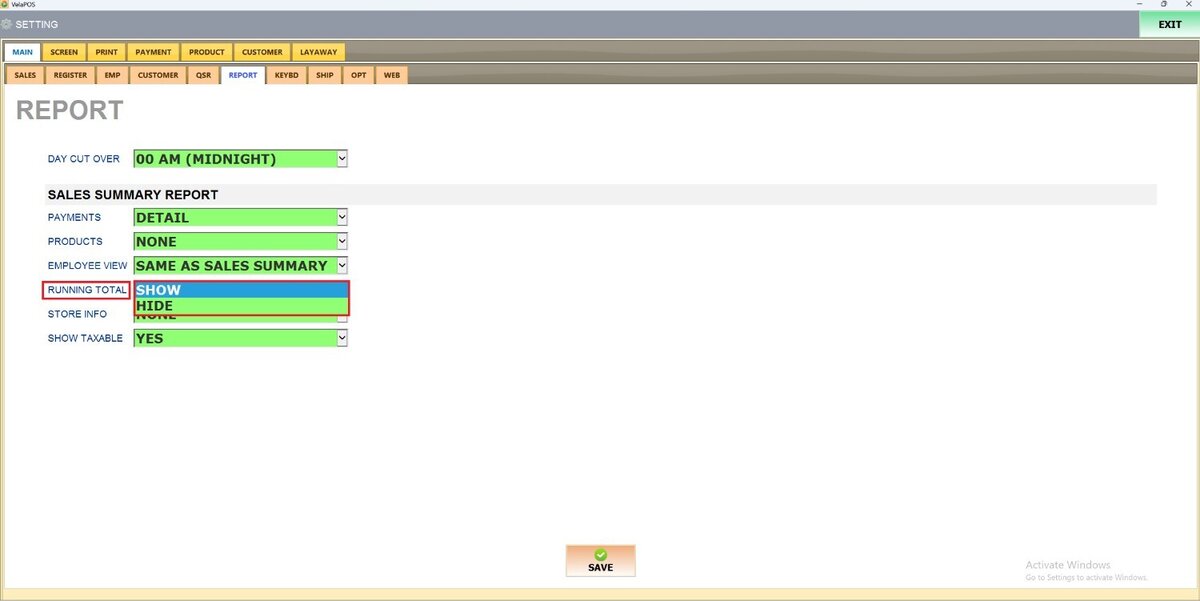
RUNNING TOTAL
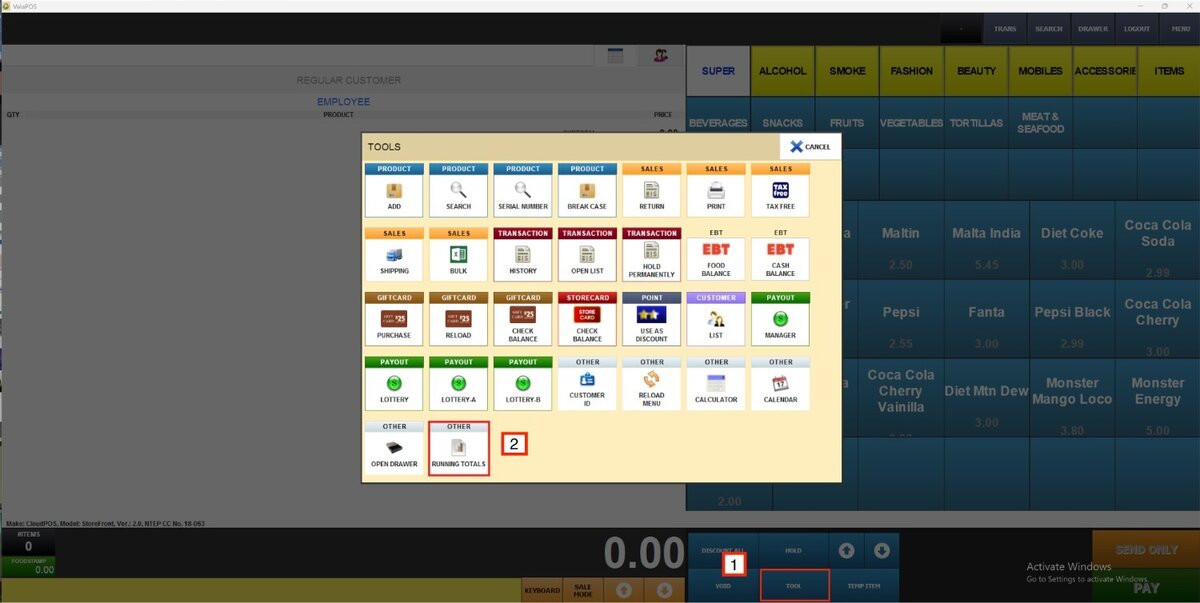
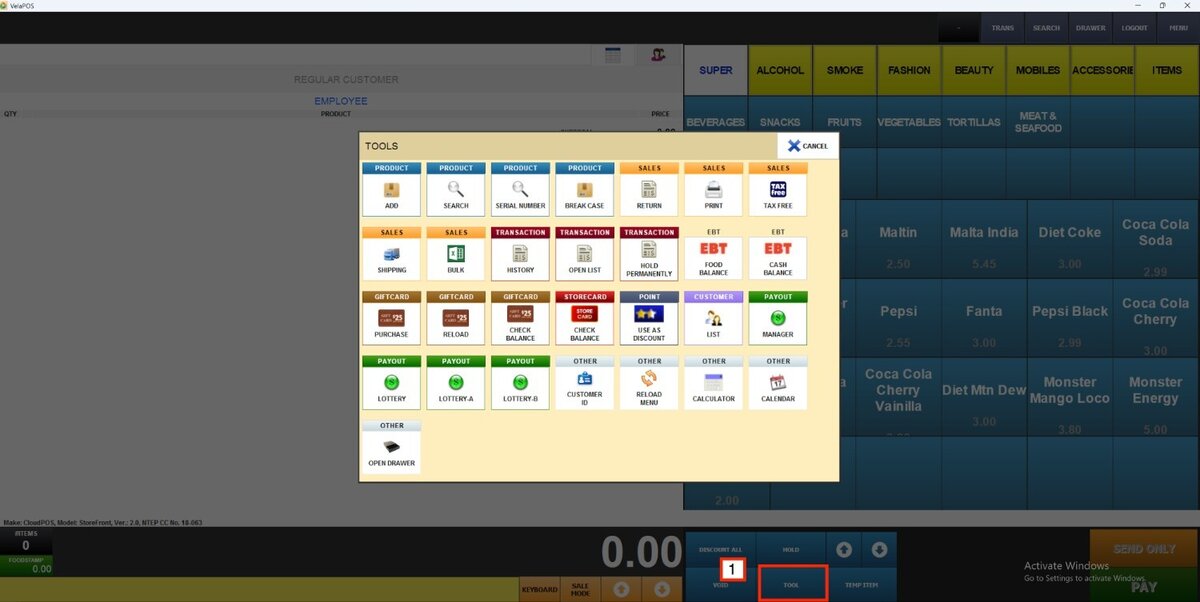
Enables or disables the RUNNING TOTAL button, which provides a live calculation of the current transaction’s cumulative amount when accessed from the TOOLS menu on the sales screen.
1. SHOW: The button is enabled and visible on the sales screen.
2. HIDE: The button is disabled, removing access to the running total from the sales screen.
Once the TOOL button is pressed, it'll pop up the tools menu with the RUNNING TOTAL button available.
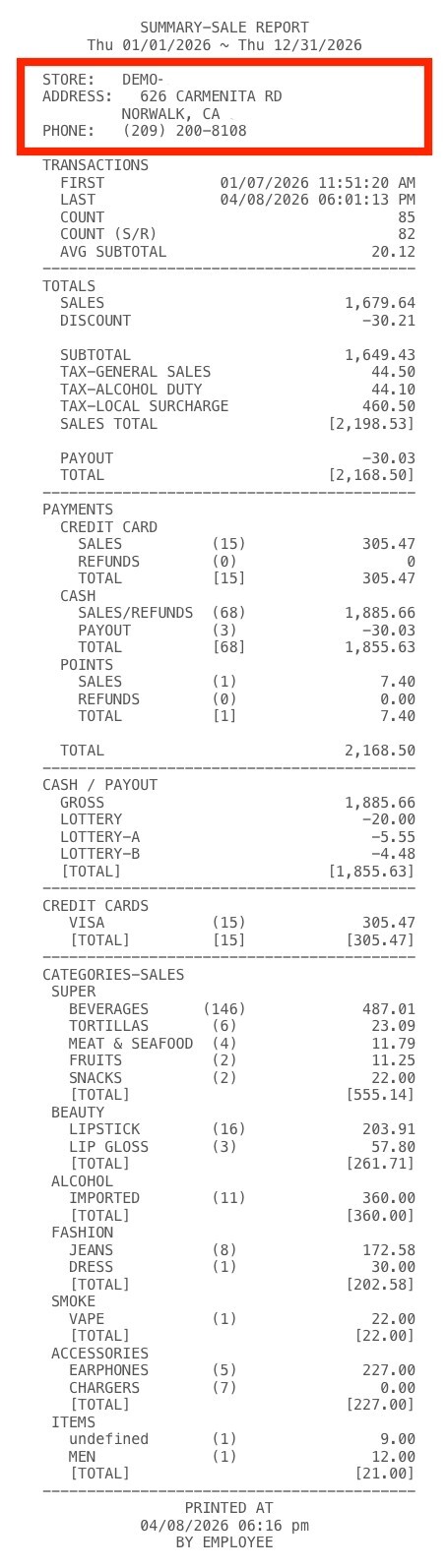
STORE INFO
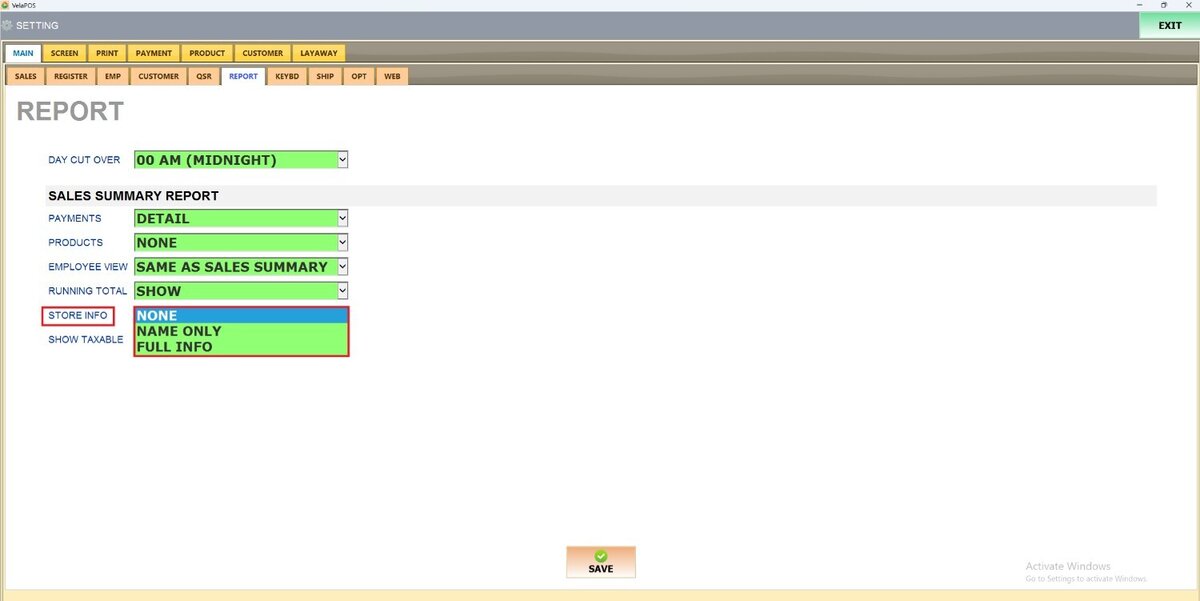
Manages how STORE DETAILS are displayed in the report.
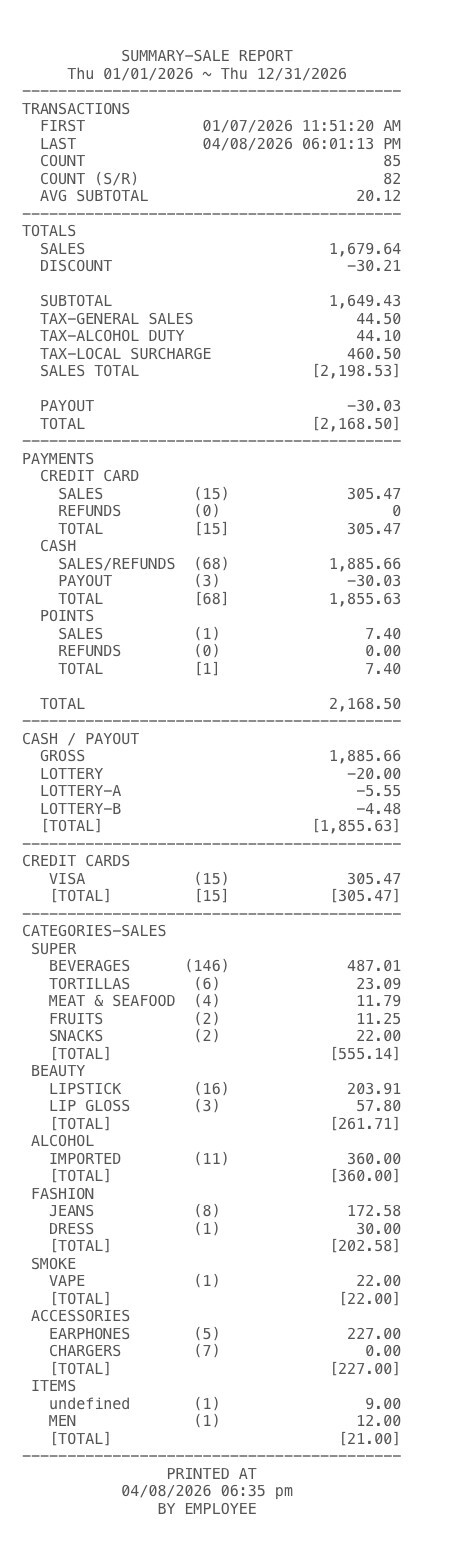
1. NONE: Omits store information from the report.
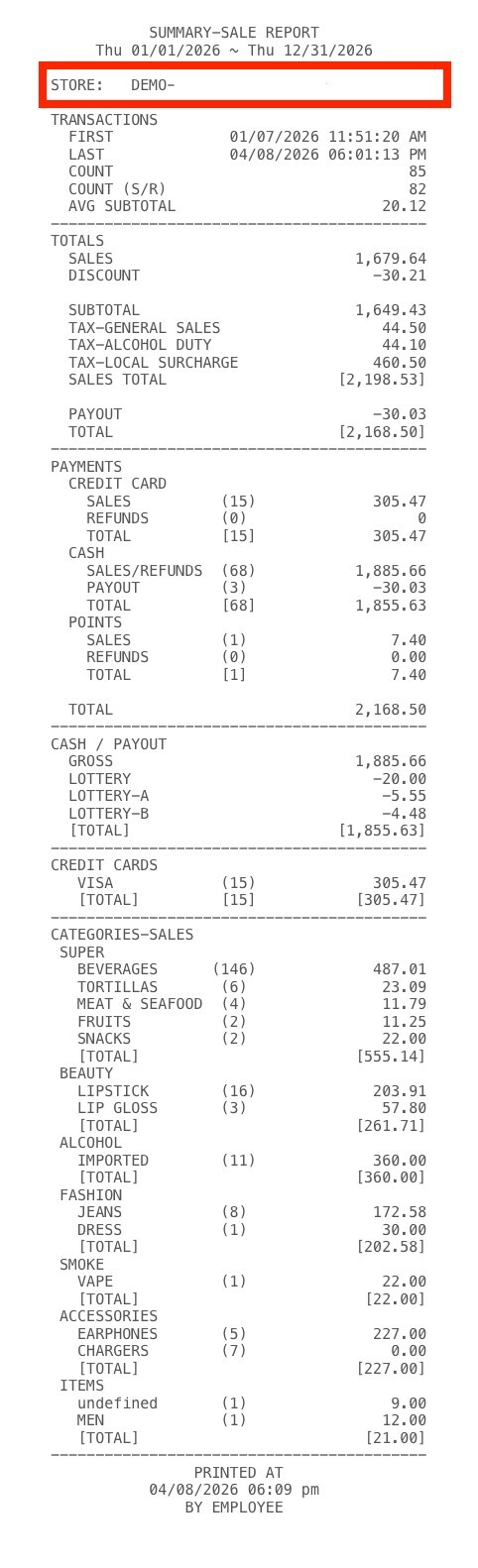
2. NAME ONLY: Displays only the store name at the top of the report.
3. FULL INFO: Includes complete store details (Name, Address, and Contact Information) at the top of the report.
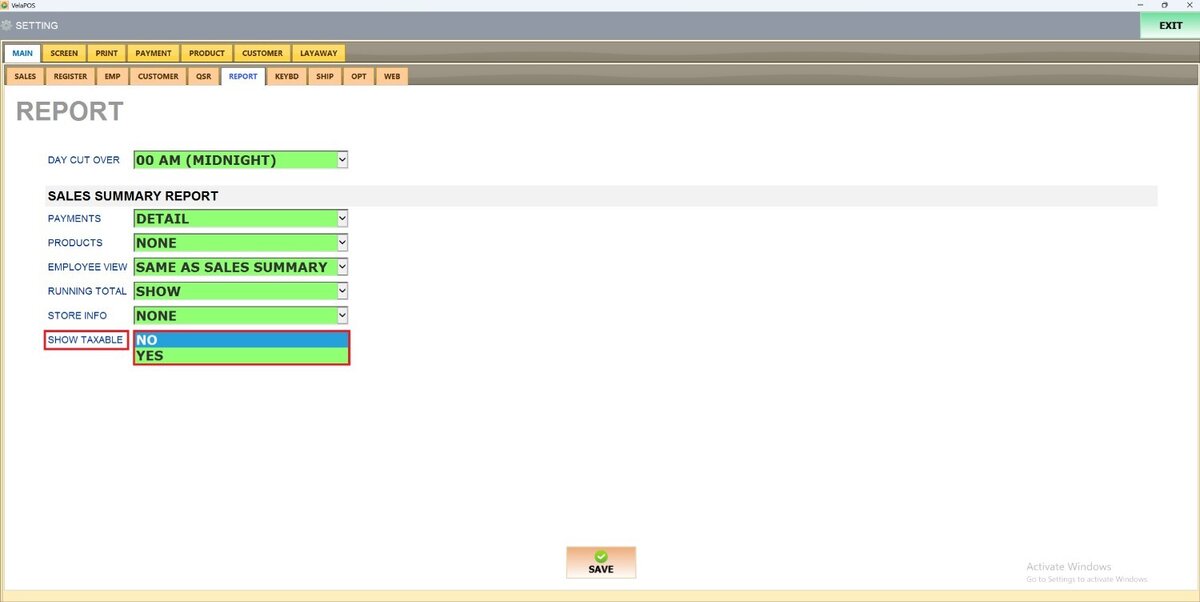
SHOW TAXABLE
Indicates whether TAXABLE AMOUNTS are highlighted.
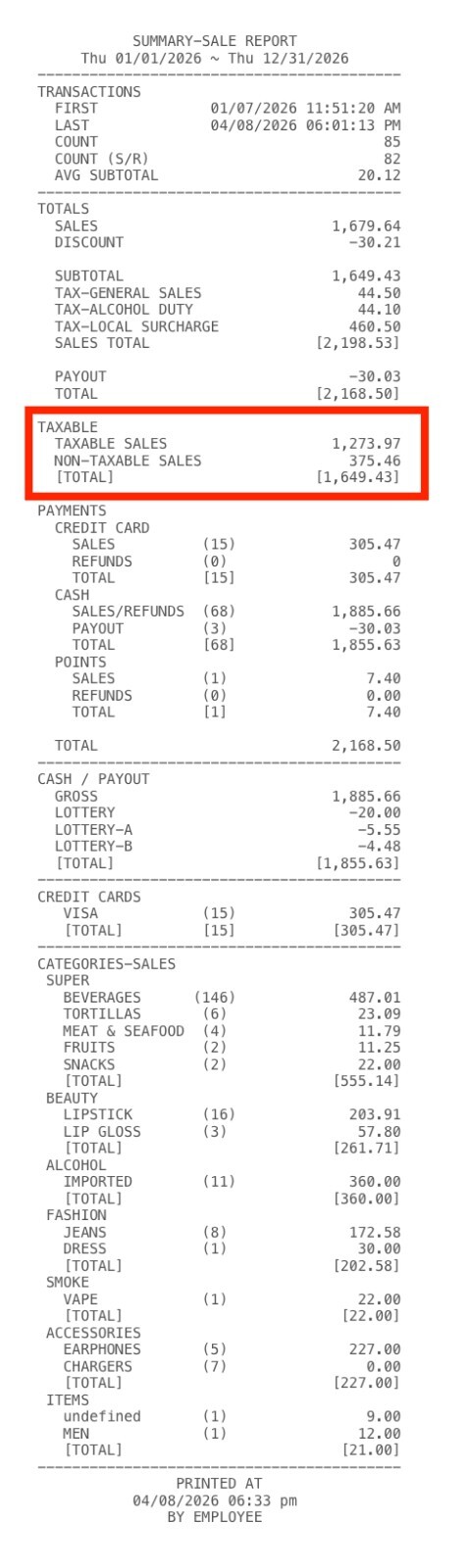
1. YES: Displays taxable information in the report, including sections for taxable sales, non‑taxable sales, and total taxable amounts.
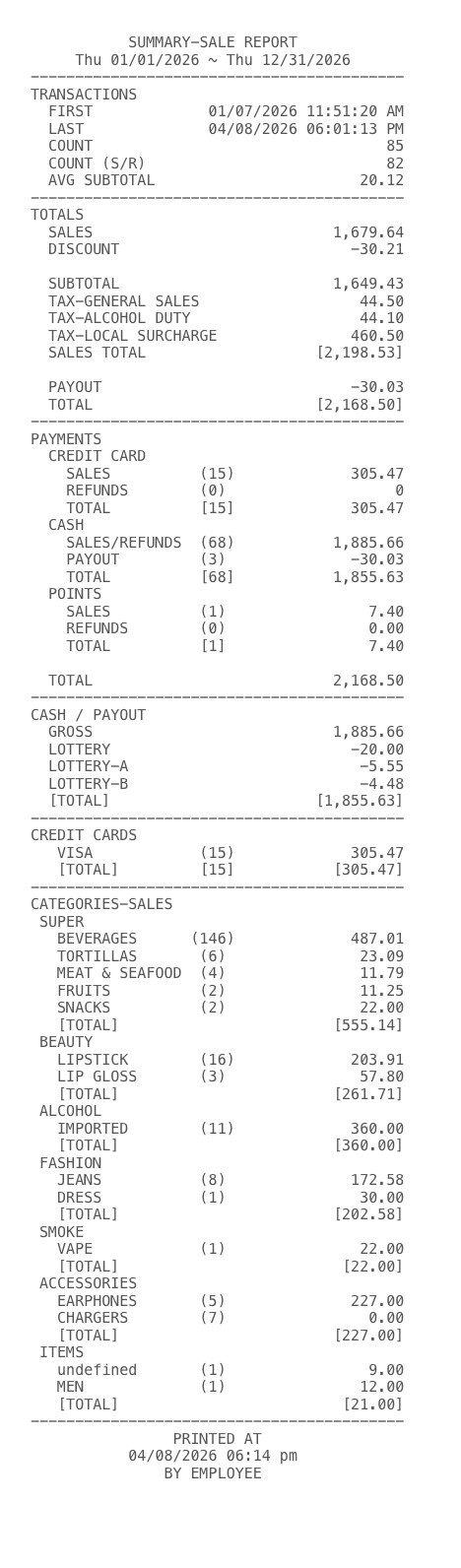
2. NO: Hides all tax‑specific breakdowns, showing only general totals and payment summaries.