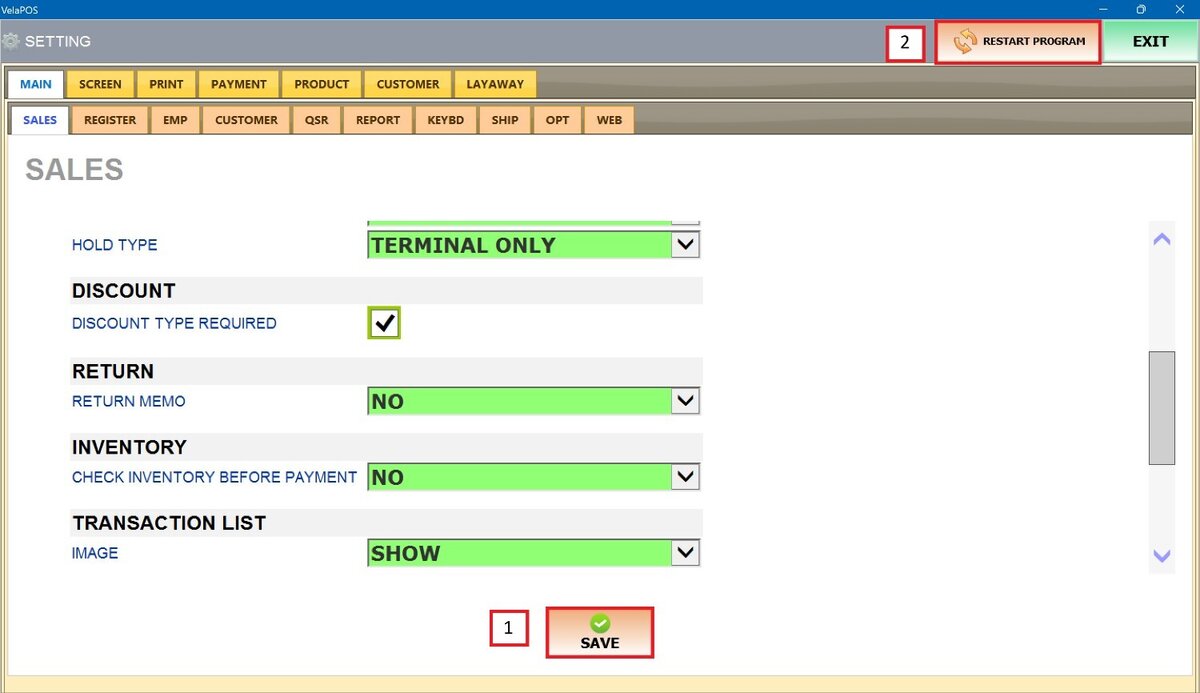
Discount
This setting configures whether a discount type is required before a discount can be applied, ensuring proper classification and preventing the use of undefined discounts.
Main Screen> MENU> SETTINGS> MAIN> SALES
Go to MENU and press SETTINGS.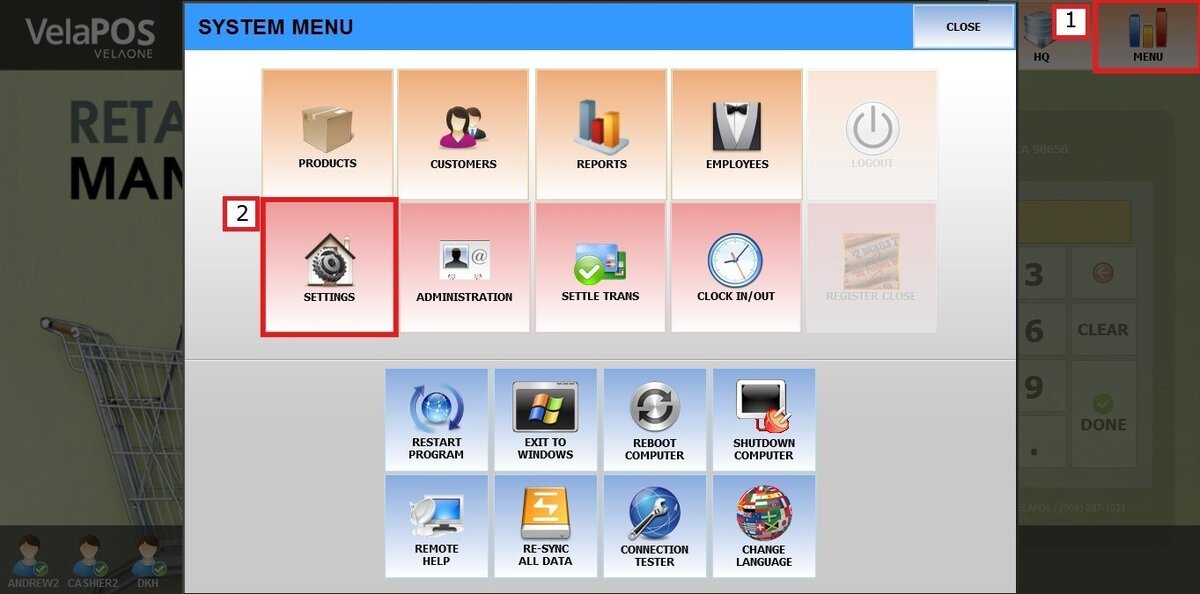
Under MAIN, select the SALES tab and scroll down until the DISCOUNT section.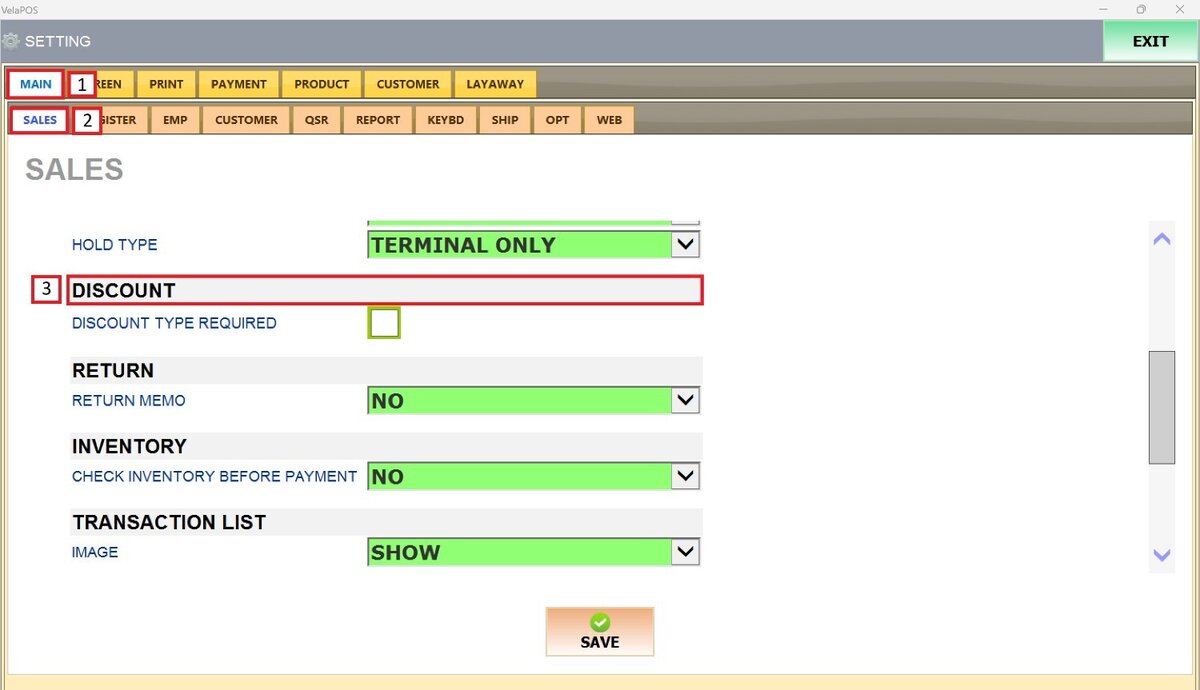
Leave the DISCOUNT TYPE REQUIRED box unchecked to prevent the prompt from appearing on the Sales screen.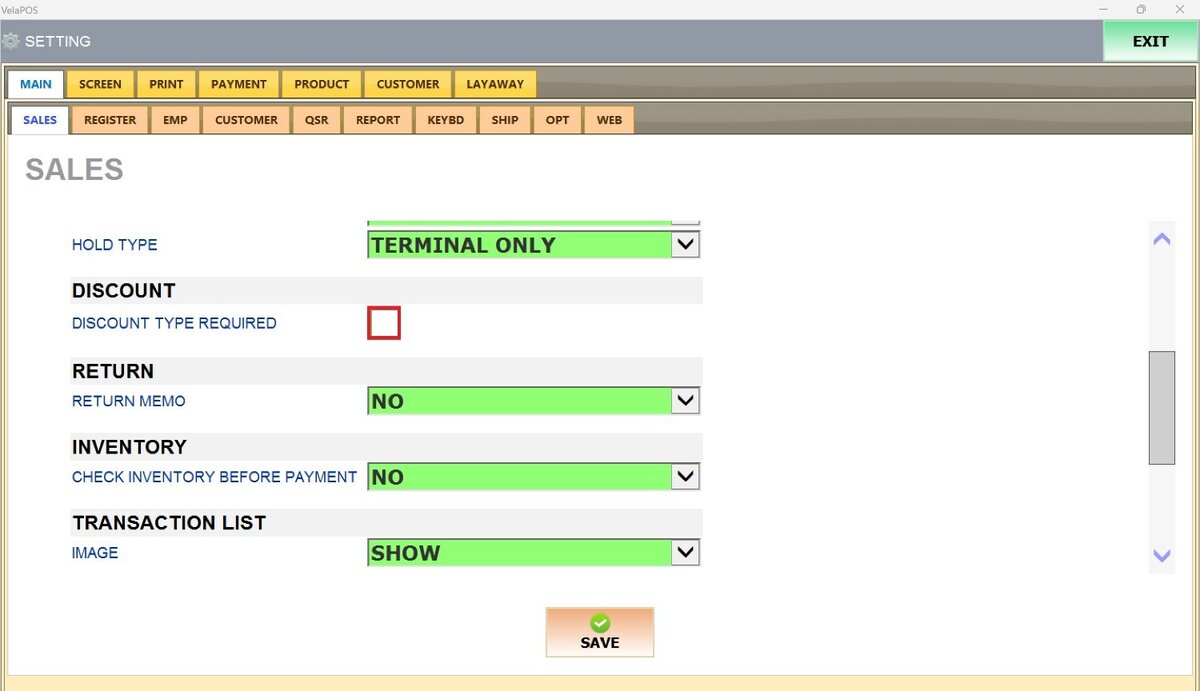
Result:
With the DISCOUNT TYPE REQUIRED unchecked, select the discount amount and it will be applied to the item or the order
Check the DISCOUNT TYPE REQUIRED box to display the discount type prompt during discount entry.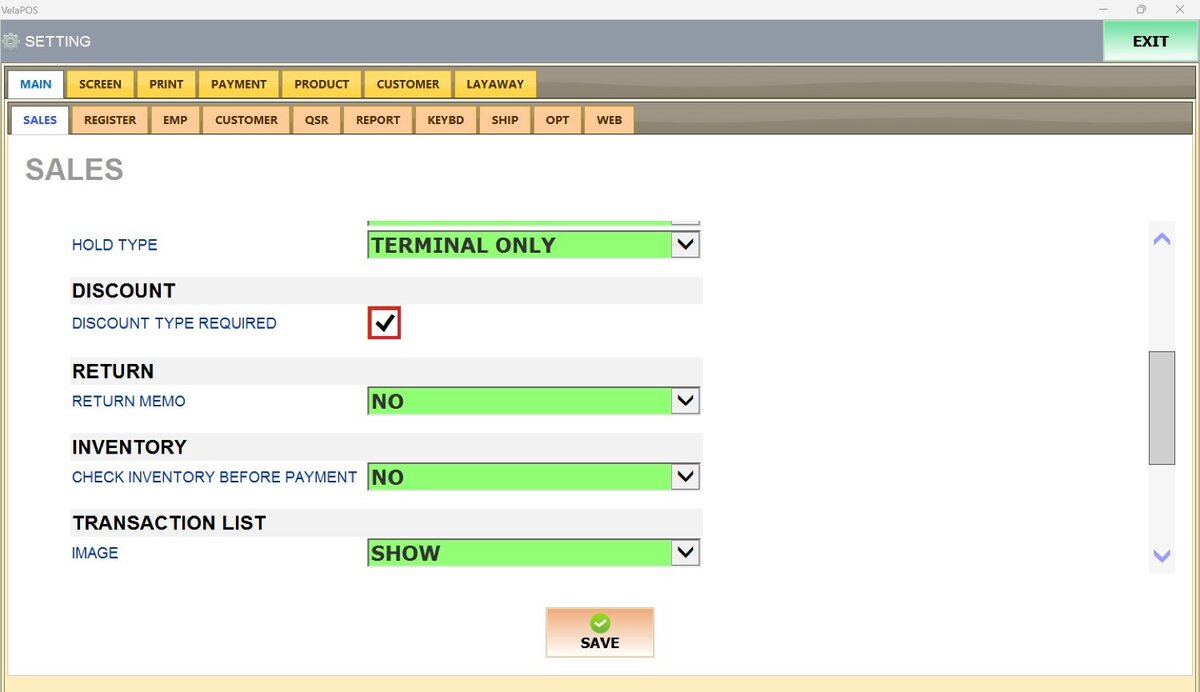
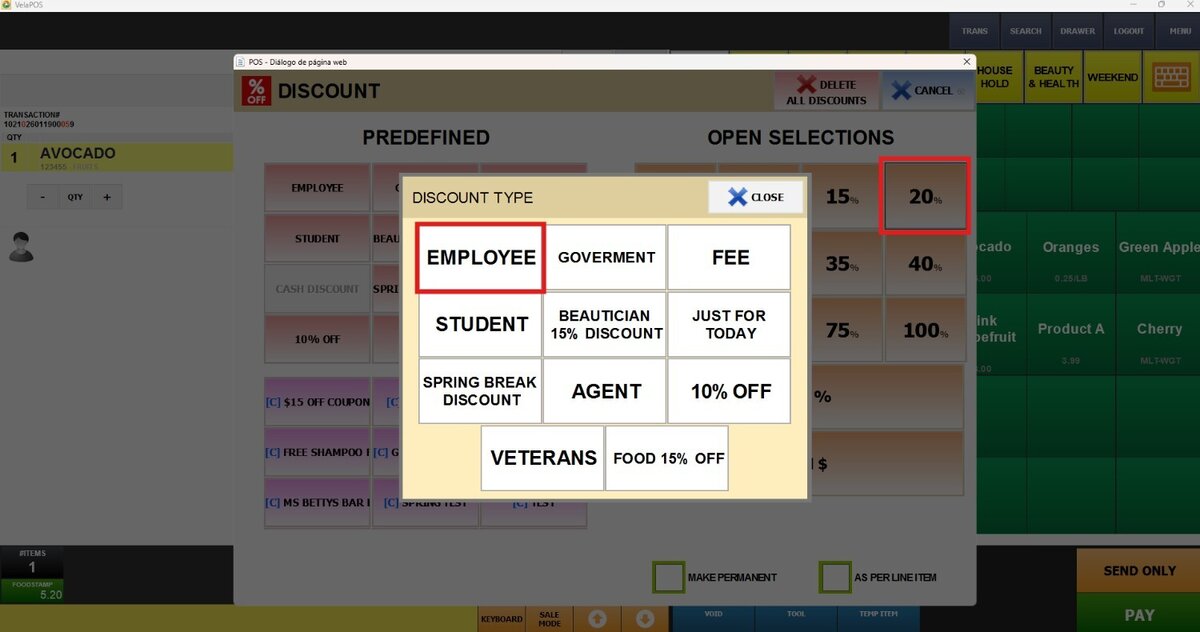
Result:
When a discount is selected, a prompt appears displaying the available discount type options
Don't forget to press SAVE and RESTART THE PROGRAM to apply the changes.