Inventory
This setting determines how the system manages item availability during the sales process, allowing businesses to control whether out-of-stock products can be sold and how strictly inventory levels are enforced.
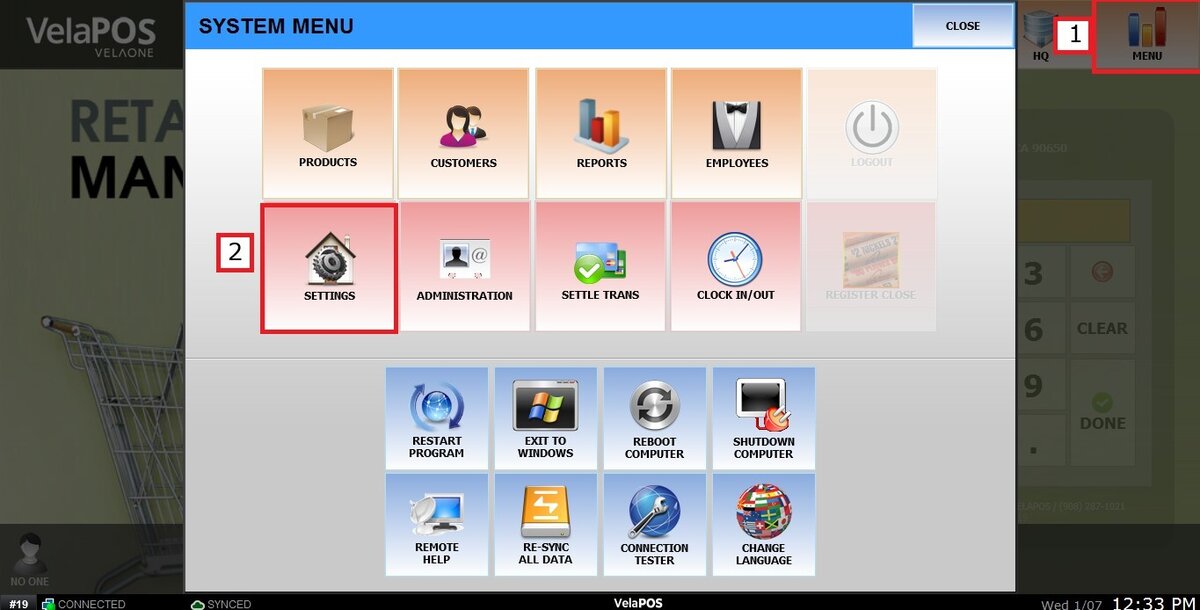
Main Screen> MENU> SETTINGS> MAIN> SALES
Go to MENU and press SETTINGS.
Under MAIN, select the SALES tab and scroll down to the INVENTORY section.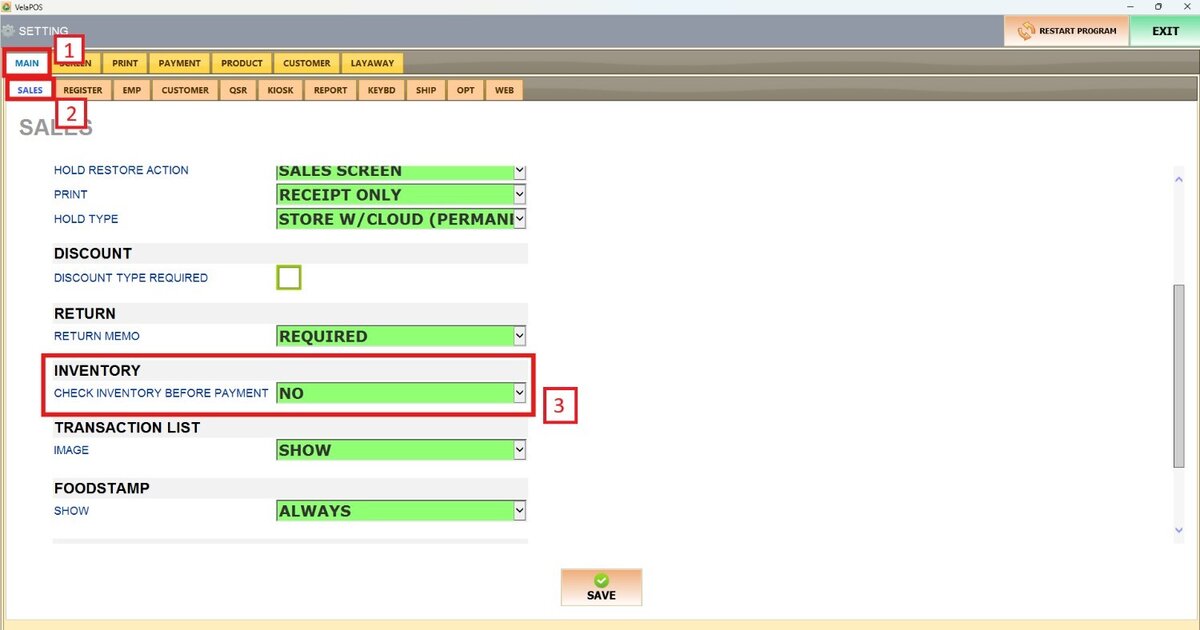
On CHECK INVENTORY BEFORE PAYMENT, there are 3 options available: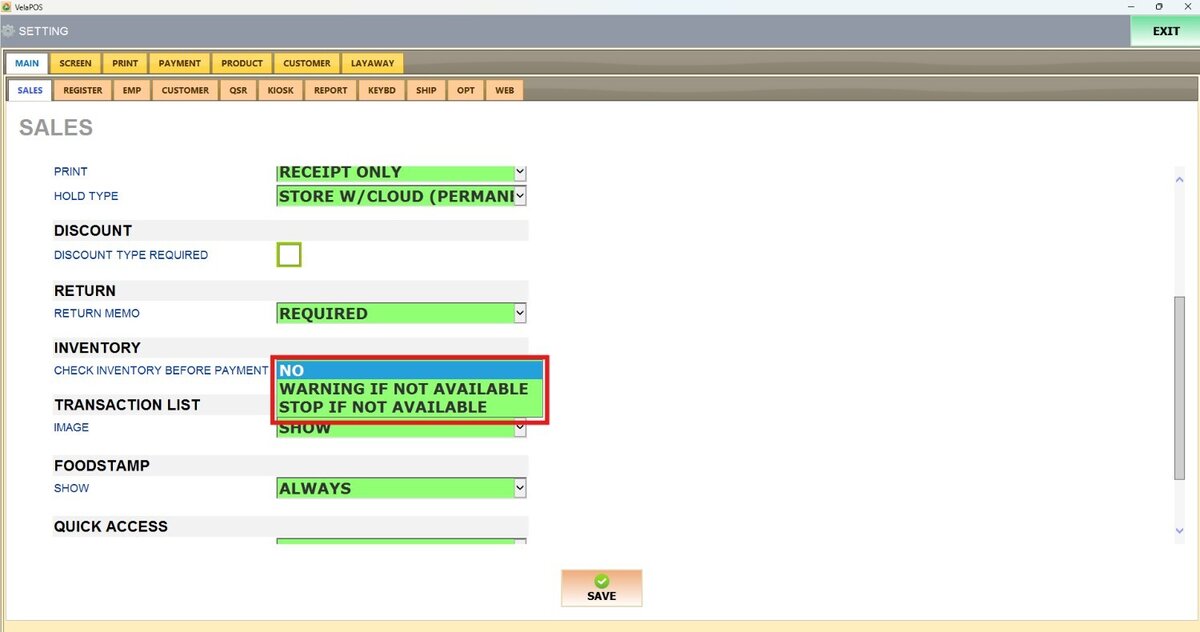
NO: Inventory is not enforced. Items can be sold regardless of stock levels.
WARNING IF NOT AVAILABLE: The system alerts the user when an item is out of stock, but still allows the transaction to proceed.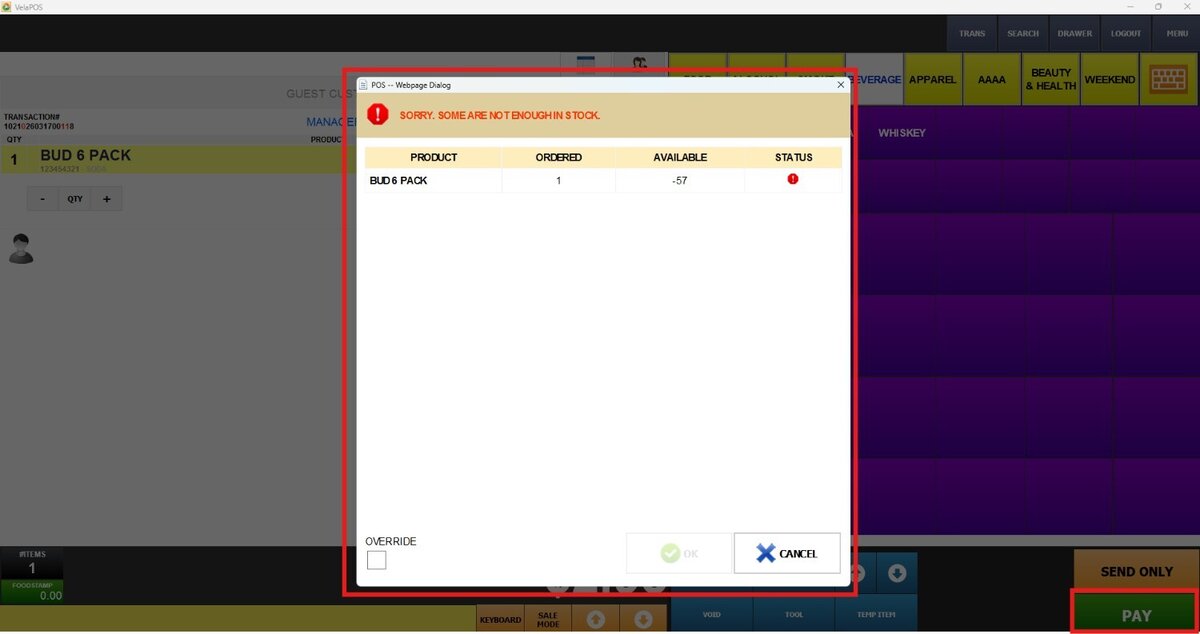
Hint: Select OVERRIDE to continue with the payment process.
STOP IF NOT AVAILABLE: Prevents the sale of items with insufficient stock, ensuring strict inventory control and accuracy.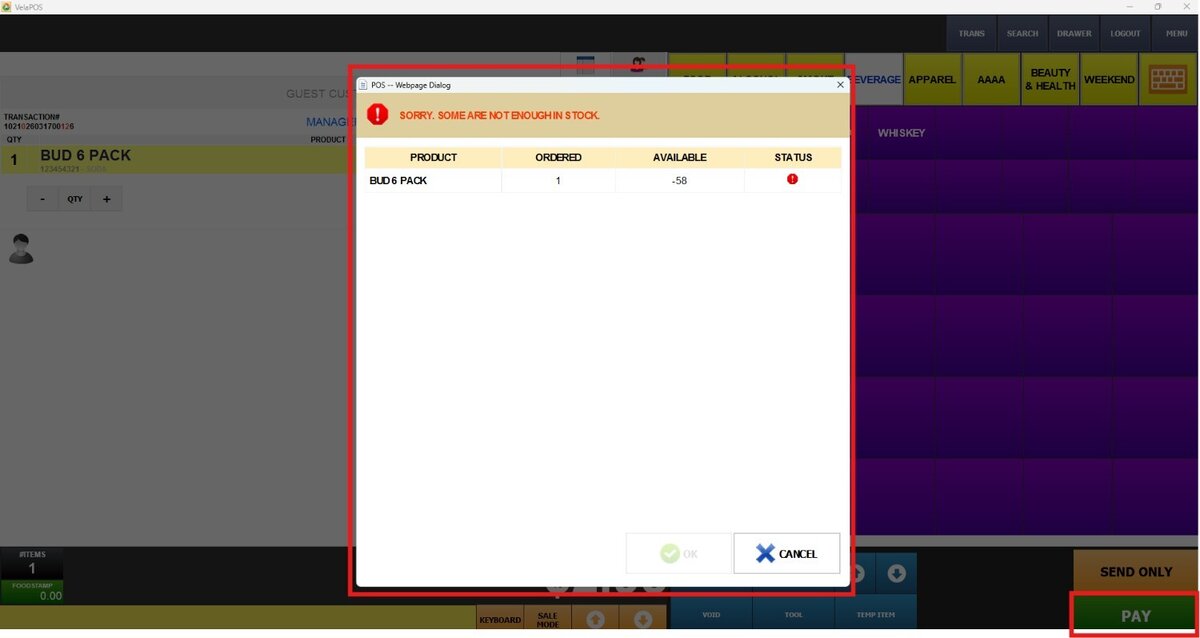
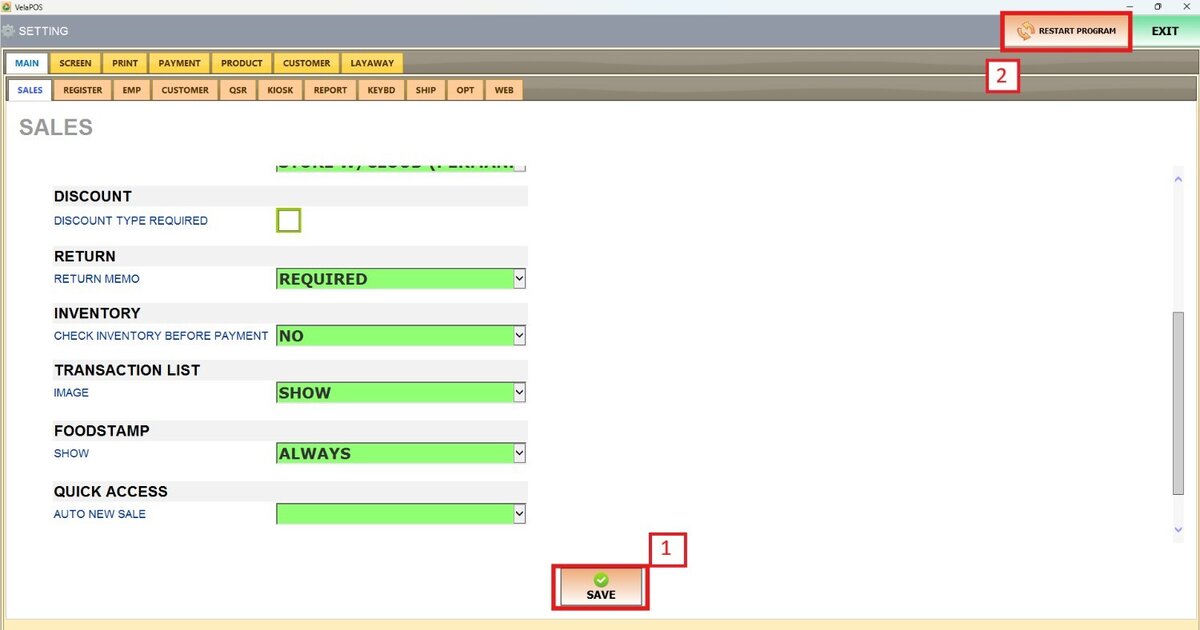
Don't forget to press SAVE and RESTART THE PROGRAM to apply the changes.