Search
These settings enable different options when scanning unregistered barcodes, as well as additional features available when ringing up a product.
Main Screen> MENU> SETTINGS> MAIN> SALES
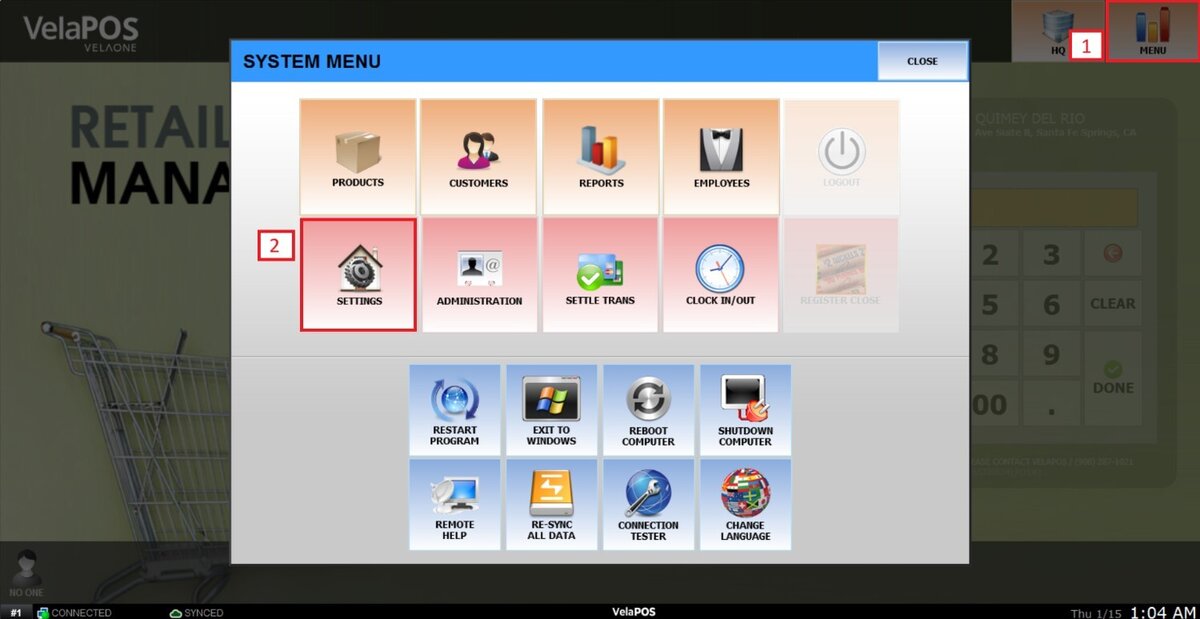
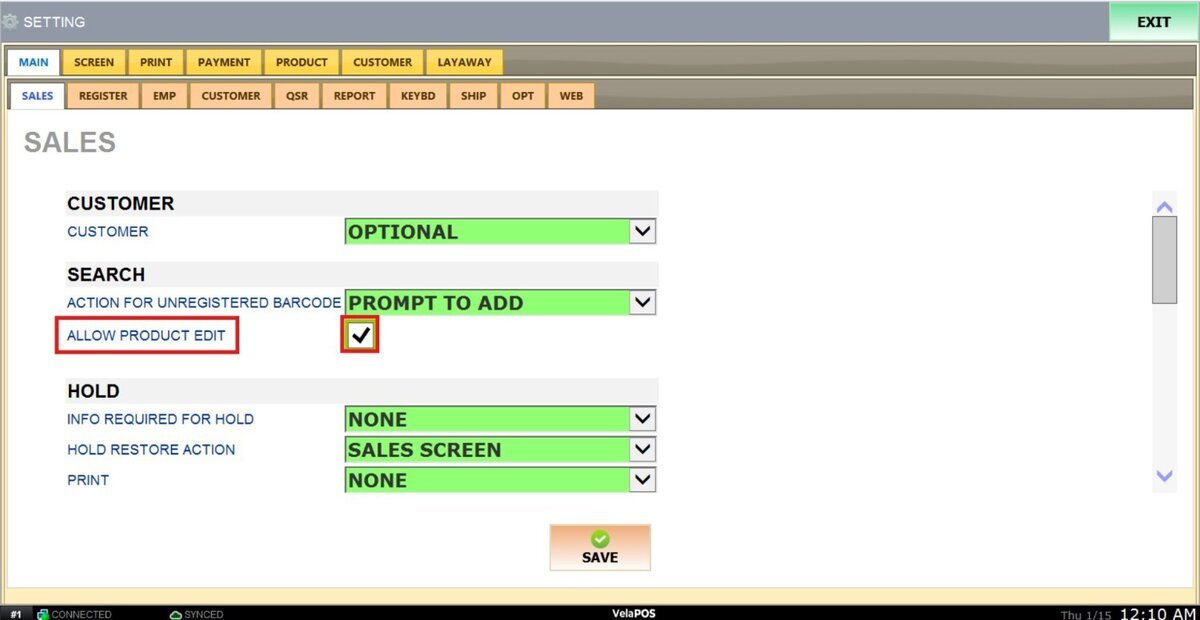
On the main screen, go to MENU and click SETTINGS.
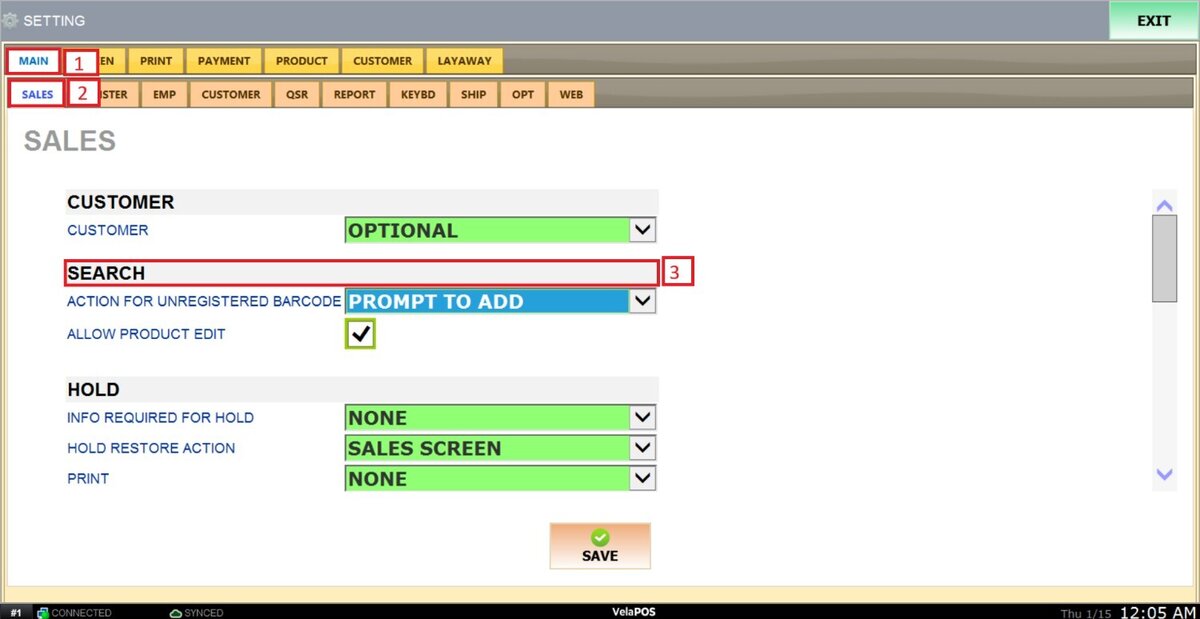
Go to MAIN, select the SALES tab and review the available configuration options in the SEARCH section.
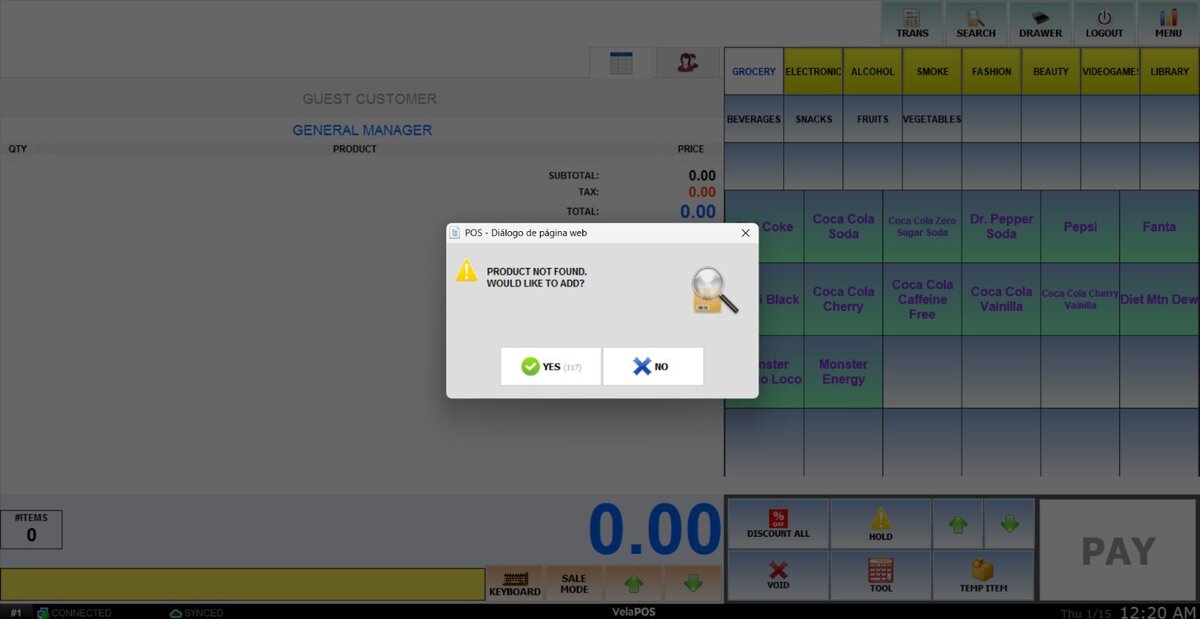
ACTION FOR UNREGISTERED BARCODE
This setting allows you to define how the system responds when an unregistered barcode is scanned.
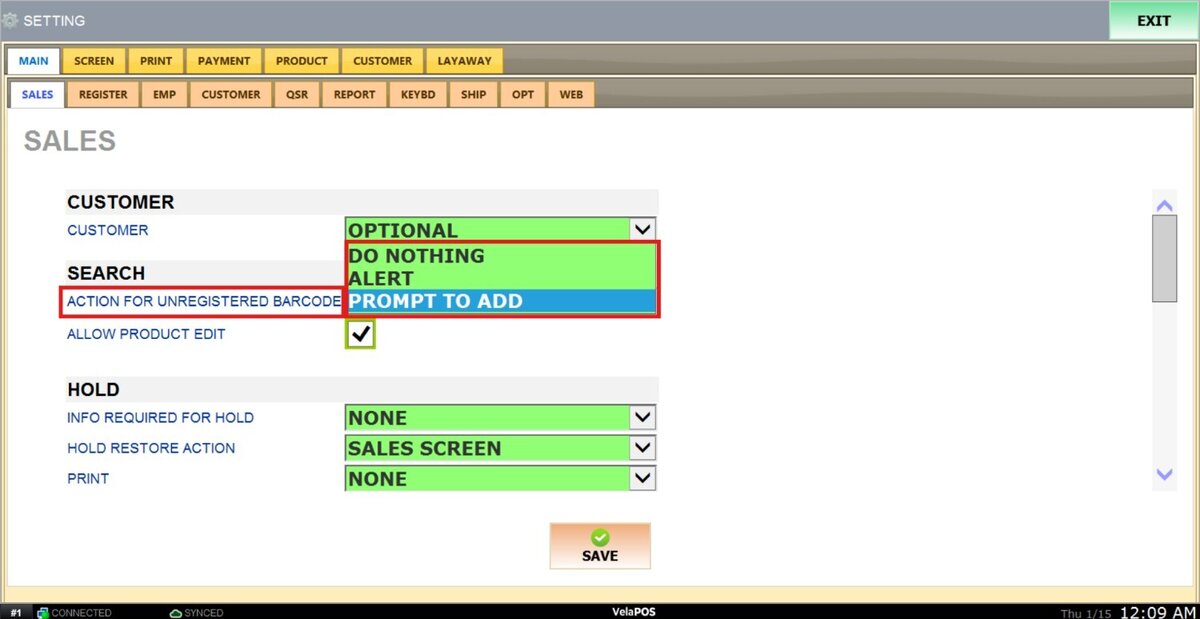
1. DO NOTHING: The system will not perform any action.
2. ALERT: An alert will be automatically displayed by the system.
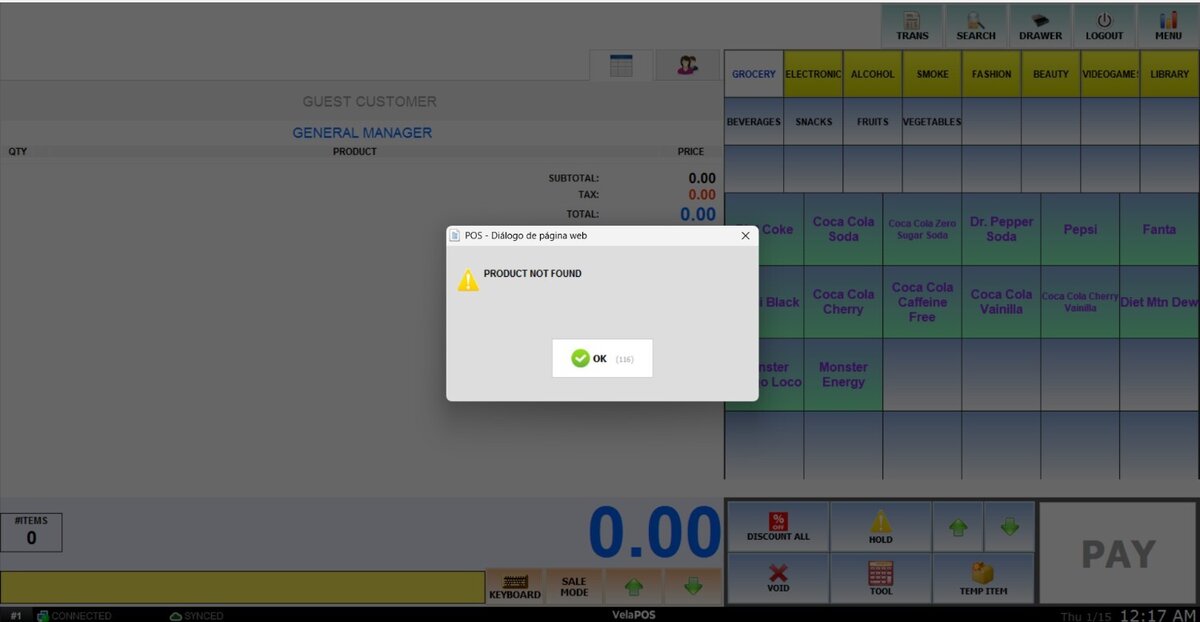
3. PROMPT TO ADD: The system will prompt you to confirm if you want to create a new item for the scanned barcode.
ALLOW PRODUCT EDIT
This setting allows you to define whether product information can be edited after ringing up an item from the sales screen.
1. To enable editing product information from the sales screen, check the box next to the field.
2. To disable this option, leave the box unchecked.
Results:
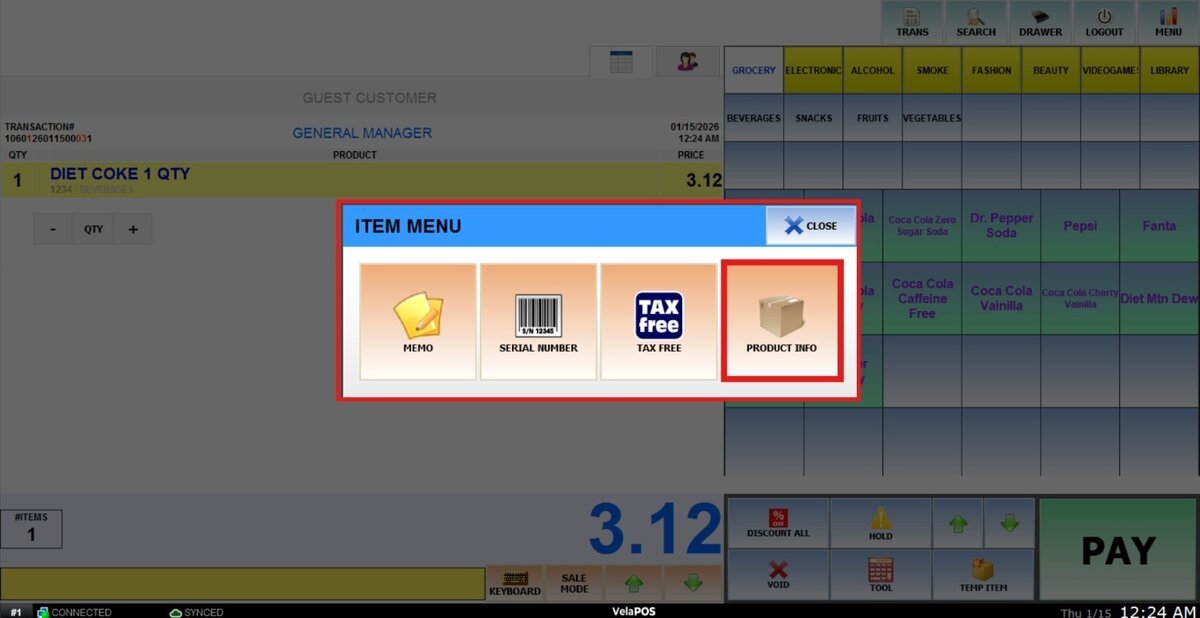
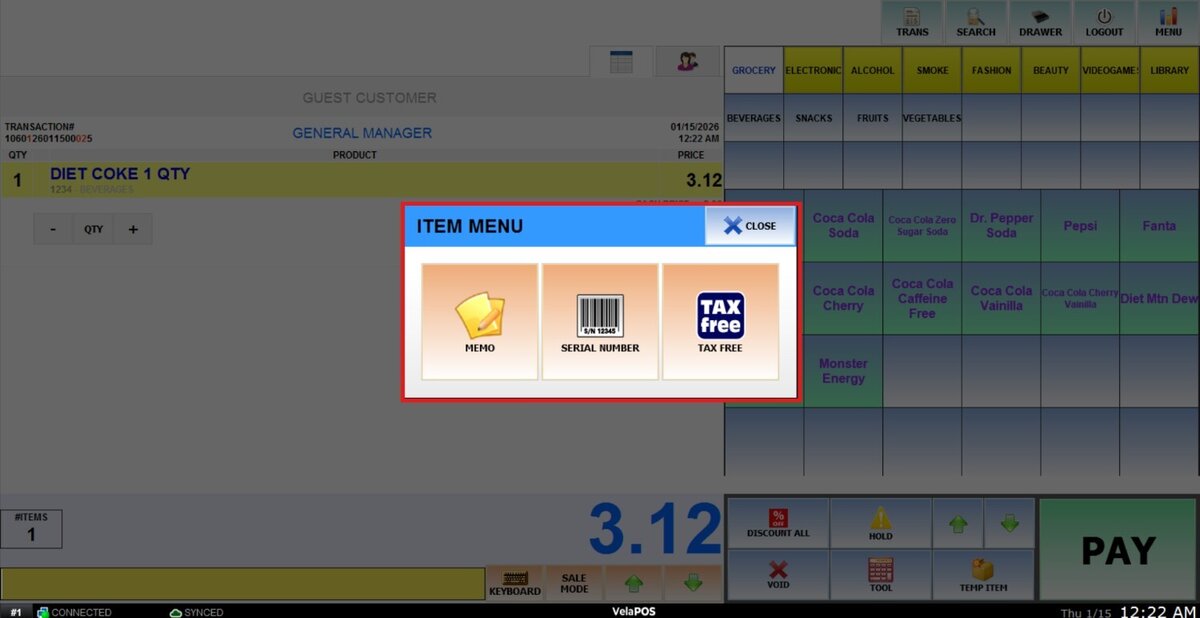
On the sales screen ring up a product and press on the yellow toolbox.
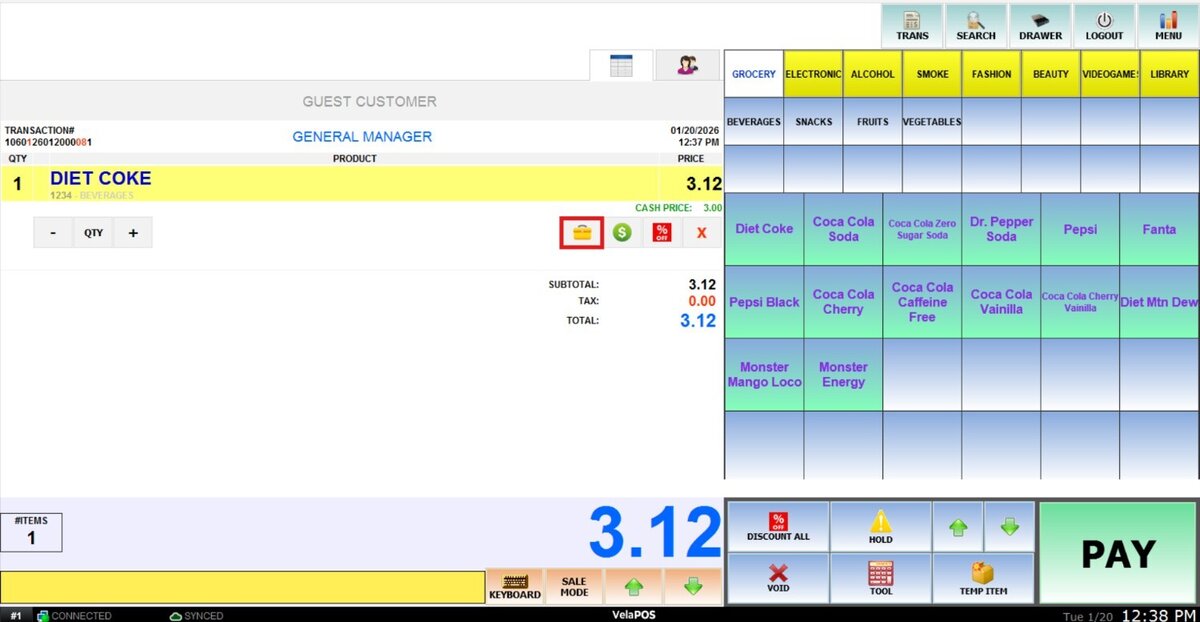
If you check the box, this option will appear in the item menu.
When the box is left unchecked, the option will not be available in the toolbox.
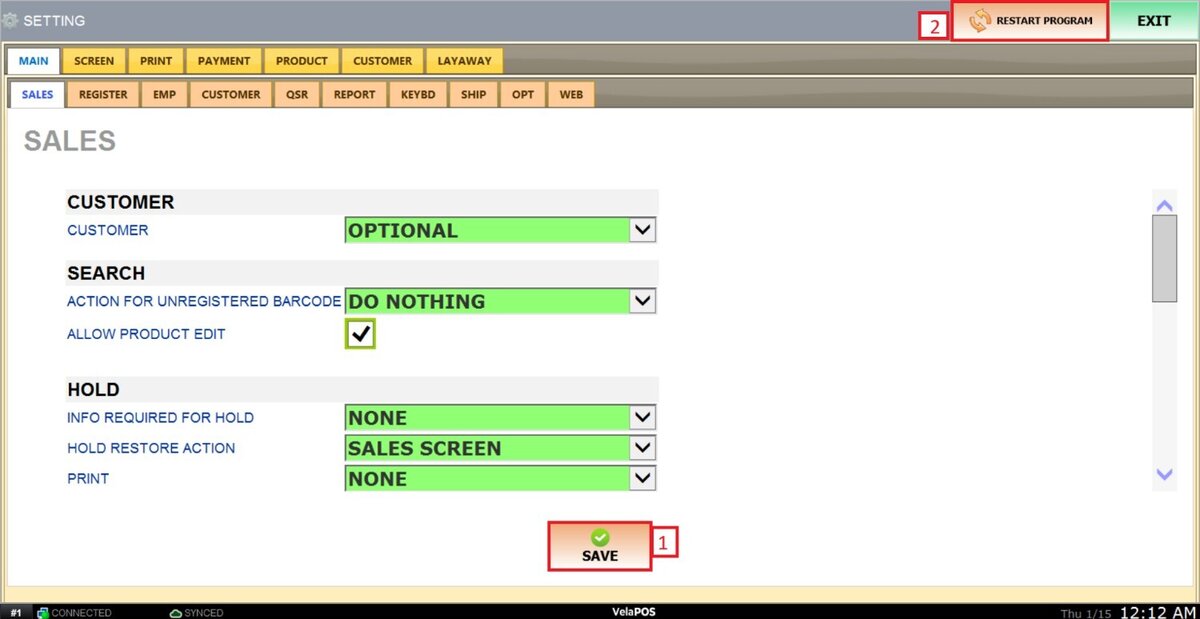
After making any modifications, press SAVE to store them, and RESTART THE PROGRAM to ensure the updates are applied correctly.