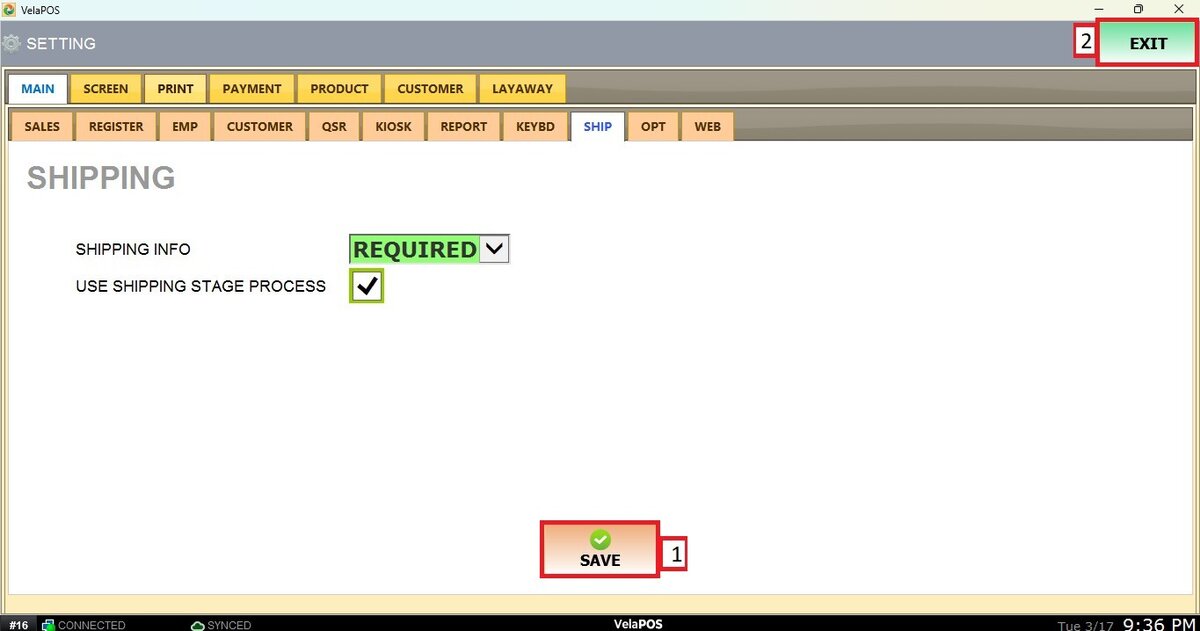
Shipping
This setting allows you to define how strict the system will be when requesting shipping information for delivery orders.
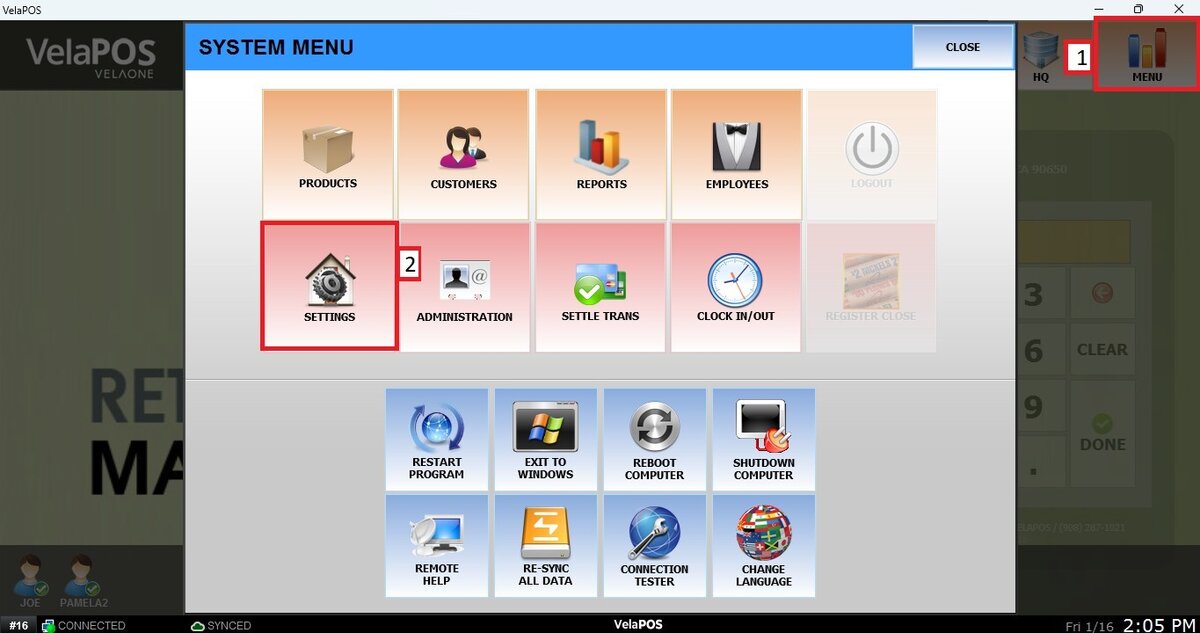
MAIN SCREEN> MENU> SETTINGS> MAIN> SHIP
Go to MENU and press SETTINGS.
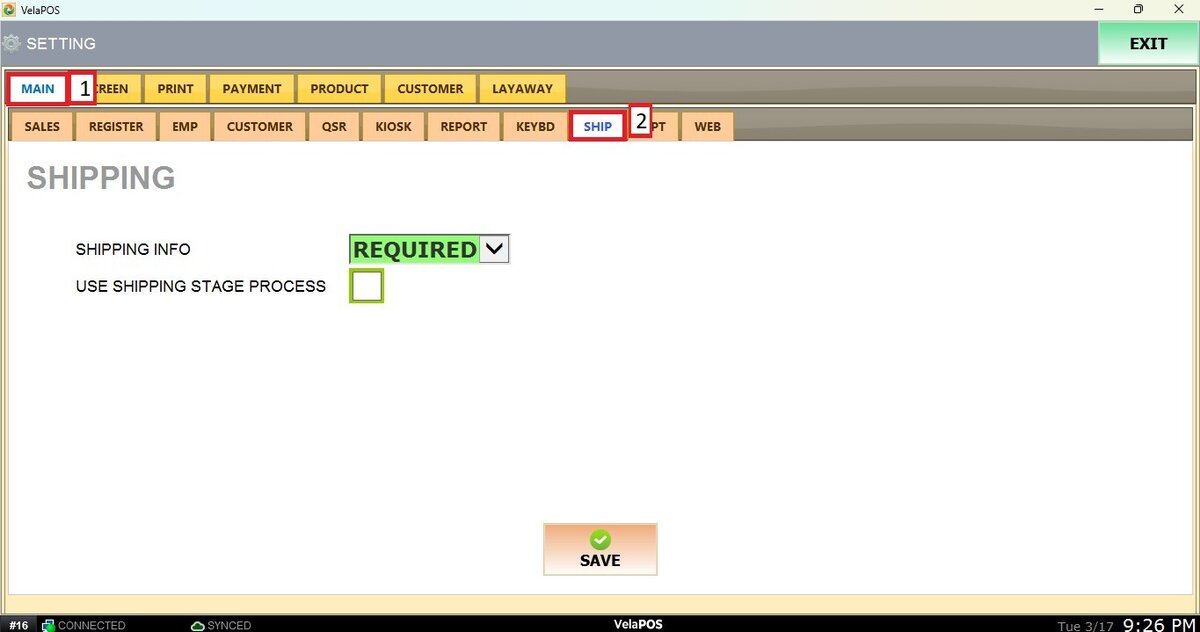
Go to the MAIN tab, click on SHIP.
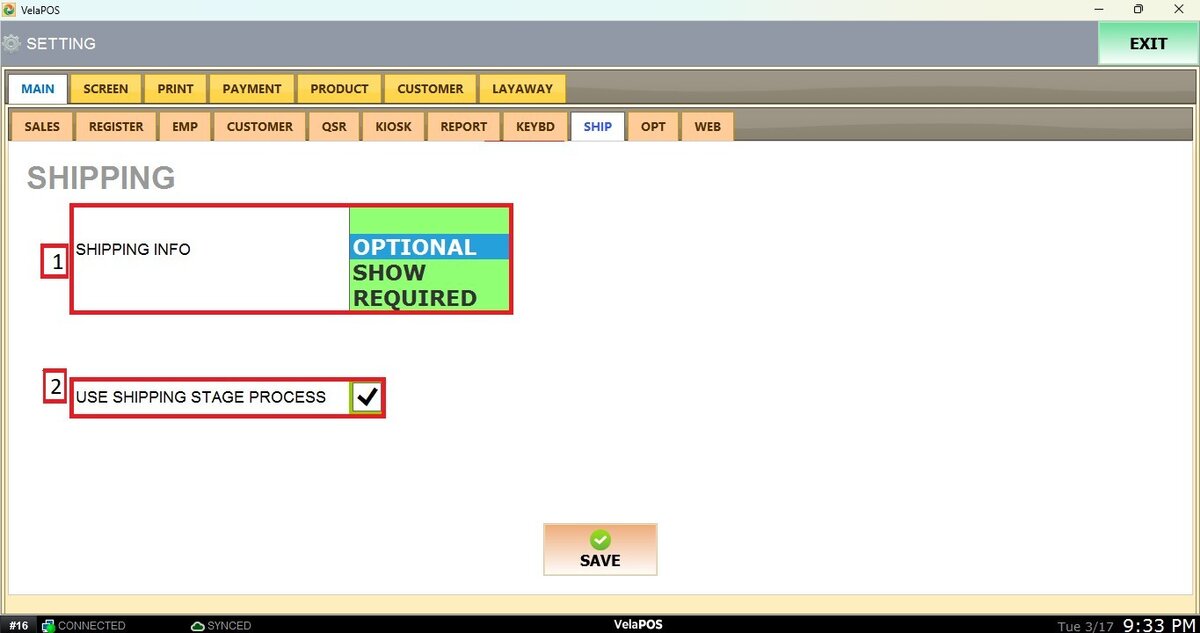
Shipping info:
In the dropdown menu, select the level of requirement for shipping information when processing a sale.
After changing any settings, make sure to click SAVE and then RESTART PROGRAM to apply the changes.