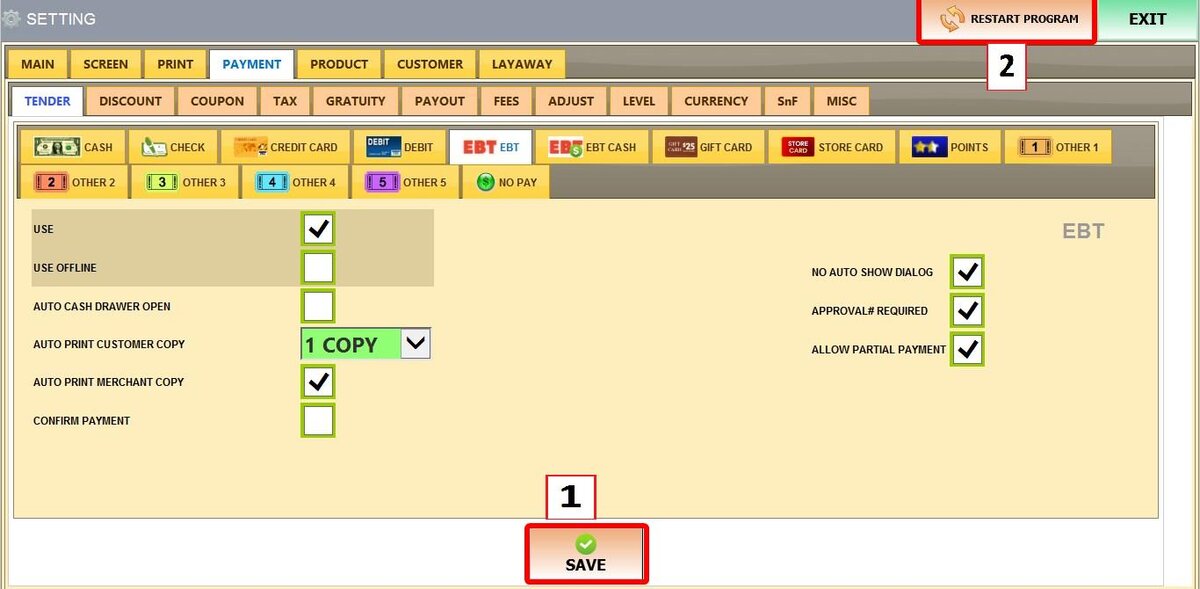
EBT
EBT is a government-supported payment method for essential goods. These settings manage how the POS handles EBT transactions
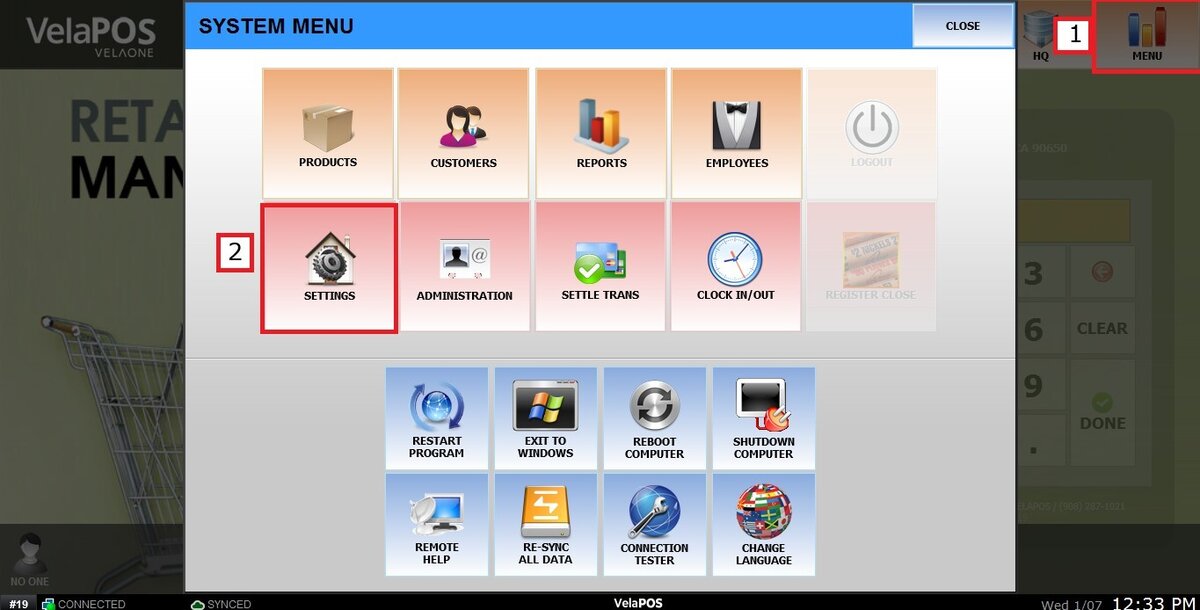
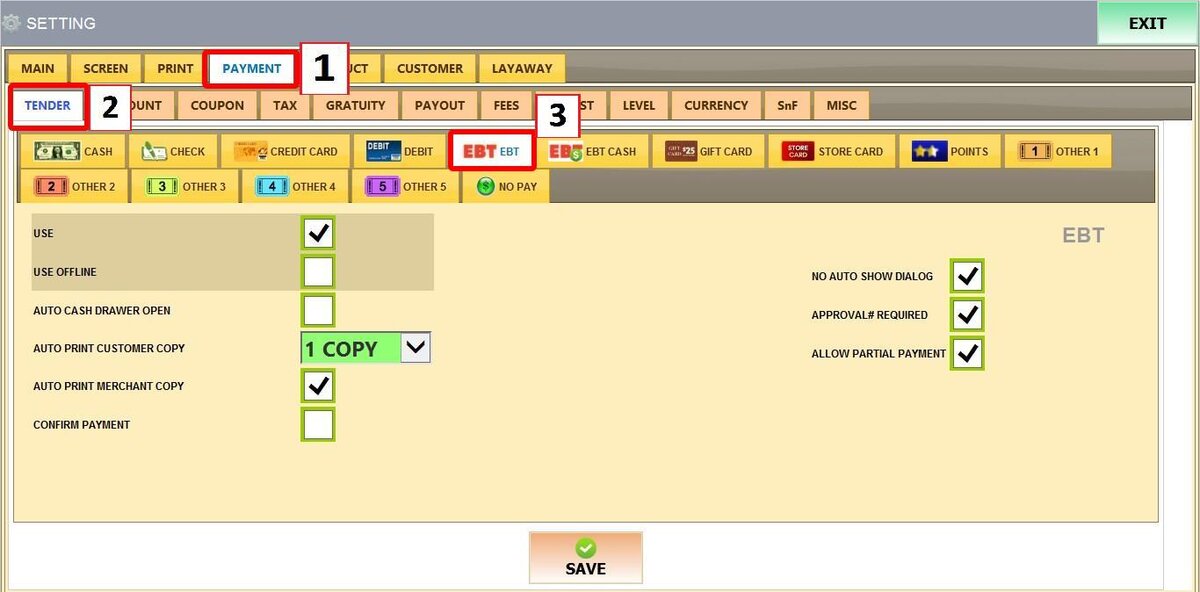
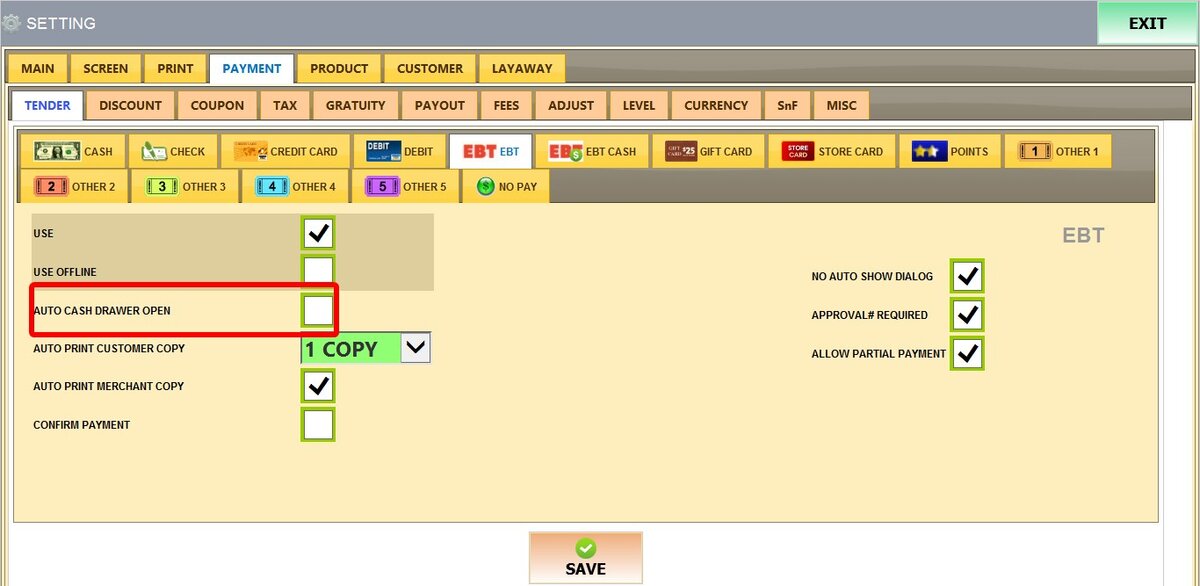
Main Screen > MENU > SETTINGS > PAYMENT > TENDER > EBT
Go to MENU then SETTINGS
Go to PAYMENT then TENDER and select EBT
Refer to Paying with EBT to learn how this payment method is used to complete sales.
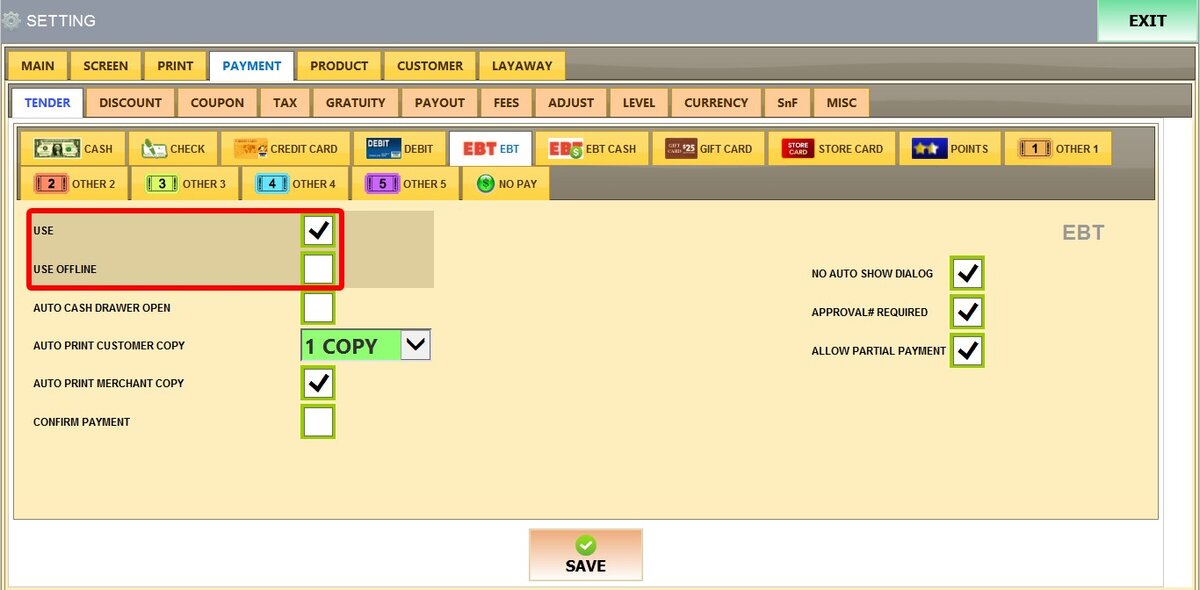
USE: Enables EBT as a payment option on the sales screen.
USE OFFLINE: Allows EBT transactions to be processed even if the POS temporarily loses internet connection.
AUTO CASH DRAWER OPEN: Automatically opens the cash drawer once the transaction is finished.
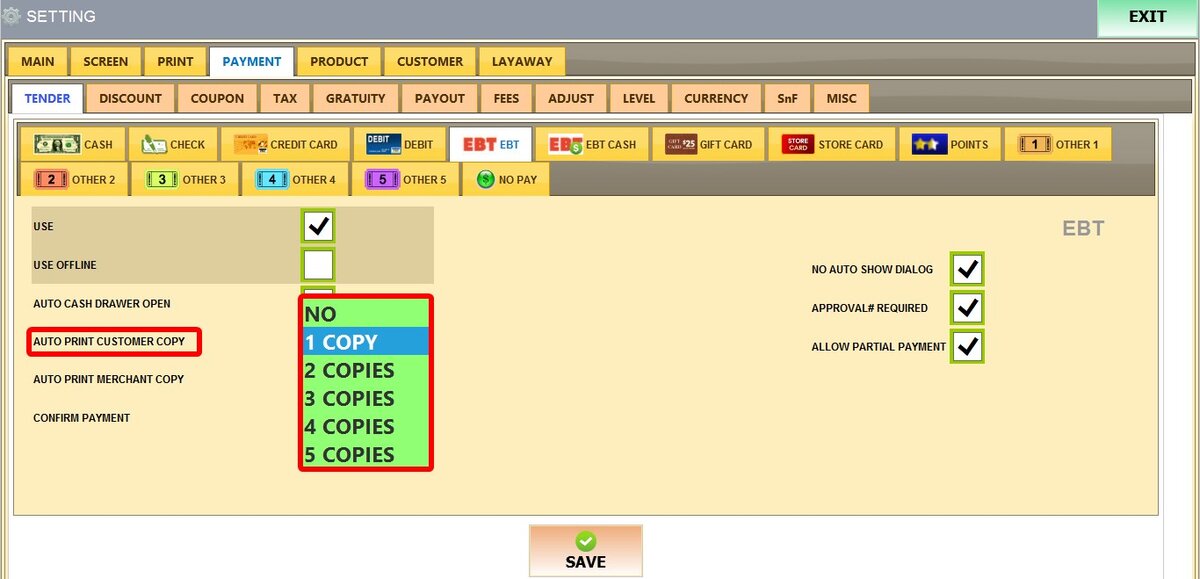
AUTO PRINT CUSTOMER COPY: Sets how many customer receipts (NO (0) to 5 COPIES) print automatically.
AUTO PRINT MERCHANT COPY: Automatically prints a receipt copy for the store's records.
CONFIRM PAYMENT: Requires the cashier to manually confirm the transaction on the screen to finalize the sale.
NO AUTO SHOW DIALOG: Skips the pop-up window for card balances or approval details, finishing the sale immediately.

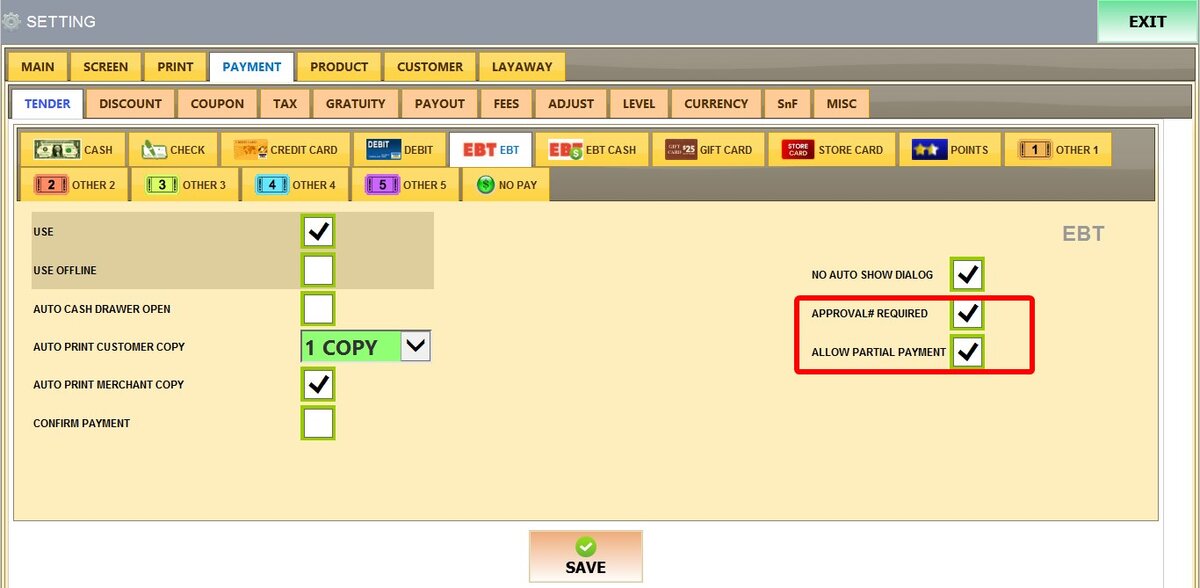
APPROVAL# REQUIRED: Prevents the sale from completing until an authorization code is entered in the approval field.
ALLOW PARTIAL PAYMENT: Lets the system use the available card balance and request a different payment method for the remaining total.
Once configured, click SAVE and RESTART THE PROGRAM