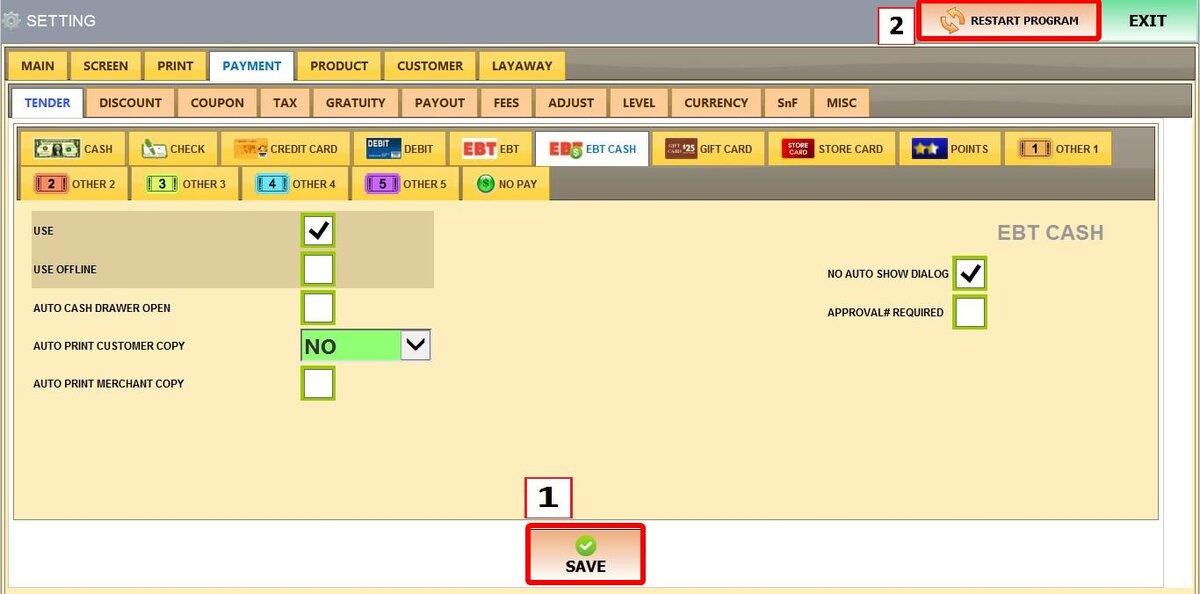
EBT Cash
EBT Cash is a government-supported benefit. It allows for the purchase of a wider range of items using the cash balance of the account. These settings manage how the POS handles these specific transaction types.
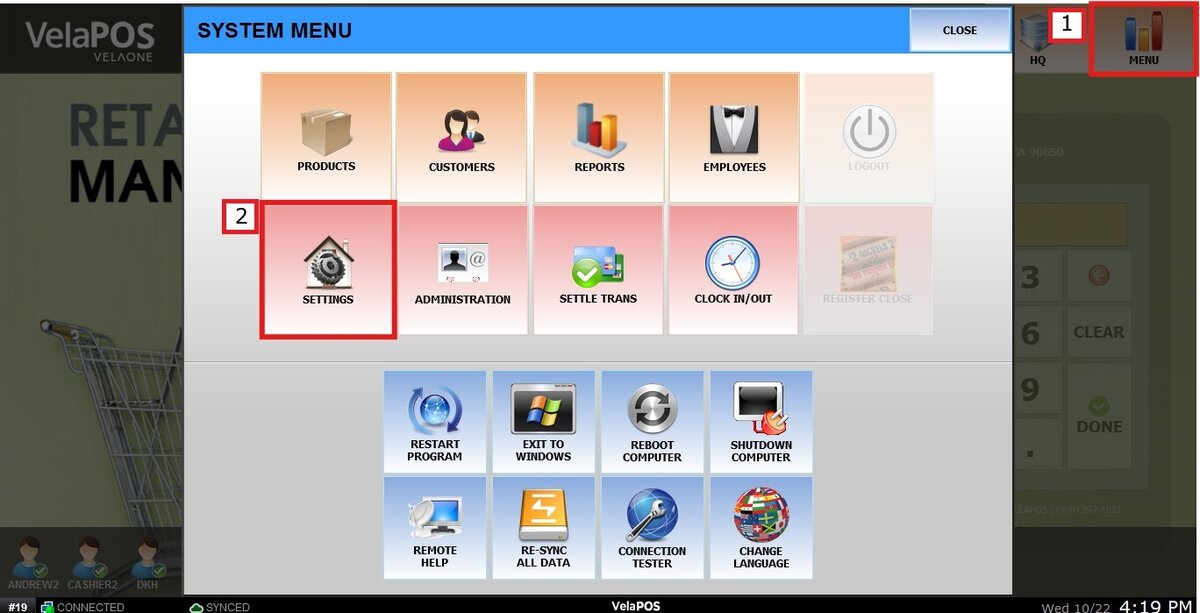
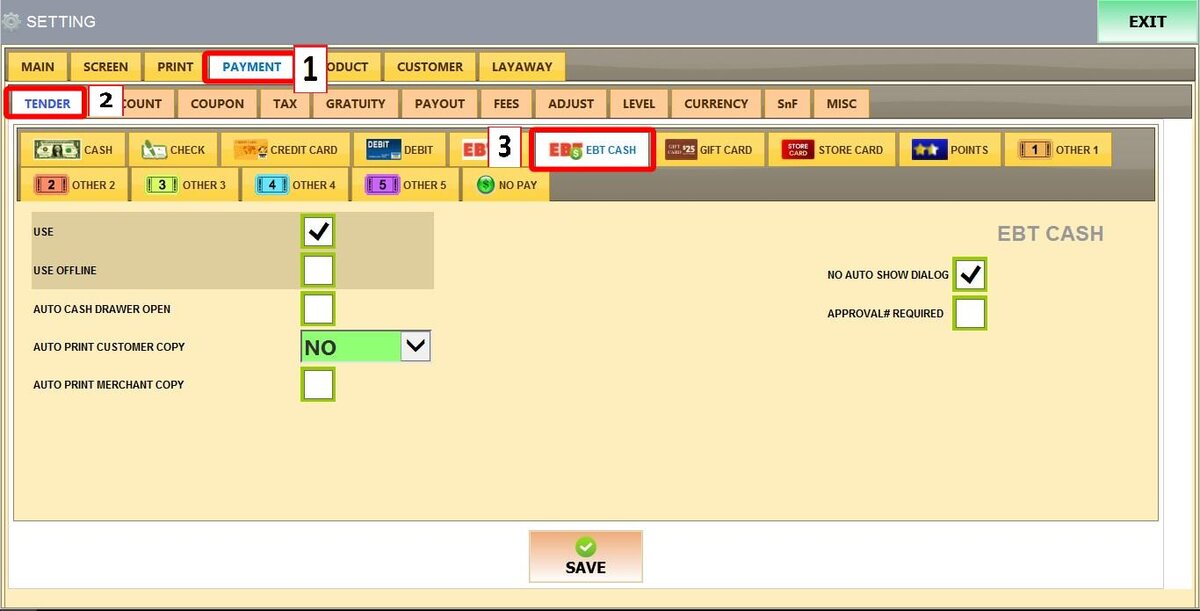
Main Screen > MENU > SETTINGS > PAYMENT > TENDER > EBT CASH
Go to MENU then SETTINGS
Go to PAYMENT then TENDER and select EBT CASH
Refer to Paying with EBT to learn how this payment method is used to complete sales.
USE: Enables EBT Cash as a payment option on the sales screen.
USE OFFLINE: Allows EBT Cash transactions to be processed even if the POS temporarily loses internet connection.
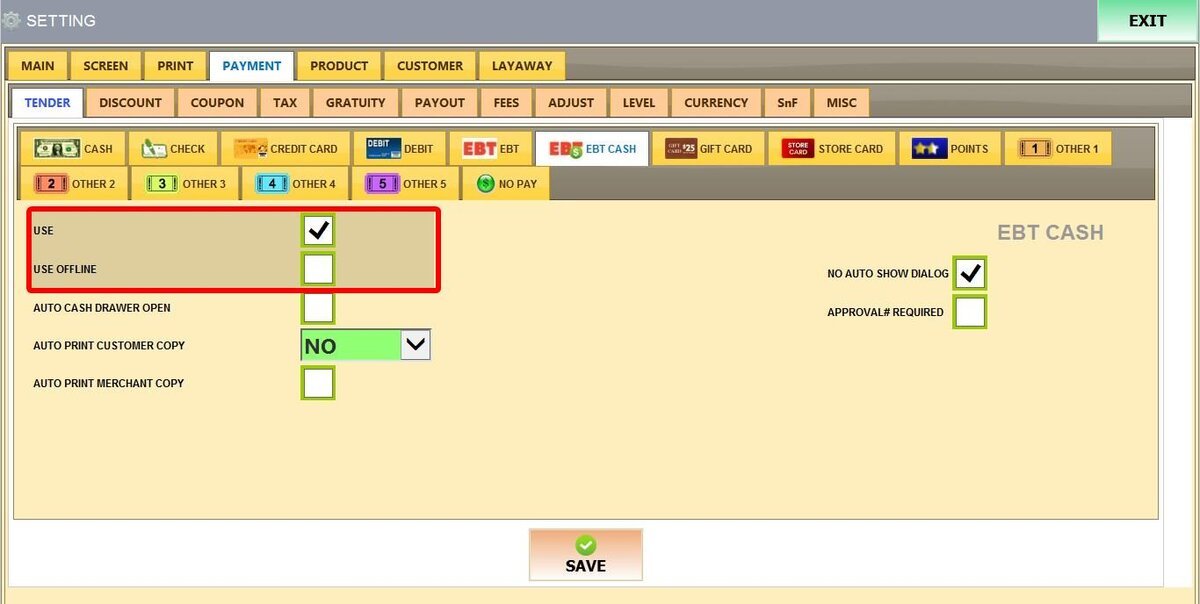
AUTO CASH DRAWER OPEN: Automatically opens the cash drawer once the transaction is finished.
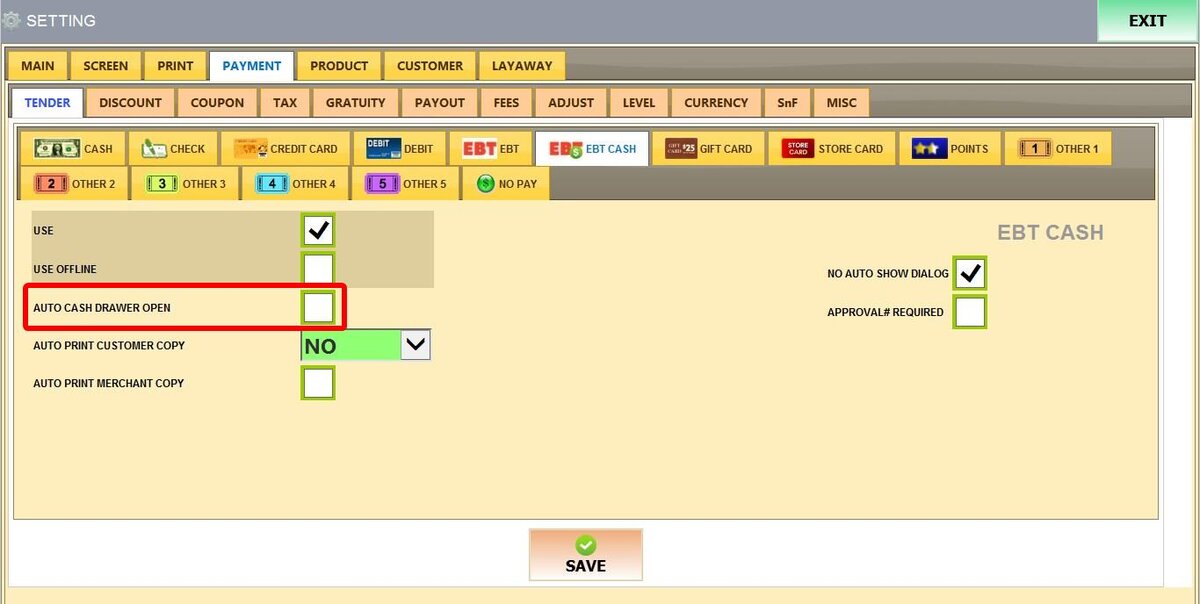
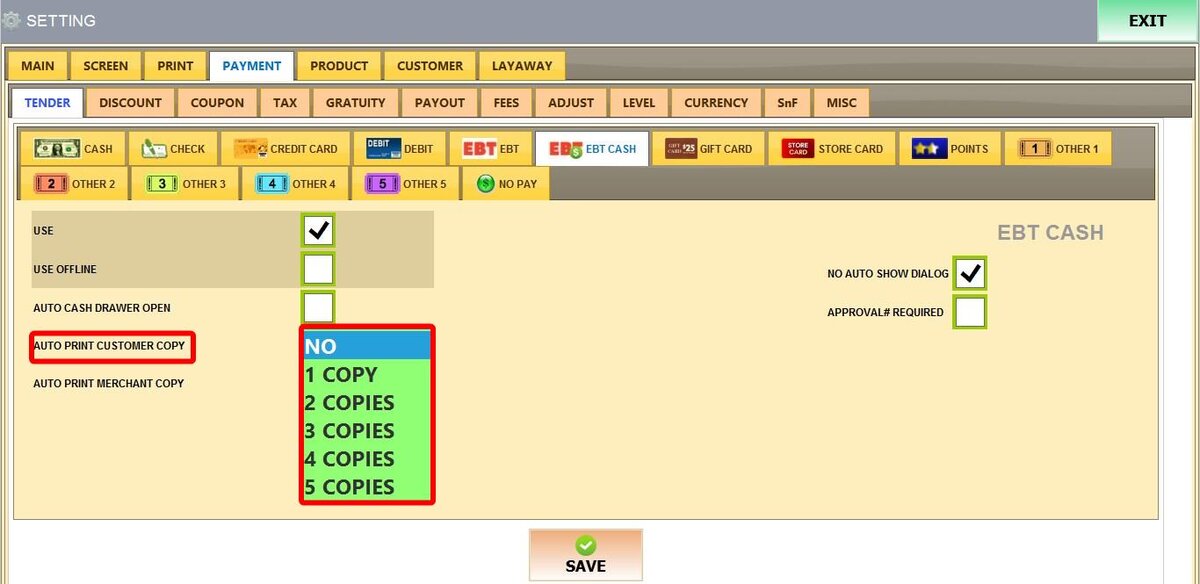
AUTO PRINT CUSTOMER COPY: Sets how many customer receipts (NO (0) to 5 COPIES) print automatically.
AUTO PRINT MERCHANT COPY: Automatically prints a receipt copy for the store's records.
NO AUTO SHOW DIALOG: Skips the pop-up window for card balances or approval details, finishing the sale immediately.
APPROVAL# REQUIRED: Prevents the sale from completing until an authorization code is entered in the approval field.
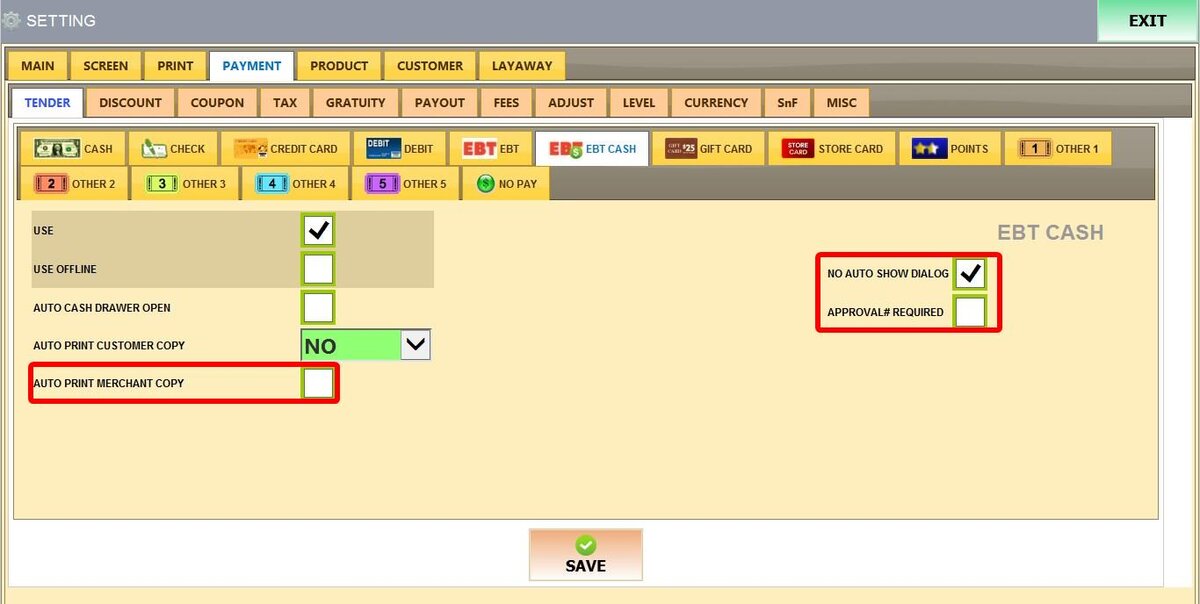
Once configured, click SAVE and RESTART THE PROGRAM.