Background
This setting allows you to change the background image of the main screen.
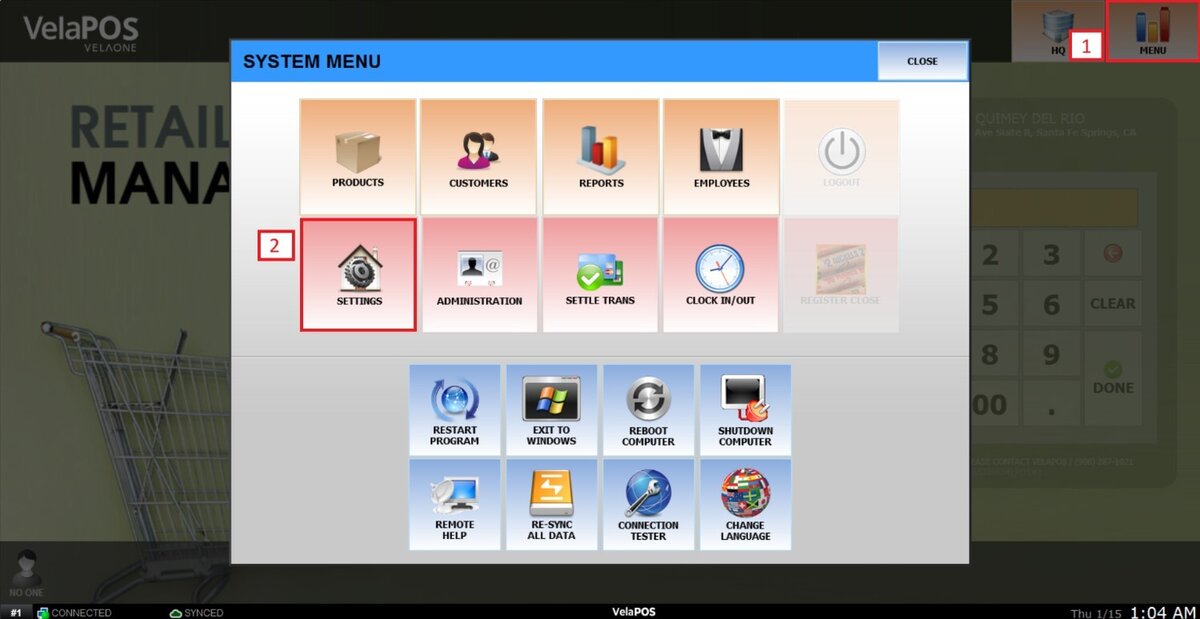
Main Screen> MENU> SETTINGS> SCREEN> BACKGROUND
On the main screen, go to MENU and click SETTINGS.
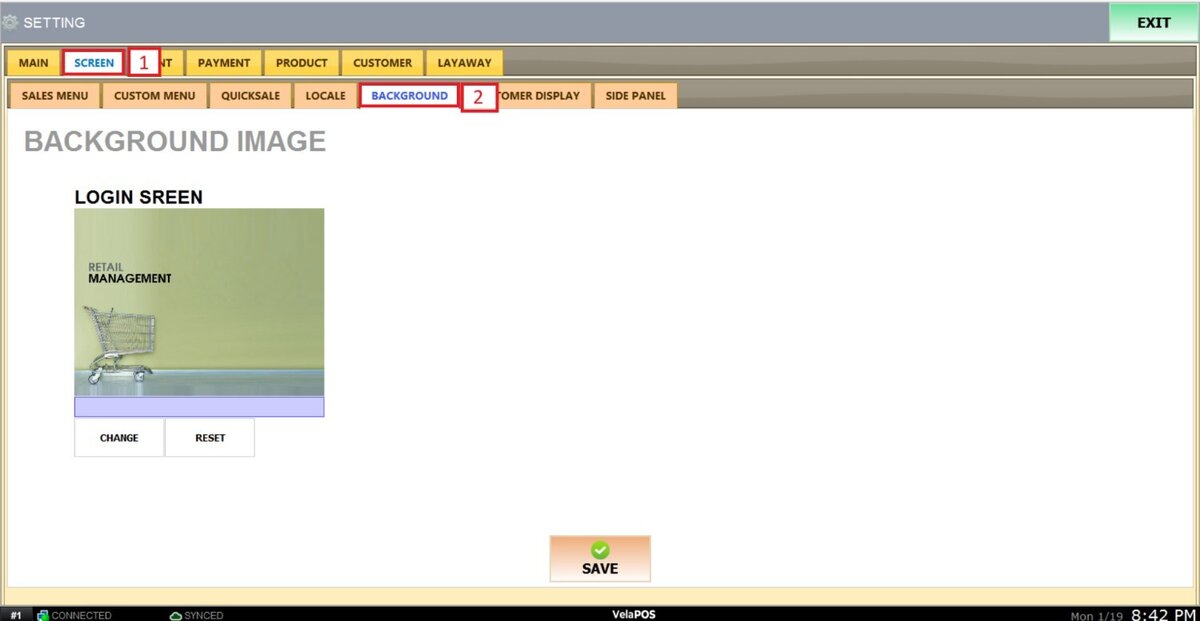
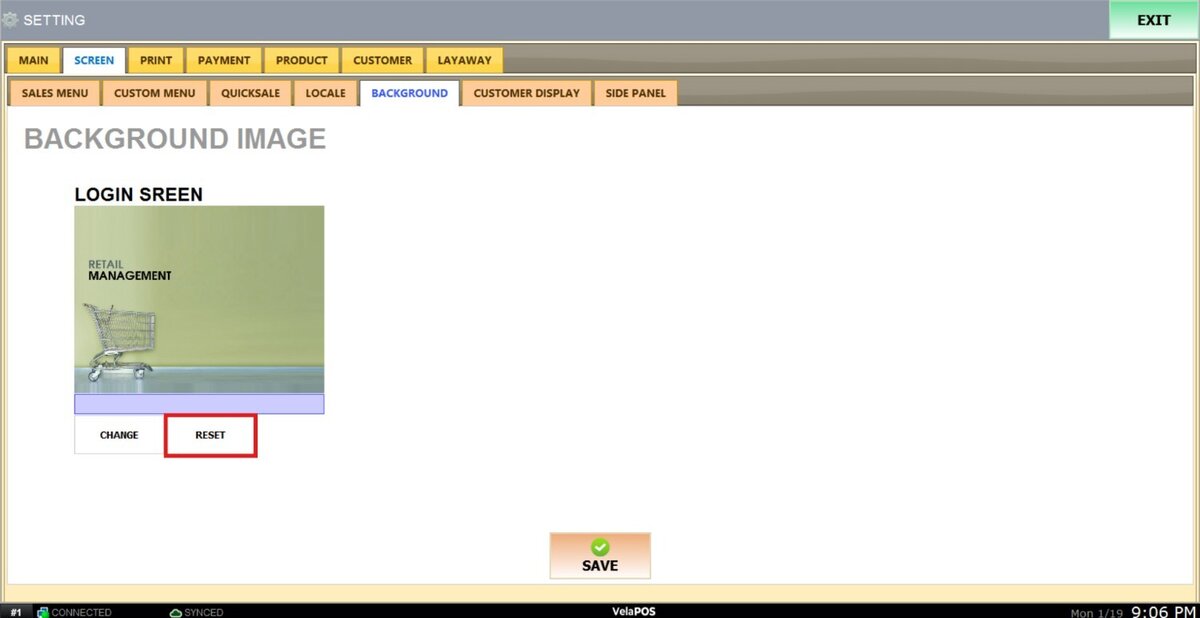
On SCREEN, select the BACKGROUND tab.
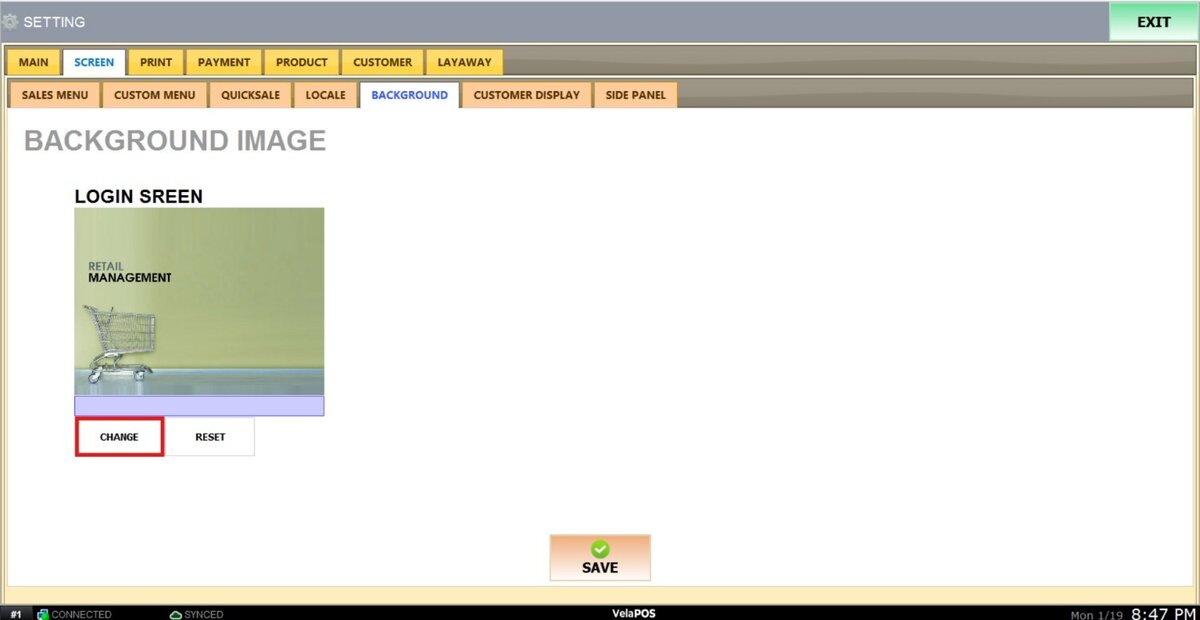
LOGIN SCREEN
With this setting, you can configure the main screen's background.
To change the image, press on CHANGE and select the desired picture from your computer's files.
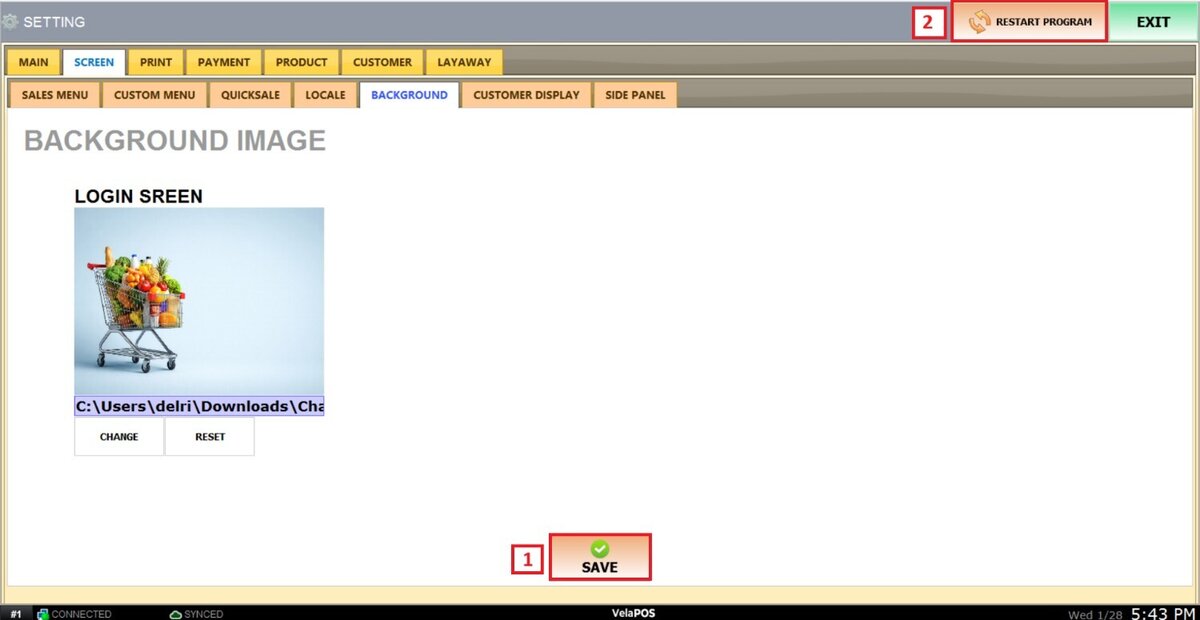
After making changes, press SAVE and RESTART THE PROGRAM to apply them.
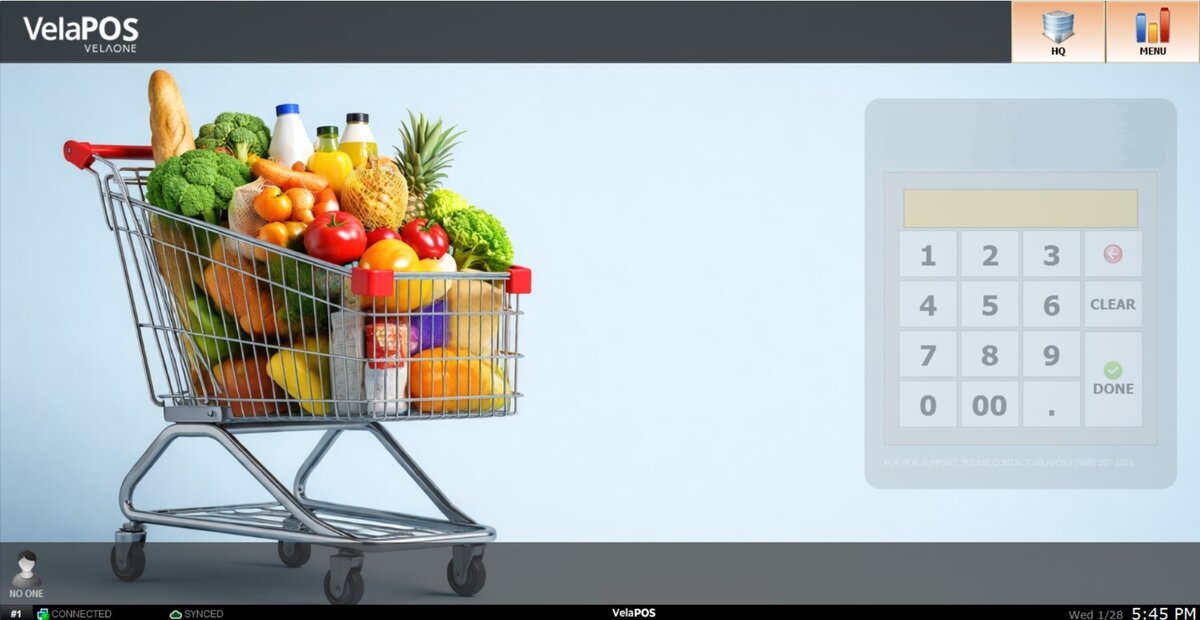
Results:
This is the main screen with the selected image displayed.
Hint: If you want to have the original image from the system back, press reset.
After making any modifications, press SAVE to store them, and RESTART THE PROGRAM to ensure the updates are applied correctly.